


Can you post events on Yelp? If you run a small business that hosts workshops, tastings, live music nights or pop-up markets, one question probably comes up fast: can you post events on Yelp and actually get people to show up? The short answer is: yes—often—but with important caveats. Yelp events exist, they can help, and they work best when you treat them like one channel in a small, coordinated promotional plan.
Yelp events: how they work and when to use them
Yelp events are a built-in feature that lets businesses list upcoming happenings on their public Yelp profile or in the broader Yelp Events feed. But availability varies—some accounts and regions see a full Events tool in the Yelp for Business dashboard, while others don’t. That means before you spend time writing copy and hunting for images, check your dashboard for access to the events creator.
If you’d like a quick review of what’s live on your Yelp page and practical changes to increase discoverability, Agency VISIBLE’s quick Yelp review is a helpful, no-fuss first step that many small businesses use to get clear improvements fast.
Below we’ll walk through exactly what to prepare, how to write better titles and descriptions, how to troubleshoot moderation delays, and how to measure whether Yelp events actually brought people through your door. For a general view of the agency and other resources, see the Agency VISIBLE homepage.
Start with a precise, neighborhood-based title, use candid photos of guests tasting bread, add a direct ticket link, publish at least a week early, and cross-post the Yelp link to your newsletter and a local board—ask attendees how they heard about you at the door to measure results and refine the approach.
Practical pre-flight checklist before you create a Yelp event
Think of the event listing as the first minute of a guest’s experience. Prepare these items before you start:

1. A specific, search-friendly title: Use plain language and a neighborhood cue when appropriate. Examples: “Saturday Sourdough Tasting — [Neighborhood]” or “Sunday Jazz Session with Local Trio.”
2. Exact, timezone-aware times: Yelp expects local start times. If your audience includes out-of-towners, clarify the timezone.
3. 1–3 high-quality images: Use a candid shot of people at a past event, a well-lit venue photo, or a striking poster. Make sure they’re cropped to Yelp’s recommended proportions to avoid awkward cuts.
4. A clear description that answers the main questions: What will happen? Who’s it for? Tickets required or free? Accessibility notes and what people should bring.
5. A direct ticket or RSVP link (if relevant): Avoid intermediate pages or redirects that make it hard to buy. A direct link improves conversion and helps Yelp’s moderation process.
Writing titles and descriptions that convert for Yelp events
Strong titles and descriptions are short, honest, and locally informative. Here are specific templates that work:
Event title templates:
– “[Day] [Headline] — [Neighborhood]” (e.g., “Saturday Sourdough Tasting — Eastside”)
– “[Featured act] at [Venue]” (e.g., “Local Jazz Trio at The Corner Café”)
– “[Activity] + [Hook]” (e.g., “Wine Tasting — Spring Harvest Flights”)
Description structure (first two sentences matter the most): Lead with the core offer and the hook. Example: “Join us for a two-hour sourdough tasting featuring five loaves baked fresh—learn basic shaping and take home a starter. Tickets required; limited to 20 people.” The first couple of lines should tell potential guests why they should care.
Keywords and local cues without stuffing
Using sensible phrases like “wine tasting in [neighborhood]” or “family-friendly workshop near [landmark]” helps local searches. But avoid stuffing keywords. Yelp’s users want readable, human copy—so write like you’re inviting a neighbor.
Image tips for Yelp events
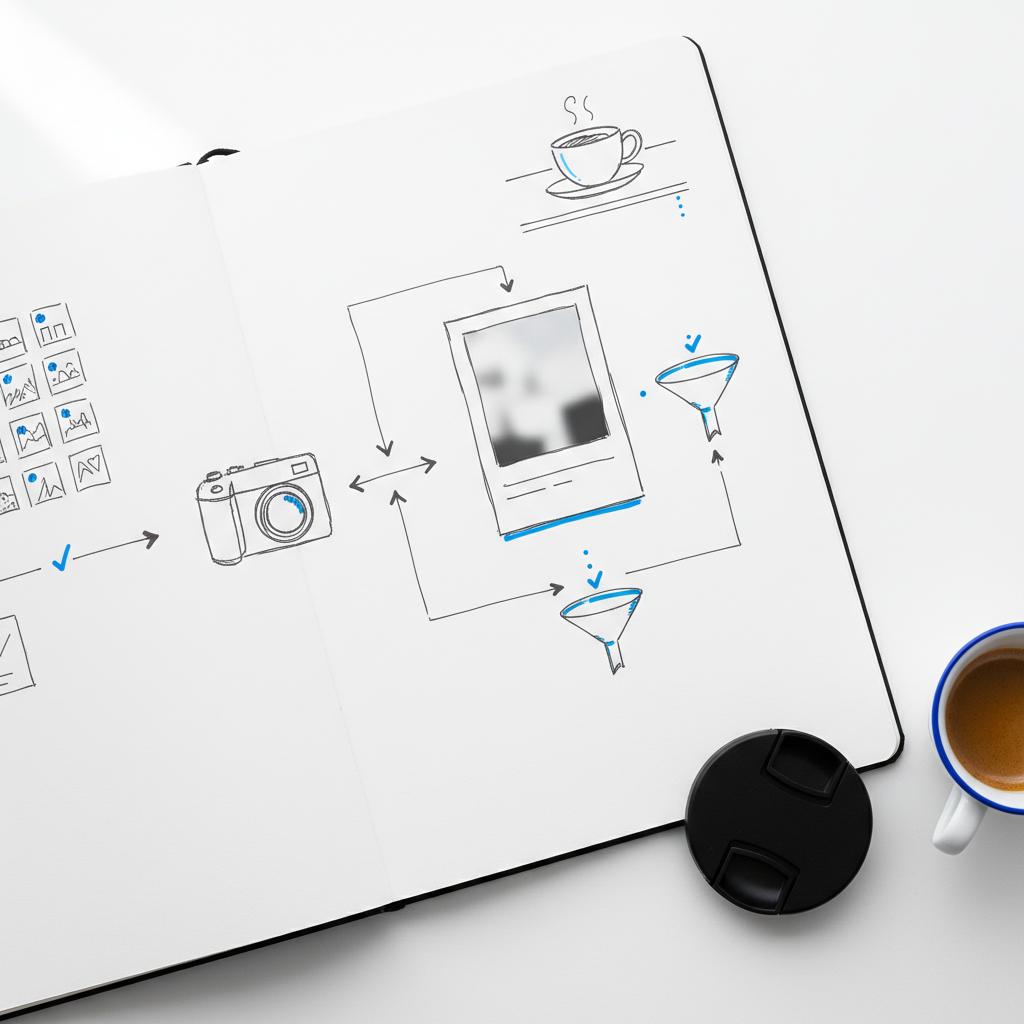
Images are often overlooked but matter. Use photos that answer the question “What does the event feel like?” Here are practical points. A small logo can help recognition when used consistently.
– Prefer candid photos of real people engaging in the activity over generic stock images.
– Ensure photos are well-lit and clear; dark, grainy pictures reduce trust and clicks.
– Follow Yelp’s recommended aspect ratios; test how the crop looks in a preview. If possible, include both an atmospheric photo and a close-up detail (e.g., hands shaping dough or a plated tasting).
How moderation works and realistic timelines
Yelp uses moderation to filter spam and protect users. This is usually automatic but sometimes triggers a manual review. In practice:
– Many events appear within 24–48 hours.
– If a listing is flagged for review, it can take longer – sometimes several days.
– As a rule of thumb, create events at least a week before marketing them externally to avoid surprises from moderation delays.
Troubleshooting when your event doesn’t show
If your event doesn’t appear, follow this checklist:
– Confirm the listing is published and not a draft.
– Check your Yelp dashboard and the email tied to your account for moderation requests.
– View your public page in a private or incognito window to avoid seeing unpublished previews.
– Simplify the listing if needed: clarify times, add images, and include a direct ticket link.
– If nothing changes, contact Yelp support via the Help Center article and include the event title and URL.
How much reach can you expect from Yelp events?
Yelp events can be a steady, modest source of attendees—but they often drive fewer direct signups than platforms built specifically for events and RSVPs. Why? User behavior. People tend to use sites like Eventbrite, Facebook Events, or Meetup for RSVPs and calendars. Yelp performs better when someone discovers your business and then sees the event listed as a nearby option. See tips on how others create events on Yelp here.
Think of Yelp events as one exposure channel: they can help discovery when someone is already exploring businesses in your area. That means the return on effort improves when the listing is complete and the ticket link is direct.
Cross-posting and promotion: making Yelp events work with other channels
Don’t rely on Yelp alone. Cross-posting widens reach and reduces the risk of being hamstrung by moderation delays. Smart cross-posting options include:
– Your email newsletter (include the Yelp event URL if Yelp offers useful reviews or images).
– Social posts with the direct ticket link and a short, friendly blurb.
– Local community calendars and neighborhood Facebook or Nextdoor groups.
– In-store signage and receipts that mention the upcoming Yelp-posted event for extra credibility.
Testing the ticket flow
After publishing, always test the ticket or RSVP link in an incognito window and on mobile. Try the full buying or RSVP workflow to ensure there are no friction points. A simple test often reveals broken redirects, confusing landing pages, or outdated ticket quantities.
Measuring success from Yelp events
Tracking is practical and simple:
– If you use ticketing, add a checkout question: “How did you hear about this event?” Make it multiple choice (Yelp, email, social, word of mouth).
– If no tickets, use a two-question sign-in sheet at the door: name and “Where did you hear about us?”
– Over several events, compare attendance and survey answers to see whether Yelp is a meaningful referrer for your audience. If it consistently shows up, consider investing more time in optimizing event copy and images on Yelp.
Accessibility and inclusivity on Yelp events
Be explicit about accessibility. Mention step-free access, toilets, space for service animals, or sensory elements (loud music, flashing lights). Clear accessibility notes not only help guests plan but also reflect well on your brand.
Common mistakes to avoid with Yelp events
– Vague titles like “Live Music Night” with no date or neighborhood cue.
– Missing ticket links or hiding the purchase button behind multiple redirects.
– Low-quality images that undercut interest.
– Waiting until the last minute to publish, then panicking if moderation delays occur.
Sample event copy — quick templates
Use these to save time and keep listings consistent:
Template 1 — Tasting: “Saturday Sourdough Tasting — [Neighborhood]. Try five breads, learn shaping tips, and take home a starter. Tickets $20; limited to 20. Direct ticket link: [URL].”
Template 2 — Live music: “Sunday Jazz Session with the [Band Name] at [Venue]. Doors 6:30pm, music 7pm–9pm. $10 cover, ages 21+. Buy tickets: [URL].”
Template 3 — Workshop: “Intro to Pottery — 3-hour hands-on class for beginners. All materials provided. Bring an apron. RSVP required: [URL].”
When you can’t post events directly on Yelp: alternatives and workarounds
If your account doesn’t show the Events tool, you still have options:
– Add an event CTA in your business description with a direct link to your event page.
– Upload a photo with event details and the ticket link in the caption.
– Use a pinned review response or an update post (if available) that mentions upcoming dates and where to buy tickets. You can also explore using Yelp Connect if it’s available for your account.
Keeping your Yelp page useful without Events
Fully claim your profile, keep hours accurate, and add a photo album for past events. A well-maintained page helps people who find you through search even if Yelp events aren’t available for your account.

Advanced local SEO tips for getting noticed
Simple changes to your Yelp profile can amplify event discoverability:
– Accurate categories and updated hours: Yelp’s search likes complete profiles.
– Use neighborhood names and local landmarks in event descriptions naturally.
– Encourage recent, relevant reviews—people searching for things to do often click businesses with current activity and feedback.
Expanded case study: the bakery that used Yelp events well
We mentioned a bakery earlier; here’s a slightly deeper look at what worked for them:
They created exact titles that included the neighborhood, used candid photos of customers sampling bread, and linked directly to a ticket page on their site. They also cross-posted the Yelp event to their email list and a local community board. After two months of consistent postings and asking attendees how they heard about the event, they noticed a steady trickle of Yelp-driven signups. When moderation delayed one listing, their multi-channel approach prevented a no-show disaster. The result: repeat attendees and a small but reliable local audience that grew via word of mouth.
Legal, ticketing and payment considerations
If you sell tickets, be clear about refund, transfer, and age policies in the description or on the ticket page you link to. Some ticketing providers support promo codes—if you want to track Yelp referrals, consider a small Yelp-specific discount code you can validate at the door.
Seasonal events and recurring listings
For recurring events, create a separate event entry for each date rather than one vague repeating post. That makes it easier for searchers to find the exact date they want, and it reduces confusion about start times and fees.
International considerations and timezone tips
Yelp’s user base and feature availability vary by country. Always use explicit local times and the timezone when your audience could include out-of-towners. When promoting in broader markets, state times like “Doors at 7:00 PM (PST)” to reduce confusion.
How to escalate persistent visibility problems
If you’ve followed all the checks above and your event still doesn’t appear:
– Take screenshots of your dashboard showing the published event and any moderation notes.
– Contact Yelp support with the event title, URL, and screenshots. Keep your message concise and polite—support teams respond better to clear, short requests.
Practical weekly workflow for busy small businesses
Here’s a simple routine you can follow each week when planning events:
– Week −2: Draft event copy, take photos, and set up ticketing.
– Week −1: Publish on Yelp and other platforms; test ticket flow; update business hours if needed.
– Week 0: Send reminder email, post on social, and prepare a simple sign-in sheet asking “How did you hear about us?”
Answers to common questions
What information does Yelp ask for when you create an event? Title, timezone-aware date/time, location, 1–3 images, a concise description, and an optional ticket or RSVP link.
How long does Yelp moderation take? Usually 24–48 hours, though manual reviews can extend that timeline. Publish early when possible.
Final practical checklist — publish-ready
– Clear title with neighborhood or hook
– Exact start time and timezone
– 1–3 crisp photos (venue + candid / detail)
– Direct ticket link or RSVP contact
– Accessibility notes and any age or policy requirements
With these steps, Yelp events can be a useful part of your local marketing mix. They won’t always be the biggest driver, but when your listing is complete and your cross-posting is strategic, Yelp can bring people who are actively looking for something to do nearby.
Quick Yelp audit: 3 fast wins to get visible
Want a fast, practical review of your Yelp presence? Agency VISIBLE offers a short audit that highlights three immediate improvements you can make to your Yelp page and event listings—so you can get visible faster. Contact Agency VISIBLE to request the review.
Now go ahead—create the event with a clear title, test your ticket link, and post early. With a few small steps, your Yelp event can become a dependable piece of your local promotion toolkit.
Yes. Businesses that have access to the Events tool in Yelp for Business can add events. The feature’s availability varies by account and region, so check your Yelp for Business dashboard to confirm access. If the Events tool isn’t visible, you can still advertise events by linking to them in your business description or photos.
Include a clear, specific title, timezone-aware date and start time, one to three high-quality images, a concise description that answers who it’s for and whether tickets are required, and a direct ticket or RSVP link. Completing your business profile (hours, categories, contact details) also improves how Yelp associates the event with your page and helps visibility.
Agency VISIBLE can do a quick audit of your Yelp business page and events listing to spot three concrete changes that increase discoverability and conversions—like improving titles, testing ticket flows, and optimizing images. The review is practical and tailored to busy owners who want fast, measurable improvements.
References
- https://agencyvisible.com/contact/
- https://agencyvisible.com/
- https://www.yelp-support.com/article/How-do-I-post-an-Event?l=en_US
- https://www.yelp.com/topic/bellevue-how-do-you-create-an-event-on-yelp
- https://biz.yelp.com/support-center/Yelp_Business_Page/Getting_Started/How-do-I-post-with-Yelp-Connect/en-US





