


Why did Google Ads charge me $500?
Seeing a $500 debit from Google can feel like a punch in the gut. You check your bank, blink twice, and ask the same question most advertisers do: Why did Google Ads charge me $500? This guide walks you through the calm, practical steps to understand the charge, find the exact transaction in your account, and take immediate actions to stop more surprises. It’s written for everyday business owners and marketers – clear, direct, and useful.
How Google billing works in plain English
Google Ads charges using one of two main systems: automatic payments or monthly invoicing. Most small and medium advertisers start with automatic payments. With automatic payments, Google takes money when your account hits a billing threshold or on the first day of a monthly billing cycle for any accumulated charges. For larger advertisers, monthly invoicing is a separate arrangement that requires credit approval.
Think of the billing threshold like a leash. New accounts have a short leash (small charges, more often). Accounts with reliable payment history get a longer leash (charges happen less often but can be larger). When that leash grows without you noticing, a single debit – often around $500 for many maturing accounts – can feel surprising.

There are a few common reasons you’ll see a $500 charge: Google raised your billing threshold and accumulated several days of spend; multiple campaigns or linked accounts summed together; a payment method change triggered an immediate collection of the outstanding balance; or a manual or prepayment was made.
Importantly, Google bills for chargeable events – clicks, CPM impressions, conversions triggered by a click – not for conversions themselves. If a conversion looks expensive, remember you’re billed for the click that drove it, and that click is what appears on the transaction line.
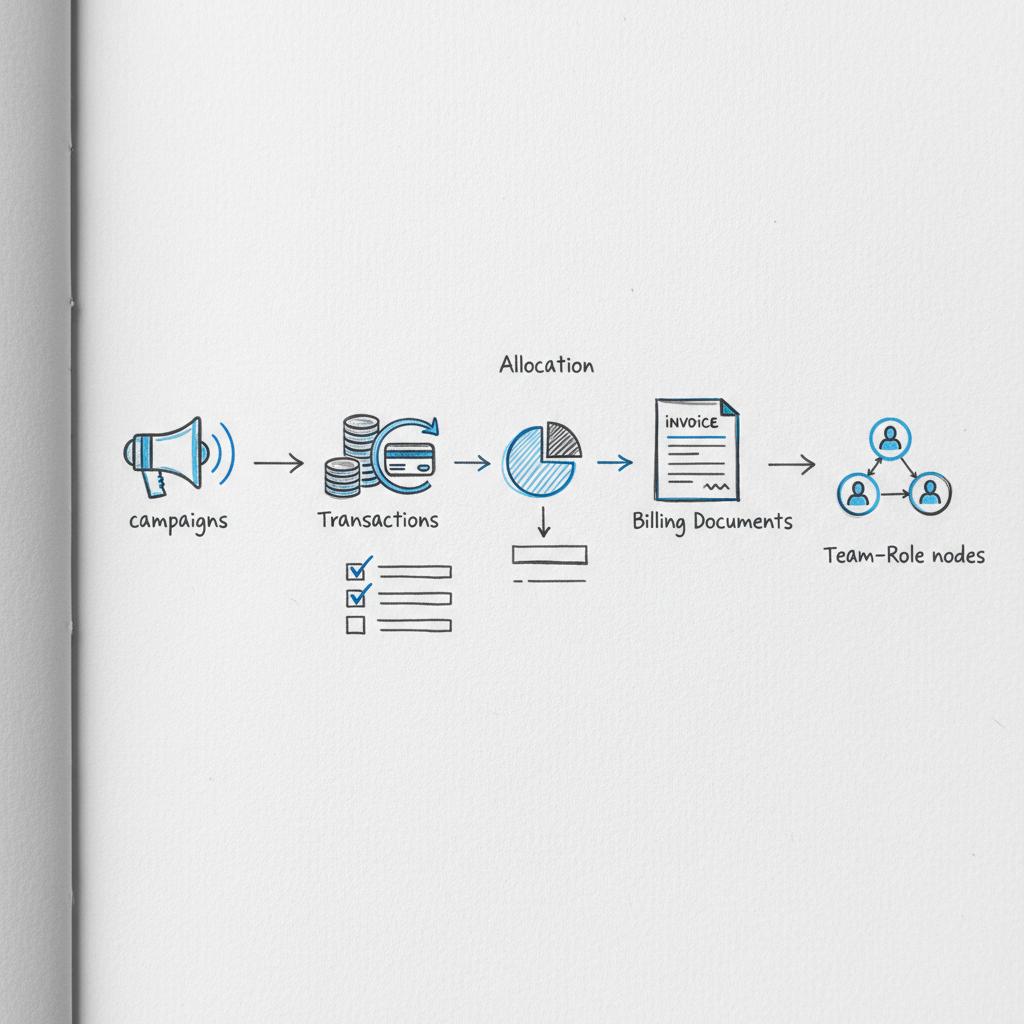
Where to check first: Transactions and Billing Documents
Open your Google Ads account and go straight to Billing > Transactions. That page shows timestamps, invoice IDs, amounts, and which card or payment method was used. Note the invoice ID and the exact transaction date – those are the two pieces support will always ask for.
Next, check Billing > Billing Documents and download any invoices matching the transaction date. Invoices sometimes list line items that point to specific campaigns, dates, or even linked manager accounts. Cross-check the invoice period with campaign run dates and budgets.
Look for the last four digits of the charged card on the Transactions entry. If the card was recently updated, that can explain an immediate collection. If the charge appears under a manager (MCC) account, expand the manager account billing documents to see aggregated charges.
Quick examples that match real-world situations
Example 1: A local shop ran three concurrent campaigns with overlapping time windows. Google raised the threshold, and the owner got a $500 charge that matched the combined spend. After checking Transactions and Billing Documents the owner paused campaigns and set tighter daily caps.
Example 2: A freelancer saw a single $500 manager-level charge. The Transactions page revealed aggregation of several client accounts. The invoice ID led to a manager-billing breakdown and a quick explanation from Google support.
Example 3: A larger advertiser experienced a strange overnight traffic spike. Google later reversed many of those charges and issued credits for invalid clicks – you can read about managing invalid traffic on Google’s help site for more context managing invalid traffic. Still, the initial automatic payment can post and take about a week for credits to appear.
Immediate steps to take when you spot an unexpected charge
First, pause any running campaigns to stop new chargeable events. If you use shared budgets, check their settings because a single shared budget can funnel spend into multiple campaigns.
Second, confirm the payment method on file. If a card was replaced or reactivated, update payment info so Google can process any credits or future billing properly.
Third, download the invoice and transaction record that match the charge. Save the invoice ID, transaction date, transaction ID, and the last four digits of the card – these speed up support conversations.
Fourth, if you suspect the charge is wrong (strange traffic spikes, mismatched dates), contact Google Ads Billing support with the invoice ID, transaction date, and card digits – here is Google’s guidance on disputing a charge on disputing a charge. Keep your tone factual and include screenshots from Transactions and Billing Documents.
If you’d like help interpreting a tricky invoice or want someone to review your billing settings, consider getting a quick audit from Agency VISIBLE — they can spot misconfigurations, suggest guardrails, and set up alerts so a surprise debit never blindsides you again.
How to write a short, effective message to Google support
When you contact support, clarity beats emotion. Include the invoice ID, transaction date and time, last four digits of the card used, and any relevant account changes (new card, reactivated account, campaign changes). Say what resolution you want: a refund, a transaction-level invoice, or a clarification.
Example line you can adapt: “I see an automatic charge on [transaction date] labeled ‘Google Ads’ for [amount]. The Transactions page shows invoice ID [invoice ID] and card ending in [xxxx]. Please provide a breakdown of this invoice and confirm if any invalid-click credits will apply.”
Likely outcomes and how long they take
Expect some back-and-forth with Google. Investigations into invalid clicks or policy violations can take days to weeks. If the charge was legitimate, you’ll get a detailed invoice breakdown. If it was a payment-method or account-reactivation quirk, those usually resolve fairly quickly once you supply transaction identifiers.
Preventing the next surprise: practical fixes
Pausing campaigns is the immediate fix. Longer-term, set conservative daily budgets and campaign caps. If you manage multiple accounts under an MCC, watch combined spend and billing thresholds at the manager level.
Enable billing email notifications so you get charged notices in your inbox. Export billing data regularly or set up a BigQuery billing export to keep an ongoing record you can analyze. Having a recognizable logo on shared billing emails can help your team quickly spot legitimate notices. Create automated spend alerts inside Google Ads to warn you when spend reaches levels you care about – they won’t stop charges but they give you time to react.
Enable billing email notifications so you get charged notices in your inbox. Export billing data regularly or set up a BigQuery billing export to keep an ongoing record you can analyze. Having a recognizable logo on shared billing emails can help your team quickly spot legitimate notices.
Access controls and team habits that protect you
Restrict who can modify billing settings and who can start campaigns. Too many people with broad access is a frequent cause of surprises. Document any campaign changes: who changed budgets, who launched campaigns, and when. A simple shared log reduces the blame game and helps you find the root cause fast.
Country-specific billing nuances
Billing thresholds and timing vary by country and account history. Taxes like VAT or GST can make invoices look larger than the raw ad spend. If you run campaigns across countries, regional taxes can appear as separate invoice entries. For precise threshold values, check Billing > How you pay or ask Google Support for a confirmation.
Real case study: getting a refund for invalid clicks
A mid-sized European e-commerce brand saw a $500 charge after a strange weekend spike. The team paused campaigns, pulled transaction records, and filed a support request with invoice ID and timestamps. Google’s review found many clicks invalid and issued credits that appeared about ten days later. For more on refund processes for invalid clicks, see this practical guide How to get a refund for invalid clicks. The brand’s bank balance eventually reflected the corrected activity.
Manager accounts and aggregated charges
If you use a manager account (MCC), remember that charges can aggregate at the manager level. A $500 charge on a manager account might represent combined spend from multiple client accounts. Always check the manager account’s Billing Documents for a breakdown before assuming a single account caused the debit.
A calm way for agencies and clients to handle surprises
Set roles in advance. Clients should ensure access to Transactions and have at least one billing notification sent to both the agency and client emails. Agencies should document changes to budgets and campaign timings. If you work with partners like Agency VISIBLE, create a shared incident protocol: pause campaigns, gather the transaction invoice ID, then have the agency contact Google and the client confirm payment method details. That keeps things tidy and fast (see examples on Agency VISIBLE’s projects page and the agency homepage).
When credits or refunds are likely
Google may issue credits for invalid clicks, policy-related removals, or clear billing errors. Credits typically don’t prevent the initial charge; they appear after a review and post as credits on the Transactions page. If you suspect invalid activity, open a support ticket with specific timestamps and evidence.
Common questions people ask right after seeing a $500 charge
Why does Google charge before my monthly invoice? Automatic payments trigger when an account hits its threshold or on the monthly billing day. Monthly invoicing is a separate setting that needs approval.
Can I get a refund? You can request a review. Provide the invoice ID, transaction date, and evidence. Google may issue credits for invalid clicks, but the process takes time.
Small habits that make a big difference
Keep billing exports or set up a scheduled billing report. Use conservative budgets, enable email alerts, and limit account access. A short weekly check of Billing > Transactions prevents most surprises.
You can stop further chargeable events by pausing campaigns immediately, but an automatic payment may still post if spend already exceeded your billing threshold. The fastest route is to pause, gather invoice details, and contact Google with the invoice ID and timestamps — that starts the review and opens the door for credits if activity was invalid.
What to include in the support evidence packet
Send the invoice ID, transaction date, the last four digits of the card, a screenshot of the Transactions entry, and any campaign logs showing suspicious spikes. If traffic looks bot-like, include timestamps and any external analytics that corroborate the abnormal activity.
Technical tips for power users
Enable billing export to BigQuery for automated analysis. Use scripts or simple spreadsheets to sum campaign spend across accounts and flag anomalies. If you manage many accounts, a small dashboard that shows manager-level aggregated spend and thresholds can save headaches.
How to interpret billing documents
Invoices can include line items for campaign-level spend, taxes, and adjustments. Credits show as negative line items. Match invoice dates to campaign activity windows. If the invoice references a manager account, expand the manager billing statements for a client-by-client breakdown.
When a charge is valid but unexpected
Sometimes a charge is perfectly correct: overlapping campaigns, a temporary bid increase, or a shared budget can produce higher-than-expected spend. If that’s the case, the invoice breakdown will show which campaigns contributed. Use that data to tighten budgets or change pacing strategies.
Checklist: what to do in the first 24 hours
1) Pause active campaigns. 2) Confirm payment method. 3) Download Transactions and Billing Documents. 4) Note invoice ID and card digits. 5) Contact Google Support with clear details. 6) Notify any agency or teammates and share the invoice ID. 7) Set temporary caps or schedule a pause until the issue resolves.
How Agency VISIBLE helps without taking over control
Agency VISIBLE focuses on clear, practical fixes: auditing billing settings, setting alerts, tightening campaign pacing, and documenting change logs. When agencies like Agency VISIBLE step in, they don’t replace client control – they add monitoring and guardrails so a surprise $500 charge becomes rare instead of routine.
Final practical templates you can use
Support message template: “I see an automatic charge on [transaction date] for [amount]. Invoice ID [invoice ID] and card ending [xxxx]. Please provide an itemized breakdown and confirm whether any invalid-click credits will be applied.”
Internal message to your team: “Paused all campaigns after a $500 charge. Downloaded invoice [invoice ID]. Please confirm any recent budget or campaign changes and hold new launches until we reconcile.”
Summary of the most effective protections
Conservative budgets, billing alerts, restricted access, scheduled billing exports, and a documented incident protocol are the simplest, highest-impact protections. Regularly review Transactions and Billing Documents as part of your weekly ad ops routine.
Parting reassurance
Most $500 surprises are explainable and fixable. Either the charge matches accumulated spend, it’s an aggregated manager invoice, or it’s something Google can review and credit. Act calmly: pause, document, and ask for a transaction-level breakdown.
Get a quick billing audit and stop surprises
Ready for a billing check? Get a quick, friendly audit and a clear plan to avoid future shocks — reach out and schedule a short review to put billing guardrails in place.
Want me to draft your support message? Send the invoice ID and timestamps and I’ll prepare a concise note you can paste into chat or email.
Check Billing > Transactions in your Google Ads account. Each transaction entry shows the payment type (automatic or manual), the transaction date, invoice ID, amount, and the last four digits of the card charged. Download the matching invoice in Billing > Billing Documents to see line items and confirm which campaigns or linked accounts contributed to the charge.
Yes — Google can issue credits for invalid clicks or policy-related removals after reviewing the activity. Submit a support request including the invoice ID, transaction timestamps, and screenshots from Transactions and Billing Documents. Credits typically appear several days to a few weeks after the review is complete. In the meantime, be prepared to pause campaigns and gather evidence.
Pause running campaigns, confirm and update the payment method if needed, download the invoice and transaction record, and set short-term caps or pause new launches. Enable billing email notifications and set up spend alerts inside Google Ads so you receive early warnings before large automatic payments post.
References
- https://support.google.com/google-ads/answer/11182074?hl=en
- https://support.google.com/google-ads/answer/10560092?hl=en
- https://fraudblocker.com/articles/how-to-get-a-refund-for-invalid-clicks-from-google-ads
- https://agencyvisible.com/contact/
- https://agencyvisible.com/projects/
- https://agencyvisible.com/





