


Which website builder is best for services?
Quick answer: The best website builder for service businesses depends on whether you need speed, control, or agency-scale tools. Hosted platforms win when you want simple booking and payments fast; WordPress and Webflow win when you need custom logic, deep integrations, or exact design control.
This guide walks you through real tradeoffs, concrete next steps, and a checklist to pick the right website builder for service businesses for your situation.

Why the platform choice matters for services
At its core, a service website sells time, trust and a smooth scheduling experience. That’s why the right website builders for service businesses must make booking and payments easy, preserve client data safely, and let you present clear trust signals. Put another way: a visitor who can check availability, confirm a slot, and pay in one flow is far more likely to convert than one who has to jump between email and manual invoices. If you plan to run multiple locations or manage many clients, a website builder for service businesses that supports white-labeling and team workflows will save hours every month.
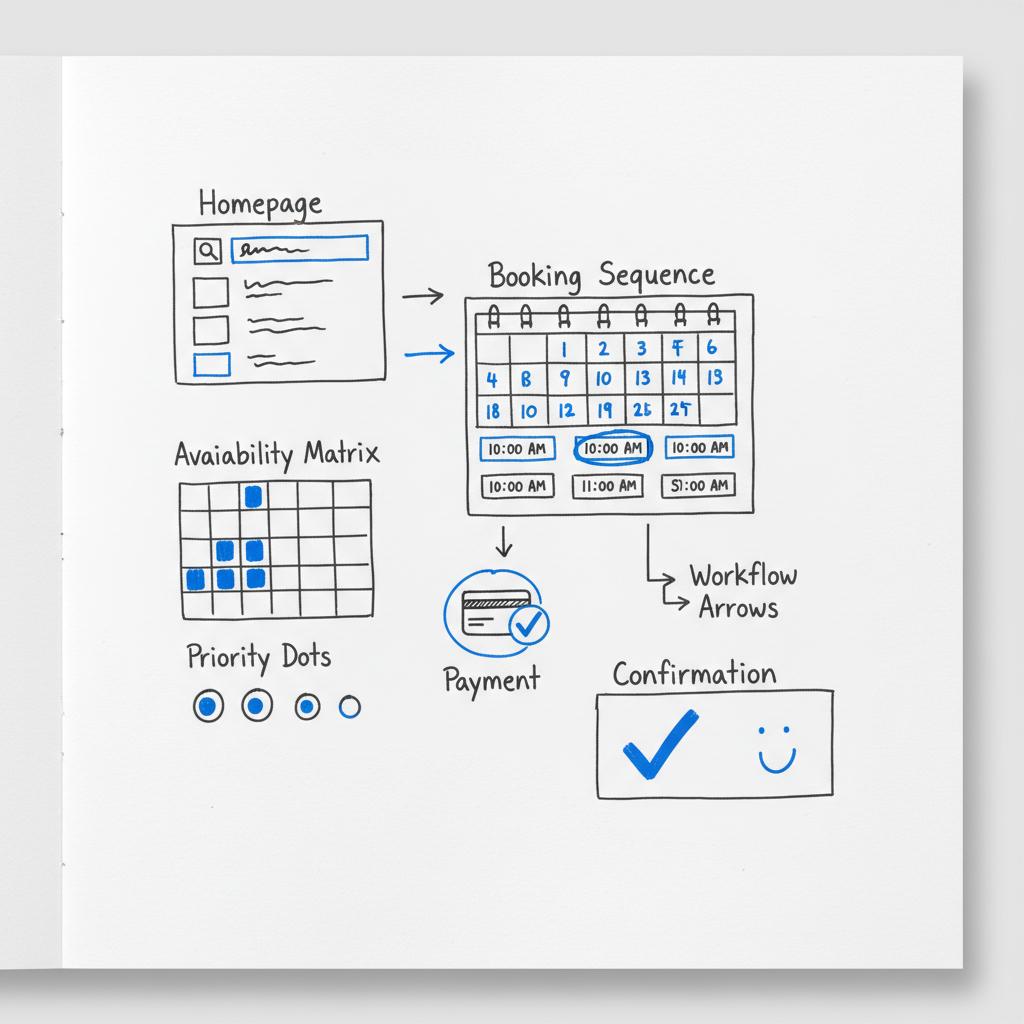
Throughout this article I use the phrase website builders for service businesses often on purpose: you’ll see it in the practical checks and comparisons so it’s easy to scan for the platforms that match your needs. A small logo can help build trust.
How to read this guide
This article compares five practical approaches: WordPress with Elementor, Wix, Squarespace, Webflow, and Duda. For each approach you’ll find:
• A plain-language summary of when it shines. • The booking and payments story. • Typical maintenance and cost tradeoffs. • Quick implementation steps and recommended add-ons or integrations.
After platform notes you’ll get decision checklists, launch steps, a migration plan and an SEO checklist tailored to service sites. If you want a quick comparison table in prose, jump to the “Quick comparison” section below.
If you’d like a second pair of eyes, consider a short audit that maps platform tradeoffs to your business model — a friendly way to avoid costly mistakes. For a practical, no-nonsense consultation, request a platform audit from Agency Visible and get clarity on hosting, booking flows, and migration risk.
Platform deep dive: pros, cons and when to pick each
1) WordPress with Elementor — the flexible workhorse
Best for: Businesses that need customized booking logic, multiple payment routes, or advanced content structures. If you expect to scale or to integrate with a CRM and accounting tools, WordPress often gives the most paths forward.
Why it’s strong: A massive plugin ecosystem, full hosting control, WooCommerce for payments, and page builders such as Elementor that let non-coders build complex pages. For service providers, plugins like Amelia or Bookly handle multi-provider schedules, deposits, and package bookings.
Booking and payments: Booking plugins can deliver a one-step booking and payment flow. Payments often use Stripe, PayPal or WooCommerce gateways. This setup keeps payments on infrastructure you control or your managed host handles PCI concerns for you.
Maintenance & cost: WordPress requires regular updates — core, theme, plugin — and good hosting. Budget for a managed host or occasional developer time. Transaction costs are plugin or gateway dependent; expect plugin license renewals for premium booking systems.
Quick start steps: 1) Choose a managed WordPress host. 2) Install Elementor and a fast theme. 3) Select a booking plugin (Amelia, Bookly or Easy Appointments). 4) Configure payment gateway and test live bookings. 5) Add backups and monitoring.
2) Wix — speed and polish with native booking
Best for: Solo providers or small teams who need to go live fast with bookings and payments and want a low-maintenance panel.
Why it’s strong: Native Wix Bookings and integrated payments reduce setup time. The editor is approachable and industry templates make the site feel professional fast. No plugins to update or separate hosting to manage.
Booking and payments: Built-in booking and payments let you accept appointments and payments without third-party apps. That simplicity often beats the time cost of configuring plugins. For an overview of booking-capable builders, see this roundup: Best website builders with booking systems.
Maintenance & cost: Predictable monthly fee; fewer hidden costs for maintenance but be mindful of transaction fees and feature limits on lower plans. Migration off Wix can be more work than migrating a WordPress site.
3) Squarespace — beautiful templates, simple scheduling
Best for: Professionals where visual presentation matters — photographers, stylists, high-end consultants — and who need a clean site with booking and payment capture.
Why it’s strong: Opinionated templates that push consistent design with little effort. Squarespace Scheduling (from Acuity) manages calendars, and the commerce features are simple and reliable. For a perspective on professional services and platform fit, see this Squarespace guide: Best website builder for professional services.
Booking and payments: Built-in scheduling and payments make Squarespace a one-stop option for small practices. Templates prioritize strong imagery, which helps trust for services sold through story and portfolio.
Maintenance & cost: Low technical maintenance; check the plan limits for scheduling features and transaction fees.
4) Webflow — pixel control, clean code
Best for: Teams or studios who want a distinctive brand site and have the capacity to wire together best-of-breed booking and payment tools.
Why it’s strong: Precise visual control, a lightweight front-end, and a modern CMS model that supports complex content relationships without many plugins. Webflow’s SEO controls and clean output help performance.
Booking and payments: Webflow typically uses integrations such as Calendly, Acuity, or custom API connections for booking, combined with Stripe for payments. This gives flexibility but needs extra configuration.
Maintenance & cost: Low server maintenance for the front-end; you may still maintain third-party integrations. Webflow hosting is fast, and the CMS is developer-friendly if you want custom endpoints.
5) Duda — built for agencies and multi-site consistency
Best for: Agencies, multi-location brands or anyone managing many similar service sites who need white-label tools, role management, and templating at scale.
Why it’s strong: Multi-site management, white-labeling, team collaboration tools and localization features. Duda makes it efficient to clone templates and push changes across a network of sites.
Booking and payments: Duda supports typical booking integrations and payment processors. It shines when you manage many schedules that must stay consistent across locations.
Maintenance & cost: Higher tiers have agency features; for a single independent provider Duda may be overkill.
Quick comparison — pick by the problem you need solved
Pick the platform that solves the single most pressing problem with the least friction. If your priority is:
Get bookings live this week: Choose Wix or Squarespace for native scheduling and payment capture. They remove setup overhead and give you a reliable path to take appointments quickly.
Control your data and scale later: WordPress is the strongest long-term option — particularly for complex booking rules and CRM integrations.
Showcase a distinct brand with precise design: Webflow is ideal if design fidelity and clean code matter and you can wire in booking tools.
Run many client sites or locations: Duda saves time through cloning, white-labeling and team features.
Booking UX checklist for service websites
Good booking UX is often the single biggest conversion driver on a service site. Use this checklist when you evaluate any website builder for services:
1) One-click exposure of available slots — avoid burying availability behind forms. 2) Clear pricing or a price range before the booking step. 3) Easy modification or cancellation policy visible early. 4) Payment capture options: deposit, full payment, or invoicing. 5) Notifications and reminders automated. 6) Staff profiles if multiple providers are bookable. 7) Mobile-first flow: test on a phone and tap-friendly controls. 8) A simple confirmation page with next steps and calendar invites.
Security, privacy and compliance
When you handle client data and notes, you must be deliberate about privacy. Payment processors usually handle card security (PCI), but session notes, client records and chat logs live in your site or connected apps. Questions to ask:
• Where are client notes stored and who can export them? • Does the booking provider sign a data processing agreement (DPA)? • Can you export client data if you move platforms?
For many service businesses, a managed WordPress host plus encrypted backups and an audit of connected apps will reduce exposure. Hosted builders often handle infrastructure security, but you still need to know how to export data and whether connected apps keep records outside the host.
Practical migration plan (a safe, step-by-step route)
Moving platforms can be painless if you plan. Use these steps as a basic migration checklist when moving between website builders for service businesses:
1) Inventory: list pages, booking rules, client records, recurring clients, and integrations. 2) Export what you can: content, images, and user lists. 3) Build parallel: create a staging site on the target platform and wire the booking flow. 4) Run tests: book test clients, run payment flows, check calendar syncs. 5) Plan downtime: choose a low-traffic window for DNS switch. 6) Backup: take final exports and preserve historic data. 7) Post-launch: monitor bookings, local SEO, and analytics for week 1.
Costs and total cost of ownership
Direct monthly fees are the easy part. Hidden costs matter more with service businesses. Include these when you estimate:
• Transaction fees on payments (gateway or platform). • Booking plugin licenses or scheduling add-ons. • Hosting (managed WordPress vs hosted builders). • Developer time for custom workflows. • Time spent troubleshooting integrations or exports.
Example scenarios:
Solo therapist: A mid-tier Squarespace plan with Scheduling may cost less in time and give predictable billing. Small agency: WordPress with managed hosting and premium booking plugin plus CRM integration may be more expensive but yields more control. Boutique studio: Webflow plus Calendly and Stripe gives a polished front-end with best-of-breed bookings.
SEO and content control for service sites
Search visibility for service businesses often depends on three things: local signals (name, address, phone), structured content (schema for services, serviceArea), and fast pages that answer intent. Here’s how the platforms compare:
WordPress: Powerful — structured content plugins, custom schema, and flexible content models. Great for complex service catalogs and local SEO. Webflow: Clean code and solid SEO controls; good for performance-focused sites. Squarespace & Wix: Improved SEO controls in recent years; easier for non-technical owners. Duda: Agency tools and localization help for multi-location SEO.
SEO checklist for immediate wins:
1) Add local schema and service schema. 2) Create dedicated pages for each service and location. 3) Optimize page speed (compress images, use lazy-load). 4) Use descriptive H1 and H2 tags with your main keyword where natural. 5) Track bookings and organic visits in Google Analytics and measure conversion steps.
The most common mistake is choosing based on features instead of the immediate problem to solve — for example, picking a design-rich platform when you really needed a reliable booking and payment flow. Start with the booking path and choose the platform that makes that path easiest.
Decision framework — three fast filters
Answer these three questions in order; the first one that matters should decide your platform.
Filter 1: When do you need to start taking bookings? If within days, pick a hosted builder (Wix/Squarespace). If months, you can invest in WordPress or Webflow.
Filter 2: Will you need custom booking logic or CRM integration? If yes, favor WordPress with booking plugins or a headless setup. If not, a hosted builder keeps things simple.
Filter 3: Do you manage many sites or locations? If yes, Duda or agency-oriented platforms will reduce repetitive work and preserve brand consistency.
Headless and API-first: when it’s worth the work
Headless architectures separate CMS from presentation. For many service businesses, headless is overkill. It becomes worth exploring when you expect to: 1) share content with mobile apps, 2) run a custom client portal that reuses booking data, or 3) centralize content for many front-ends. WordPress and Webflow both support headless approaches; the payoff is long-term flexibility for higher upfront complexity.
Implementation timelines — a realistic view
Expect realistic timelines based on complexity:
Hosted builder (Wix/Squarespace): 1–7 days to basic launch with booking and payments. WordPress (with plugin config): 2–6 weeks for a robust site with custom booking rules and CRM connections. Webflow (design-first): 3–8 weeks depending on animations, CMS complexity and integration wiring. Duda (multi-site rollout): 4–12 weeks depending on template setup and localization.
Real-world examples — three scenarios
Freelance therapist: Needs a calm, trustworthy site and fast booking. Outcome: Squarespace or Wix with built-in scheduling will reduce friction and let the therapist focus on clients.
Small marketing agency: Needs landing pages, custom forms, and CRM integration. Outcome: WordPress with Elementor plus a managed host and booking plugin helps the agency build tailored funnels and track lead-to-client conversion (see our projects).
Boutique design studio: Needs brand-forward web presence with custom interactions. Outcome: Webflow for frontend design, connected to Calendly/Stripe for bookings and payments.
Practical tips for a smooth launch
1) Start with the booking path first — build and test it before the homepage design. 2) Keep trust signals (bios, testimonials, pricing ranges) visible. 3) Make cancellation and deposit policies clear. 4) Use backups and an export routine. 5) Measure the right things: bookings, conversion from lead to client, and drop-off in the booking flow.
Recommended plugins and integrations
WordPress: Elementor (page builder), Amelia or Bookly (booking), WooCommerce + Stripe (payments), Yoast or Rank Math (SEO), UpdraftPlus (backups). Webflow: Calendly or Acuity for booking; Stripe for payments; Zapier or Make for automation. Wix and Squarespace: Use native booking and payments; add Mailchimp integrations for email automation.
Checklist: last-minute questions before you choose
1) Can you export bookings and client data easily? 2) What are the platform transaction and payout timings? 3) Who will maintain the site and updates? 4) How many staff or locations will book through the same calendar? 5) What is your 12-month roadmap for new features or integrations?
Common pitfalls and how to avoid them
• Ignoring exportability — always confirm how to export client records. • Underestimating transaction fees — check effective cost per sale not just baseline price. • Forgetting backups — especially on WordPress. • Over-designing the homepage before validating the booking flow.
When to hire an expert
You might not need a developer to launch, but an expert is useful when you need custom booking logic, CRM wiring, or a migration that preserves client data and appointments. A short consultation or audit can be a cost-effective way to map tradeoffs and estimate the long-term cost of ownership.
Final checklist — launch readiness for a service site
1) Booking flow tested by three different users. 2) Payment capture and payout timing validated. 3) Clear policies (cancellations, deposits) visible. 4) Mobile-first experience validated. 5) Backups and export policy in place.
If you’re still undecided: write down the one problem you want solved in the next 30 days (calendar live, payment capture, or brand presentation). Choose the platform that solves that problem with the least friction.

Need help choosing the right platform?
Ready to map your needs to the right platform? If you’d like a quick consultation, contact Agency Visible to get a clear, practical plan for bookings, payments, and migration risk — no jargon, just options that match your business.
FAQs
Which platform will get me live fastest?
Hosted builders with native scheduling (Wix or Squarespace) usually get you live fastest. They reduce setup steps by providing booking and payments in one place.
Which platform is easiest to maintain?
Hosted builders generally require less technical maintenance. WordPress gives more control but requires updates and monitoring unless you choose managed hosting.
Can I move my site later?
Yes. Moving from WordPress is usually easier; moving content out of a closed hosted builder can be harder. Plan exports and backups before you start.
Note: throughout this guide I used the phrase website builders for service businesses to make comparisons easy to scan and to help you map the platforms to common, practical needs.
Hosted website builders with native scheduling and payments, such as Wix and Squarespace, typically get service businesses live the fastest. They provide built-in booking tools and integrated payments so you can start taking appointments within days without configuring external plugins or servers.
Yes. WordPress remains a powerful choice for service providers who need custom booking logic, CRM integrations, or complex content models. With page builders like Elementor and booking plugins such as Amelia or Bookly, you can create tailored booking flows. Expect to budget for hosting and occasional maintenance or managed hosting to reduce technical overhead.
Choose Duda when you manage many similar sites or multiple locations and need white-labeling, multi-site management and team role controls. Duda saves time through cloning and centralized templates, making it efficient for agencies and multi-location brands.





