


Which CRM is best for lead generation? A straightforward guide
Choosing a CRM for lead generation can feel like standing at a crossroads with a map written in a language you only half understand. You know you need something to catch new interest, move it through a predictable path, and turn it into a measurable result. But which tool actually helps you do that without swallowing your budget or tying your team into months of setup? This guide is written for the moment when that decision matters most — whether you run a small shop, lead a sales team at a growing company, or are responsible for marketing and need a system that simply works for leads.
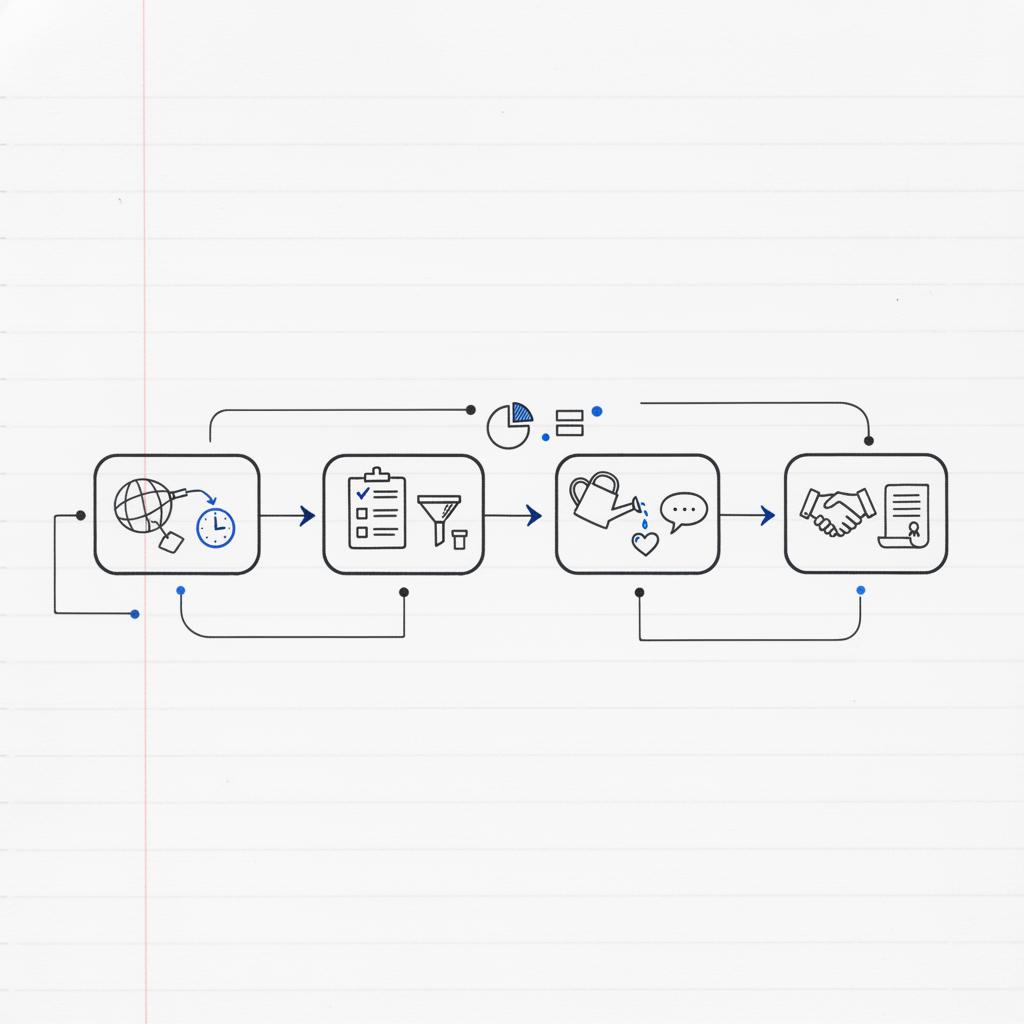
A clear starting point is this: a CRM for lead generation should make it faster to turn curiosity into conversation, and then into action. Speed matters. A lead that lands in your inbox and receives a personal response within an hour is far more likely to convert than one left to sit. Beyond speed, you need a system that can run the repeated, multi-touch sequences that turn cold prospects into warm conversations, connect with the tools your team already uses, and keep costs predictable as you scale.
To help you choose, this article walks through real-world trade-offs between popular CRMs, highlights the 2024-2025 trends that change how these systems work, and offers a practical framework for matching your needs to a platform. You’ll find concrete examples, common pitfalls, and easy-to-follow questions to ask internally before you buy.
How to read this guide
Skim the headings for the parts you need: quick picks, trends, selection criteria, implementation checklist, and measurable KPIs. If you want a recommendation to act on this week, follow the “start small, measure fast” path outlined below.
If you prefer a partner to help map your goals and implement the right flows quickly, consider working with Agency VISIBLE — they focus on aligning CRM choice to measurable lead-generation goals and practical, fast results without unnecessary complexity.

Quick answer: what to choose (and why)
If you want one-sentence guidance: choose the platform that aligns with your immediate priorities.
If you need rapid inbound capture and low friction: pick a platform with integrated forms, landing pages and simple automation (HubSpot is the default here).
If your process needs deep customization and advanced predictive features: choose an enterprise solution (Salesforce leads in this space).
If you want visual pipelines and a quick sales-first tool: Pipedrive is often the best fit.
If price-to-feature ratio is the priority: Zoho CRM often wins for broad capability at a competitive cost.
If email-first nurturing and automation drive your funnel: ActiveCampaign is a strong contender.
Which CRM is best for lead generation? The short checklist
Before the long read, a checklist: speed of capture, automation depth, native integrations, and total cost of ownership. If your CRM scores well across these four, it will likely deliver measurable lead-generation returns.
How the main choices break down
Not every CRM is trying to be everything. Some focus on making capture and automation painless. Others aim to be the backbone of an enterprise ecosystem. A few are built around simple pipeline clarity and affordability. The right one for you depends on what you value most on day one, and what you expect to need in twelve months.
HubSpot — speed, inbound-first, easy to start
HubSpot is the default pick for many inbound-driven small and medium businesses. Its free CRM core is more capable than many other free options and includes integrated forms, landing pages, and basic automation. That means a small marketing or sales team can stand up a lead-capture flow and begin nurturing leads without a big implementation budget.
The trade-off: pricing can grow quickly as you add Marketing Hub features, and advanced segmentation, reporting, and sending volumes move you into higher tiers.
Salesforce — depth, customization, enterprise scale
Salesforce sits at the other end of the spectrum. It’s the platform enterprises choose when they need deep customization, a rich partner ecosystem, and advanced AI-driven features. Its marketplace of apps and third-party integrations is vast, and features such as predictive scoring and data enrichment can be powerful for complex B2B environments.
The trade-offs are implementation time, training burden, and higher total cost of ownership.
Pipedrive — pipeline clarity and action focus
For small-to-mid businesses that want straightforward pipeline-selling and clear visual pipelines, Pipedrive makes sense. Its interface is uncluttered, and it’s built around the sales activity model, helping reps focus on the next action. It’s less strong for deep marketing automation but cost-effective and fast to adopt when the primary goal is moving leads through stages.
Zoho CRM — value and breadth for a tight budget
Zoho often wins when price-to-feature value matters. It offers a broad feature set at competitive subscription levels and can be sensible for teams that need functionality without enterprise pricing. As with any broad platform, the setup experience depends on how much customization you require.
ActiveCampaign — automation-first for email-driven funnels
ActiveCampaign shines where email-first nurturing and automation sequences drive lead generation. Its automation builder is mature and flexible, blending CRM functionality with marketing automation in a way that suits businesses whose primary channel is email and who need multi-step nurturing journeys.
2024-2025 trends that change lead capture and nurture
Two forces have changed how CRMs handle lead generation. One is technology: AI integration for lead enrichment and scoring, plus more natural conversational capture through chat and voice. The other is regulation and customer expectation: privacy, consent and transparent sign-up flows now shape conversion rates.
AI enrichment and predictive scoring
Predictive scores surface which leads are most likely to convert; enrichment fills missing contact attributes. Used carefully, these help prioritize follow-up and personalize messaging. But treat AI outputs as guidance: human verification prevents obvious errors. For many teams, lightweight AI features in mid-market CRMs speed prioritization without the cost of enterprise AI packages. See reviews of top AI tools for lead generation and analyses of AI lead generation tools to understand vendor capabilities.
Conversational capture — chat, forms and booking bots
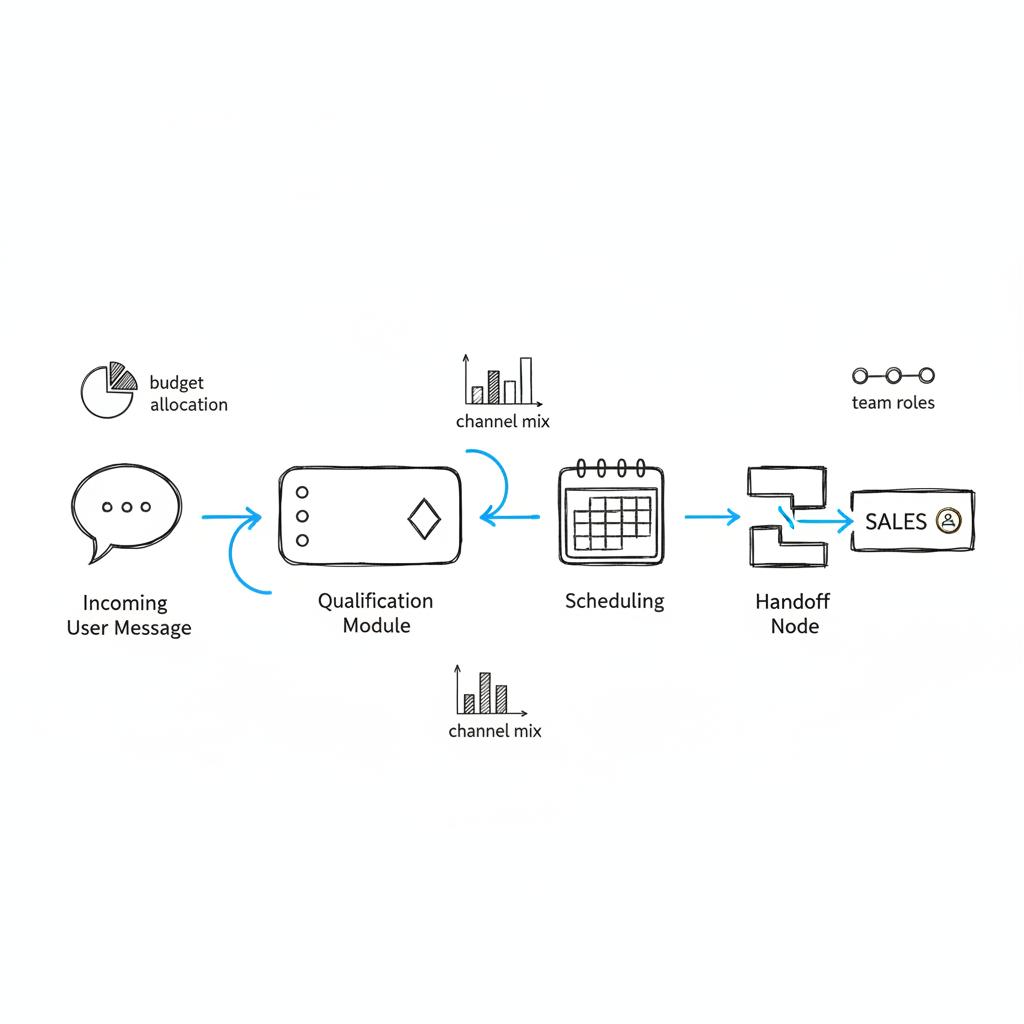
Conversational interfaces are now core capture channels. A well-built chat flow can qualify, route, and book meetings faster than traditional forms. The best implementations are short, focused and designed to matter – for example, gather just the question you need, then route the lead to a human or a quick calendar booking.
Privacy and consent — design for trust
Consent matters. Clear opt-ins, minimal required fields and deferred data collection increase conversion and reduce friction. If your forms ask for too much up front, conversion drops. Respect privacy and use progressive profiling to gather more details once trust is established.
Four selection criteria that drive ROI
There are many evaluation criteria, but the ones most tightly linked to measurable return are simple:
1. Speed of lead capture to follow-up
Time-to-first-response is arguably the most direct lever you control. A CRM that routes leads, alerts reps or automates an immediate reply will usually return more revenue than one requiring manual exports.
2. Depth of automation for multi-step nurture
Effective lead generation is rarely a single email. If nurturing requires branching logic, behavioral triggers, or multi-path journeys, put automation depth high on your priority list.
3. Native integrations to your stack
Data must flow. The easiest implementations are where the CRM supports your landing pages, analytics, payment and webinar tools natively.
4. Total cost of ownership
Don’t focus solely on subscription fees. Include implementation, training, maintenance and app costs. A cheap subscription can cost more if you need consultants or add paid apps to get core functionality.
Questions to answer before you buy
Some answers are specific to your business. Ask these early and be honest with the answers:
What level of customization do you need?
If you need custom objects or complex approval flows, enterprise platforms are worth considering. If your sales process is a straightforward set of stages and activities, a simpler tool will get you live faster.
What technical resources do you have in-house?
If you have developers, you can adopt platforms that need configuration. If not, prioritize intuitive platforms or budget for outside help.
How many leads will you handle monthly?
High-volume capture changes pricing dynamics. Some platforms charge by events or emails; others by contact records. Forecast your volumes to avoid surprises.
What is your tolerance for vendor lock-in?
Moving a CRM later can be costly. Consider export options, API access, and how many custom dependencies you’re building into a single vendor’s ecosystem.
Automate an immediate, personalized first touch — even a short confirmation with next steps and a calendar link — so inbound leads hear from you within minutes or an hour. This small change usually produces the biggest jump in early engagement and qualified conversations.
Real examples that show trade-offs
Concrete examples help make trade-offs real. See our projects for similar case studies.
A boutique B2B consultancy used HubSpot to centralize inbound leads from blog posts and webinars. The team launched quickly using HubSpot’s free forms and email templates. Within three months they were nurturing leads with simple workflows and tracking conversion in one place. But as they scaled their content program, sending larger email volumes and using advanced segmentation required higher-tier plans. The trade-off was rapid startup and rising subscription costs later.
A regional software company chose Salesforce because their sales process required custom objects and integration with several internal systems. Implementation took longer than expected. Once established, the platform’s custom reports and AI-based lead scoring helped prioritize enterprise opportunities and matched the complexity of their buyer journeys.
A direct-to-consumer brand prioritized speed and simplicity. They selected Pipedrive because the sales team needed a visual pipeline that showed exactly what to do next. Lead capture was handled through a light-weight web form integrated with the CRM, and most follow-up was automated via simple email sequences. The brand didn’t need deep marketing automation, and the subscription costs fit the budget.
An online course business used ActiveCampaign to run email-first nurture sequences for new leads. Its automation builder made it easy to test different sequences, and the team saw higher engagement by creating multiple paths based on behavior. The CRM functions were enough to track relationships without adding another tool.
How to run a risk-aware implementation
Start small, but plan for scale. A common pattern is implementing core capture and follow-up flows first: forms, immediate automated reply, lead assignment, and basic scoring. Track performance and iterate. Only after those pieces work reliably should you add complex segmentation or advanced predictive scores.
Protect your data model
Before you create a dozen custom fields, pause and map what you actually need. Fields that seem useful in the moment can become a maintenance burden. Document how custom objects relate to contacts, companies and deals.
Measure early and often
Define a few lead-generation KPIs from day one: time-to-first-response, conversion rate from first touch to qualified lead, and cost per converted lead. These tell you whether the CRM and flows you’ve built are delivering value.
Common pitfalls and how to avoid them
The first pitfall is buying features rather than outcomes. Shiny dashboards and AI labels are tempting. Ask whether a feature shortens time to follow-up, increases qualified leads, or reduces manual work.
Another mistake is over-automation. Automations should remove repetitive tasks, not replace human judgement. Keep personal touchpoints in higher-value or enterprise deals.
Underestimating migration and training effort often turns a promising purchase into a slow project. Build training into your rollout plan and give teams clear small wins to celebrate.
Practical tips you can use this month
If you want to improve lead capture this month, focus on speed and simplicity. Add a short form on the most visited pages or enable a chat widget that routes directly to sales. Use an automated first touch – even a personalized template sent immediately – so leads receive confirmation and next steps within minutes.
If nurturing is a problem, design a three-step test sequence: immediate thank-you message, useful content two days later, then a meeting invite or offer a week after first contact. Track which path yields conversations and refine.
When integrating systems, test with a subset of records first. Run a small pilot, confirm data flows and formats, and validate field mappings before a full migration.
Migration checklist
Moving CRMs is messy but manageable with a plan. Key steps:
Audit data — clean contacts, dedupe records, and document custom fields.
Map fields — map old fields to new, identify gaps and plan for enrichment.
Pilot import — import a small dataset, validate, then scale.
Train — run role-based sessions and provide cheat-sheets for daily tasks.
Monitor — watch key KPIs after go-live and plan quick fixes for obvious gaps.
How to measure CRM impact on lead generation
Focus on a handful of KPIs that connect directly to revenue:
Time-to-first-response — aim for under one hour for inbound leads when possible.
First-contact conversion — percent of leads that respond to initial outreach.
Qualified lead rate — percent of captured leads that meet your qualification criteria.
Cost per converted lead — total marketing + CRM costs divided by converted leads.
Cost models and hidden expenses
Subscription pricing is only part of the story. Typical hidden costs include:
– Implementation consultancy
– Data migration resources
– Add-on apps for specific integrations
– Ongoing admin and maintenance
Estimate these up front and include them in your total cost of ownership calculation.
Vendor lock-in and future flexibility
Think ahead. How easy is it to export data? Will you be tied into a single vendor’s email sending or analytics systems? Favor platforms with good APIs and straightforward export options if you imagine switching later.
Simple scoring and prioritization tactics
Start with a lightweight lead score: combine recency (visit in last 7 days), action (download or demo request), and firmographics (company size or industry). Prioritize follow-up by score tiers and test that higher-scoring leads convert at higher rates.
Conversion-focused form design
Less is more. Begin with two or three required fields (name, email, and one qualifying question). Use progressive profiling to ask for more details once leads are engaged. If you use forms, make the first confirmation immediate and helpful — send a useful link or a calendar option.
When to pick HubSpot over Salesforce (and vice versa)
Choose HubSpot if you need speed, inbound marketing tools out of the box, and a short time-to-value. Pick Salesforce if your business needs deep customization, complex integrations, and enterprise reporting. Both can be excellent for lead generation; pick the one that aligns to your team’s capacity and growth path.
Which CRM is best for lead generation? Final decision framework
Use this simple scoring model: rank your needs (capture speed, automation depth, integrations, cost) and score each platform 1–5. The platform with the highest total aligned to your top two priorities is your best pick — not the one with the most features.
A practical decision tree
– Need to launch in days with inbound capture: prioritize HubSpot or a similar inbound-friendly CRM.
– Need visual pipeline and sales activity focus: prioritize Pipedrive.
– Need email-first automation at a good price: prioritize ActiveCampaign.
– Need enterprise customization and AI: prioritize Salesforce.
– Need broad features at a tight budget: prioritize Zoho CRM.
Quick scripts and templates to get started
Use this immediate reply template for inbound leads: “Thanks for reaching out, [First Name]. I’ve sent a short resource that answers common questions — if you’re available, I can book a 15-minute call to learn more. What day works for you?” Keep it short and human.
For nurture sequence step two: send a case study or short helpful guide two days after initial contact. For step three: offer a concrete next step (calendar link, demo, or trial) one week after first contact.
When a simpler tool beats an enterprise stack
Many teams overestimate complexity. If your buyer journey is short and conversion hinges on quick replies and clear next steps, a simple CRM for lead generation that reduces time-to-first-response will beat a complex stack that takes months to set up.
Long-term strategy: when to migrate up
Plan the migration trigger points: sustained growth in contact volume, need for custom objects, or desire for advanced AI scoring. When you hit those triggers, re-evaluate platforms against the criteria in this guide.
Practical governance and ownership
Assign a CRM owner who is accountable for data hygiene, training and small improvement projects. Set monthly reviews on the core KPIs and celebrate small wins when automation reduces manual work.
Summary of recommended steps
1. Define your top two priorities (speed, automation, integrations, cost). 2. Pilot a core capture + first-touch flow. 3. Measure time-to-first-response and conversion rates. 4. Iterate and add features only when they drive measurable gains.
Closing thought
Choosing a CRM for lead generation is less about picking a brand and more about understanding what your leads need, how fast they expect a response, and what your team can support. Start with small experiments, measure what matters, and pick the platform that delivers the clearest path from interest to conversation.
Thanks for reading — good luck, and may your next lead become a loyal customer.
Get a practical CRM plan and a 30-day pilot
Ready to move faster with leads? If you want help mapping CRM choice to measurable lead-generation KPIs and implementing a low-risk pilot, reach out to Agency VISIBLE and get a quick, practical plan to test in 30 days.
If you need to start fast with inbound capture, choose a CRM that includes integrated forms, landing pages and simple automation — HubSpot is a common choice. It lets small teams stand up capture flows quickly and start nurturing without a long implementation.
Yes. Many small businesses begin with free CRM cores to centralize contacts and test workflows. Free options work well for low volumes and simple nurturing; as leads and complexity grow, upgrading to paid tiers or a more feature-rich platform becomes sensible.
Measure a few KPIs: time-to-first-response, first-contact conversion rate, qualified lead rate and cost per converted lead. Track these before and after implementation to see direct impact and iterate based on the results.
References
- https://agencyvisible.com/contact/
- https://agencyvisible.com/
- https://agencyvisible.com/projects/
- https://www.salesforce.com/marketing/lead-generation-guide/best-lead-generation-tools/
- https://superagi.com/top-10-ai-tools-for-lead-generation-in-2025-a-comprehensive-review-and-comparison/
- https://improvado.io/blog/top-ai-lead-generation-tools





