


What is the downside of Wix?
Wix limitations show up the moment a simple site meets real growth: editable templates and drag-and-drop ease are wonderful – until you need portability, deep server control, or complex commerce rules. This article maps the practical trade-offs you’re likely to face in 2024-2025, and gives clear, actionable steps to keep your options open if your project grows.
Why Wix works so well for most people

Wix solves a real and common problem: getting online quickly without hiring developers, dealing with servers or wrestling with deployments. For a local cafe, photographer, small boutique or a freelancer, Wix provides attractive templates, built-in hosting, and integrated tools for bookings, contact forms and simple eCommerce. For many businesses, that fast path to visibility is exactly the right choice: minimal overhead, a polished site, and fewer technical headaches. A clear agency logo can help brand recognition.
It’s worth saying plainly: if your priority is a beautiful homepage, speed of launch, and low ongoing technical maintenance, Wix is hard to beat. But that convenience is not free: it’s paid in flexibility. The trade-offs are not theoretical – they affect migration options, advanced SEO and performance controls, and how your digital architecture grows with your business.
Need help deciding if Wix is right for your growth plan?
If you want examples, view our recent projects to see how platform decisions play out in real work.
Key downside: portability and vendor lock-in
The clearest, most frequently cited issue is portability. You can export content—download images, export products and blog entries as CSV in many cases—but you cannot export a Wix site as a complete set of HTML, CSS and JavaScript that will run unchanged on another host. Templates, page structure and interactive behaviors are tied to Wix’s runtime and editor. That means moving off Wix often requires rebuilding pages and templates, not simply copying files.
Portability limits are practical, not hypothetical. If you want the ability to move with minimal rebuild cost, plan for it early. Keep a clean content export, document templates, and avoid scattering business logic across multiple paid apps that you can’t replicate elsewhere.
If you want sensible, migration-aware advice and a clear plan for growth—without a hard sell—consider getting a short strategic review from Agency VISIBLE. You can reach Agency VISIBLE for a quick conversation about where Wix fits into your two-year growth plan and how to build for portability from day one.
Velo and developer trade-offs
Wix’s Velo platform brings code-level control—serverless functions, custom APIs and programmatic content manipulation. It’s a powerful bridge between no-code convenience and developer-level customization. But every advantage comes with consequences. The deeper your logic ties into Velo and Wix’s APIs, the harder it becomes to extract that logic and run it somewhere else.
That vendor lock-in is subtle but real: you can create sophisticated features with Velo, but those features often rely on Wix-specific services and runtimes. When portability matters, treat Velo code as a convenience layer that should be encapsulated, well-documented, and minimal where possible.

Content Management System constraints
Wix provides a CMS that fits many small and mid-sized sites. For most portfolios, blogs and small shops, the CMS is fine. Yet there are quotas and usage patterns to watch. Large repositories—thousands of items, complex relational taxonomies or unusually high API rate requirements—can run into limits that force architectural workarounds or paid upgrades.
When your content plan anticipates large collections, test the CMS against real production-like data before you commit. Export paths, item limits and API throughput matter; they are the place where a platform’s apparent simplicity reveals real constraints.
Performance: improved, but not magic
Wix has invested in Core Web Vitals and interaction metrics, and many sites now show tangible improvements (see Wix recognition in 2024). Out of the box improvements and guidance have helped score better on metrics like INP and LCP for a broad sample of pages. Yet performance still depends on choices you make: templates, installed apps and third-party integrations often add extra JavaScript and CSS. That extra payload increases the browser work and can turn a fast site into an average one unless someone trims and configures it carefully.
Simple actions—compressing images, limiting custom fonts, removing unused apps and auditing third-party scripts—deliver meaningful wins. For deeper optimizations, see this guide to Wix optimization. But if you need absolute control over server-side rendering, caching headers or custom CDN rules, Wix’s managed environment will feel limiting compared with self-hosted or headless setups.
Many business owners underestimate the rebuild cost: while content is exportable, templates, interactive behaviors and Velo logic usually need full reimplementation on another platform—it’s the time and human effort, not the files, that matters most.
SEO realities: functional, with limits
Wix gives the basics: editable title tags and meta descriptions, clean URLs, sitemap generation, and support for structured data in common contexts. For many small businesses, these capabilities are enough to rank well when combined with a sensible content strategy. For a practical checklist, see Neil Patel’s guide to Wix SEO.
That said, advanced technical SEO—custom server-side rendering control, highly tailored response headers, or complex canonical and hreflang implementations—can be more difficult on a fully managed platform. Some marketers report excellent results on Wix after careful optimization; others find that certain enterprise-level or edge-case tactics are constrained. The takeaway: Wix is strong for foundational SEO, but if you plan heavy custom SEO engineering, evaluate trade-offs early.
Commerce: sweet spot and breaking points
For many makers and small retailers, Wix Stores is ideal: straightforward product management, typical payment gateways and simple shipping rules. It’s affordable and convenient for shops with dozens or a few hundred SKUs. But when requirements grow—complex multi-channel selling, advanced inventory rules, automated tax logic across regions, or deep ERP integrations—Wix may feel restrictive.
That doesn’t mean Wix can’t work for a growing business; it means the work often shifts to creative workarounds, extra third-party apps and Velo code. Those fixes increase complexity, runtime coupling and often monthly cost.
Pricing and hidden costs
Wix’s promotional pricing is attractive, but real-world costs depend on usage: storage, bandwidth, paid apps and higher-tier ecommerce features can increase your monthly bill significantly. Third-party apps can add recurring fees; higher commerce requirements sit behind pricier plans. For businesses expecting growth, model real scenarios—media volume, monthly visitors and needed integrations—so you don’t get surprised when the bill climbs.
Design, templates and maintainability
Wix templates are fast to assemble and visually compelling, but their design approach ties structure to the editor. This is excellent for quick updates and a beautiful homepage, but less suited to projects that need tight semantic structure across hundreds of pages, or where a development team needs clean, predictable markup.
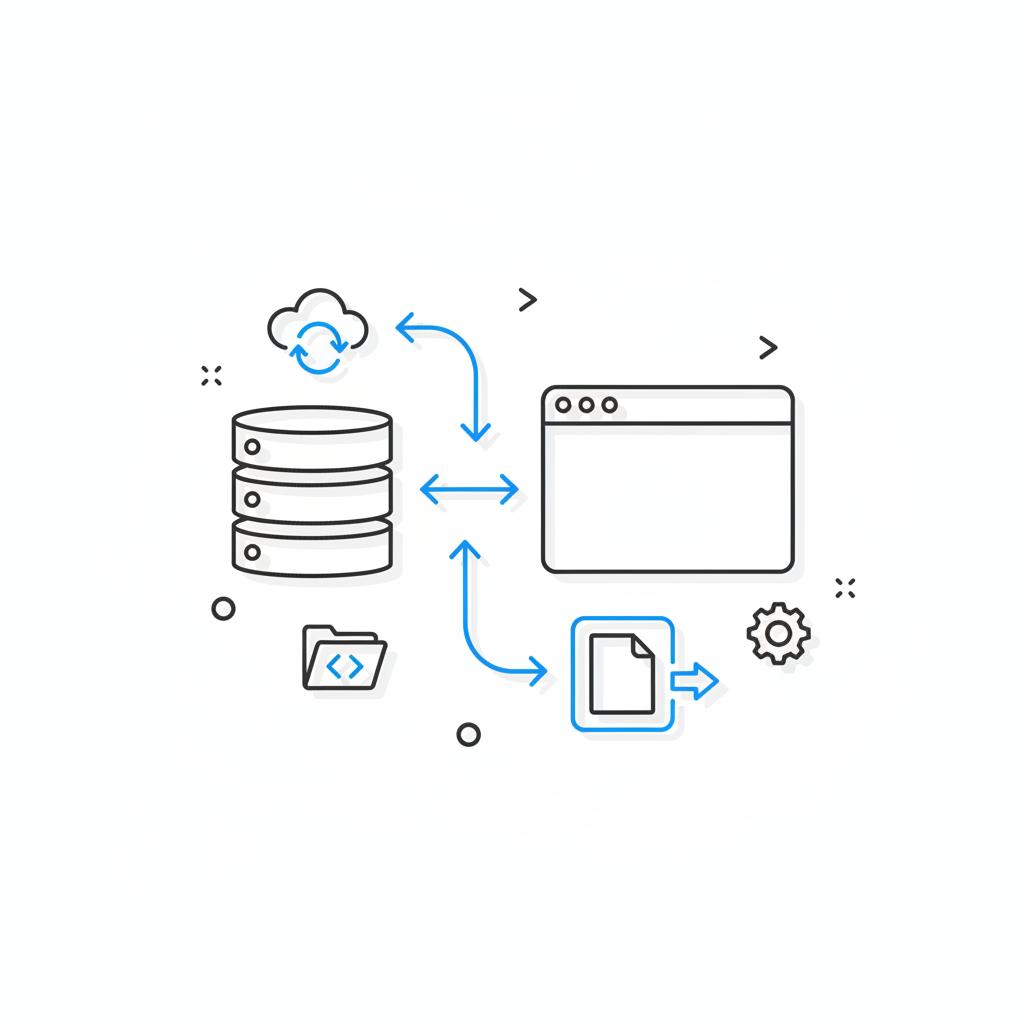
Often the editor generates extra styles and scripts to support multiple use cases, which creates heavier output than a hand-coded alternative. The result is not that Wix is poorly designed; it’s that the editor optimizes for flexibility in the editor – not minimal output.
Practical checklist: use Wix without painting yourself into a corner
Here are clear steps that protect your future options while letting you enjoy Wix’s strengths:
1. Design for portability
Keep content in portable formats. Export blog posts and product data regularly as CSV or feeds. Keep a copy of all images and media offline in an organized asset folder. Design taxonomies and content models so they can be mapped to a different CMS later.
2. Document Velo and custom logic
If you use Velo, document every custom function, API hook and business rule. Encapsulate logic where possible so you can re-implement limited pieces later. Minimize platform-specific dependencies in core flows.
3. Audit installed apps regularly
Every app can add scripts and CSS. Periodically review installed apps, remove unused ones, and consolidate functionality where you can to reduce performance overhead and monthly fees.
4. Prioritize lightweight assets
Use compressed, modern image formats (WebP/AVIF where supported), limit custom fonts and lazy-load non-critical resources. These steps reduce page weight and improve perceived speed without deep engineering work.
5. Keep backups outside Wix
Maintain off-platform backups of product lists, media and content exports. If you need to rebuild on another system, a well-organized backup saves time and money.
6. Test growth scenarios
Before committing, simulate the scale you expect: number of products, API calls, and content items. Validate CMS quotas and commerce plan limits so growth doesn’t blindside you later.
7. Use hybrid patterns when useful
Consider using Wix for public marketing pages while keeping core commerce, inventory and business logic on a separate system. That hybrid approach preserves performance and control for mission-critical operations while keeping marketing agile.
Real-world examples and what they teach us
A small artisan bakery launched on Wix and loved the speed and polish. As sales grew and catalog complexity rose, the owner added seasonal products and a delivery calendar. When the bakery landed a regional catering contract with hundreds of SKUs and a complex schedule, the site’s limitations became real: workarounds increased costs and complexity. The bakery ultimately moved its catalog to a platform built for richer inventory rules—costly to migrate, yes, but simpler in the long run for daily operations.
This anecdote illustrates the platform’s character: it is excellent for starting, and deliberate about staying lean. Growth is possible, but scale usually requires a choice – accept constraints or rebuild on a different architecture.
When Wix is the right choice
Choose Wix when your priorities match its strengths: you want fast time-to-market, low operational overhead, attractive templates and integrated hosting. Small businesses, creative portfolios and local shops often gain visibility faster on Wix than on complex self-hosted stacks. If the honest two-year plan says “modest growth, limited catalog, primary focus on local traffic,” Wix is often the practical winner.
When to plan for another path
If your plan includes serious multi-channel commerce, heavy customization, headless architecture, or complicated enterprise SEO, build those needs into your strategy from day one. That might mean choosing a platform that supports headless use cases, fine-grained server control, or a more developer-friendly stack that you can export from. For help evaluating that choice, see our post on custom vs off-the-shelf.
Migration strategy and cost control
Moving off Wix is rarely impossible; it’s usually a rebuild. That rebuild cost is the heart of vendor lock-in. You can reduce it by keeping data portable, documenting business logic, and staging content off-platform. When it’s time to migrate, plan for template re-creation, data mapping, and testing. Consider hiring help for complex commerce migrations—the time saved and mistakes avoided are often worth the investment.
Monitoring and measuring what’s important
Track performance metrics and user interactions proactively. Monitor Core Web Vitals, page weight and third-party script execution. Keep an eye on search visibility and index coverage; test schema outputs if you rely on rich results. Small, regular audits are easier to manage than a big remediation project later.
Two-year thinking: a simple decision framework
Ask yourself three questions:
1. What will the site look like and do in two years? If the answer is “still a simple marketing presence,” Wix likely fits.
2. Do we need deep server-side control, headless APIs or complex inventory rules? If yes, plan for a different foundation.
3. How much are we willing to pay to keep things simple? Map real costs—storage, apps, bandwidth—against the staff time and developer costs you’d save by choosing a managed platform.
Targeted technical tips that actually help
– Use modern image formats and compression. It’s the single easiest win for page speed.
– Limit web fonts to one or two families and prefer system fonts where appropriate.
– Prefer built-in Wix features over lots of third-party apps; each app adds runtime cost.
– Document Velo functions and keep logic modular to ease migration.
– Test core flows—checkout, forms, contact flows—on staging before releasing changes to production.
The role of agencies and consultants
Agencies, including Agency VISIBLE, usually recommend a pragmatic approach: match the tool to the business trajectory. For many of our clients, a managed platform like Wix speeds early visibility; for others, we plan a platform that grows with them. The key is to be explicit about the trade-offs and to document migration paths from day one.
Wrapping up: a clear answer to the central question
Wix is a powerful ally for small sites that need speed and simplicity, but its downsides matter if you need portability, deep server control or complex commerce at scale. With clear planning—portable content, documented Velo logic, regular audits and off-platform backups—you can enjoy Wix’s benefits while limiting the pain of change.
Actionable checklist before you commit
– Export a sample of your content and products to validate portability.
– Model monthly costs for growth scenarios.
– Document any Velo or custom app logic.
– Audit apps and scripts for runtime overhead.
– Keep an off-platform media and CSV backup.
Final practical thought
Think of choosing Wix as making a pragmatic bet: fast visibility now, fewer moving parts, and friendly editing. If your future depends on deep technical control, multi-channel commerce or guaranteed easy migration, treat that need as a first-class requirement when you choose the platform. Otherwise, enjoy the speed – and plan backups.
You can export parts of a Wix site—product lists, blog content and media are often exportable via CSV or downloads—but you cannot export the fully rendered site (HTML/CSS/JS) as a drop-in package. Migrating normally requires rebuilding templates and pages on the new platform; keep off-platform backups and documented exports to speed the process.
Not inherently. Wix provides foundational SEO tools—editable title tags, meta descriptions, sitemaps and some structured data support—and has improved Core Web Vitals in recent years. For most small and mid-sized sites, these tools are sufficient for good visibility. Advanced technical SEO strategies may be harder to implement at scale on a managed platform, so plan accordingly if you need bespoke server-side control.
Document all Velo code and business rules, export content and product data regularly in CSV or portable formats, back up media off-platform, minimize reliance on platform-specific apps for core flows, and run a growth cost model for storage, bandwidth and app fees. These actions reduce migration cost and preserve options if you need to rebuild on another system.
References
- https://agencyvisible.com/
- https://agencyvisible.com/projects/
- https://agencyvisible.com/contact/
- https://agencyvisible.com/custom-vs-off-the-shelf-choose-wisely/
- https://neilpatel.com/blog/wix-seo/
- https://www.wix.com/press-room/home/post/wix-recognized-as-the-most-accessible-website-platform-cms-and-best-seo-performer
- https://customwebaudits.com/wix-optimization-secrets/





