


Choosing the right platform to build a law firm website begins with understanding the real tasks a site must perform. law firm website builders are not all the same: some focus on speed and ease, others on deep control, and a few cater specifically to legal workflows. In practice, your choice shapes how clients find you, how securely they share sensitive information, and how easily you can scale content and integrations as your practice grows.
Think of your website as both a front door and the first interview. It should answer three basic questions quickly: Can they help me? Do I trust them? How do I take the next step? The wrong platform can make those answers hard to find.

Why the choice of law firm website builders matters
Different law firm website builders offer different strengths. Some hosted builders let a solo lawyer launch in days without a developer. Open-source systems give mid-sized and larger firms the control needed for integrations, custom SEO and strict security. Legal-first platforms deliver templates and compliance-focused flows but may limit customization later.
Start with functional requirements, not brand names
Before you compare options, list what you need: intake forms, secure portals, payment processing, booking integration, deep SEO controls, and connectivity to your CRM or practice-management software. Rank those needs by priority. Having this checklist converts a guess into a functional decision.
One practical step many firms take is working with a specialist who can run pilot builds and validate security. If you’d like a guided evaluation, Agency Visible helps firms run pilots, test secure intake flows and map a content plan that balances visibility with ethical obligations.
Categories of website builders and when they make sense
Broadly there are three categories to consider when you evaluate law firm website builders: open-source content management systems, hosted subscription builders, and legal-first platforms. Each answers different business needs and has trade-offs. For a broader roundup of options, see this review of the best law firm website builders: 8 Best Law Firm Website Builders in 2025.
Open-source systems (WordPress, headless CMS, custom stacks)
Open-source platforms provide the broadest flexibility. With the right developers and secure hosting, they allow bespoke templates, detailed attorney bios, tailored intake workflows and server-level security measures. For firms that need granular control over URL structure, metadata or server configuration, open-source is usually the winner.
Pros: complete control, strong SEO capability, easy export of content when done properly. Cons: requires ongoing maintenance, updates, and a trusted operations lead or agency to avoid security gaps.
Hosted subscription builders (Wix, Squarespace, Shopify Lite-ish approaches for professional pages)
Hosted builders shine for speed. A solo attorney or very small practice can launch a professional-looking site quickly without a big budget. These tools handle hosting, security updates and basic SEO settings for you. See Wix’s guide to website builders for law firms for a practical look at hosted options: Wix – 5 top website builders for law firms.
Pros: fast launch, low technical maintenance, predictable monthly costs. Cons: limited advanced SEO controls, potential vendor lock-in, and less flexibility for complex integrations.
Legal-first platforms (LawLytics and similar services)
Legal-first platforms package templates and workflows that reflect legal practice needs—conflict checks, intake forms with disclaimers, and industry-aware page templates. They’re especially useful if you want industry-oriented features out of the box. For CMS recommendations targeted at law firms, see this guide: What’s the Best CMS for Law Firms in 2025?
Pros: law-focused features, compliance-aware templates. Cons: higher recurring costs and less freedom to deliver unique, differentiated experiences.
Common questions that drive platform choice
Small questions often have big consequences. How long will it take to add new practice-area pages? Can the platform host secure client uploads? Does it allow structured review markup? Asking these questions early reveals hidden limits.
Clients care about clarity and trust more than flashy design. A simple, well-written site that clearly explains your services, process and experience can win more clients than a complex site that confuses visitors. However, if you need deep integrations or must protect highly sensitive intake, a template site may not meet those needs.
When you pilot platforms, build representative pages: a homepage, two practice-area pages, an attorney bio, and a secure intake form. Those pages show you how a platform handles content, schema, redirects, backups, and integration with other tools.
Security and ethics: non-negotiables for any law site
Security isn’t a technical checkbox. For lawyers it’s an ethical requirement. Any firm website must include SSL/TLS encryption, secure hosting, MFA for administrators, and privacy notices. If you collect health-related or highly sensitive details, routing that intake through encrypted portals is essential to meet professional obligations.
Checklist highlights:
– Encrypted connection (SSL/TLS)
– Secure, monitored inboxes for intake
– Multi-factor authentication for admins
– Regular backups and tested restorations
– Web application firewall and malware scanning
– Incident response plan and penetration testing for high-risk practices
What to avoid collecting in a standard contact form
Don’t collect sensitive narratives, health details, or attachments through a normal contact form. Use a secure portal or encrypted messaging for anything that would raise confidentiality risks. This reduces exposure and helps you comply with ethical duties.
SEO and visibility: how platforms compare
Search visibility drives steady inbound leads. The best law firm websites combine local signals, structured content and social proof. Platforms differ in how easily they let you control these elements.
Key SEO features to evaluate
URL control and clean slugs
Custom metadata and title templates
Schema markup for attorneys, offices, and reviews
Fast page speed and image optimization tools
Flexible content structure for deep practice-area pages
Open-source systems usually win on granular SEO control. Hosted builders often let you manage basics, but advanced capabilities may require paid tiers. Legal-first platforms sometimes include SEO-minded templates but check whether they allow granular tweaks for local and practice-area targeting.
Content strategy: the long game
Design alone won’t sustain leads. Content does. Focus on practice-area pages that solve client problems, clear attorney bios, and local content that references courts, venues and cities you serve.
Use case studies, anonymized outcomes, and process pages that explain what a client should expect. When you plan content for search, aim for helpful pages that answer real client questions.
Practical launch content list
To launch effectively, start with these core pages:
Home page that answers “who are you” and “can you help me?”
Three to five practice-area pages focused on client outcomes
At least one attorney bio per lead lawyer
Contact page with clear next steps and one secure intake channel
Client reviews and a method to keep them fresh
Cost and total cost of ownership
Don’t stop at the sticker price. Total cost includes hosting, security monitoring, backups, content creation, technical maintenance and SEO. A cheap monthly plan that lacks updates can cost more long term in developer hours and missed leads.
Ask each vendor how they handle updates, backups and data export. Migration costs should be part of your decision: some hosted platforms make migration difficult and expensive.
Pilot approach: how to evaluate platforms without guessing
Use a pilot process to validate assumptions. Don’t treat the pilot as a template show-and-tell. Build real pages and test real tasks.
A simple pilot brief
Ask each platform to implement:
Homepage with hero, practice highlights and clear CTA
Two practice-area pages with schema and local references
Attorney bio with downloadable resume and structured data
Secure intake form or a sample secure portal flow
Measure: time to implement, ease of editing content, backup/restoration, ability to add schema, and integration with calendaring or CRM.
Vendor lock-in and portability
Ask how easy it is to export content and move URLs. Some hosted services bury structured content, making full exports difficult. If you plan to scale, ensure you can move content and preserve SEO value without a complete rebuild.
Operational readiness: who will manage the site?
If you have an operations lead who can manage hosting and patches, open-source makes sense. If nobody on staff has time, a hosted solution with reliable support is safer. For highly sensitive practices, demand vendors who can document security controls and provide data processing agreements.
Examples and mini case studies
A solo attorney launched on a hosted builder and gained a polished site in two weeks. The site delivered calls for three months, but traffic plateaued because the platform limited in-depth practice-area content and review display. Migration required a rebuild. The lesson: launch fast if you must, but plan a content roadmap and platform exit strategy.
A mid-sized firm chose open-source and invested in a secure hosting partner. They built extended practice-area content, integrated their CRM and implemented detailed schema. The upfront cost was higher, but over 18 months their lead quality and organic traffic rose measurably. The trade-off was ongoing maintenance handled by an operations manager and an agency partner. See our project portfolio for similar engagements: Agency Visible projects.
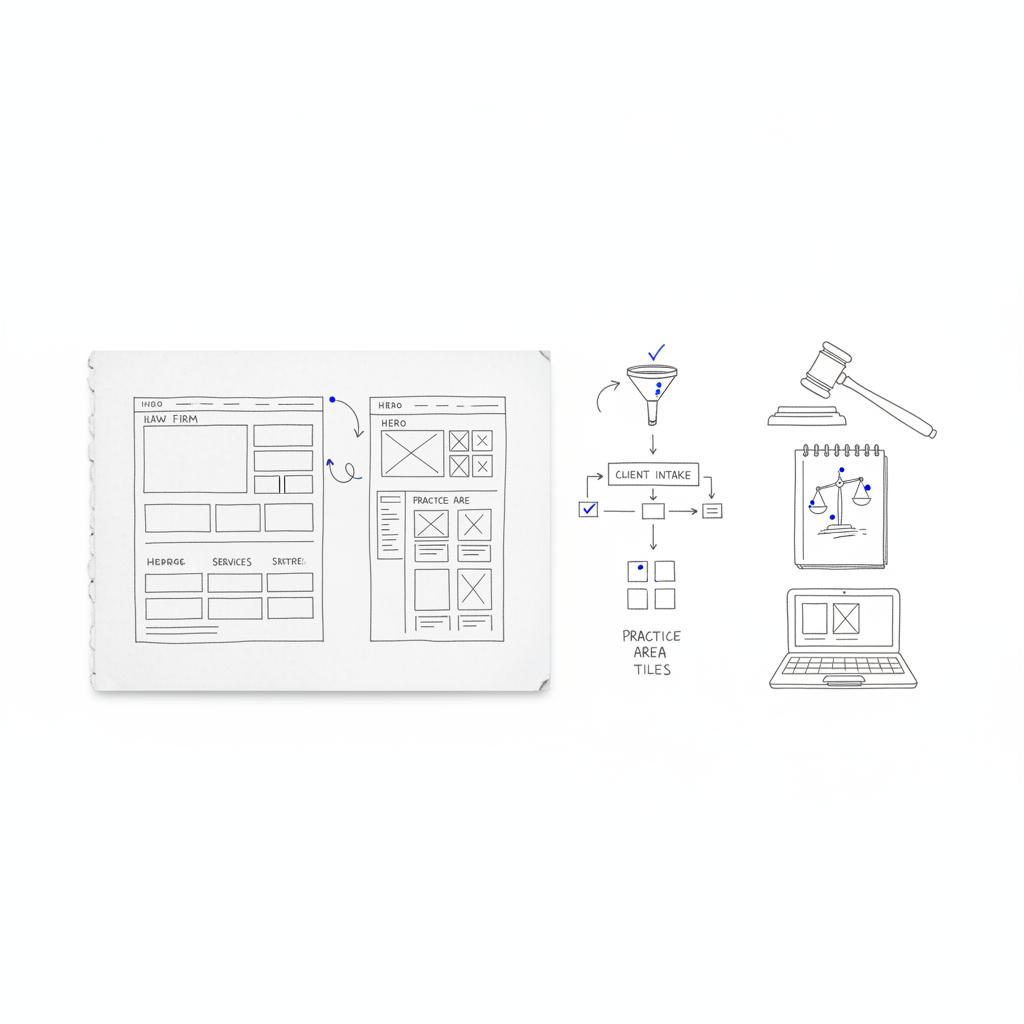
Working with an experienced partner speeds selection, runs pilot builds and sets up secure production environments with automated updates and monitoring. When firms bring in a partner, they typically get a prioritized content roadmap, documented SLAs and a list of integrations for the first year. A recognizable logo can help build trust at a glance.
Ready to test the right platform for your firm?
If you want a tailored pilot and a secure website plan that balances visibility with ethical requirements, reach out to Agency Visible to start the conversation and map a secure, measurable path forward.
Launch with a short set of core pages and a content roadmap for the next 12 months. Track meaningful conversions — intake submissions, booked consultations and call tracking — not just raw traffic. Use analytics to find pages that need deeper content and measure where users drop off.
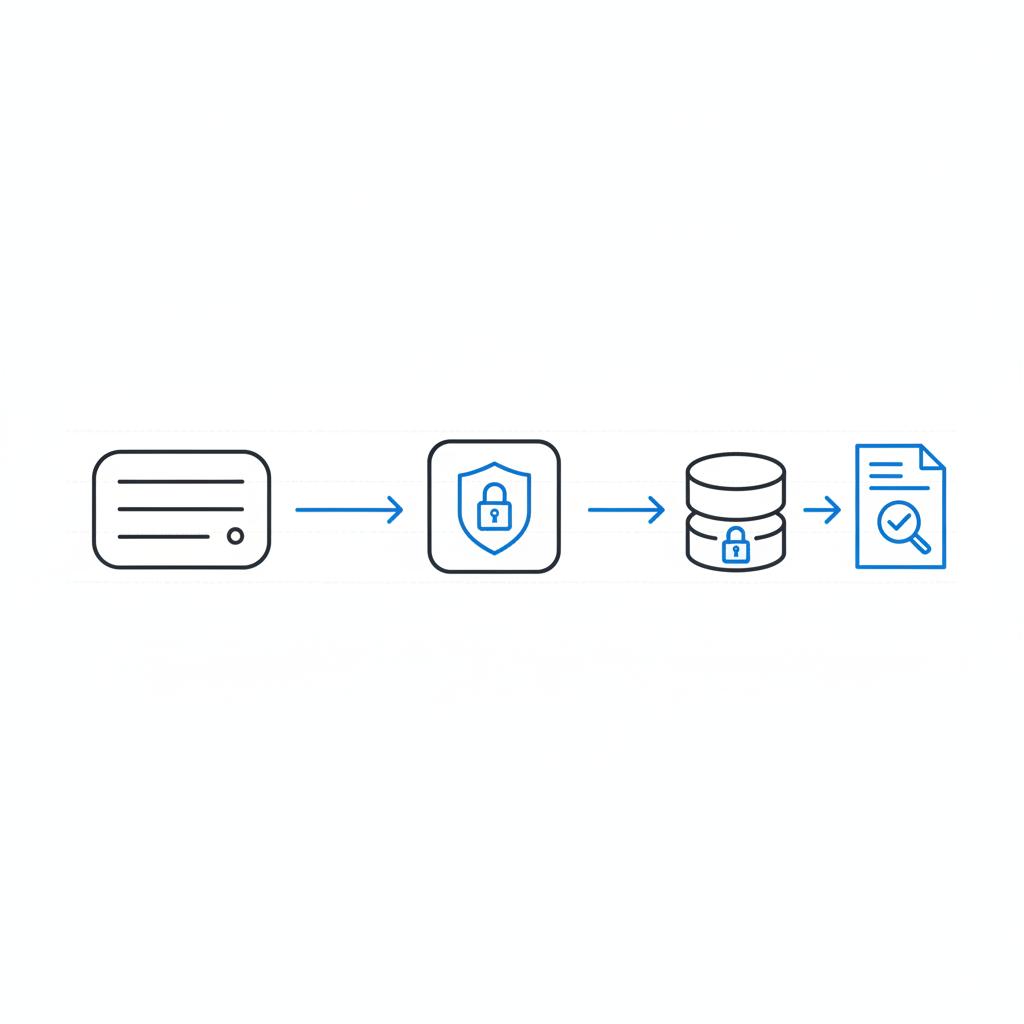
Safe intake workflow example
1) Basic contact form that triggers a monitored, secured inbox for scheduling; 2) Follow-up that links to a secure intake portal for detailed narratives and file uploads; 3) Intake portal that uses encrypted channels and documents retention rules. This reduces risk while preserving convenience for the client.
Migrating later: plan for portability
If migration is likely, insist on structured content exports (CSV/JSON for page data), and plan redirects to preserve SEO. Test migration scenarios during your pilot so you know the cost to leave.
Comparing specific platforms (short, practical takeaways)
WordPress: best for deep SEO controls and integrations; needs an operations lead or agency for maintenance.
Wix/Squarespace: best for speed and budget-conscious solos; limited portability and advanced SEO features.
Webflow: strong design control and clean code; better for firms wanting visual polish with better portability than some hosted builders.
LawLytics: good legal-first features and templates; may have higher recurring costs and less design freedom.
Measuring success after launch
Connect analytics and set goals: intake form submissions, booked consultations, phone call tracking. Look beyond visits: which pages drive contact? Where do users drop off? Use those insights to prioritize content and UX improvements.
Common pitfalls and how to avoid them
Avoid these traps: building for looks alone, collecting sensitive info in standard forms, and assuming a cheap platform will save money long-term. Instead, plan for content growth, secure intake, and periodic security reviews.
A quick implementation timeline
Week 1: Requirements workshop and pilot brief. Weeks 2-4: Pilot builds. Weeks 5-8: Select platform, finalize contract and begin full build. Weeks 9-12: Content population, testing and launch. Post-launch: monthly content and security reviews, quarterly SEO audits.
Final practical recommendation
There isn’t a single “best” across every firm, but there is a best for you. If your practice needs deep integration, advanced SEO and high-assurance security, favor an open-source approach with an experienced hosting partner. If you need a quick, low-maintenance site and modest SEO goals, a hosted builder will serve you well. Legal-first platforms are a smart middle ground when you want industry-specific workflows without building them yourself.
Closing perspective
Choose a platform that helps the right people find you, shows that you understand their problem, and invites them to take the next step safely. Prioritize content, protect client data, and measure outcomes. When you build with those goals in mind, your site will repay its cost many times over.
For a solo attorney on a limited budget, hosted subscription builders like Wix or Squarespace often provide the fastest, most affordable path. They handle hosting and security basics, let you launch a polished site quickly, and require minimal technical maintenance. However, plan a content roadmap and confirm export options so you can migrate later if you need deeper SEO or integrations.
Basic contact details can be collected through a normal form, provided the data posts to a secured, monitored account. For sensitive narratives, health information, or protected attachments, route intake to an encrypted portal or a secure intake solution. This reduces legal and ethical risk and aligns with common jurisdictional rules on client confidentiality.
If your firm values measurable growth, high-assurance security, and smooth integrations, partnering with an experienced agency can speed selection and reduce risk. Agencies like Agency Visible run pilot builds, document hosting SLAs, and create prioritized content roadmaps—practical help that saves time for attorneys and ensures the technical work meets professional obligations.





