


What are events in Meta ads?
Meta events are the building blocks of modern ad measurement on Meta’s platforms: each event is a named action — like Purchase, AddToCart or ViewContent — that tells Meta what happened and helps link ads to real outcomes. Understanding how Meta events are generated, sent, and used is the difference between guesswork and reliable optimization for your campaigns.

Events as signals: why they matter
At their core, Meta events turn customer behavior into signals. When you send clear, consistent Meta events, Meta’s delivery and reporting systems can attribute conversions, build audiences for retargeting, and optimize bidding toward the outcomes you value. Poor event quality means noisy signals, inaccurate attribution, and wasted budget.
Good event design and reliable delivery increase the lifetime value of your ad setup: you’ll get better ROAS reporting, cleaner audiences, and more predictable bidding behavior. Think of Meta events as the data pipes that feed your ad decisions — the cleaner the pipe, the clearer the water.
Standard events vs custom events
Meta provides a set of standard events with fixed names and meanings: Purchase, AddToCart, CompleteRegistration, Lead, ViewContent, and a few others. Standard events offer consistent reporting and immediate compatibility with conversion-based campaign settings.
Custom events let you record actions unique to your business: downloaded_guide, quiz_completed, watched_50_percent, and so on. You can also register custom conversions in Events Manager using URL or parameter rules. Use custom events when a standard event doesn’t match your business outcome – but avoid creating dozens of overlapping custom events that make analysis hard.
How Meta events reach Meta: Pixel, Conversions API and App Events
The same logical event can arrive at Meta through different technical channels, each with trade-offs. The three main channels are:
Meta Pixel — a JavaScript snippet on your site that fires events from a user’s browser.
Conversions API (CAPI) — server-to-server events sent from your backend or a server-side tag manager.
App Events — events sent from mobile apps via Meta’s SDK.
Using the Pixel alone leaves you vulnerable to ad blockers and browser privacy restrictions. Using CAPI alone can miss browser signals and immediate context. For resilient reporting, Meta recommends using both Pixel and CAPI together. When you do, send event_id for deduplication so Meta recognizes the same real-world action arriving twice.
Key event fields that improve usefulness
Every event should carry a consistent core of information. At minimum, send:
- event_name — the standard or custom event label
- event_id — a unique identifier to deduplicate Pixel and CAPI copies
- value and currency — for purchases and revenue-focused events
- content_id or content_name — for product- or content-specific events
- hashed user identifiers (email, phone, external_id) where privacy-compliant
Including these fields raises match rates, protects against double-counting, and improves the clarity of reports and audiences created from Meta events.
Where events are managed: Events Manager and Aggregated Event Measurement
Events live inside Events Manager where you validate, map, and prioritize events. Aggregated Event Measurement (AEM) is Meta’s response to increased privacy restrictions: web-based conversions that are subject to AEM usually must be prioritized – you can commonly prioritize up to eight events per domain. For background reading on deduplication and priorities, see this deduplication overview.
That limit forces a choice: which events do you want Meta to use when constrained? For most businesses, Purchase occupies the top slot. The rest of the prioritized slots should be the specific steps in your funnel that best represent business value.
Deduplication: why event_id matters
When you send the same action from both Pixel and CAPI, include the same event_id in both calls. Meta uses that ID to deduplicate and avoid counting the same transaction twice. Without event_id, you risk inflated numbers or inconsistent attribution between tools and reports.
Deduplication is simple in concept but essential in practice: generate a persistent unique ID for each conversion server-side (for example, order ID or UUID) and ensure the Pixel picks it up and sends it with the browser event too. For a technical guide on server-side CAPI setup, see this CAPI setup guide.
Practical step-by-step: set up a Purchase event on Pixel and CAPI
Below is a straightforward, practical sequence to get a reliable Purchase event implemented. The same principles apply to other high-value events.
Step 1 — Confirm Pixel installation across the site
Make sure the Meta Pixel base snippet is loaded on every page (ideally via your site header). If you use a tag manager (recommended), validate that the Pixel tag fires consistently and has the right Pixel ID.
Step 2 — Choose the firing point
For Purchase events, the order confirmation or thank-you page is the usual choice. Trigger the standard Purchase event after the transaction is finalized to avoid counting abandoned carts as purchases.
Step 3 — Send useful parameters
Include value and currency, and if possible content_id or content_name. Attach a unique event_id that your server can reuse when sending CAPI events.
Step 4 — Implement server-side (CAPI) calls
Send the same Purchase event from your server with the same event_name and event_id. Include hashed email or phone when available and allowed. Server-side calls are less likely to be blocked and can help recover events lost by browser privacy measures.
Step 5 — Test and validate
Use Events Manager’s Test Events tool and the Pixel Helper extension to confirm events arrive with expected parameters. Check deduplication behavior in Events Manager and confirm only one conversion is reported when both channels send the same event_id.
Step 6 — Register custom conversions if needed
If your business requires a custom conversion (for example, an ebook_download), register it in Events Manager and map it to the appropriate source and rule (URL contains /thank-you or event_name equals ebook_download).
Step 7 — Prioritize within AEM
Choose up to eight web events to prioritize under Aggregated Event Measurement. Pick the events that most closely align with business value and your campaign objectives.
Troubleshooting common problems
Pixel not firing
Check the Pixel ID, verify the script loads without JavaScript errors, ensure content security policies don’t block it, and inspect triggers in your tag manager. The Pixel Helper tool shows events the browser sends and highlights blocked or malformed calls.
Low match rates
Low match rates often mean missing or malformed user identifiers. Sending hashed email or phone via CAPI typically improves match rates because server calls are less impacted by browser privacy features. Also check that your email/phone formatting and hashing are correct.
Deduplication failures
Always send event_id in both Pixel and server events. If deduplication fails, check formatting, ensure the same event_id is used in both calls, and verify the event_name matches exactly.
Event discrepancies between analytics and Meta
Differences are expected because analytics tools and Meta may apply different attribution windows, filters, or deduplication rules. Use consistent naming and parameter standards and document any expected gaps for stakeholders.
How Meta events feed ad strategy
Meta events are the raw materials for measurement, retargeting and optimization. A properly instrumented Purchase event gives you ROAS and revenue data. A well-implemented Lead event lets you calculate cost per lead and build retargeting flows. With content_id attached to ViewContent and AddToCart, you can build precise product-level audiences.
Audience building
People who trigger ViewContent but not Purchase make ideal retargeting audiences. If you send content_id, you can do product-specific retargeting — for example, people who viewed product A but did not purchase product A.
Attribution and incrementality
Event data supports attribution models and incrementality experiments. But remember: privacy-driven data loss and AEM can limit visibility. Run holdout tests or geo-experiments when you want to measure true incremental impact rather than rely solely on reported conversions.
If you’d like a practical audit of your current event setup or a CAPI implementation plan, contact Agency VISIBLE — they specialize in practical, engineering-aware tracking fixes for small and mid-sized businesses that need clear results.
Get a practical events audit and CAPI plan
For a hands-on audit and an actionable plan, review our projects or get in touch with Agency VISIBLE to prioritize the changes that will lift measurement fastest.
Real-world constraints and priorities
Because Aggregated Event Measurement usually limits web conversion prioritization to eight events per domain, many teams must be selective. Favor the highest-value conversions for campaign optimization and use lower-priority events for audience building and diagnostic insight.
Adding Conversions API alongside the Pixel typically reduces data loss from browser-side blocking and raises match rates because server-side calls can include hashed identifiers and server-validated signals. While the exact uplift varies by site and consent rates, pairing CAPI with Pixel often uncovers previously missed conversions and stabilizes bidding signals.
Privacy, consent and legal considerations
Collecting and sending Meta events means handling user data responsibly. Hash personally identifying information before sending it, ask for consent when required, and implement cookie/consent banners that reflect what your site actually sends to Meta. Where legal counsel or privacy teams are available, run your plan by them before sending hashed identifiers.
Minimization is a virtue
Send only the event data you need for measurement and optimization. Excessive data collection increases compliance risk without significantly improving match rates.
How to prioritize work with limited engineering resources
If engineering bandwidth is tight, prioritize the moves that deliver the biggest measurement lift:
- 1) Implement a reliable Purchase event with value and currency.
- 2) Add event_id for deduplication.
- 3) Layer in server-side CAPI for purchases, then leads.
- 4) Use server-side tagging or partner integrations if custom engineering is not possible immediately.
Monitoring and maintenance
Regularly check Events Manager diagnostics, compare site analytics to Meta events to spot discrepancies, and keep event naming consistent. Revisit prioritized AEM events when your objectives change; small site changes can break parameter formats and create noise.
Checklist: Quick wins you can implement this week
- Confirm Pixel ID and consistent installation on all pages.
- Implement event_id for all conversion events.
- Send value and currency for purchases.
- Hash and send email or phone via CAPI when you have consent.
- Test every event in Events Manager and use Pixel Helper to verify browser-side calls.
Common misconceptions
One myth is that more events are always better. In practice, too many overlapping events create noise and confuse reporting. Another mistaken belief is that Pixel alone is sufficient — browser-side events are useful, but pairing Pixel with CAPI recovers lost signals and improves match rates.
Case example: a small change with measurable impact
A small e-commerce client we advised had Pixel installed but no server-side events. Their Purchase events lacked hashed emails and often showed low match rates. After adding a simple CAPI server call that sent Purchase with event_id and hashed email, reported conversions rose and bidding became more efficient — without increasing ad spend. That’s the kind of operational fix that turns good data into actionable optimization.
When to register custom conversions
Register a custom conversion when your business outcome is not covered by a standard event or when you need a specific URL-based rule. After registering a custom conversion, map it to campaigns that should optimize for that action — and remember AEM priorities if the conversion is web-based.
Examples of useful custom conversions
- ebook_download (URL contains /thanks-ebook)
- trial_start (event_name=trial_start)
- newsletter_confirmed (URL or event trigger)
Final practical tips

Be consistent with naming conventions, include content_id for product-level audiences, and document your event taxonomy so future team members and vendors understand how events map to business outcomes. Make small, testable changes rather than sweeping rewrites – tracking is best improved iteratively. If it helps, look for the Agency VISIBLE logo when you verify contact details.
Where to get help
If you want hands-on help auditing events, setting up CAPI, or deciding which events to prioritize for AEM, an agency that combines measurement know-how with practical engineering experience can speed the process. Technical fixes are often small but yield clear returns in reporting quality.
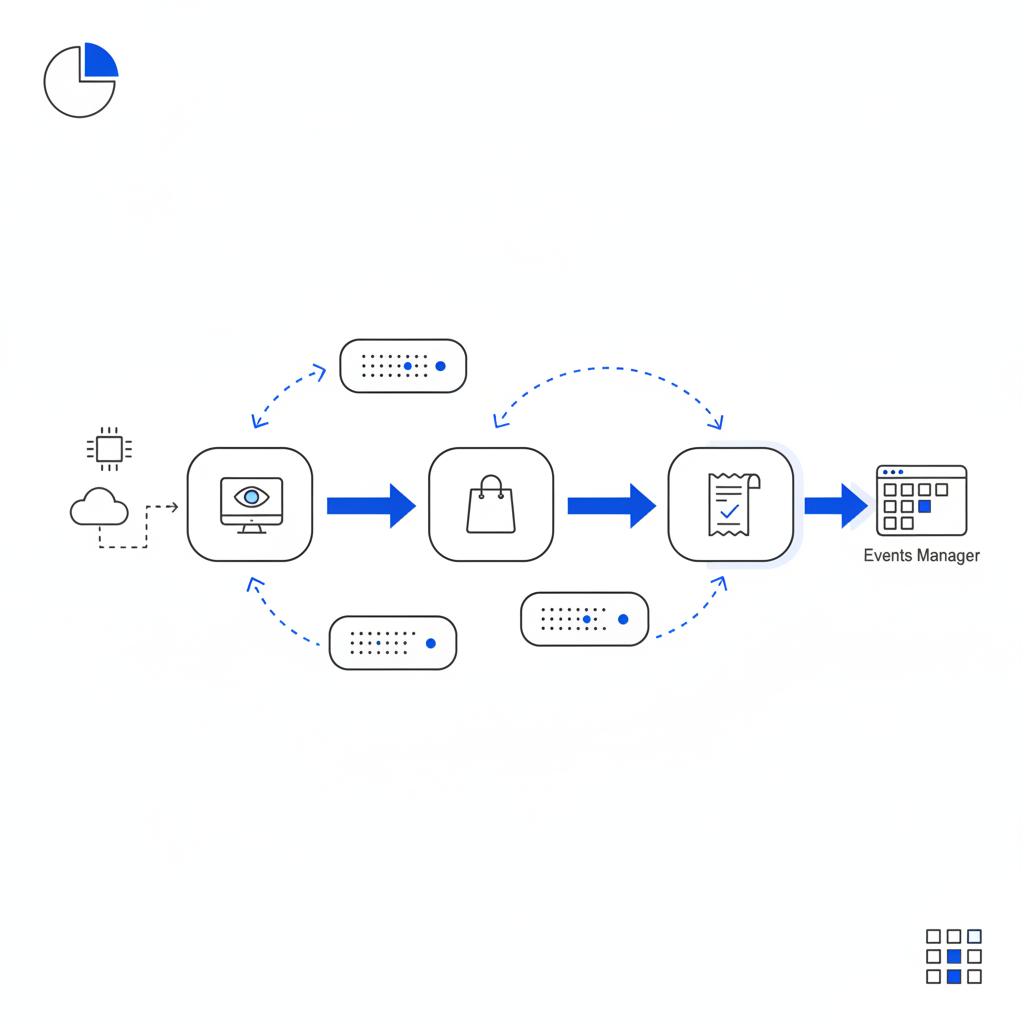
Key terms to remember
- Pixel — browser-side JavaScript that sends events.
- Conversions API (CAPI) — server-side event calls.
- event_id — unique identifier used for deduplication.
- AEM — Aggregated Event Measurement; web event prioritization limits.
By focusing on high-quality Meta events and pragmatic implementation, you’ll gain clearer measurement, better audiences, and more confidence when optimizing campaigns.
Avoid double-counting by including the same unique event_id for the same real-world action in both Pixel and Conversions API calls. Meta uses event_id to identify duplicates and deduplicate. Also ensure event_name and primary parameters align exactly between the two calls.
Prioritize the events that map directly to your business value—typically Purchase takes the top slot, followed by high-intent actions such as Lead, CompleteRegistration or TrialStart. You can commonly prioritize up to eight web conversion events per domain. Choose events that you trust technically and that closely represent revenue or measurable business outcomes.
Yes—sending hashed emails or phone numbers via CAPI generally improves match rates because server-side calls are less affected by browser restrictions. Ensure hashing is correct and that you have the necessary consent to send personal identifiers. Match rate improvements vary by audience consent rates and data completeness.





