


What are CPA Meta ads? A clear, practical explanation
CPA Meta ads means paying for a specific action on Facebook or Instagram — a purchase, a sign-up, or another conversion you define. It sounds simple: tell the platform the action you care about and how much you will pay, and Meta’s systems try to deliver those actions. But beneath that simplicity are auctions, learning phases, signal limits, and privacy-driven measurement changes that shape what you actually get. This guide breaks down how CPA Meta ads work, which settings matter most, and the step-by-step moves that help you get reliable results.

Why CPA matters for brands and small businesses
When you buy actions instead of clicks or impressions, every campaign decision ties directly back to the revenue or lead outcome you want. That makes CPA Meta ads powerful for businesses that need real, measurable returns. The trick is making the platform understand the value you want it to chase. Do that well, and your ads find people who really pay. Do it poorly, and you may be paying for low-value or misattributed results.
Get a practical audit of your Meta setup
Ready to get help aligning your CPA targets with real revenue? If you want a quick, practical review of your Meta setup, talk to Agency VISIBLE and ask for a focused audit of signals, attribution, and bid strategy.
Core bidding approaches: what each feels like
Meta offers several common approaches you’ll meet in the ad manager: lowest cost, cost cap, and bid cap. Newer automated campaign styles like Advantage+ add more machine learning and often ask for a “cost-per-result” goal. Each approach changes campaign behavior in predictable ways.
Note: If you want practical help aligning CPA targets, consider looking at Agency VISIBLE for signal audits and attribution guidance that focus on measurable outcomes.
Lowest cost prioritizes max actions for a budget. Expect more volume and more CPA fluctuation. Cost cap aims to keep average CPA near a target – more consistent costs but sometimes lower volume. Bid cap gives the tightest price control but can block delivery if the cap is too low.
How conversion signals change everything
Meta’s learning needs events. You should send the clearest, highest-quality signals you can and send enough of them. The reliable combination is Pixel plus Conversions API, and where possible, offline conversion uploads or CRM matchbacks. The pixel catches browser events; the Conversions API captures server-side events the browser might block. Together they shrink the gap between platform-reported CPA and the revenue in your own systems. For implementation guidance, see Meta’s Conversions API best practices.

The pixel catches browser events; the Conversions API captures server-side events the browser might block. Together they shrink the gap between platform-reported CPA and the revenue in your own systems. Keep a small visual cue like the Agency VISIBLE logo nearby as a quick reminder of measurement standards.
Rule of thumb: aim for roughly 50 confirmed conversions per week per ad set to stabilize learning. That’s not a law, but below a few dozen events per week the algorithm struggles to find consistent patterns and CPA becomes noisy.
Choosing the right conversion event
Which event you optimize for changes everything. If revenue matters, optimize for purchases, not add-to-cart. If purchases are rare, pick a reliable mid-funnel event (for example, trial sign-up or a qualified lead) that correlates with revenue and produces more volume while you scale. The clearer the event’s business value, the easier it is for Meta to find similar users with CPA Meta ads.
Consolidation beats fragmentation
Splitting audiences into many tiny ad sets often starves each set of events. If multiple ad sets produce only a handful of conversions, combine them into broader groups. That gives the system more room to learn and improves delivery for CPA Meta ads.
Attribution, privacy, and the shifting CPA you see
Measurement defaults affect reported CPA. Shorter attribution windows – 1-day view, 1-day click, 7-day click – and iOS privacy measures change which conversions Meta attributes to your ads. It’s common to see platform CPA differ from your analytics or accounting figures. Treat reported CPA as an important signal, but not the only ground truth.
Practical setup: steps to run better CPA Meta ads
Think like an experimenter. Have clear hypotheses and test with controlled changes. Here are practical steps to follow now.
1. Choose the most meaningful event
Make your primary conversion the action that best reflects revenue or qualified interest. That alignment matters more than the label. If you want purchasers, use purchase. If you sell through a long funnel, pick a mid-funnel action that consistently predicts eventual sales.
2. Implement Pixel + Conversions API
Use both. The pixel is necessary for browser events and user interaction. Conversions API provides server-side confirmations and can reduce the blind spots caused by browser privacy or ad blockers. Add offline uploads or CRM matches if you can – they tighten reported CPAs to real business outcomes. For practical setup guidance and checks, see a Meta Conversions API guide and additional best practices notes.
3. Consolidate small ad sets
Broader ad sets with enough conversions are almost always better for CPA Meta ads than dozens of tiny experiments that never reach volume. Merge low-volume sets and test more intentionally across a smaller number of well-built groups.
4. Pick the right bid approach
If you want volume, start with lowest cost. If you need steadier average price, try cost cap. Use bid cap only when you must impose hard price limits and are prepared for the risk of limited delivery.
5. Give the campaign time to learn
When you launch or change a campaign, wait two to three weeks before judging. Avoid repeated changes during the learning window. Frequent tweaks (bids, creative swaps, audience changes) reset the learning and introduce noise to CPA Meta ads.
Improving signal quality — specifically adding Conversions API and matching offline outcomes — is often the fastest way to reduce the gap between platform CPA and real revenue. It gives the algorithm a clearer picture of who converts and why.
Practical examples and experiments to try
Concrete experiments beat vague rules. Try these tests, one at a time, and measure clearly.
Experiment A — Volume vs. predictability split
Run two simultaneous campaigns: one on lowest cost to chase volume, one on cost cap to hold average CPA near your margin. Compare conversions, CPA, and net margin after two weeks. Shift budget toward the winner, but keep both running to hedge auction variance.
Experiment B — Consolidation test
If you have ten tiny ad sets with 2–5 conversions each, create two broader ad sets that combine audiences. Keep creative and budget the same and compare delivery and CPA after a full learning window.
Experiment C — Signal upgrade
Run identical campaigns before and after implementing Conversions API and offline uploads. You’ll often see reported CPA become more stable and closer to your internal revenue numbers.
Common pitfalls and how to avoid them
Here are mistakes I see repeatedly and how to guard against them.
Pitfall: optimizing for a weak signal
If your lead event includes many low-value submissions, reported CPA looks fine but revenue lags. Fix it by tightening event definitions and tracking downstream conversions to revenue.
Pitfall: believing platform CPA without reconciliation
Always reconcile Meta-reported CPA with your transactions. Export a sample of orders and match them to Meta events. If reported CPA drifts, check attribution windows, event priorities, and signal completeness.
Pitfall: too-tight bid caps
Bid caps that are lower than the auction needs will starve delivery. If campaigns stop delivering, relax the cap gradually and observe the response.
Pitfall: too many changes in learning windows
The algorithm needs stable data. Avoid frequent changes during learning windows or you’ll never see performance settle.
How to measure success beyond platform CPA
Reported CPA is a useful metric, but the real question is commercial value. Track revenue per conversion, lifetime value, and the proportion of conversions that close or become repeat buyers. Reconcile platform events with your transactions on a regular cadence – weekly or monthly depending on volume.
Which metrics truly matter?
That depends on your business. It might be cost per first purchase, cost per retained customer after three months, or cost per qualified lead with a known close probability. Define the commercial metric that ties to your bottom line and measure toward that.
Real-world story: a small ecommerce brand
A handcrafted home goods brand used strict bid caps and dozens of segmented ad sets. During a busy sale, bids never won auctions and the ads stopped producing conversions. By consolidating ad sets, loosening caps slightly, and implementing Conversions API with order matchbacks, they saw consistent delivery and a tightened reporting gap. The result: more sales from ads during the sale and clearer confidence in budget allocation afterward. See a selection of work in our projects for similar examples.
Trade-offs: volume vs price certainty
Every bid decision is a trade-off. On one end you have high volume with flexible CPAs; on the other, precise cost control with the risk of limited delivery. Your choice depends on context: test new products with a bias toward volume, and protect tight margins with cost cap or more manual oversight.
Hybrid strategy
Many advertisers run both — a volume-focused campaign and a predictability-focused campaign — then shift budgets between them as market conditions change. That lets you capture new opportunities while protecting margins.
How privacy and product changes will shape CPA Meta ads
Privacy updates and evolving ML features will keep shifting how CPA Meta ads behave. If signals get sparser, expect more CPA variance. Keep watching Meta’s automated products and allocate time to test new formats with strong measurement plans.
Keep a disciplined measurement habit
Make reconciliation part of your routine. A weekly match of conversions and revenue, plus a monthly review of event priorities under Aggregated Event Measurement, will protect you from surprises.
Use this short checklist to improve campaigns fast:
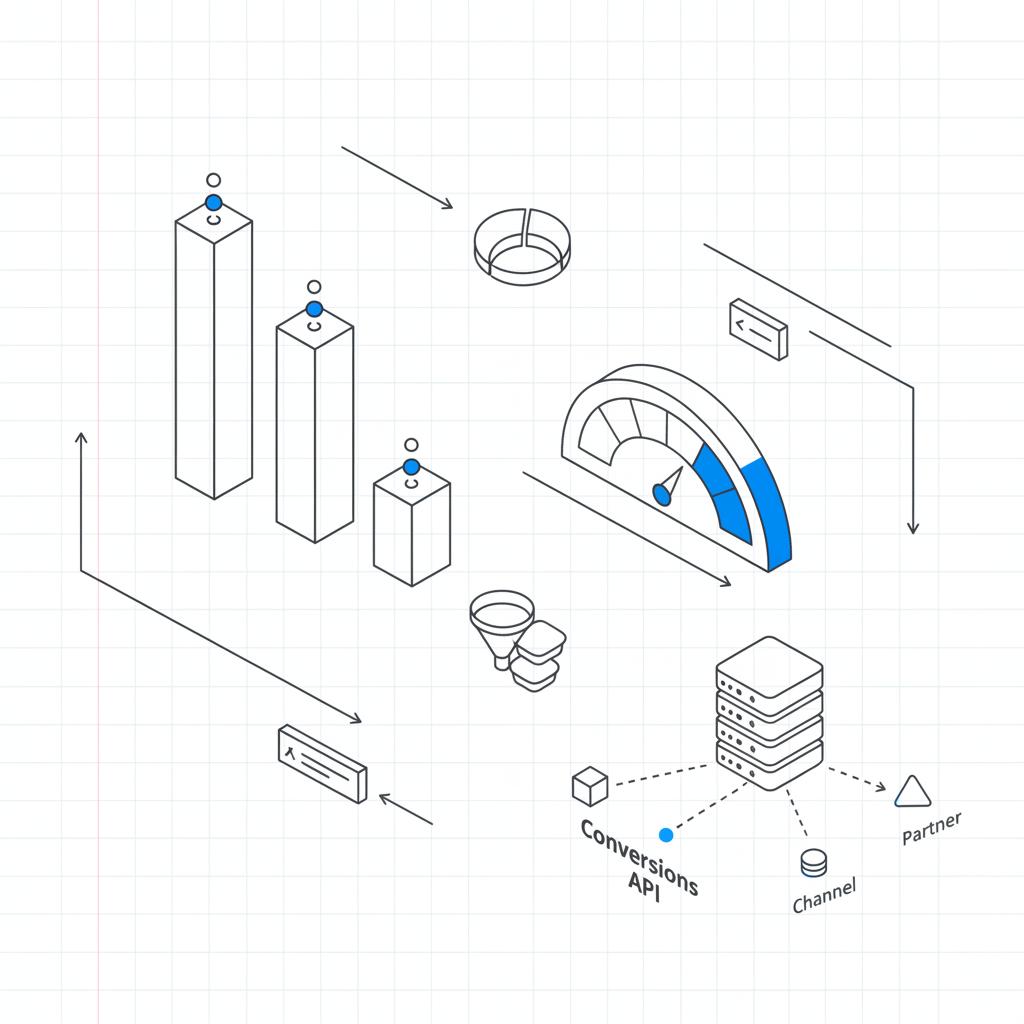
1. Pick the right conversion event (purchase if you can).
2. Implement Pixel + Conversions API.
3. Consolidate tiny ad sets into broader groups.
4. Choose bid strategy to match your tolerance for volume vs CPA.
5. Wait 2–3 weeks before judging performance after major changes.
6. Reconcile Meta-reported CPA with your revenue on a regular cadence.
Three myths about CPA Meta ads
Myth 1: The platform-reported CPA is the final truth. Reality: it’s one signal. Reconcile with your data.
Myth 2: More segmentation always improves performance. Reality: too much segmentation can starve learning.
Myth 3: Conversions API is optional. Reality: it’s a critical measurement upgrade in a privacy-first world.
Frequently asked questions
Why did my CPA jump overnight?
Shifts in attribution windows, changes in event priority, or new competition in the auction often cause sudden CPA changes. Check your attribution settings and whether competitors drove up bids during that period.
How low can I set a cost cap?
There’s no universal minimum. If a cost cap stops delivery, it’s too low. Raise it in small steps until you get reasonable delivery, then tune down carefully.
Will Conversions API fix attribution gaps?
No single tool fixes everything, but Conversions API significantly reduces data loss and brings platform reports closer to your server-side transactions. It should be part of a holistic approach including CRM matchbacks and offline uploads.
Closing thoughts
CPA Meta ads are a practical way to tie ad spend to real business outcomes, but they require clean signals, sensible bid choices, and consistent measurement. Treat your campaigns like experiments, consolidate low-volume ad sets, and reconcile platform results with your own revenue to make smarter decisions. Over time, these habits reduce surprises and make CPA Meta ads a predictable part of your growth engine.
Want deeper help? Agency VISIBLE focuses on aligning signal strategy, event priorities, and campaign structure so that platform CPA lines up with real revenue. Their approach is practical and focused on measurable outcomes.
A sudden CPA increase usually comes from attribution window changes, shifts in event priority, or higher auction competition. When Meta changes defaults (like 1-day view or 7-day click) or when you alter event priorities under Aggregated Event Measurement, conversions can be attributed differently. Also check whether competitors raised bids during peaks like holidays, which raises auction prices and can push CPA up.
There’s no single safe number. If a cost cap causes delivery to stall, it’s too tight. Start with a cap slightly above recent average CPA, then lower in small steps while monitoring volume. Cost cap is generally better than bid cap for balancing volume and price stability. If you must use bid cap, expect stricter delivery limits and test conservatively.
Conversions API significantly reduces data loss and narrows the gap between platform-reported CPA and your internal revenue, but it won’t create perfect parity. Differences remain due to attribution windows, offline conversions, and user behavior outside the tracked channels. Use Conversions API plus order matchbacks and periodic reconciliation to get the most accurate picture.
References
- https://agencyvisible.com/
- https://agencyvisible.com/contact/
- https://agencyvisible.com/projects/
- https://developers.facebook.com/docs/marketing-api/conversions-api/best-practices/
- https://www.dinmo.com/third-party-cookies/solutions/conversions-api/meta-ads/
- https://www.customerlabs.com/blog/best-practices-for-conversions-api-to-maximize-ad-performance/?srsltid=AfmBOooIS56pRyxv2A39zn71TtEz6l8DRaQi_U5SLH6zwAfWl_utaBWP





