


How to build a high-converting website for a cleaning business
If you’ve ever asked yourself, “how to create a website for my cleaning business?” you’re in the right place. A good site does more than look nice — it answers a customer’s three quick questions: do you do the job they need, do you serve their area, and how fast can they get a quote or book? This guide walks you through everything from clear page structure to booking forms, local SEO, and realistic timelines and costs for 2024–2025.
Why a tidy website is your best front door
A polished design grabs attention, but conversion comes from clarity. Visitors want to know what you do, where you go, and how to book — fast. Trust elements like recent testimonials, insurance and certifications, and straightforward pricing help turn visitors into booked jobs.

What pages your cleaning site needs (and why)
Your website should mirror the customer journey: discovery, evaluation, action. At minimum, include:
Home — A short headline that states what you do, who you serve, and what makes you different. A clear call to action (call, get a quote, or book now).
Services — Break services into scannable items: carpet cleaning, recurring residential cleaning, deep cleaning, move-out cleaning, commercial janitorial. For each: what’s included, who benefits, and typical timing.
Service Areas — Create short, local-focused pages for towns or neighborhoods you serve. Mention landmarks or typical property types; avoid copying the same text across pages.
About — Tell a concise story: why you started, your team, insurance, and a clear phone number. Personality + proof builds trust.
Pricing or Estimates — Post starting prices or a clear estimate process. If you don’t show prices, explain how long a quote takes and what you need.
Contact / Booking — Offer both call and a short online form. Many customers want a quick quote without a phone call; others will call.
Service pages that actually help you rank and convert
On each service page, explain what the cleaning includes, who it’s for, and any special conditions. For example, a carpet cleaning page should say if you use truck-mounted extraction, offer pet-odor treatment, and whether area rugs are cleaned in place. Add a short FAQ for common questions and an explicit next-step button.
Local pages that search engines and people like
Service-area pages should be short, meaningful, and unique. Don’t copy-paste the same paragraph and swap in city names. Mention a local landmark, the type of housing common in the area, or a common problem you solve there – like pet stains in neighborhoods with many dog owners.
If you want a quick, measurable path to a lead-generating site, consider a focused partner who bridges the gap between DIY and fully custom work. Learn how Agency Visible can help build a lead-first site that launches quickly and keeps your time focused on running the business, not wrestling with hosting and plugins.
Which platform should you use?
Your choice usually comes down to WordPress or a hosted builder (Wix, Squarespace, etc.). WordPress scales and is flexible — great if you want control and growth. Builders are faster to launch and lower-maintenance, ideal if you prefer fewer technical chores. For examples and starting points, see the Agency Visible homepage or guides like Build a Cleaning Company Website: A Guide for Success.
Decide based on:
Skill & time — Do you have someone who can update plugins and backups? If not, choose a hosted builder or managed WordPress plan.
Need for integrations — Want custom booking flows, deposits, payroll links, or CRM integration? WordPress generally offers more options.
Speed to launch — Builders often win here; you can have a live site in days with the right content and photos.
Key content elements that build trust
Photos and short videos — before-and-after shots, a technician arriving in uniform, or a timelapse of a clean — all add credibility. Use descriptive alt text and, when it makes sense, include location keywords naturally in the image descriptions. A clear logo helps brand recognition and trust.
Testimonials — Short, specific quotes work best. Include a name and neighborhood when possible: “Emily, Greenfield: ‘They arrived on time, protected our hardwood, and left the house smelling fresh.’”
Pricing and estimate best practices
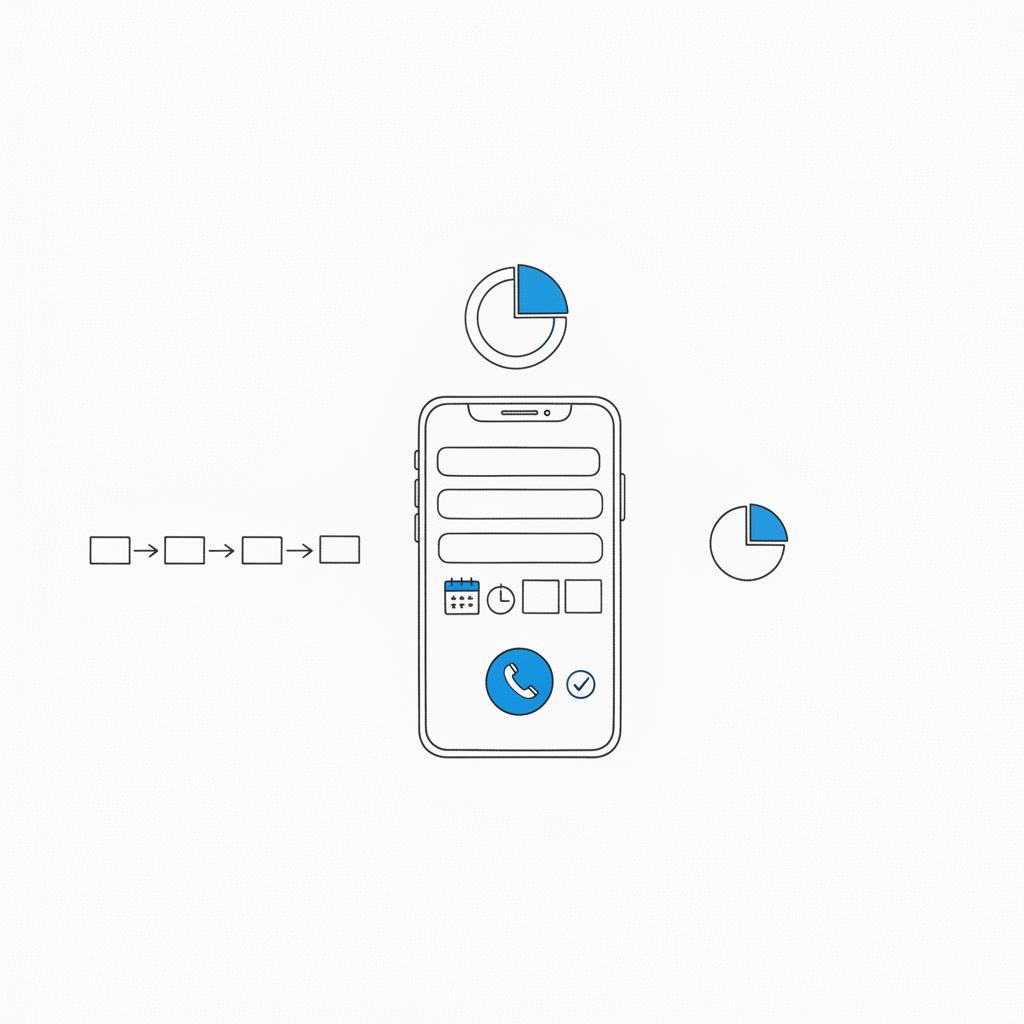
Be clear about what you charge and why. A simple way: show a starting price for a standard job (e.g., one-bedroom apartment) and list common add-ons. If you prefer not to show prices, explain the estimate process and promise a reply time (e.g., “We send a personalized quote within 24 business hours”).
Local SEO essentials (without the jargon)
Set up and optimize Google Business Profile — this is often the first place locals see you. Make sure your business name, address, and phone number (NAP) match exactly across your GBP, website, and directories. Consistency matters. For a practical local SEO checklist see SEO For Cleaning Business: The Ultimate Local SEO Checklist and for industry-specific SEO tips see The Ultimate Guide To SEO for Cleaning Companies.
Use natural local keywords in headers and opening paragraphs of service-area pages. Encourage customers to leave reviews and respond to them graciously — that builds trust as well as visibility.
Simple on-page SEO checklist
- Unique title tags and meta descriptions for each page.
- Headers that include relevant local phrasing where natural.
- Short, helpful content on each service-area page that mentions a nearby landmark or typical property types.
- Fast mobile experience and tap-to-call phone numbers.
Technical priorities that actually move the needle
Mobile-first design: Make calling or booking one tap away. If the phone number requires three clicks to find on mobile, you’re losing customers.
Booking & quote forms: Keep forms short: address, service type, square footage or number of rooms, preferred dates, and a contact toggle (phone or email). Explain the follow-up process so visitors know what to expect.
Payments & deposits: Collecting a small deposit reduces no-shows and signals professionalism. Use a scheduling tool that accepts deposits or a simple payment link if full integration is too complex at launch.
Schema markup: Add LocalBusiness and Service schema via plugins or builder settings so search systems understand your offerings. You don’t need to code it manually — fill in the business details and let the plugin do the rest.
Speed & security: HTTPS is mandatory. Compress images, avoid unnecessary third-party scripts, and choose hosting that performs well on mobile networks.
Accessibility & trust signals
Make your site accessible: readable font sizes, clear contrasts, descriptive alt text, and labeled form fields. Display insurance, certifications, and a clear cancellation or rescheduling policy. These small signals reassure customers who are about to let someone into their home.
How long it takes and what it costs
A DIY builder site can launch in a few days to two weeks if you have content and photos ready. Builder subscriptions typically cost $5–$40 per month in 2024–2025, plus a small annual domain fee.
A professionally built site commonly costs $1,500–$8,000. The lower end is a focused brochure site; the higher end includes custom booking, payments, multiple service-area pages with original content, and a short maintenance period. Professional timelines usually range from two to eight weeks depending on scope and content readiness.
Ongoing costs
Websites require maintenance — updates, backups, and occasional fixes. If you don’t want that work, choose a builder subscription that bundles maintenance, or opt for a managed WordPress hosting plan.
DIY vs. hiring help: what to consider
DIY — Faster and cheaper up front. You control changes and updates. Best if you have time to maintain it or you’re comfortable learning basic tools.
Hiring a pro — Higher initial cost but saves you time and reduces tech headaches. If your business needs advanced booking flows, payments, or a multi-area SEO strategy, a pro typically pays off.
A common middle path: hire an agency for the initial build and key integrations, then take over day-to-day edits yourself. That gives you the speed of a pro build with the flexibility to update content without ongoing developer fees.
Trade-offs: full booking vs capture-first
Full booking: Built-in calendar, real-time availability, and deposit collection. Great if you have staff and predictable schedules.
Capture-first: Short form to gather lead details and follow up personally. Good if you need to qualify jobs first or if your schedule varies.
Many businesses use both: an online booking widget for routine recurring work and a quick quote form for complex or one-off jobs.
Content templates you can copy
Use short, direct lines that answer the customer’s top questions. Here are quick templates you can adapt.
Homepage headline
Example: “Reliable weekly and deep cleaning for busy homes in [Neighborhood] — local teams, vetted staff, and easy online booking.”
Service page opening
Example: “Our deep cleaning includes baseboards, vents, kitchen appliances, and bathroom grout. Perfect for move-outs or seasonal refreshes.”
Booking form text
Example: “Tell us your address, the service you need, and a preferred date. We’ll send a quote in 24 business hours or call to confirm—your choice.”
Testimonial template
Example: “[Name], [Neighborhood]: ‘They arrived on time, handled my hardwood floors carefully, and left the house spotless.’”
Two-week DIY launch plan (practical)
Day 1: Choose a platform and pick a template.
Days 2–5: Write content for home, 3–5 services, an About page, and 1–2 service-area pages.
Weekend: Gather photos—before/after, vehicle, or team shots.
Week 2: Assemble the site, connect a scheduling tool or quote form, set up Google Business Profile, and test on mobile.
Final days: Add testimonials, schema via plugin or builder settings, and check tap-to-call behavior.
Hiring a pro: what to expect
Expect the process to include content drafting, design mockups, feedback rounds, technical setup, and testing. Clear communication about who provides photos and copy shortens timelines.
Making the primary action (call or get a quote) visible and one tap away on mobile is the single most effective change. Visitors make quick decisions; if they can’t call or request a quote immediately, conversion drops fast. Clear microcopy about expected response time (e.g., “Quote in 24 business hours”) further increases trust and submissions.
What to watch out for
Subscription creep: Some scheduling or review tools charge per booking or per user as you grow. Read billing models carefully.
Hidden contact info: Decorative design is great — until visitors can’t find your phone number. Keep your primary action visible.
Duplicate local pages: Don’t create near-identical city pages. Keep each page uniquely focused with local details.
Maintenance checklist
Weekly: Check form submissions and GBP messages.
Monthly: Backup site and update plugins/themes (or let your managed plan do it).
Quarterly: Review top pages and update testimonials and photos.
Annually: Renew domain and audit any subscription tools you use.
Measuring results
Track calls, form submissions, completed bookings, and deposit rates. Use Google Search Console for impressions and clicks and monitor Google Business Profile views and actions. Small changes — a clearer headline, a visible phone number, or a shorter form — often move the needle more than big redesigns.
Practical examples and microcopy ideas
Microcopy is the small text that eases friction: on a form, use “We’ll call or email within 24 business hours” instead of vague promises. On a booking page, show next steps: “You’ll receive a confirmation text after payment. Technician arrives in uniform.” These tiny details reassure customers and reduce hesitation.
Example FAQ items to reduce friction
What payment methods do you accept? — Card, major mobile wallets, and cash for local walk-ins.
How far in advance should I book? — For recurring service, two weeks in advance is ideal; for move-out cleaning, try to book as soon as the move date is set.
What if I need to reschedule? — Reschedule up to 24 hours before for no fee; deposits refundable with 48+ hours notice.
When to scale and hire additional support
When booking volume grows, consider adding a CRM to manage leads, automations for confirmations and follow-ups, and a centralized calendar for staff dispatching. If no-shows rise, raise the deposit or tighten cancellation rules.
Quick checklist before you launch
- Tap-to-call number on mobile
- Short booking/quote form with follow-up expectations
- Google Business Profile fully filled out and verified
- At least three service pages and one or two local pages
- Visible testimonials and proof of insurance
- HTTPS and reasonable mobile speed
Final practical tips
Ask for reviews right after a job when the experience is fresh. Keep your phone number consistent everywhere. Start with the three services that bring you the most revenue and two neighborhoods you want more work in — then build pages for them first.
Need a hand launching?
Get a lead-focused cleaning website quickly
Ready to get visible and start booking more jobs? Contact a team that builds lead-focused cleaning sites quickly and clearly — get in touch with Agency Visible to discuss a practical plan that fits your budget and timeline.
FAQs
How quickly can I get a site that brings leads?
A basic builder site can be live in days to two weeks with content and photos ready. A professional build typically takes two to eight weeks depending on scope.
Which platform should I choose?
WordPress offers flexibility and scale; hosted builders like Wix and Squarespace are faster and lower-maintenance. Choose based on your need for integrations, budget, and willingness to maintain the site.
Do I need Google Business Profile?
Yes. Set up GBP and keep your NAP consistent across the web to appear in local searches and the map pack.
A basic builder site can be live in days to two weeks if you have content and photos ready. A professional build typically takes two to eight weeks depending on scope, integrations, and how quickly you provide copy and images.
WordPress offers flexibility, scalability and broad plugin support for advanced booking and payment integrations. Hosted builders like Wix or Squarespace are faster to launch and easier to maintain for non-technical owners. Choose WordPress if you want long-term control and custom integrations; choose a builder if you want speed and minimal maintenance.
Yes. Google Business Profile is essential for local visibility and Map Pack inclusion. Encourage recent, specific reviews and respond to them — that improves trust with customers and search visibility.
References
- https://agencyvisible.com/contact/
- https://agencyvisible.com/
- https://agencyvisible.com/projects/
- https://agencyvisible.com/design-that-converts-our-approach/
- https://getcleanly.net/blog/cleaning-business-local-seo-checklist/
- https://www.zenmaid.com/magazine/seo-for-cleaning-companies/
- https://www.bluehost.com/blog/building-a-cleaning-company-website/





