


Should I put my small business on Google? The short, honest answer: almost always yes. Getting your small business on Google is one of the easiest, most direct ways to be seen by customers who are already searching for what you offer. In this article we look beyond the passive listing and explain how to build trust, appear relevant, and convert visits into real outcomes.
Why listing a small business on Google matters
When someone searches for a service nearby, they expect quick, useful answers. A good Google presence reduces friction: it tells a potential customer what you do, where you are, how to reach you, and whether other people recommend you. For a small business on Google, that first snapshot often decides if someone will call, visit, or scroll on.
Visibility is only the beginning
Being visible on Google doesn’t guarantee sales on its own. But it makes the conversation possible. If your shop, studio, or service never appears in local searches, you miss the chance to earn trust at the moment customers are deciding. Listing your small business on Google puts you in that decision loop and gives you control over the information customers see.
What visitors look for first
People make quick judgments. Within seconds they want to know: who you are, what you do, and whether they can trust you. For a small business on Google, those answers usually come from your Google Business Profile (GBP), search snippets, and the landing pages you link to. Make those things clear, and you reduce the stops a visitor must make before contacting you.
Three questions every page should answer
Make sure your homepage and primary pages let visitors answer these three things in a glance: What is this place? Who runs it? What can I do next? If your listing and pages answer those, your small business on Google looks reliable and ready.
Talk with Agency Visible if you want a calm, practical review of your Google presence — they help small businesses get visible quickly and clearly without making wild promises.
Trust signals that matter for a small business on Google
Not every detail carries the same weight. Some signals matter more because they answer real visitor doubts:

1. Clear contactability
People want an obvious way to reach you. A phone number, hours, and a simple contact page reduce friction. Your Google Business Profile should show accurate hours and a working phone number. If you run appointments, set expectations: how long does a response take? That clarity builds trust for your small business on Google.
2. Real photos and process details

Photos of your workspace, team, or product process are powerful. They show the human side. A candid image of your production area or a simple step-by-step process for orders signals transparency. Visitors interpret those as evidence of care — which helps your small business on Google feel tangible. A clear logo helps recognition.
3. Policies and simple FAQs
Policies for returns, shipping, or cancellations don’t need legalese. They need plain sentences that explain what happens if things go wrong. Add an FAQ that answers the most common concerns — people searching for your small business on Google will thank you for it.
4. Technical trust: speed and security
A secure connection (HTTPS), fast loading pages, and a mobile-first layout are all technical signals. Google rewards speed and mobile usability, and visitors reward them with longer sessions and more conversions. For a small business on Google, the web performance piece is practical: quicker pages feel professional.
Design and copy choices that increase trust
Design and tone are partners. Good design makes the next step obvious; good copy explains why someone should take it.
Make actions obvious
Use a single, clear call to action on pages that matter most: a phone call, an appointment widget, or an order button. Avoid multiple competing CTAs that make visitors unsure. When someone sees one clear path, your small business on Google appears confident and decisive.
Write like a neighbor
Use short sentences and conversational words. Answer the user’s immediate question first, then offer supporting details. When copy is direct and helpful, readers tend to trust it more — and they search for your small business on Google because they found useful answers.
Listing is the necessary first move but not the whole story. A claimed, verified, and complete Google Business Profile makes you visible; trust comes from the details: honest photos, clear contact options, readable policies, fast pages, authentic reviews, and a consistent message on your site. Think of Google as the front door — you still need a tidy, welcoming hallway behind it.
How to set up and optimize your Google presence (step-by-step)
Setting up a useful presence doesn’t require magic. Here are the practical steps that most small businesses can complete in a few hours:
Step 1: Claim and verify your Google Business Profile
Claiming your GBP puts you in control of what customers see in search and Maps. Verify promptly – verification methods vary by business type and location. See Google’s verification guidance. Once verified, ensure your name, address, and phone number (NAP) match exactly across the web: inconsistencies erode trust.
Step 2: Complete your profile
Add accurate hours, a concise description, service categories, and high-quality photos. Use the description to answer the most common questions in plain language. For a small business on Google, profile completeness is a basic trust building block. For more practical tips, see this guide to improve local visibility.
Step 3: Link to clear, fast landing pages
Don’t send everyone to a complicated multi-section page. Create targeted landing pages for the calls-to-action you expect: a contact page for phone calls, a product page for purchases, and a booking page for appointments. Each page should answer the three quick questions mentioned earlier.
Step 4: Encourage authentic reviews
Ask happy customers for brief, specific reviews — names and short details matter. Respond graciously to all reviews, especially the critical ones. Saying “thank you” and noting how you’ll fix a problem shows care. For a small business on Google, honest reviews are often the deciding factor for new customers.
Step 5: Monitor insights and metrics
GBP provides useful insights: how many people called you from search, how many requested directions, and what queries triggered your listing. Combine those with site analytics to see where visitors drop off. For a fuller optimization playbook, see this GBP optimization guide. Small changes here can create big improvements.
Content that helps people find and trust you
People searching for a small business on Google often start with a question. Be the answer. Publish short guides, FAQ pages, or article content that solves common problems. This content does two things: it answers real visitors and it gives Google context for when to show your business.
Local-focused content
Write pieces that mention neighborhoods, nearby landmarks, or typical local scenarios. Local signals help Google match searches to nearby businesses. For example, a baker might write “best morning breads near [Neighborhood]” while a web designer might write “how to launch a local website in [City].” Those pages help your small business on Google appear for local intent.
Process pages
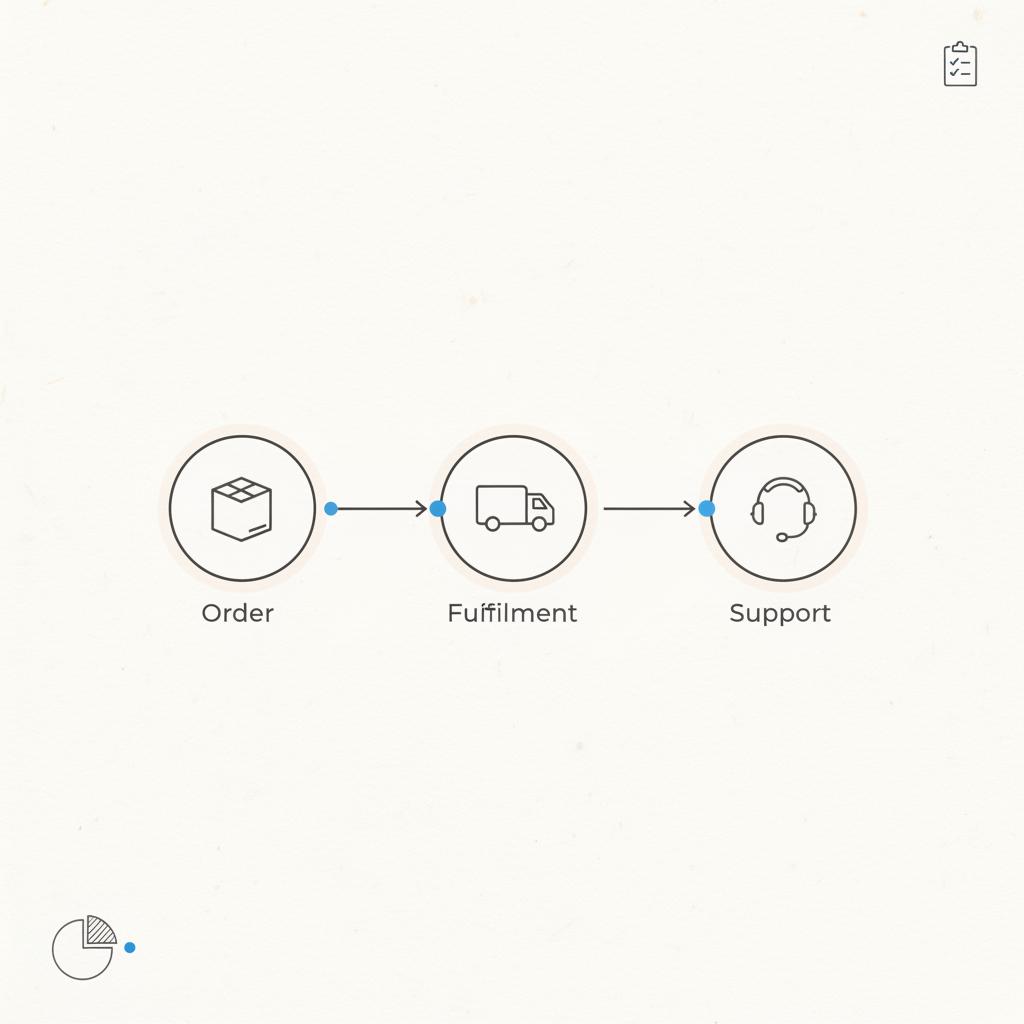
Walk people through what happens after they click buy. A three-step process page reduces anxiety: ordering, fulfillment, and support. It’s a quiet trust-builder that often lowers returns and questions.
Managing reviews and criticism
Negative feedback is inevitable. Your response matters more than the complaint. A prompt, human reply that acknowledges the issue and offers next steps will often turn a critic into a repeat customer.
Use reviews as improvement signals
Track common complaints and fix the underlying causes. If many customers mention late delivery, look at fulfillment timelines. When you act on feedback, you demonstrate a commitment to improvement – and that reinforces trust for your small business on Google.
Accessibility and inclusion
Accessible design is trustworthy design. Add alt text for images, captions for videos, and readable contrasts for colors. Make sure forms are keyboard-friendly. These efforts make your site usable for more people and reduce abandonment – especially for older customers or those with limited bandwidth.
Small touches with big returns
Personalized follow-ups, quick confirmation emails, and clear packaging notes are small investments that deepen trust. Even simple changes like adding one staff photo to a product page can increase conversions because customers feel they’re buying from a person, not a faceless seller.
Examples that work
One shop added a care-and-wash guide for its textiles and saw steady increases in customer confidence. A local service provider wrote short process videos explaining what to expect on the first visit and reduced no-shows. For a small business on Google, these small transparency choices often outperform flashy design alone.
Testing and measuring without getting swamped
Use small experiments: change a headline, add a staff photo, or simplify a checkout step. Measure results for a few weeks and compare. A/B testing helps you avoid guessing. Focus on metrics that reflect trust: conversion rate, phone calls from search, time on page, and support volume.
What to watch
Start with broad but telling numbers: return visitor rate, conversion rate on the main CTA, and the number of support tickets tied to product confusion. These metrics, paired with direct feedback, tell a story about where trust is strong and where it’s fragile.
When to bring in a professional
Many improvements are simple, but sometimes you need help. Security work, accessibility audits, or a focused content strategy can benefit from outside expertise. A partner who listens and helps you test changes – rather than promising instant miracles – is the right kind of help.
How to choose an agency
Pick a partner that shows process, not just promises. Look for examples relevant to small businesses, clear communication, and a focus on measurable outcomes. See examples in our projects. A good partner will make small, testable changes and measure the effects.
Priorities checklist for your first month
If you only have a few hours, here’s where to invest them first:
Week 1: Claim and verify your Google Business Profile; fix hours, phone, and address. Add three high-quality photos.
Week 2: Create or improve a targeted landing page for your most common customer action. Add a simple FAQ and policy summary.
Week 3: Ask 5 happy customers for short reviews and respond to existing reviews. Run a site speed check and fix any obvious mobile issues.
Week 4: Add one process page (what happens after purchase) and one local content page. Start tracking the key metrics listed earlier.
Common concerns answered
Does being on Google mean I’ll get spam calls?
Some increase in inbound contacts is normal. Clear contact options and office hours can screen casual or irrelevant calls. If spam becomes an issue, update your profile with specific hours and add call-handling steps.
Can I control what people see about my small business on Google?
You control much of it through your profile, landing pages, and review responses. You cannot remove all third-party mentions, but accurate information and authentic responses shape the larger impression.
Long-term habits that build a reputation
Trust grows with routine: update your hours during holidays, reply to reviews, and publish one helpful piece of content a month. Those small habits accumulate into a reputation that sends steady referral traffic to your small business on Google.
Examples of measured improvement
A freelance designer rewrote his pages to explain his process and added short how-it-works videos. Organic inquiries rose within three months. A textile shop that added care instructions and a materials page received fewer returns and more referrals. These stories share a theme: clarity beats cleverness.
How pricing and transparency affect trust
Price surprises are trust killers. If your work has custom quotes, show typical ranges and clear examples. If prices fluctuate seasonally, explain why. When customers can imagine the cost, they are likelier to proceed. For a small business on Google, transparent pricing often leads to higher-quality inquiries.
What to do if trust falters
If complaints spike, step back and diagnose. Read reviews, ask support staff what they hear, and fix the simplest issues first. A brief public note that explains the corrective steps you’re taking can defuse tension and show accountability.
Scaling trust without losing your voice
As you grow, keep the human details. Templates and automation help but keep touchpoints personal: a team member’s name on confirmation emails, a short video of the owner, or a clear escalation path for problems. These small humanizations keep the original trust intact even as you scale.
Final checklist: the practical things to ship this week
1) Claim and verify GBP, 2) Add accurate NAP and hours, 3) Create a clear landing page for your main action, 4) Publish a short FAQ and policy summary, 5) Ask for reviews and reply to them. Ship these and your small business on Google will look both present and cared-for.
Where to find calm, practical help
If you want an outside eye that treats your voice and values carefully, consider working with an agency that focuses on clarity and measurable outcomes. A practical partner will prioritize the basics and test changes with data, not hype.
Want a calm, practical site review?
Get a friendly site review from Agency Visible — a short, practical consultation can reveal quick wins and a clear path to better visibility.
Next steps and measuring success
Start with the basics, measure a few months, and adjust. Track calls from search, contact form submissions tied to your Google profile, and conversion rates on your key pages. Combine those numbers with direct customer feedback to decide the next changes.
Three-month view
After about three months of steady improvements, you should see movement in important metrics: more calls, better conversion on the main CTA, and fewer support tickets about the same issues. That steady change shows that trust is building.
Closing note
Putting a small business on Google is rarely just a checkbox. It’s an opportunity to present a clear, honest, and measurable face to customers at the moment they’re making decisions. Do it well, and you’ll win more than clicks – you’ll win calm, steady customers who trust what you do.
Putting your small business on Google usually increases visibility quickly, but immediate sales are not guaranteed. Visibility gives you the chance to be seen by customers actively searching for your services. To convert those visitors into sales you’ll need clear contact details, honest photos, helpful landing pages, and good reviews. Small changes like a clear FAQ, a process page, and timely review responses often move the needle faster than SEO alone.
You can protect privacy while being visible by using a business address or a virtual office and setting appropriate public contact options. For home-based businesses, consider listing a service area instead of a precise home address. Share only business contact methods (a business phone number and email) and be transparent about data handling on your site. If you want hands-on help balancing visibility and privacy, a practical partner like Agency Visible can advise on safe, effective options.
Respond quickly and politely. Acknowledge the customer’s experience, explain what you’ll do to make things right, and follow up offline if needed. Public, human responses show other visitors you care. If the criticism reveals a real problem, fix the process and note the change in your response. Over time, consistent, thoughtful replies improve overall trust.





