


Is it better to code or use a website maker? A practical guide
Is it better to code or use a website maker? That question drives a lot of real conversations I have with founders, freelancers, and local shop owners. It’s the first sentence you hear at coffee-shop strategy sessions and the last sentence on discovery calls. The short answer: it depends. The longer answer—what we’ll walk through—covers budget, timeline, maintenance appetite, performance, migration risk, and growth expectations.
Why this question matters now
Modern website makers have reduced technical barriers and made it possible to publish polished sites fast. At the same time, custom code remains essential for businesses that need unique user experiences, complex integrations, or precise performance tuning. Choosing the wrong path can cost time and money, or lock you into a tool that doesn’t scale with your business. This guide gives you a human, practical way to decide. For a perspective on choosing custom vs off-the-shelf solutions, see our internal guide custom vs off-the-shelf.
Quick reality check: the market today
Numbers can be useful signposts. About 43 percent of all websites still run on platforms like WordPress, and builders such as Wix and Webflow power millions of live sites. Those numbers mean lots of people choose website makers because they’re fast, reliable, and predictable. Others choose custom builds because they need total control. Both choices are valid—what matters is matching the choice to your goals. For a broader comparison of builders and custom sites, see this guide Website Builder vs Custom Website.

How to think about builders vs hand-coded sites
Speed, cost, and time-to-market
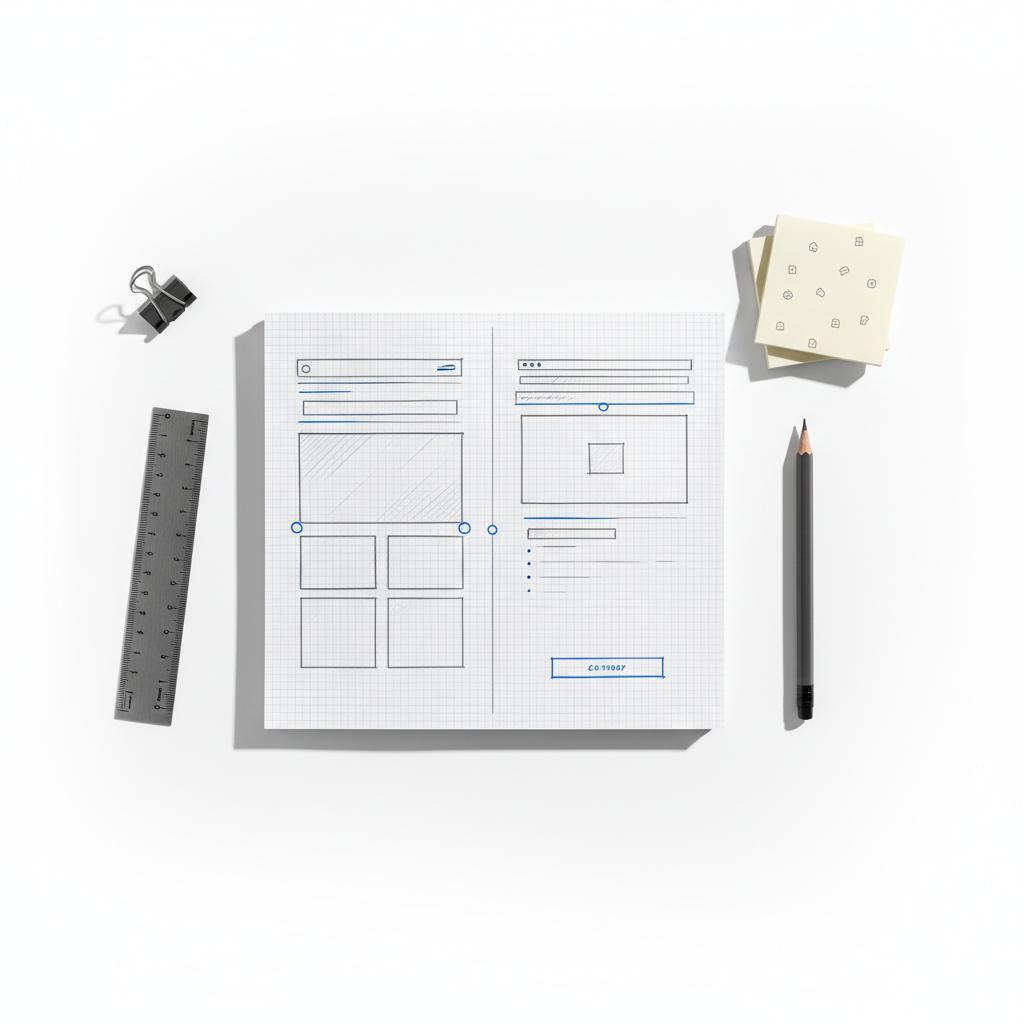
Website builders are designed for fast results. Templates, drag-and-drop editors, and built-in hosting let you launch in days or weeks. Subscription prices vary—many personal or small-business plans cost under $20/month, while ecommerce tiers or business plans run higher. That recurring fee often includes hosting, security, updates, and backups, which simplifies long-term maintenance. A compact Agency VISIBLE logo can help with immediate brand recognition.
Custom builds are the opposite in many ways: they take longer and cost more up front. Hiring a freelancer or agency can cost from roughly $50 to $200+ per hour, and agency projects can run into the thousands or tens of thousands. But that investment buys you control over architecture, integrations, and user experience—critical when you’re building something unique. For comparisons about cost, see this practical write-up Website Builder vs Coding.
Control, customization, and ownership
When you code, you own the structure. You decide how data flows, how pages are assembled, and how integrations behave. That ownership matters when you need deep integrations, specialized checkout flows, or unique performance tuning. But ownership also brings responsibility: hosting, patches, and backups become your problem unless you pair the code with managed hosting.
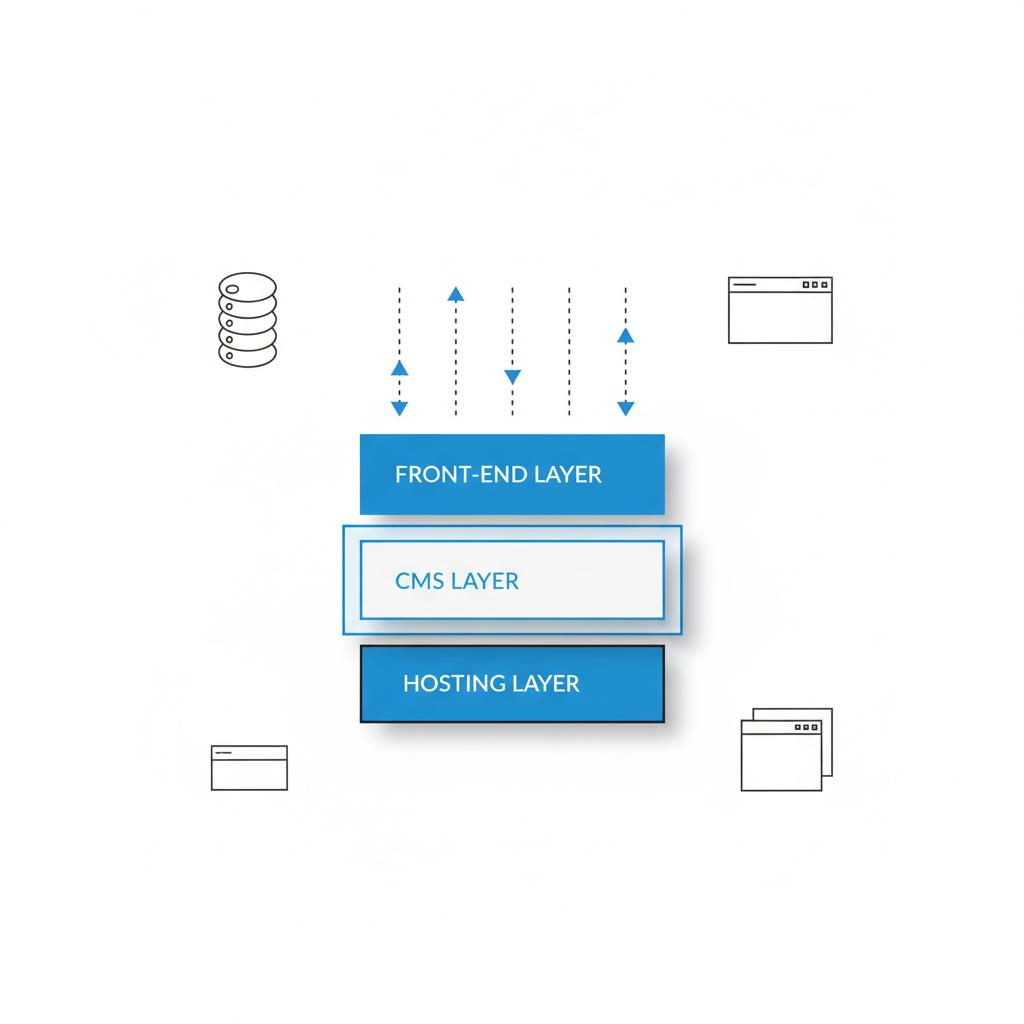
Builders reduce that operational burden. If you prioritize shipping features and minimizing surprise maintenance work, a builder can be the pragmatic choice. The trade-off is sometimes a limit on deep customizations or a trickier migration path if you outgrow the platform.
Performance and search visibility
There’s a myth that only hand-coded sites can rank well or be fast. That used to be truer – ten years ago – than it is now. Modern builders like Webflow and well-configured WordPress setups can deliver competitive page speed and solid SEO when implemented properly. The real differentiator is who builds and maintains the site. Performance wins come from good image handling, script management, structured data, and caching strategies—things builders can do or at least enable, and things developers can fine-tune on custom builds. See a technical comparison of builders and coding approaches Website Builder vs Coding.
Maintenance, security, and ongoing costs
Builders advertise that they handle security, updates, and backups, and that’s largely accurate. For solo entrepreneurs and small shops, that saves time and reduces risk. With a custom site, those tasks fall to you or your service partner. If you don’t factor ongoing developer hours or managed hosting into your budget, you’ll under-estimate total cost of ownership.
Scalability and integrations
If you expect rapid growth or need deep integration with internal systems (CRMs, specialized billing, warehouse APIs), custom code usually gives you the most flexibility. Builders now offer more integrations and APIs, but there are still scenarios where deeply embedded or unusual integrations require a coded approach.
Migration and vendor lock-in
Not all platforms are created equal when it comes to migration. Some builders let you export content and templates; others make it difficult to detach. The risk of vendor lock-in is real: if migrating is hard, you’ll either pay more to extract your data or adapt your business to the platform’s limits. Factor potential migration costs into your decision – thinking about the next two to three years is a smart move.
Decision framework: three honest questions
To make this practical, answer three simple questions about your project. Honest answers will point you toward the right path.
Not sure which route fits your business?
For a short discovery session to map a two-year plan and estimate migration costs, book a quick call via our contact page at Agency VISIBLE contact.
1) How complex is the product?
If you need a handful of pages, a blog, or a small shop with a dozen products, builders are designed for that. They’ll save time and money. If your product requires unusual flows, thousands of SKUs, or complex API orchestration, custom code is a better foundation.
2) How important is uniqueness and control?
If your brand depends on a unique interface or special interactions—if the experience itself is a differentiator—then custom is probably necessary. If clarity and speed to market matter more, a builder will keep you focused on customers instead of infrastructure.
3) How will you handle maintenance and growth?
If you don’t want to manage hosting and security, choose a builder. If you can invest in development resources or pay for managed hosting, custom development unlocks flexibility and scale.
Answering these three questions honestly gives you a directional recommendation. Many businesses start with a builder, validate demand, and then invest in custom work as complexity grows—reducing initial risk and preserving optionality.
Yes—but you must plan for it. Preserve original URLs, export content in standard formats, keep high-quality media files, and set up redirect maps before migrating. Test exports and run a staged migration to ensure search equity and data integrity are preserved.
When a hybrid approach is best
Hybrid architectures are common and practical: use a builder for marketing pages and a custom app for the parts of your product that need unique logic. You can run WordPress or another CMS for content and a separate headless front end for bespoke user journeys. This mix gives you speed in marketing and control in product experiences—if you plan the integration points carefully.
Practical hybrid example
Imagine your marketing site lives on a builder with reliable templates and SEO tools. Checkout and customer dashboards live in a custom app that talks to your inventory system. The marketing site captures signups and drives traffic while the custom app handles the complex workflows. The architecture splits responsibilities: content and acquisition are fast to edit; product logic stays flexible.
Concrete cost scenarios
Here are three practical, real-world cost scenarios that match how businesses usually behave.
Scenario A — Personal portfolio or simple landing pages
Time to launch: days. Cost: single-digit monthly plan or a low one-time fee for a template. This is the low-risk option for people who need presence and credibility right away.
Scenario B — Small ecommerce store
Time to launch: a week to a few months depending on setup. Cost: monthly ecommerce plan or small custom fee. Builders can handle a few dozen products and standard shipping scenarios. Add-ons like custom shipping rules or native ERP syncs usually push you toward custom work.
Scenario C — Marketplace, SaaS, or complex product
Time to launch: months. Cost: thousands to tens of thousands up front plus ongoing developer hours. These projects typically need custom architectures to scale, integrate, and evolve quickly.
Questions to ask a builder or developer before committing
Before you sign up or hire, here are practical, decisive questions to ask:
For builders
Can I export my content and templates? How does the platform handle backups? What are the limits for integrations and custom code? What happens if my traffic spikes—do you offer scaling guarantees or add-on hosting options?
For custom developers or agencies
What does ongoing maintenance cost? Who will handle security patches and backups? Can you provide references for similar projects? What’s your deployment process and how will handover to our internal team work?
Common mistakes and how to avoid them
People often choose the cheapest or fastest path without thinking about mid-term needs. That leaves them stuck on a platform that doesn’t support growth. Conversely, some over-engineer simple projects and pay for custom features they never use. The solution is simple: start small, think medium-term, and keep an exit strategy in mind.
A real migration story
A boutique owner launched on a popular builder and enjoyed low monthly costs at first. Two years later, sophisticated inventory syncing and custom POS integrations made the builder inadequate. Migrating required months of work and a cost that surprised the founder. It wasn’t the wrong initial choice—it was a natural progression that needed foresight. The lesson: think about likely growth paths and whether the platform supports them.
Maintenance checklist and total cost of ownership
When comparing costs, look beyond the headline monthly fee. Include these recurring items:
For builders: subscription fees, premium plugins or apps, transaction fees, and potential fees for higher traffic tiers.
For custom sites: hosting (or managed hosting), developer support hours, monitoring, security audits, and backups. Over two to five years, those developer hours add up and should be part of your budget calculations.
Practical budgeting tip
Compare total cost of ownership over 24–60 months. Upfront savings can be offset by ongoing developer time, migration costs, or the price of manual work that could have been automated on a custom system.
SEO and performance checklist
Whether you pick a builder or custom code, these items will affect search visibility and user experience:
- Image optimization and responsive image delivery
- Script and resource loading strategy (defer, async)
- Structured data (schema.org) implementation
- Server-side rendering or pre-rendering for dynamic pages
- Page caching and edge CDN configuration
- Accessible, crawlable HTML and semantic markup
Builders often make some of these simpler, but they still require attention. If SEO is mission-critical, plan for ongoing technical SEO and performance work.
Migration checklist
If you plan to start on a builder and migrate later, keep these items in mind:
- Exportable content in standard formats (CSV, XML, Markdown)
- Images and media in original resolution
- Redirect mapping to preserve SEO value
- Clear ownership of domain and DNS
- Documentation for custom integrations and scripts
Planning migrations early reduces surprises and preserves search equity.
When to choose each route — a one-line summary
Use a website maker if speed, predictable cost, and low maintenance matter most and your product complexity is low to medium. Code a custom site if uniqueness, deep integrations, scalability, or special performance requirements are central to your business model.
Checklist: are you ready for custom code?
Consider custom development if you answer yes to most of these:
- Your product needs complex API integrations or custom billing rules.
- You expect rapid feature development by an in-house or contracted developer.
- You require a unique UX that templates can’t replicate.
- You can budget for ongoing maintenance or managed hosting.
Small, actionable experiments to reduce risk
Not sure which path to take? Run a minimum viable website experiment:
- Build a lean marketing site on a builder to test demand.
- Track core metrics for 4–12 weeks—traffic, signups, conversion rate.
- If traction appears, scope the custom features you’ll actually need and build a migration plan with costs and timeline.
This keeps initial risk small and gives you real data for a build-vs-buy decision.
If you want a short discovery session to map a two-year plan and estimate migration costs, consider a quick conversation with the team at Agency VISIBLE. We’ll help you weigh trade-offs and choose a path that prioritizes visibility and growth.
Tools and hosting options to consider
Popular builders include Webflow, Wix, Squarespace, and hosted WordPress platforms. For custom sites, consider managed hosts like WP Engine, Vercel for front-end deployments, or cloud providers with managed services for back ends. Think about CDNs, image processing services, and monitoring tools early in the design process.
Case study snapshots
Example 1 — Local service provider
A local service provider used a builder to go live quickly, acquire initial clients, and iterate on copy and pricing. They stayed on a builder for more than a year, then migrated to a custom site when they needed automation in booking and CRM syncs.
Example 2 — Mid-size ecommerce
A merchant started on a builder’s ecommerce plan, then added a custom middleware layer to handle inventory synchronization across marketplaces. This hybrid saved time on marketing pages while allowing the product layer to scale. See similar work in our projects.
Example 3 — SaaS startup
A SaaS product launched with custom code from day one because the product itself was the differentiator. The team budgeted for continuous development and monitoring and chose cloud services that scaled with user growth.
Common pitfalls and quick fixes
Pitfall: choosing the cheapest builder without checking export policies. Fix: ask for export demos and test the export process before committing.
Pitfall: under-budgeting maintenance for custom projects. Fix: add a maintenance line item to your annual budget or buy a managed hosting plan.
Summary checklist before you decide
Before you commit, make sure you’ve answered these:
- How soon do I need to launch?
- What integrations are required now and in 12–24 months?
- Who will manage security, updates, and backups?
- How will I measure success (traffic, signups, sales)?
- What’s my exit strategy if I need to migrate?
Next steps
Run a small experiment, document the integrations you’ll really need, and budget for maintenance whether you pick a builder or custom code. If you want a second opinion, a short discovery call can clarify trade-offs and map a migration plan.
Further reading and resources
Look for articles on technical SEO, performance budgeting, and migration case studies to deepen your understanding. If search visibility is critical, give priority to structured data, page speed, and crawlable content.
Final encouragement
There isn’t a single right answer. The best choice matches your goals, budget, and growth plans. Builders are powerful tools that democratize publishing; custom code is an investment in control and scale. Be candid about where you are and where you want to be in two years, and choose the path that minimizes risk while preserving optionality.
Yes. For most small businesses that want to get online quickly, minimize technical work, and keep predictable costs, a website builder is a practical choice. Builders handle hosting, security, and updates, making them ideal for portfolios, service pages, and small e-commerce stores. Just confirm migration/export options and plugin limits before committing.
Hand-code a site when your product requires complex integrations, unique user journeys, bespoke checkout flows, or performance optimization not achievable with templates. If your business model depends on specialized interactions, custom code provides the flexibility and control needed for scale. Also plan for ongoing maintenance and managed hosting.
Agency VISIBLE offers short discovery engagements to map platform choices, estimate migration costs, and build a two-year visibility plan. We help clients choose the route that balances speed, cost, and long-term growth, and provide execution support when a custom build or hybrid architecture is the best option. Contact Agency VISIBLE through the contact page to get a tailored recommendation.
References
- https://agencyvisible.com/
- https://agencyvisible.com/projects/
- https://agencyvisible.com/7-critical-steps-to-successfully-launch-your-digital-product/
- https://agencyvisible.com/arrows/
- https://agencyvisible.com/perspectives/
- https://agencyvisible.com/design-that-converts-our-approach/
- https://agencyvisible.com/custom-vs-off-the-shelf-choose-wisely/
- https://agencyvisible.com/people/
- https://agencyvisible.com/contact/
- https://dorik.com/blog/website-builder-vs-custom-website
- https://codesi.ai/blog/website-builder-vs-coding/
- https://www.hostafrica.com/blog/site-builder/website-builder-vs-coding/





