


Why the question keeps coming up
The quick, clear answer to the concern many owners ask is simple: Google Business Profile is not being discontinued. What you’re seeing instead is a steady set of changes and removals that make it feel smaller and harder to rely on for everything. Over the last few years Google has shifted functionality, removed a couple of tools and nudged control back toward the platforms it chooses to keep.
That distinction matters: a disappearing feature and a discontinued product look different in the day-to-day life of a small business. Features can be replaced, redirected or removed; products are shut down. Knowing the difference helps you plan better.
Need a fast, practical fix for listing and message issues?
Need help fast? If you want a short, practical plan and someone to run a quick audit of your listings and fallback channels, get in touch with Agency VISIBLE for a pragmatic, no-nonsense checkup.
What changed – a plain timeline
The story of the google business profile shift starts with a rebrand and a re-centering of how Google wants you to manage listings. In November 2021 Google renamed Google My Business to Google Business Profile and moved a lot of the day-to-day management into Search and Maps. The standalone management app faded in importance. That move was more about workflow and interface than it was a shutdown – but it did change how many business owners interacted with their listing.
Then in 2024 Google made two concrete removals that many owners felt immediately: the Google Business Profile website builder was turned off (content was redirected starting March 1, 2024), and Google Business Messages was deprecated and ended service on July 31, 2024 – you can read Google’s announcement here. Those are not all the changes Google has made, but they’re among the most tangible for companies that used the free site builder or relied on messages from Search/Maps as a primary contact method.
Both features felt like easy, low-cost ways to be reachable. The GBP website builder gave some businesses a fast one-page presence. Business Messages offered a lightweight two-way chat that came to listings directly. Remove the tool and you remove the quick path a customer used to reach you – which is why so many owners equate pruning with disappearance.
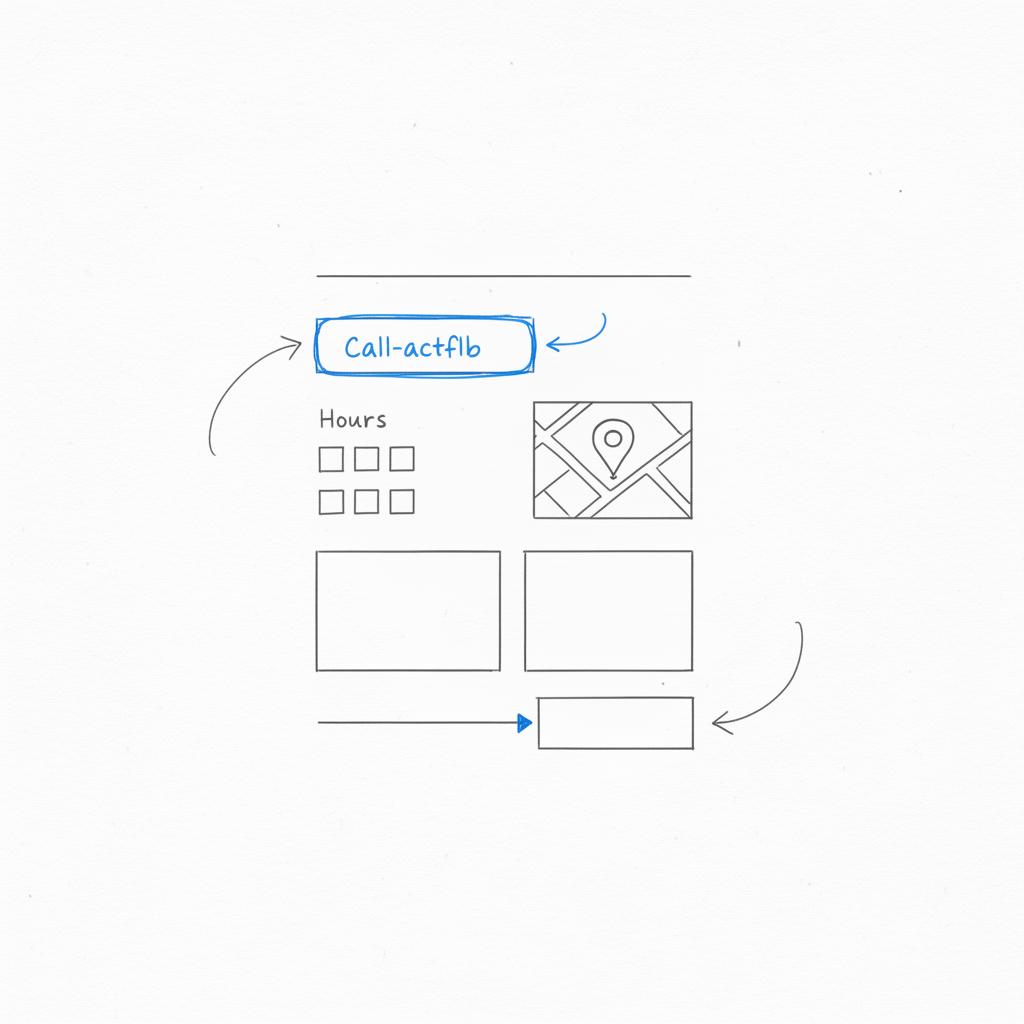
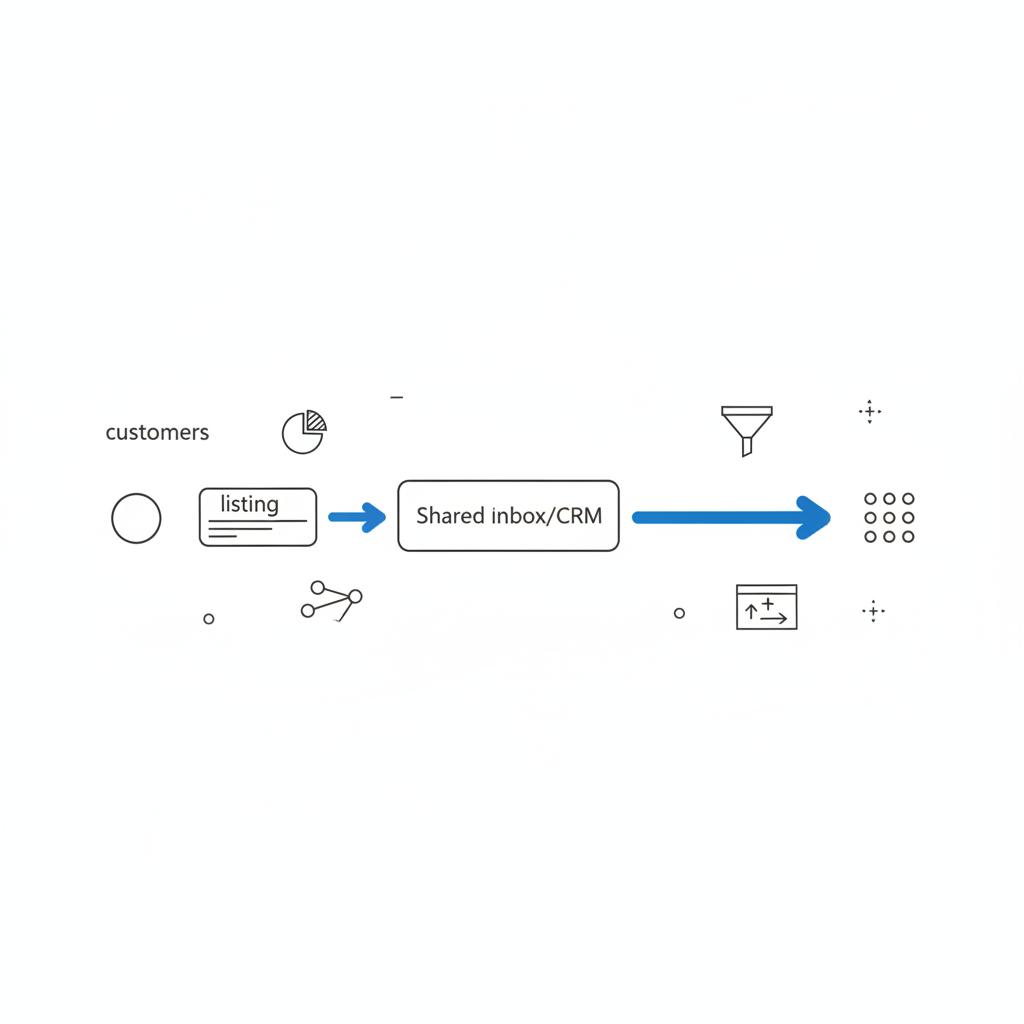
Move primary customer contact to your own domain and a system you control: a single, mobile‑friendly page with a one‑tap phone link, a simple contact form that emails your team, clear hours and a few photos. Route inquiries into a shared inbox or CRM and pin a note on your GBP listing explaining the change so regulars aren’t confused.
Why this matters for small businesses (and what to do about it)
When a platform prunes features, the operational problem is obvious: where did my messages go? What happens to content that lived only on that GBP website? Who will change hours or photos now?
There’s also a strategic risk: each time a platform narrows its free features, control drifts back toward the platform and away from the business. That increases long-term fragility. The best response is to own a few core things yourself so the platforms you rely on never become single points of failure. A clear, simple logo helps visitors trust your page.
Immediate practical steps
Here’s a short list of actions you can take right now. These are low cost and focused on reducing the most common risks:
1. Verify and claim every listing. If you don’t control a location’s GBP listing, get it claimed and verified today. That keeps someone else from being able to change the information or remove your primary contact details.
2. Export and save important content. Copy text from GBP websites that were removed, download photos, and save menus or service lists. If that content existed only in Google’s tools, treat it as if it might not be there tomorrow. Google also notes that chat and call history features are no longer available in Business Profile listings here.
3. Own a minimal site on your domain. Even one clear page – a phone number, a short description, current hours, a simple contact form – removes most of the practical headaches when a free tool vanishes. A minimal replacement is faster and cheaper than you think.
4. Route messages and leads into your systems. Don’t let queries live only inside a platform you can’t export from. Use a shared inbox or a CRM so every conversation is kept in a place you control.
5. Keep a few consistent citations. Choose a handful of directories (Bing Places, Yelp and a vertical directory if relevant) and keep them accurate. Consistency helps customers and machines agree on your basic facts.
How to prioritize this week
Treat this as a short project that you can finish in a few focused hours or across a couple of days. Do these five things in order and you’ll solve most urgent problems:
Step A: Log in and confirm verification for each location you own. If your account access looks wrong, do an access audit now.
Step B: Export any content from GBP tools that is unique and build a tiny page on a domain you control if necessary.
Step C: Route messages into a shared inbox or simple CRM so leads won’t be lost if a platform prunes messaging again.
Step D: Check your most-used external listings (Bing, Yelp) and make sure they match your site.
Step E: Tell customers where to find you – put a short update in the listing, on your site and in a pinned social post so regulars aren’t surprised.
Tech stuff you don’t need a developer to do
Some technical moves are simple and worth doing even if you don’t code. Keep a copy of the structured data for each listing – name, address, phone, hours, categories and photos. If a vendor manages your integration, ask for an export and make sure you keep a current copy.
If messaging was your lifeline, make sure you have an alternative that records conversations: a shared inbox, a CRM or a simple email that multiple team members monitor. That way you keep transcripts, measure response times and avoid lost leads.
What to build on your domain
The replacement page doesn’t have to be fancy. Think of it like a business card that works for the web. It should include:
– One-tap phone number (mobile friendly)
– Current hours
– Short description of services or menu
– A simple contact form that emails your team
– A map embed and a couple of photos
That’s it. A lightweight, well-structured page beats waiting for a big redesign.
Communication: how to explain the change to customers
When a channel disappears, customers only notice one thing: they can’t reach you the same way. Fix that with a small, human message explaining the new channel. Avoid jargon. Say what customers care about: how to make an appointment, when you’re open, and where to get quick help.
An apology plus options works well: “Sorry for the confusion – we no longer use direct messages from Google listings. Please call us at X or use this quick form on our site.” That feels human and gets people back to doing what they need to do.
Real world examples
I’ve seen businesses recover from these changes by taking simple steps. A bakery moved essential menu and hours to a single page on their domain and put a short note on the listing explaining the change; foot traffic remained steady. A landscaper moved message threads into a shared team inbox and implemented a 24-hour rule: reply to every lead within a day. The tidy systems mattered more than any single tool. You can see examples of our work in our projects.
APIs, integrations and access control
If your systems integrate with the google business profile API for bookings or reservations, confirm the status and your exports. Make sure you have admin credentials and that a vendor can’t be the sole owner of your data. Ask for a written handoff plan from any agency or vendor that manages integrations so you can recover gracefully if they change tools or if a relationship ends.
Also run a quick access audit: list everyone who can edit your listings, remove stale accounts and ensure at least two trusted people have admin access. Access sprawl is a common weakness; tidying it up takes little time and reduces risk significantly.

When to consider paid options
Paid products make sense when you need predictability and you’ve already taken ownership of the basics. Consider paid local ads if organic visibility drops and you have clear conversion metrics. Consider paid listing management software if it genuinely saves time and centralizes control across many channels.
But don’t pay to fix a problem you can solve cheaply: verify your listings, build that single page, and route messages before subscribing to a management platform. Paid options are for stability and scale – not for immediate recovery.
What could happen next (and how to prepare)
No one outside Google knows the full roadmap. Features could be deprecated further or folded behind paid walls. APIs might change. The sensible response is not panic but preparation: diversify where you receive customer traffic, keep primary flows on your own domain and document where your business appears online.
That approach gives you options no matter what Google does next.
Practical checklist you can use
Here’s a compact checklist you can follow in order. Each item should take minutes or, at most, a few hours.
1. Confirm verification and account access for each listing.
2. Export content and photos that lived only in GBP tools.
3. Create a single replacement page on your domain (hours, phone, contact form).
4. Route messages into a shared inbox or CRM and test that someone replies within 24 hours.
5. Check consistency with Bing Places and Yelp.
6. Document who can edit listings and remove stale accounts.
7. Set up simple monitoring (alerts for listing changes).
8. Communicate the change to customers with a short, human note on your listing and site.
FAQ — quick answers the team hears most
Is Google My Business discontinued?
No. Google My Business was rebranded. The product remains under the name Google Business Profile, though some features have been removed or shifted.
Is Google Business Profile going away entirely?
There’s no public evidence that Google plans to shut down the core listing system entirely. What’s happened is feature consolidation and targeted removals. The listing and the GBP API continue to exist.
What happened to the Google Business Profile website in 2024?
Google turned off the GBP website builder and redirected those pages starting March 1, 2024. Content that lived only on those pages may be lost unless you saved it or rebuilt it on your own domain. For context on the removal of messaging features you can read a summary here.
When should you hire help?
If you’re short on time or managing many locations, an experienced partner can run the checklist and centralize fixes faster. That’s where a practical agency approach helps: fast audits, clear priorities and no unnecessary upgrades. If you’d like to learn more about the agency, visit Agency VISIBLE.
If you want a short, tactical plan and someone to implement the basics for you—verify listings, build a minimal page, and set up message routing—Agency VISIBLE offers a concise audit and remediation package. You can contact us here: Agency VISIBLE contact. We focus on simple systems that keep your business visible, not on upselling features you don’t need.
Final thoughts: control, clarity, calm
Platform change is inevitable. The smart response for small businesses is to reduce single points of failure and own the pieces that matter most: your domain, your customer contact points and your data. Take a few hours this week to run the checklist and you’ll have taken a huge step toward stability.
Platforms will evolve. Businesses that win are the ones that accept change without losing control of their most important assets: their data, their customers and the parts of the web they own.
No. Google My Business was rebranded to Google Business Profile. The core listing functionality continues to exist, but Google has removed or consolidated certain features like the GBP website builder and Business Messages.
Google deprecated Business Messages (service ended July 31, 2024) and turned off websites created via Google Business Profile (redirected starting March 1, 2024). Businesses that relied on those channels should export content, route messages elsewhere, and create a minimal site on a domain they control.
Agency VISIBLE provides quick audits and hands‑on help: we can verify and claim listings, build a minimal replacement page on your domain, set up shared inboxes or CRM routing, and document access and backups so your business is resilient to future platform changes.
References
- https://developers.google.com/business-communications/business-messages/resources/release-notes/update-on-gbm
- https://support.google.com/business/answer/14919056?hl=en
- https://partoo.co/en/blog/the-end-of-google-business-messages/
- https://agencyvisible.com/contact/
- https://agencyvisible.com/
- https://agencyvisible.com/projects/





