


How to create a website for a construction business?
Why your contractor website matters
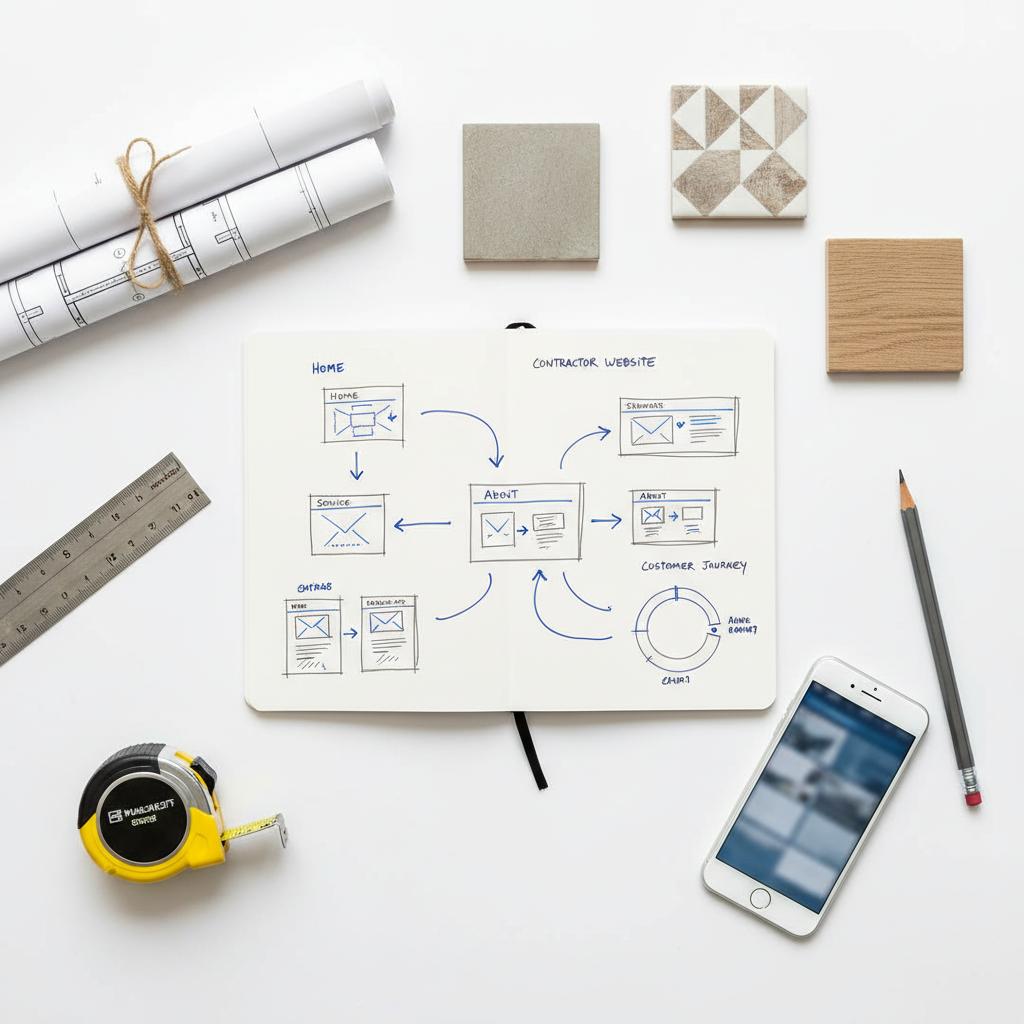
A clear, fast, and trustworthy contractor website is often the very first handshake you get with a potential client standing in their driveway scrolling through their phone. If that handshake happens on a mobile screen and you want the job, your site must answer two immediate questions: can you do the job? and can I trust you? A strong contractor website answers those questions in seconds and converts interest into calls and estimate requests. A simple logo in the header helps visitors recognize you quickly.
For many construction businesses, a website is the highest-leverage marketing tool you own. It’s where project photos, licensing, testimonials and the details of your services meet-and when done right, it pulls steady local demand into your inbox. Below you’ll find a practical, step-by-step guide you can use whether you DIY the build, use a site-builder, or hire a professional.

Start with the basics: what a contractor website needs to do
Your contractor website has three jobs: attract local prospects, prove you can complete the work, and make it simple for visitors to contact you. That means the structure must be focused and the content must be straightforward. At a minimum, most high-converting contractor websites include:
- Services pages that explain what you do and who you serve (residential, commercial, roofing, kitchen remodels, etc.).
- Project pages/portfolio with honest photos, before-and-after shots, and short case notes (scope, timeline, key materials).
- About/team pages that humanize your business and show credentials and licenses.
- Contact pages optimized for mobile with click-to-call, quick estimate forms and an embedded map.
- Reviews/testimonials to show social proof—ideally with specifics about punctuality, communication and results.
Every page should include a clear call-to-action: a visible phone number, a short estimate form, or a booking widget that makes contacting you frictionless. Treat your website like a frontline salesperson: it should be ready to answer common objections and to capture next steps.
Immediate action: what to add this week
Before you make big decisions, do three simple things that improve conversion quickly: add a prominent phone number at the top of every page, publish five project photos with captions, and create a short estimate form that asks only for name, phone, address and a brief job description.
If you’d like a hand clarifying priorities and mapping which features will deliver the most leads for your budget, consider talking with Agency VISIBLE as a discovery partner. They help small and mid-sized contractors define lead value, prioritize features, and build a plan that focuses on revenue-not just looks. Learn more with their contact page at Agency VISIBLE.
Essential pages for a high-converting contractor website
A good contractor website organizes information so visitors get confidence quickly. Here’s a practical breakdown of the pages that do the heavy lifting and what to include on each:
Services pages
Split major service lines into individual pages (e.g., Roof Replacement, Kitchen Remodels, Decks & Patios). For each service page include:
- A simple overview of what’s included.
- Who the service is for (homeowner, property manager, small business).
- Typical timelines and what to expect on day one.
- Cost guidance or price ranges when possible.
Project pages / portfolio
Project pages are where your contractor website earns trust. Use clear photos (before/during/after) and a short story format: challenge, constraints, solution, and result. Specifics (square footage, materials used, timeline) build credibility and help search engines match job-related queries to your pages. See examples in the Agency VISIBLE projects.
About & team
People hire people. Show the faces, licenses, and years of experience. Add a short paragraph that explains how your team communicates during a project and what customers can expect—was your crew on time, tidy, and responsive?
Contact & lead capture
Design the contact page for action: click-to-call buttons, an embedded Google Map, and a low-friction estimate form. A short form will increase inquiries; long forms reduce conversions. Track form submissions and phone clicks to know what’s working. For quick action link to your contact page.
Reviews & social proof
Embed reviews or highlight five recent testimonials with specific details. Invite new clients to leave reviews and always respond—both positive and negative replies show that you care.
Visual storytelling: photos and video that sell
Construction is tactile. A strong contractor website uses crisp, honest visual content to reduce buyer anxiety. You don’t need glossy magazine imagery—real, well-lit photos of materials, finished details, and organized job sites work best.

Tips for photos and video:
- Take before, during, and after shots—capture the problem and the solution.
- Include close-ups of materials or finished details (tile patterns, roof lines, trim carpentry).
- If you can, film short walkthroughs or time-lapses; a 30–60 second clip can drive trust and increases engagement.
- Use captions that explain the scope, timeline and a small challenge you solved—specifics sell.
Choose the right platform for your team
Platform choice affects how easy it is to update content, capture leads, and add features later. Match platform to your technical comfort, budget, and growth plans.
WordPress — flexibility and long-term control
WordPress is the most flexible choice for a growing contractor site. It has a huge ecosystem of plugins for SEO, booking, forms, and CRM integrations. For teams that want to own their SEO and add custom features, WordPress is usually the long-term winner. Expect managed WordPress hosting to keep maintenance easier and speed faster.
Webflow — design control with cleaner output
Webflow is great for design-first teams who want strong visual control and cleaner code without the plugin complexity of WordPress. It sits between a site-builder and a developer platform-excellent for crisp contractor portfolios and cleaner animations that still load fast.
Wix & Squarespace — fast and simple
Wix and Squarespace are sensible if you need a low-cost, fast launch and don’t plan extensive integrations. They’re easy to update, but they can be limiting if you later need complicated CRM or estimating integrations.
Local SEO: small steps, steady results
Most contractor leads start with local search. For a deeper guide see ServiceTitan’s construction SEO guide. The simple wins for local SEO are straightforward and repeatable:
- Claim and verify your Google Business Profile and keep it updated with hours, services, and photos.
- Maintain consistent NAP (name, address, phone) across directories.
- Publish localized pages or project write-ups that include neighborhood or suburb names you serve.
- Add schema markup for your business, services, and reviews so search engines can read key details easily.
- Ask satisfied customers for reviews and respond to them promptly—this improves both visibility and conversion.
For additional tactical guidance see the 2025 Local SEO Survival Guide and practical tips like those shared on LinkedIn.
These tasks don’t require massive budgets but they do require consistency. A monthly rhythm—add a project page, request two reviews, and check your business profile—pays dividends.
Performance and trust signals: make them obvious
Slow pages and missing trust cues lose customers quickly. Important technical and trust items for any contractor website include:
- Fast mobile load times and good Core Web Vitals.
- HTTPS (valid certificate) and secure hosting.
- Visible license and insurance details in the footer or on every page.
- Clear contact info (phone number and a working email).
- Simple privacy policy and any warranty language.
Small trust signals—license numbers, bonds, visible insurance—often lead to faster conversions because they remove hesitation before the first call.
How long it takes and what it costs
Typical timelines and budgets vary. A straightforward site can be live in three to six weeks if content is ready. Cost ranges are broad because features differ:
- DIY/site-builder (Wix, Squarespace): a few hundred to a couple thousand dollars.
- Professional small-business site: $3,000–$12,000 for design, local SEO setup, and basic integrations.
- Custom builds with complex integrations, advanced photography or video, and a measurement plan: $12,000–$25,000.
Choose your level based on how much you value time, the complexity of your workflows, and how many leads you need per month. If a new client is worth several thousand dollars, investing in a better site quickly pays for itself.
Plan before you spend: ask the right questions
Before you hire or buy a template, answer these business questions: what’s a new customer worth? How many leads per month do you need to hit revenue goals? What software (estimating, CRM, invoicing) must integrate with your website? These practical numbers help you decide whether to DIY or hire a pro.
Content that converts: tell short, convincing stories
Design matters, but words sell. Start every service or project page by answering the visitor’s likely question in plain language. Avoid jargon. Explain the process in short steps—what happens on day one, who shows up, and what to expect if a permit is needed. For project pages use the story format: problem, constraints, solution, and outcome. Short video testimonials or quick walkthroughs increase trust without big production budgets.
Simple lead capture that raises inquiry rates
Small changes make big differences. Replace a single contact link with a simple conversion path: a visible “Get a quick estimate” button that opens a short form or booking widget. The form should ask only for the essentials. Use click-to-call on mobile and embed a Google Map on the contact page so visitors can confirm you serve their area.
Tracking leads and measuring performance
Set up measurement before launch. Track form submissions, phone clicks, and Google Business Profile interactions. Tag leads in your CRM by source so you can see whether organic search, local profile, paid ads, or referrals produce the best customers. Measurement lets you invest more where returns are real and less where they are not.
Make your phone number obvious and clickable on every page, then add a short estimate form (name, phone, address, brief job description). These two small changes remove friction, increase calls, and make a measurable difference in lead flow within days.
Case study: a small roofing company that turned a site into calls
Imagine a two-person roofing firm whose old site was a single-page template with no project photos. After a focused rebuild – concise service pages, ten project pages with before/after photos and short notes, a verified Google Business Profile and a mobile-first estimate form – they started averaging two qualified calls per week that traced back to the site and their business profile. Their investment was modest – about $6,000 – and a few hours each month for review responses and new project posts. The lesson? Clear stories and visible trust signals make the phone ring.
Photography and video: a small investment, big returns
Spend half a day capturing project photos or shoot one short time-lapse. These assets work across the website and in proposals. If you’re camera-shy, ask clients for permission to shoot near the end of a job—most clients are happy to help if you ask. Use these visuals to create quick project pages that build trust and improve local SEO.
Security, legal pages and the small details
Don’t skip a privacy policy or HTTPS. Show licensing and insurance details in the footer. List bonds or certifications on a credentials page. These details reduce friction in the estimate process and help with both user trust and search signals.
Maintenance: treat the website like a team member
Websites need upkeep. For WordPress that may mean monthly plugin updates, backups, and adding one new project page every month. For managed builders, the host handles updates but you still need to publish new content and monitor performance. Create a simple maintenance checklist and set ownership—who will add photos, who will respond to reviews, and who will check analytics each month.
When should you hire an agency?
If you need predictable lead flow and you value your time, an agency can accelerate results. The best agency work begins with a discovery phase that clarifies lead value and priorities. A partner like Agency VISIBLE focuses on both strategy and measurement-helping you get visible quickly and with measurable returns-so if you’d rather focus on jobs than learning SEO and integrations, hiring a firm for planning and execution often pays off.
Common pitfalls and how to avoid them
Watch out for these easy-to-fix mistakes:
- Don’t hide your phone number on mobile.
- Don’t launch without basic tracking (forms and phone clicks).
- Don’t force long first-contact forms.
- Don’t expect every page to be perfect on day one—start with key pages and improve over time.
Quick tasks you can complete this week
Five things that will move the needle fast:
- Create or verify your Google Business Profile.
- Publish five project photos with short captions.
- Make your phone number visible and clickable on every page.
- Add license and insurance details to the footer.
- Create a short estimate form and test it on mobile.
Final notes: keep the site working for you
A website is not a one-time expense – it’s a business asset. Keep it fresh with monthly project posts, regular review responses, and a small measurement routine. Do this and your contractor website will bring more qualified leads, reduce time spent explaining your services on the phone, and let your crew do what they do best.
Ready to start? If you want help clarifying priorities and building a plan that fits your budget and goals, talk to a partner who focuses on revenue-first visibility.
Need a website that actually brings qualified jobs?
Want hands-on help building a site that generates real leads? Reach out for a short discovery that prioritizes what will move the needle for your business and gets your contractor website working as part of your sales pipeline. Contact Agency VISIBLE to get started.
Short checklist summary: Services pages, project stories, visible phone and license info, a short estimate form, Google Business Profile, and monthly measurement. Small, steady actions here beat flashy features every time.
Thanks for reading—build deliberately, add one project page a month, and let the data guide your next move.
With content and photos ready, a basic contractor website (services, projects, contact, and reviews) can be launched in about 3–6 weeks. Using a site builder like Wix or Squarespace speeds the process—DIY launches can be live in days if you already have images and copy. A professional build with custom design, local SEO setup, and measurement commonly takes 4–8 weeks depending on scope.
The best platform depends on your goals. WordPress offers the most flexibility and a large plugin ecosystem for SEO, bookings, and CRM integrations—making it ideal for long-term growth. Webflow is excellent for design control and cleaner code output. Wix or Squarespace are good for quick, low-cost launches when you don’t need complex integrations. Choose WordPress if you expect to scale features and SEO over time.
Not always. Small teams can achieve solid outcomes with a template, good photos, and consistent local SEO work. However, if you need predictable lead volume, complex integrations (estimating, CRM), or don’t have time to manage the site, an agency that begins with discovery and measurement—like Agency VISIBLE—can accelerate results and focus efforts on the highest-value activities.
References
- https://agencyvisible.com/
- https://agencyvisible.com/projects/
- https://agencyvisible.com/contact/
- https://www.servicetitan.com/blog/construction-seo
- https://www.handoff.ai/blog/the-2025-local-seo-guide-for-general-contractors
- https://www.linkedin.com/pulse/local-seo-tips-general-contractors-2025-beyond-handoff-ai-rxdof





