


How to advertise on Nextdoor for free without paying? If your customers live nearby, a loud, paid ad isn’t always the fastest path to bookings. Instead, you can use neighborhood trust to earn attention. This long-form, practical guide shows how to use Nextdoor free advertising to get noticed, start conversations, and turn neighborly engagement into real leads – without a paid campaign.

Why Nextdoor free advertising works for local businesses
Nextdoor is built around neighborhoods. That means recommendations and posts come with local context and trust. For small shops, studios, and service businesses, Nextdoor free advertising taps neighbor-to-neighbor credibility that paid channels rarely replicate. When someone asks “Who’s good at…” the answers come from people who live nearby – and those answers convert. For a quick read on platform guidelines, see Nextdoor’s best practices.
What makes Nextdoor different from other channels?
The platform emphasizes proximity and personal context. A recommendation on Nextdoor reads like a note from a neighbor – specific, practical, and often linked to a nearby experience. Nextdoor free advertising benefits businesses that are physically close to customers, because local mentions naturally travel to the right people. For ideas on brand awareness tactics you can adapt, check this brand awareness guide.
The Business Page: your free local storefront
A claimed Business Page is the single most important asset for Nextdoor free advertising. It’s a simple, free listing where you control hours, contact details, descriptions, and a stream of neighborhood posts. If you treat the Business Page like a friendly storefront window, it becomes a hub for messaging, recommendations, and private messages that lead to bookings. If you want examples of small agency work and local-first projects, see the Agency VISIBLE portfolio or visit the Agency VISIBLE homepage for more context.
Step-by-step: claim and optimize your Business Page
Follow these clear steps to claim and optimize your Business Page for the best Nextdoor free advertising results:
1. Verify your business connection. Nextdoor asks for proof; upload documents or follow the verification flow. That simple verification unlocks posting and messaging features.
2. Complete the basics. Add address, hours, and phone number. Use the neighborhood-friendly tone: short, direct, and helpful.
3. Choose clear categories. Pick the one or two categories that describe the local service you provide – they help neighbors find you in searches.
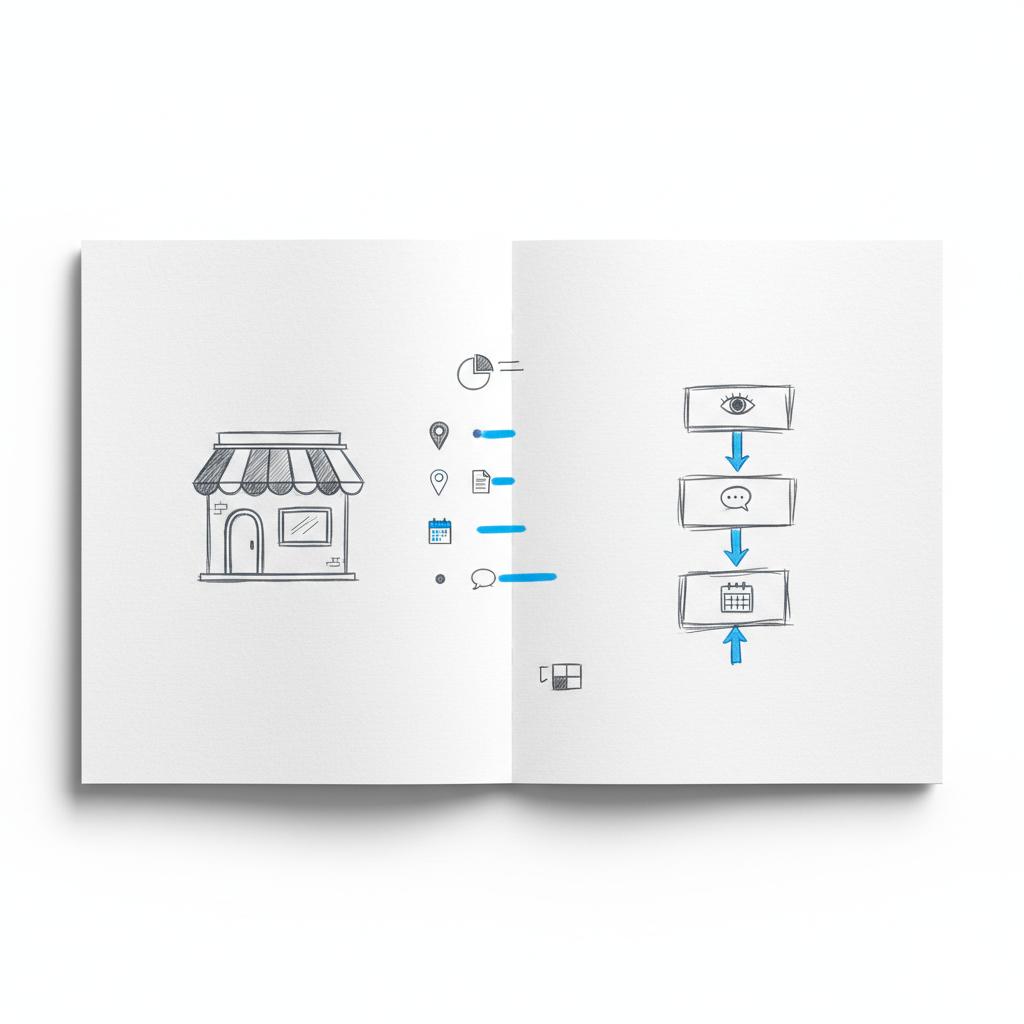
4. Use recognizable images. Upload a clean logo and a friendly cover photo that shows your storefront, your shop’s sign, or a stylized product shot. Visual clarity helps recall. A clear logo like Agency VISIBLE’s can make your listing easier to remember for neighbors.
5. Craft a short description. In one or two lines say who you serve and what makes you helpful. Avoid long histories; neighbors want to know if you’re local and reliable.
Neighborhood posts: how to write posts that actually get seen
Neighborhood posts are the primary organic channel for Nextdoor free advertising. Good posts are timely, specific, and neighbor-first. Here’s how to create them.
Formats that consistently work
Tips & quick fixes: Short posts that solve a common local problem. Example: “Quick trick to thaw frozen pipes safely – free tip for neighbors.”
Local announcements: Community events, limited-time local offers, or changes to neighborhood hours.
Behind-the-scenes: A photo of today’s fresh batch, or a short story about a local delivery – human moments build familiarity.
Post structure that converts
Open with the benefit, add a one-sentence detail, and finish with a clear local call to action. Keep it conversational. Example post: “Morning neighbors – we have a stretch of sourdough rolls fresh at 9am. First five get a 10% neighbor discount. Send a private message to reserve.”
Recommendations: the trust currency of Nextdoor free advertising
Recommendations on Nextdoor often lead directly to messages, calls, and bookings. They read like neighbor-to-neighbor tips, and they carry weight. The key is to generate authentic recommendations without violating community norms.
How to ask for recommendations the right way
Use quick, personal asks. After a job, say thanks and ask one neighbor directly: “If you found this helpful, would you mind leaving a short note on our Nextdoor page? A sentence about punctuality or the result helps others.” Provide simple steps on how to post and avoid mass, incentivized requests.
For a practical, measured plan you can adapt, many small businesses find a light consultation helpful – Agency VISIBLE offers short, focused sessions to help claim pages, draft neighborhood posts, and set up tracking. Learn more on the Agency VISIBLE contact page.
Events & offers: local signals that don’t require ads
Events and local offers are powerful when used right. They create a clear reason for neighbors to respond and can be listed on your Business Page for free as part of Nextdoor free advertising.
Events that draw neighbors
Design events that solve neighborhood needs: a free workshop, a quick safety check, a pop-up sample table at a nearby park. List the event with clear details, a neighborhood scope, and how many spots are available.
Offers that feel local
Make offers that are genuinely local: a lunchtime special for nearby employees, a first-time-neighbor discount, or a coupon code redeemable in-person. Avoid language that implies mass targeting.
Turn neighborhood attention into bookings — without an ad budget
Ready to get local visibility without the ad price tag? If you’d like fast, practical help turning Nextdoor free advertising into steady local leads, get in touch with a consultant who focuses on neighborhood-first plans and simple measurement. Contact Agency VISIBLE to book a short strategy session.
Now let’s answer a key question that often comes up when businesses start: what post should I make first to test the waters?
Start with a one-sentence useful tip tied to neighborhood life — brief, non-promotional, and specific. Example: “Quick tip for neighbors: use a shallow tray of water to protect potted plants from light frosts.” This shows value and fits community rules.
Groups, comments, and local participation
Groups and discussions are a softer way to build recognition. Join relevant conversations and add value. Don’t sell; solve a problem. Over time, consistent, helpful answers make you the go-to local expert.
How to speak in comments and private messages
In comments: be short, friendly, and answer the question. If a follow-up is needed, offer to continue via private message. In private messages: respond within 24 hours, be specific, and outline the next step (book, pick-up, estimate).
Claim and fully complete your Business Page. Add contact details, categories, and a short, neighbor-first description. Upload a clear logo and a welcoming cover image. Spend time reading 10-15 neighbor posts to learn the tone, moderators’ styles, and common topics.
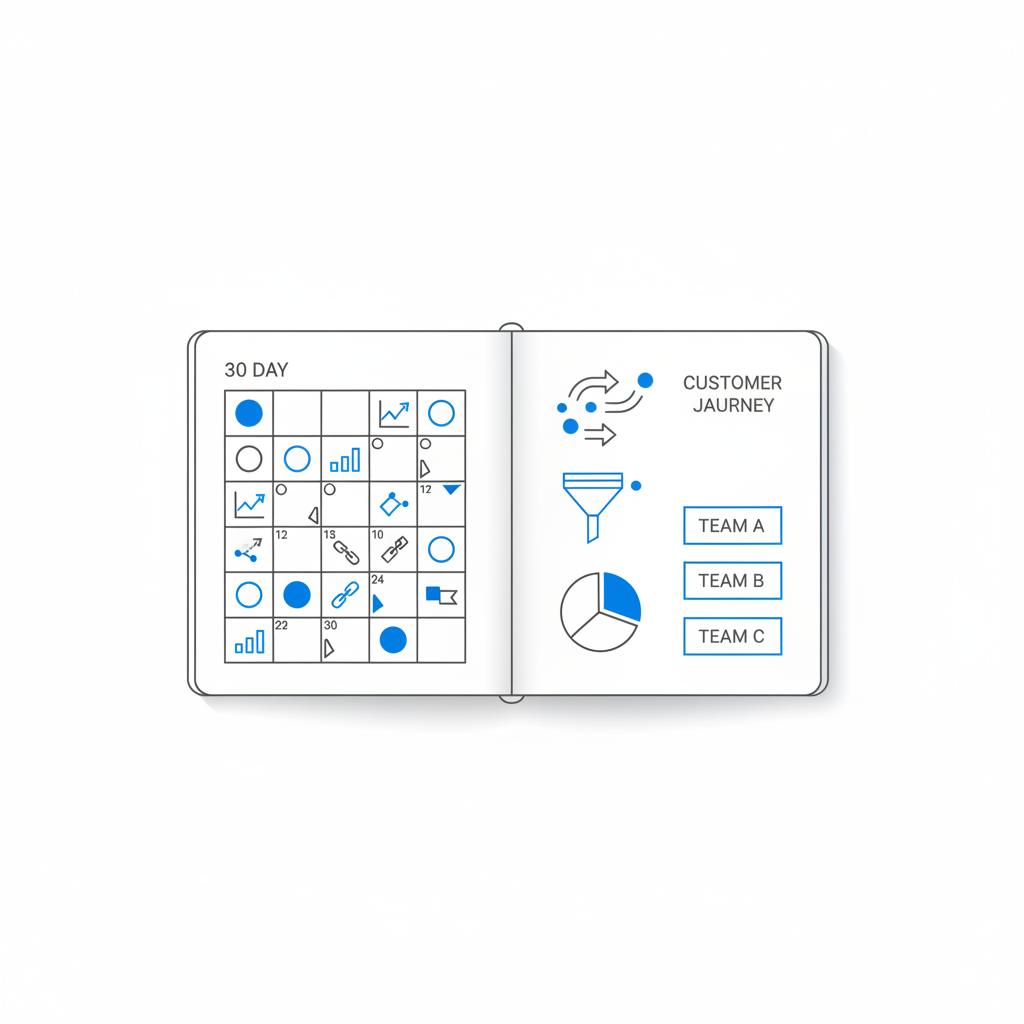
A detailed 30-day plan you can test (expanded)
Testing a focused 30-day plan helps you learn fast and adjust with real data. This expanded plan covers weekly tasks, example posts, and the measurement steps you need for Nextdoor free advertising.
Week 1 — Set the foundation
Claim and fully complete your Business Page. Add contact details, categories, and a short, neighbor-first description. Upload a clear logo and a welcoming cover image. Spend time reading 10-15 neighbor posts to learn the tone, moderators’ styles, and common topics.
Week 2 — Publish and respond
Post twice this week. Post #1: a short, useful tip (example included below). Post #2: a soft announcement – hours, a limited local offer, or an upcoming event. Monitor comments and replies daily; answer in a conversational tone and log all incoming private messages.
Week 3 — Gather recommendations & host a small event
Ask five satisfied local customers to leave recommendations. Do it in person, by note, or with a short follow-up email if you know they live nearby. At the same time, schedule a tiny in-shop event or a short online how-to and list it on Nextdoor as a free neighborhood event.
Week 4 — Review and iterate
Review neighborhood views, private messages, and recommendations. Compare to your baseline: how many views did your Business Page get before you started? Use UTM-tagged links in any posts that drive people to your site so you can measure referral traffic and conversions.
Simple templates and scripts
Below are friendly, copyable templates for common Nextdoor free advertising tasks so you don’t start from scratch.
Claim page description (30–50 words)
“We’re [Business Name], a local [service or product] team serving neighbors in [area]. We offer [2–3 clear services]. Open [hours]. Message us for small repairs, same-week appointments, or local delivery.”
Neighborhood post template — tip
“Quick tip for neighbors: If your [common local issue], try [simple fix]. If you want a hand, send a DM and we’ll help schedule a short visit.”
Message reply script
“Hi [Name], thanks for reaching out – we can help. We have openings on [date]. If that works, I’ll reserve a slot and send details. Our address and pickup option are [short info].”
Measurement and tracking that’s realistic
Small businesses don’t need complex dashboards. Track a handful of clear numbers and update a simple spreadsheet weekly.
Essential KPIs
Neighborhood views: How many times your Business Page or posts were seen? This shows reach.
Private messages: How many conversations started from Nextdoor? This is often the truest indicator of interest.
Recommendations: Count new recommendations and note what customers mention – this helps refine messaging.
Leads & conversions: How many bookings, purchases, or consultations can you trace back to Nextdoor using UTM tags or unique offers?
UTM example for tracking
Use a URL like this in a post that links to your site: https://yourdomain.com/special-offer?utm_source=nextdoor&utm_medium=social&utm_campaign=nextdoor_march_offer. That way you can see referral traffic and conversion in Google Analytics.
Common pitfalls and how to avoid them
Nextdoor is a community – act like a neighbor. Here are common mistakes and easy fixes.
Sounding like an advertisement
Problem: A post reads like a billboard. Fix: Make it specific, useful, and address one neighbor. Use conversational language and avoid broad sales copy.
Ignoring local norms
Problem: You post aggressively without reading the room. Fix: Spend time observing the neighborhood feed for a few days. Mirror tone, length, and content types that get accepted.
Slow replies to messages
Problem: Leads go cold. Fix: Set a simple rule: reply within 24 hours. If you can’t confirm availability, acknowledge the message and promise a follow-up with a time window.
More real-world examples and mini case studies
Small examples are often more useful than grand case studies. Below are practical mini-cases showing how modest actions lead to real results.
Bakery example (expanded)
A neighborhood bakery posted daily short notes about fresh items and offered a small early-bird discount for school staff. They hosted a monthly free demo and asked satisfied customers to leave recommendations. Within two months the owner noticed more direct messages and a few repeat catering requests from a nearby office. No paid ads – just steady Nextdoor free advertising and neighborly consistency.
Plumber example
A local plumber shared two short troubleshooting posts about how to spot a small leak and how to prevent frozen pipes. Both posts got comments and direct messages. The plumber followed up with quick replies, offered a neighbor discount for same-day visits, and asked happy customers to leave recommendations. That small cycle generated several booked jobs in the local area.
Legal, moderation, and community guidelines to keep in mind
Nextdoor communities have moderators and rules. Respect them. Don’t post anything that looks like mass solicitation or an aggressive ad. If a moderator removes a post, read the message, learn what triggered it, and adjust future posts.
Simple moderator-friendly checklist
• Is the post local in scope? • Does it help neighbors without pushing sales? • Is language conversational and short? • Is it posted in the right category? If the answer is yes, you’re usually safe.
Advanced tips for scaling local visibility
When you’re ready to scale beyond one neighborhood, do it thoughtfully. Treat each neighborhood as a separate market and localize your posts. Use slightly different phrasing, reference local landmarks, and test small variations.
Multi-neighborhood approach
Set up a lightweight rotation: test one type of post in Neighborhood A and a different post in Neighborhood B. Compare views, messages, and recommendations. Scale the winner but keep posts natural and localized.
How to measure ROI from Nextdoor free advertising
ROI is often simple: time invested vs. leads and conversions. Use UTM-tagged links and unique local offers to make attribution clearer. For service businesses, count booked jobs traceable to Nextdoor messages. For walk-ins, use a redeemable coupon code or ask customers where they heard about you.
Helpful content ideas to use this month
Below are a dozen quick post ideas to test as part of your Nextdoor free advertising plan:
1. Short tip for a seasonal problem. 2. Opening hours update for holidays. 3. Free neighborhood event listing. 4. Behind-the-scenes photo of a product being made. 5. One-line customer story with permission. 6. Offer for nearby employees. 7. A question to spark discussion (not sales). 8. Local safety or maintenance tip. 9. Quick how-to video link. 10. A small giveaway tied to a local festival. 11. Reminder about neighborhood delivery options. 12. A request for recommendations after a completed job.
Final practical checklist before publishing
Before you hit post, run this quick checklist: Is it local? Is it helpful? Is the tone neighborly? Does it include a clear call to action? If you answered yes, publish and monitor closely.
Why consistent small actions beat one big push
Nextdoor rewards consistency. A steady drumbeat of neighbor-first posts, quick replies, and occasional events builds recognition. That recognition compounds: a single genuine recommendation can influence several nearby neighbors – more efficient and often cheaper than broad ads.
Next steps: start your 30-day test today
Pick one neighborhood, claim your Business Page, publish your first helpful post, and measure the outcome. Use simple spreadsheet tracking and revisit the plan after 30 days. Iterate based on what performs best for your local audience.
Wrap-up: the simple truth about Nextdoor free advertising
Nextdoor free advertising is about being useful, neighborly, and consistent. For many small businesses, it delivers high-quality local leads without ad spend – if you treat the platform like a neighborhood, not a bulletin board. Start small, measure simply, and let neighbor-to-neighbor trust work for you.
Key reminders: Claim your Business Page, post helpful neighborhood content, ask a few satisfied neighbors for recommendations, run one small local event, and run a 30-day test with straightforward KPIs.
Yes. Core features such as claiming a Business Page, publishing neighborhood posts, listing events, and collecting recommendations are available without paid promotion. There are optional paid features for broader reach, but a carefully managed organic presence can generate leads on its own.
Try a focused 30-day test with two neighborhood posts per week, a small event or offer, and a push to gather a handful of recommendations. Track neighborhood views, private messages, and conversions via UTM-tagged links or unique offers. After 30 days you’ll have clear signals to refine or scale the approach.
Yes — ask politely and personally. The best method is a short, direct request after a job or sale. Suggest what to mention (punctuality, friendliness, result) and provide simple steps for leaving a recommendation. Avoid mass or incentivized asks that could trigger moderation.
References
- https://business.nextdoor.com/en-us/blog/best-practices-for-advertising-on-nextdoor
- https://business.nextdoor.com/en-us/blog/how-to-build-a-brand-awareness-campaign
- https://stelamedia.co/from-neighborly-to-profitable-the-ultimate-guide-to-nextdoor-marketing-for-local-businesses/
- https://agencyvisible.com/contact/
- https://agencyvisible.com/
- https://agencyvisible.com/projects/





