


How to advertise cleaning services on Facebook?
If you run a local cleaning business and you’re wondering whether Facebook ads are worth the time, this guide gives you a clear path. From setup to creative and measurement, you’ll learn how to make Facebook ads for cleaning services work for booked jobs – not just clicks. The fastest wins come from a hybrid measurement setup, tight local audiences, proof-driven creative and a disciplined testing budget. For more targeted tips, see this guide on Facebook Ads for Cleaning Services: Tips & Best Practices.
If you’d rather explore what a local agency does, check out Agency VISIBLE for examples of how teams run local campaigns.
Why Facebook still makes sense for local cleaners
Facebook ads for cleaning services work because the platform lets you combine precise local reach with low-friction contact options. You can run ads to a 3–10 mile radius, target recent homebuyers, or seed audiences with your best repeat customers. That mix means fewer wasted impressions and more people who can actually hire you.
Facebook supports multiple ways prospects can convert: Lead Ads that capture contact details, click-to-Messenger or WhatsApp ads for real-time conversations, or links straight to a booking page. Each route fits a different buyer mindset – quick quotes, conversational qualification, or immediate scheduling.

Good measurement and a narrow local focus are what separates campaigns that produce booked jobs from ads that only produce vanity metrics.
They do — when ads remove friction and show clear proof. A direct booking flow or a quick chat that answers logistics often converts interested people into booked jobs; the ad must make the next step obvious and easy.
Yes – homeowners and property managers do book via Facebook when the ad removes friction and shows clear proof. A simple, direct booking flow or a quick chat that answers logistics will often convert interested people into booked jobs. The key is making the next step obvious and easy.
Hybrid measurement: Pixel + Conversions API (CAPI)
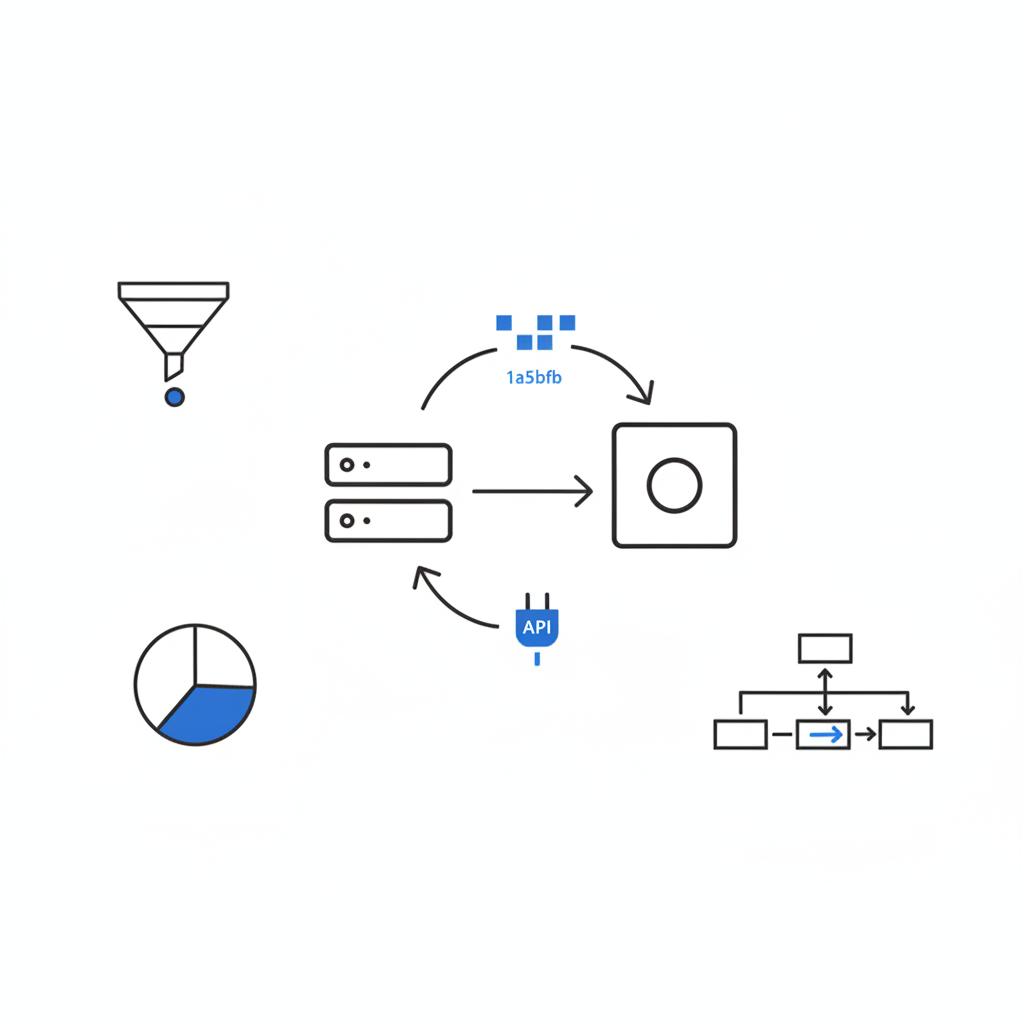
Privacy changes mean a single signal is no longer reliable. The practical solution is hybrid tracking: keep the Meta Pixel on your site and add Conversions API from your server or booking platform. Together these reduce lost signals and give Facebook cleaner data to optimize toward actual actions. For a technical walkthrough see the Meta Conversions API: Complete Guide for 2025.
Step-by-step: set up Pixel + CAPI
Quick Pixel + CAPI checklist
1. Create & place your Meta Pixel: Add the Pixel ID to your website header or use your CMS integration (Squarespace, Wix, Shopify). Test with the Facebook Pixel Helper.
2. Enable Conversions API: Use your booking provider’s native CAPI integration if available. If not, use server-side tagging (Tag Manager server), or ask your web developer to forward contact and booking events from the server.
3. Map events consistently: Standardize event names like Lead, Purchase (Booked Job), CompleteRegistration (First-Time Booking). Send the same event names from browser and server to improve deduplication.
4. Verify domains & test: Verify your domain in Business Manager and test event delivery in Events Manager. Expect some variance; aim for consistent, comparable signals across tools.
If this setup feels technical, a local partner can flip the switches for you and verify events – which is often the fastest path to reliable reporting. See how home services targeting can be improved in this write-up: Facebook Ads for Home Services: Fix Your Targeting.
Audience strategy that reduces wasted spend
Use fewer, tighter audiences and let the creative do the heavy lifting. A three-layer approach works reliably:
Three-layer audience plan
Layer 1 — Hyper-local geography: Target a tight radius (3–10 miles) or specific ZIP codes where you already have customers. Exclude areas you won’t serve to reduce wasted impressions.
Layer 2 — Seeded customer list + lookalikes: Upload a list of repeat customers (those who booked twice or more) and build a lookalike. This often performs better than starting cold.
Layer 3 — Interest & behavior filters: Add signals for homeowner behaviors (recent home purchase, home improvement interests) or business roles for commercial leads (facility managers, property managers). Keep these filters light – the geography + seeded list do the heavy work.
Practical audience examples
– Residential recurring-cleaning offer: 5-mile radius around your service area + lookalike from repeat customers + interest in local community groups.
– Commercial office cleaning: seeded list of existing commercial contacts + lookalike of business decision-makers + ZIP codes with office parks.
Creative that earns attention and trust
For local cleaners, creative is the conversion engine. Use real proof and clear CTAs – before-and-after photos, short 15–30 second videos, star ratings and brief testimonials. Make it obvious what you want the viewer to do next.
Creative checklist
– Use 15–30 second proof videos that show problem → quick action → result.
– Use one strong CTA per ad (Get a Free Quote, Book Now, Message Us).
– Display your logo and a clean van or uniform briefly for trust.
– Add a single-line testimonial or a 4–5 star badge if you have reviews.
– Keep captions short and include contact option (phone, message link or booking link).
Best formats for cleaners
– Lead Ads: lowest friction for inexpensive contacts.
– Click-to-Messenger/WhatsApp: best for qualification and higher-quality leads.
– Booking page links: highest intent, best when your site converts visitors reliably.
Lead channel trade-offs
Lead Ads – Pros: pre-filled forms, low CPL. Cons: lower booking rates unless paired with quick follow-up.
Chat ads – Pros: instant qualification, higher-quality leads. Cons: requires time to manage responses (or automation).
Booking pages – Pros: direct booked jobs. Cons: more friction, potentially higher cost per conversion.
Turn leads into booked jobs: follow-up playbook
Most campaigns work better when you use a two-step flow: capture contact with low friction, then nudge to book. Example sequence:
1) Lead Ad capture → 2) Immediate automated SMS or Messenger reply with a price range and an easy booking link → 3) Follow-up call or personal message within 24 hours for high-value leads.
Realistic budget & testing plan
Start small but large enough to learn. Aim to collect 50–100 conversion events in 1–2 weeks during the learning phase so Facebook can optimize. If your local CPL target is $10, that means a $500–$1,000 test budget. Modify for local pricing and demand.
Testing rules
– A/B test only one variable at a time: two creatives with the same audience or two audiences with the same creative.
– Test windows: 7–14 days.
– Pause losers automatically: set rules to pause ads after a threshold CPL or when cost per booked job is too high.
– Scale winners slowly: increase budgets by 20–30% every few days if performance holds.
What to measure (and why it matters)
Measure the things that pay the bills: cost per lead (CPL), lead-to-booking conversion rate, and cost per booked job. If you can estimate customer lifetime value (LTV), include that to decide how much you can spend to acquire a customer.
Metrics to track
– CPL (from each channel: Lead Ads, Messenger, Booking Page)
– Lead→Booking conversion rate (offline tracking required)
– Cost per booked job
– Average job value and frequency (to calculate a simple LTV)
– ROAS tied to booked jobs (not just form submits)
How to handle attribution variance
Expect differences between what Facebook reports and your bookkeeping. Validate locally: run a two-week test in one ZIP code, track phone calls and bookings offline, then compare. Local validation builds the benchmarks that matter for your business.
Practical ad copy templates
Use clear, benefit-led copy with a single action. Here are quick templates you can copy and adapt.
Lead Ad copy (free quote offer)
Headline: Free Quote – First Clean Discount
Primary Text: Ready for a deeper clean? Book your first clean at 20% off. Fast, local, and trusted in [Neighborhood]. Tap to get a free quote.
CTA: Get a Free Quote
Booking page ad (intent-driven)
Headline: Book a Same‑Week Cleaning
Primary Text: Available slots this week – professional team, insured and background‑checked. Click to choose your time and lock it in.
CTA: Book Now
Messenger starter message (script)
“Hi! Thanks for asking – we can usually come within 48 hours. What type of clean do you need (recurring, move‑out, deep clean)? I can share a quick price range and available slots.”
Lead form fields to include (minimal & effective)
– Name
– Phone (required)
– Address or ZIP (required)
– Type of clean (dropdown: recurring, deep, move‑out, commercial)
– Preferred day/time (optional)
– Permission to text (checkbox)
Automation and simple scripts to save time
Automate initial replies and use simple qualification scripts.
Example automated reply for Lead Ads:
“Thanks – we received your request. A cleaner will text you shortly with a price range. Want to speed things up? Reply with the preferred day & ZIP code.”
How to schedule tests through the month
Running campaigns year-round is usually better than pausing entirely. Instead of turning everything off in slow months, shift creative, lower budgets slightly, and keep a baseline learning campaign running to capture late bookings.
Seasonal ideas
– Spring: deep carpet and grout offers
– Summer: move‑out cleaning specials for rentals
– Fall & holidays: pre‑party or post‑party cleaning packages
Example campaign flows (residential)
Campaign A (lead capture):
– Audience: 5‑mile radius + lookalike of repeat customers
– Creative: 20s before/after video
– Objective: Lead Ads
– Follow-up: SMS sequence to booking page
Campaign B (intent):
– Audience: warm lookalikes + retargeting visitors
– Creative: direct Book Now creative
– Objective: Landing page conversions (Booking)
Example campaign flows (commercial)
– Audience: seeded list of clients + lookalike of business decision-makers
– Creative: short team + testimonial video
– Objective: Click-to-Messenger to schedule discovery calls
Small automation rules that protect budget
– Pause ad if CPL exceeds $X after 20 leads.
– Increase daily budget by 20% when CPA is 10% below target for 3 days.
– Reduce delivery during low-conversion hours (if data shows nights perform poorly).
DIY creative tips (shoot on your phone)

– Film in natural light, steady the phone, show problem → process → result.
– Use short captions on the video (mute is common).
– Keep videos tight – 15–30 seconds is a sweet spot.
– Show a clean van, uniform, or logo briefly to build trust.
How to pick between Lead Ads, Messenger and Booking Pages
Choose based on your conversion profile:
– If website converts well to booked jobs: push traffic to booking pages.
– If you convert leads via calls or SMS: use Lead Ads and capture phone numbers.
– If qualification matters (pricing/custom quotes): use chat ads to answer questions quickly.
Case study example (simple, hypothetical)
A 2‑person house-cleaning team in a mid-sized city wanted more recurring customers. They uploaded 180 repeat customers to seed a lookalike, ran two creatives (20s before/after video vs. static testimonial) to a 5‑mile radius, and ran Lead Ads with a “First Clean Discount.”
Results after two weeks: Lead Ads cost less per contact, booking rate was higher from booking‑page traffic. The team used Lead Ads to capture a wider pool and followed up with an SMS that included a booking link. Over three months they saw a steady cadence of repeat bookings and could predict cost per booked job.
Troubleshooting common problems
– Few leads: broaden lookalike or increase creative variations.
– Lots of leads, few bookings: tighten qualification questions or improve follow-up speed.
– High CPL: narrow geography, exclude low-value ZIPs, or increase price transparency to improve quality.
Tracking offline bookings cleanly
Set simple rules in your CRM or bookkeeping: tag leads by source (Facebook Lead Ad, Messenger, Booking Page), and record whether they became a booked job. Export these monthly to calculate cost per booked job by channel.
Scripts and templates you can copy
SMS follow-up template:
“Thanks for requesting a quote. Based on ZIP [xxxxx] and a 2‑bed, 1‑bath, typical clean, our price starts at $XX. Want to pick a time?”
Phone qualification script:
“Hi, this is [Name] from [Business]. Quick question – is this a one‑off or recurring clean? Great – do you have any pets or specific problem areas we should know about?”
Privacy & compliance reminders
Respect local rules around tracking and messaging. Always get permission before texting and ensure your privacy policy mentions how you use contact info for follow-up.
Where to spend for the first month
Suggested allocation for a $1,000 test month:
– 60% to Lead Ads (top‑of‑funnel capture)
– 25% to booking page traffic (intent-driven)
– 15% to retargeting & high-performing lookalikes
Checklist — launch in one week
Day 1: Install Pixel and verify domain.
Day 2: Enable CAPI (or request help).
Day 3: Upload seeded customer list and build lookalikes.
Day 4: Produce two creatives (one short video, one static testimonial).
Day 5: Set up Lead Ads + a booking-page campaign.
Day 6: Create follow-up automations (SMS/Messenger).
Day 7: Start test, monitor daily, and use rules to pause losers.
Top mistakes to avoid
– Running too many tiny ad sets – none will learn.
– Ignoring phone calls or DMs as conversions.
– Using generic creative for specific offers.
Simple ROI example
If average booked job value is $100 and you get a 10% repeat rate with simple follow-up, a $20 cost per booked job may be profitable. Calculate break-even by including labor, travel, and overhead to ensure sustainable scaling.
Scaling when you have a repeatable cost per booked job
Once you know your cost per booked job and job value, plan monthly budget by demand. Scale by adding nearby ZIP codes, increasing lookalike audience size slowly, and refreshing creative every 3–6 weeks to avoid ad fatigue.
Final practical checklist
– Pixel + CAPI installed and verified.
– Seeded list uploaded and lookalikes built.
– 2–3 creatives ready (video + static + testimonial).
– Lead Ad forms with phone required.
– SMS/messenger follow-up automation in place.
– Rules to pause poor performers and scale winners.
Remember: run local validation tests, track which leads actually become booked jobs, and invest in the channels that show profitable bookings – that’s the short path to consistent growth with Facebook ads for cleaning services.
Need a quick hand to get started? A local partner can set up the measurement side, seed audiences, and run the first tests so you learn faster and spend smarter. If you prefer DIY, follow the launch checklist above and start with a one- to two-week learning budget. See our work: Agency VISIBLE projects.
Ready to get visible and start booking real jobs?
Ready to get visible and start booking real jobs? Book a short chat and we’ll help you set up Pixel + CAPI, seed your best customers, and design your first test campaign so you stop wasting ad spend and start getting booked jobs. Contact Agency VISIBLE to get started.
Frequently asked tactical questions
How long until I see booked jobs? Some advertisers see bookings within days; a stable read often takes a month. Use a two‑week test for initial signals and a month for a reliable baseline.
Are chat ads worth the time? Yes, especially for higher-value or custom quotes. If managing chat is hard, set up automated replies that capture critical info and promise a callback.
How much should I spend? Start with a small test that reaches 50–100 conversions in one to two weeks. That will vary by market, but typically a few hundred to a thousand dollars is a reasonable test budget.
If your ads are well-targeted and your offer is clear, you might see booked jobs within a few days. Expect variation: some leads convert immediately while others need follow-up. Use a two-week test to see early signals and a month for a stable baseline. Track both online bookings and offline phone bookings to get the full picture.
Yes. Chat ads are great when you need to qualify leads quickly or offer custom quotes. They typically deliver higher-quality prospects because people ask logistics upfront. They do require response time; if you can’t answer in real time, set automated replies that gather ZIP, service type and a phone number and promise a callback.
Yes — Agency VISIBLE offers hands-on setup for Meta Pixel and Conversions API, audience seeding, and initial campaign tests. Their practical approach focuses on local validation and measuring booked jobs rather than vanity metrics. If you’d like help, contact them via their contact page to request a setup and test plan.
References
- https://www.youraspire.com/blog/facebook-ads-for-cleaning-services
- https://agencyvisible.com/
- https://www.budindia.com/blog/meta-conversion-api-complete-guide-for-2025.php
- https://azariangrowthagency.com/facebook-ads-for-home-services/
- https://agencyvisible.com/projects/
- https://agencyvisible.com/contact/





