


Why learning how to advertise an event on Meta matters right now
Promoting live and virtual gatherings on Meta platforms—Facebook and Instagram—still delivers some of the most direct, measurable return for event organizers. If you want people in seats, on streams, or on your registration list, knowing how to advertise an event on Meta is a practical skill that pays off fast. This guide breaks the work into clear steps you can follow, whether you’re running a neighborhood concert or a ticketed conference.
Start with one clear goal
The first decision you must make is simple: what outcome do you want? Meta supports multiple ad objectives that nudge the delivery system toward different actions. Ask yourself whether you want RSVPs, website ticket sales, or pure awareness. Answering that question shapes your whole campaign.
Event Response helps when you want people to click “Interested” or “Going” on Facebook events. Traffic sends people to a registration page. Conversions aims for purchases or completed registrations when you have a checkout. Reach seeds awareness across a geography. Choosing the wrong objective is like asking a salesperson to close deals when they were hired to hand out flyers – possible, but inefficient.
Because familiarity matters, this guide uses the phrase how to advertise an event on Meta repeatedly—early and often—so you build a practical set of habits as you read.
If you want a quick, friendly event audit in Ads Manager, contact Agency Visible—we’ll check the setup, pixel health, and a shortlist of immediate improvements.
Make technical tracking bulletproof
Good reporting starts with the basics: get the Meta Pixel and Conversions API (CAPI) working together. The Pixel captures client-side behavior. CAPI sends events server-side and fills gaps when browsers block scripts or cookies. Use both so Meta’s delivery system sees a fuller, more accurate picture. For Meta’s own best practices on CAPI see Facebook’s Conversions API guide, and for a practical comparison of Pixel vs CAPI see this comparison. Many practitioners also cite overviews like TripleWhale’s CAPI guide when planning server-side events.
Set up the standard events that match your goals. For ticketed events, ensure Purchase or CompleteRegistration fire with correct values, currencies, and content IDs. For RSVPs, CompleteRegistration or Event Response signals can be enough. Verify the domain and run event-source verification in Events Manager. These checks reduce attribution hiccups and help campaigns optimize faster.

Audience strategy that scales
Audience thinking is both simple and layered: start warm, then expand. Warm groups—page followers, past attendees, and people who visited your event page—are the most likely to act. Build custom audiences from website visitors and email lists. If someone abandoned a registration, retarget them with a short, helpful reminder and a clear next step.
Lookalike audiences built from ticket buyers or high-value engagers scale reach to people who behave like your best attendees. For local events, narrow geography so spend reaches people who can realistically attend. For niche events, refine interests and behaviors. Always test: try a retargeting campaign and a lookalike campaign at similar budgets to see which produces better CPAs.
Fix your tracking. Ensuring Pixel and CAPI events fire correctly—and are verified in Events Manager—often produces the biggest measurable lift because it restores missing data and lets Meta optimize toward real conversions.
Timing matters: retargeting windows that actually convert
Retargeting timing is often the most overlooked lever. Ads that target people who engaged within a recent window convert better. Try retargeting visitors who engaged in the 3 to 14 days before your event. That window keeps your message fresh without being pushy.
Creative that stops the scroll
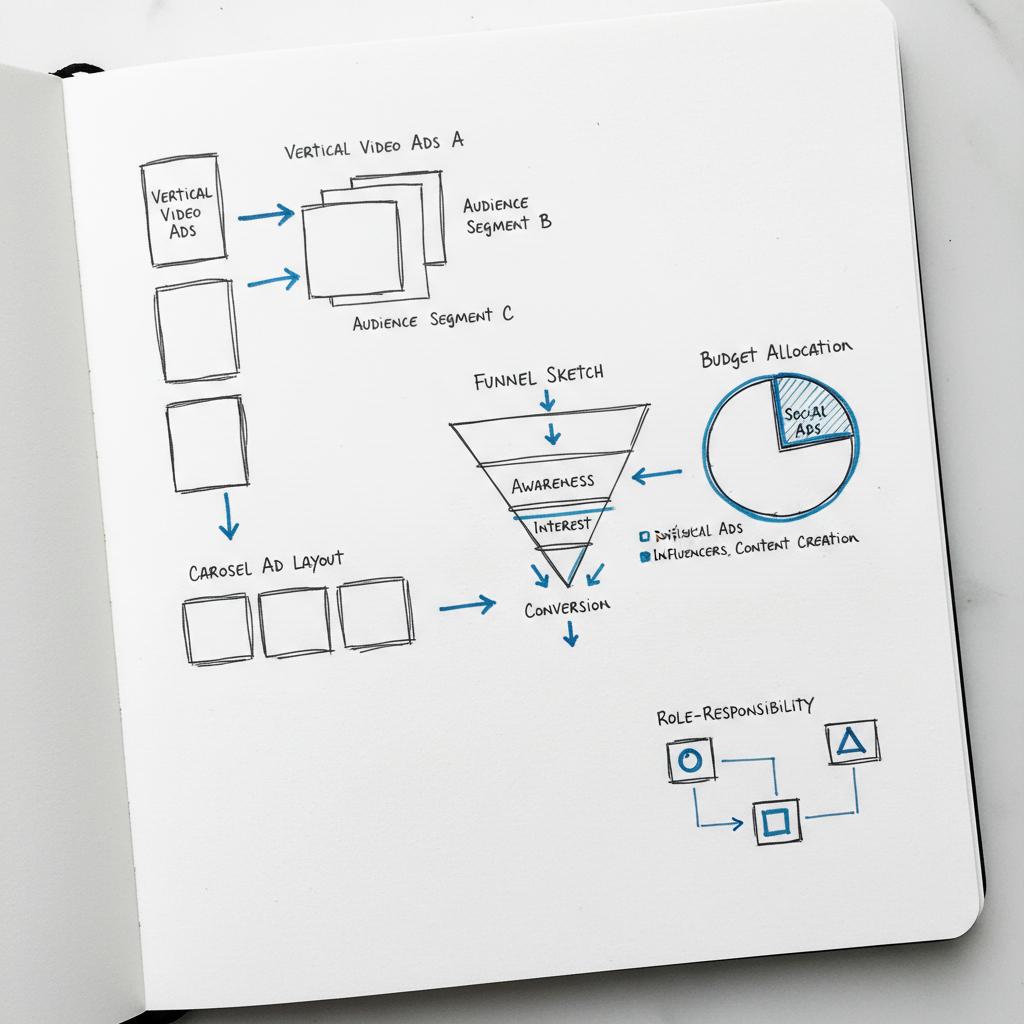
People decide fast on mobile. Your creative has seconds to make the case. Be explicit about date, time, and location. Put the CTA where it’s easy to act—on mobile that often means the first few seconds of a video or the first card of a carousel.
Short vertical video (15–30 seconds) works well for storytelling and social proof. Carousel ads let you layer information: one card for the headline speaker, one for logistical details, and one for ticket tiers. Images need large readable headlines and faces or scenes that convey emotion.
Copy should answer a simple question: what will I experience, and why should I bother showing up? Use social cues—sold-out badges, limited capacity, exclusive extras—only when true. Test creative variations early and run small A/B tests on thumbnails, hooks, or price vs. value-led copy.
Budgeting and pacing across the event lifecycle
Think of promotion as a rhythm. Start with light awareness early to build reach. Move spend toward conversion-focused ads 7–14 days before the event when urgency is higher. Many organizers move the largest share of the budget into that final window; that’s when attendance decisions often happen.

Choose bidding aligned with your goal. Use lowest-cost to keep CPMs low for reach. Use cost controls or value-based bidding for ticketed sales, and watch CPA and ROAS. Reallocate budget to creatives and audiences that perform best.
KPIs to watch every day
Pick the KPIs that match your objective. For awareness and RSVPs, monitor Event Responses and organic engagement. For ticketed events, watch click-through rates to the checkout and landing-page conversion rates. Cost per result and post-click purchase metrics matter for revenue campaigns. Use UTMs and server-side events to stitch ad clicks to ticketing systems and CRM records.
For high-value events, reconcile ad platform conversions with your ticketing provider to calculate true cost per ticket and real ROI. Reported ROAS can understate value if offline sales or CRM imports aren’t tied back to ads.
A simple operations checklist
Think of launch as a short list of practical moves:
Before launch—Create the Facebook event page with clear copy and images. Implement Pixel and CAPI. Fire standard events. Verify domain and event sources.
Build audiences—Page engagers, past attendees, website visitors, and email lists. Create lookalikes from ticket buyers.
Create creative—Mobile-first images, 15–30s videos, carousels for layered info. Test thumbnails and hooks.
As you launch—Start with reach or event-response ads. Move warm engagers into Traffic or Conversion campaigns. Monitor events and troubleshoot missing signals before the final week.
Final week—Increase spend, prioritize retargeting, and push scarcity messaging if it reflects reality. Schedule reminder ads for day-of attendance nudges and prepare a follow-up campaign to re-engage attendees after the event.
Examples you can use today
Mid-sized conference: start three months out with Reach ads for local professionals and lookalikes from past attendees. Open registration with Traffic or Conversion campaigns aimed at early-bird buyers. Switch to retargeting 7–14 days out for people who visited ticket pages but didn’t purchase. Increase spend in the last 7–14 days and highlight remaining seats or expiring discounts. Day-of, run short reminder ads or push a livestream link for latecomers. After the event, run a thank-you campaign and invite people to subscribe for next year. See some of our projects for similar event work.
Free neighborhood concert: create a Facebook Event and boost with Event Response ads to a 5–10 km radius. Use short vertical videos showing crowd atmosphere, mark the event as family-friendly and free, and retarget people who indicated interest with a reminder a week and a day before the concert including parking tips and gate times.
Measurement pitfalls and privacy realities
Expect some reporting gaps. Apple’s ATT, browser privacy settings, and platform changes affect completeness of conversion paths. That’s why CAPI and domain verification are important: they help reconstruct events server-side when client signals are incomplete. Don’t chase perfect metrics—look for consistent trends. If conversions rise after a creative swap, that’s meaningful even if absolute reported counts are lower than older dashboards.
Testing and iteration: a practical plan
Test early, keep tests small, and run them for a few days. Start with two or three headlines for copy, a couple of thumbnails, and at least one short and one slightly longer video. If you use Advantage+ creative tools, treat their suggestions as starting points and follow up with controlled A/B tests on elements you think matter most.
Audience tests matter too: compare a warm retargeting campaign with a lookalike campaign at similar budgets to see which yields better CPAs. For ticketed events, experiment with creative that displays price vs. creative that emphasizes benefits; sometimes highlighting a discounted early-bird price increases early conversions.
Copy and creative rules that work
Lead with value. In one sentence, tell people what they’ll experience. Use specifics rather than vague adjectives. If action requires multiple steps—like an external checkout—give simple instructions: “Tap to register — you’ll get an entry-pass email.” Reduce mobile friction with instant forms or deep-links to mobile-ready checkout.
Costs: what to expect
Costs vary by location, event type, and industry competition. Local community events often see lower CPAs; national conferences or niche events with expensive tickets need more layered strategies and patience. Use a budget that scales: modest early spend for awareness, more spend closer to the event. Monitor CPA and landing-page conversion rate daily in the last two weeks and reallocate away from underperforming channels.
Day-of and post-event advertising
Use day-of ads for reminders and practical details to reduce no-shows. Have a contingency ad ready with a livestream link or updates if something changes. After the event, run ads thanking attendees, asking for feedback, and inviting sign-ups for next year. Post-event audiences are often high-value for early registrations for future events.
Common organizer questions, answered
Do I need both Pixel and CAPI? Yes. The Pixel captures client-side behaviour; CAPI fills gaps. Together they help Meta optimize for conversions and give you a clearer picture of performance.
Event Response ads or Conversion campaigns for paid tickets? Use Conversion campaigns when ticketing happens off Facebook and ensure Purchase or CompleteRegistration events fire. Use Event Response to build an RSVP list on Facebook.
How long before the event should I ramp spend? Gradually. Many teams increase spend 7–14 days before an event for the biggest conversion lift.
Practical checklists you can copy
Pre-launch (2–6 weeks out)—Create event page, set visuals and copy, install Pixel and CAPI, verify domain, build audiences, draft creative, set UTMs.
Launch (4–3 weeks out)—Start awareness, test creatives, monitor events, and fix issues with Pixels or CAPI.
Final push (14–1 days out)—Increase spend, prioritize retargeting, use scarcity where honest, schedule reminders, prepare day-of contingency.
Post-event—Thank attendees, collect feedback, import offline conversions to CRM, and retarget attendees for future offers.
Real-world tips from experience
From running campaigns across dozens of events, we’ve learned small operational habits matter: rehearse the ticketing flow, do a dry run of event tracking a week before launch, and keep a short dashboard showing the three numbers that matter for your event—clicks to checkout, landing-page conversion rate, and cost per purchase. These numbers tell you when a creative or audience swap is working.
Across this guide we’ve emphasized the same practical phrase: how to advertise an event on Meta. That focus helps you hold both creative and technical tasks in one tidy workflow. Repeat that question when you plan and you’ll stay focused on the steps that drive attendees.
Friendly note: when to ask for help
Sometimes the best move is a quick audit. If your pixel isn’t recording purchases, or if conversion counts are wildly different between your ticketing provider and Ads Manager, a short check can save a lot of wasted spend.
Get a fast event ad check-up
Wrap-up and next steps you can take today
To put this into action: pick one event, choose an objective that fits (Event Response, Traffic, or Conversions), confirm Pixel + CAPI are firing, build warm and lookalike audiences, and create one short video plus a single-image ad to test. Increase spend in the final two weeks and lean on honest scarcity and social proof.
Finally, remember the core: make your ads feel like helpful invitations, not loud selling. When people sense a clear practical benefit—a useful talk, a fun live experience, or a timely networking opportunity—they’re more likely to respond. And when you treat tracking as part of the creative plan rather than an afterthought, you’ll learn faster and spend smarter.
The end—now go fill those seats.
Yes. Use the Meta Pixel to capture browser-side actions and the Conversions API (CAPI) to send server-side events. Together they provide a fuller signal set, reduce lost conversions due to browser privacy restrictions, and improve campaign optimization. Verify your domain in Events Manager and test events in the week before launch.
If your ticketing happens off Facebook, run Conversion campaigns and ensure Purchase or CompleteRegistration events fire correctly. Event Response ads are useful for building an RSVP list or for free events running directly on Facebook. For paid, use conversions with server-side tracking to measure true ROI.
Ask for help if tracking is inconsistent (e.g., pixel not recording purchases), if conversion counts between Ads Manager and your ticketing provider differ significantly, or if you need a quick creative and audience audit. Agency Visible can provide a short, practical review of your setup and recommendations without a heavy sales pitch.





