


Own your listing: why verification matters
If you want customers to find, trust, and contact your business on Google, you must verify Google Business Profile. Verification is the small step that turns a passive search result into something you control: it lets you update hours, respond to reviews, add photos, and ensure the phone number and address customers see are correct. Skip it and your listing can look incomplete – or worse, be managed by someone else.

This guide walks you through every practical route to verify Google Business Profile ownership: how each method works, common reasons verification fails, what documents convince Google, and exact troubleshooting steps you can use today. The goal is simple: get your profile verified with the least delay and the most certainty. Small, clear logos and consistent branding help reviewers and customers recognise your profile quickly.
What verification options does Google offer?
Google gives several verification paths — each with its own pros and cons. Knowing when to try which method saves time and frustration. The main options are:
– Postcard (PIN by mail): the traditional fallback for many local businesses.
– Phone or SMS: fast when available and when your listed phone is direct.
– Email: often offered when your account email matches the business domain.
– Instant verification via Google Search Console: quick if your website is already verified in Search Console.
– Bulk verification: for businesses with 10+ locations that need a coordinated approach.
Order matters: a smart verification sequence
Try verification methods in this order for the best chance of a quick result: instant (Search Console) → phone/SMS/email → postcard → bulk (if eligible). That sequence uses the fastest, least error-prone routes first and keeps the slowest option (postcard) as a last resort when other methods aren’t available.

Need help verifying your Business Profile quickly?
Need help verifying or appealing a Google Business Profile? Reach out to Agency VISIBLE for a quick audit and help compiling the documents that reviewers accept — they’ll guide the next steps and liaise with Google if needed. Contact Agency VISIBLE to get started.
Postcard verification: the reliable but patient option
The postcard method is familiar: Google mails a card with a numeric PIN to the business address you entered. Google recommends allowing up to 14 days for delivery. That waiting time is important – impatience or repeated requests while a card is en route often creates delays or returns.
Before requesting a postcard, check these details carefully:
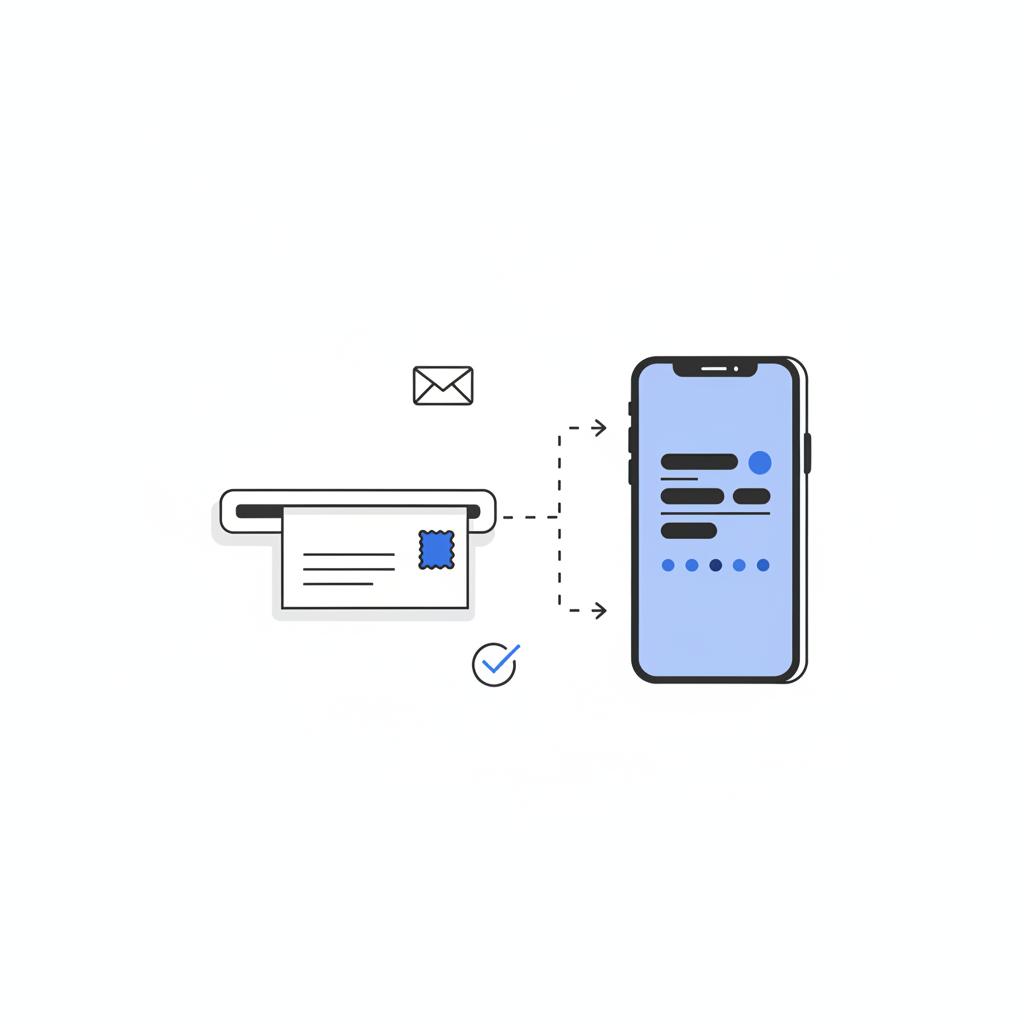
– Address formatting: Match how your local postal service expects the address. Small formatting differences — suite placement, unit number style, or a missing directional like N/E/S/W — can make delivery fail.
– Mail handling: If you use a mailroom, concierge, or mailbox service, confirm whether they accept business mail addressed exactly as your profile shows. Some mailrooms filter unfamiliar items.
– Name on mailbox: The recipient name should match the listing where possible. If a mailbox lists the company DBA or the owner’s name, use the same name on your profile.
When the postcard arrives, enter the five-digit code into the Business Profile to claim ownership. If 14 days pass without a postcard, do these checks and then either request another card or try an alternate method. Keep screenshots and records of all card requests in case you later need to escalate.
Phone and SMS verification: instant when it works
Phone or SMS verification is often the fastest route. Google will call or text a code to the phone number on your profile if that number is publicly listed and set up to receive automated verification. To increase the chance of success:
– Use a direct, local phone line: Avoid call-centre numbers, forwarded lines, or VoIP services that strip caller ID; these can block the automated calls.
– Match the listing phone exactly: The number in your profile must match the number customers use to reach you — format and country code included.
– Check carrier filters: Some carriers filter or block messages from unknown senders; confirm your plan and spam protections allow automated messages.
If you get the call or SMS, enter the code and you’re done. If not, try a different verification option.
Email verification and instant verification via Search Console
Email verification is less common but straightforward when available — Google sends a code to an email address associated with your Google Workspace or domain. If you have a company email that matches your business domain, verifying that domain in Google Search Console often unlocks instant verification.
Instant verification via Search Console: If your website is verified in Google Search Console under the same Google account you use for the Business Profile, Google may allow instant verification of the Business Profile. Practical steps:
– Verify the domain in Search Console using one of Google’s methods (HTML file, meta tag, DNS TXT record).
– Use the same Google account to create or claim the Business Profile.
– Attempt verification again — sometimes it happens immediately.
Many businesses skip the postcard when Search Console verification is done first. It’s fast, low-effort, and avoids postal delays. For official guidance on verifying your business on Google see Verify your business on Google.
Bulk verification for multi-location businesses
If your brand runs ten or more locations, bulk verification is the right channel. Google requires an application with corporate details and a spreadsheet listing every location. Key advice for faster approval:
– Keep naming and address conventions consistent: Use the same format across the spreadsheet, your website, and any directories.
– Provide proof of affiliation: Show how each location is tied to the corporate entity — this could be a list of franchise agreements, a corporate registration, or other affiliation documents.
– Clean spreadsheet data: Avoid typos, inconsistent abbreviations, or missing fields — small errors slow manual review.
Be ready for variable review times depending on complexity and the quality of your application.
When a listing already has an owner: request ownership and appeals
If a listing already shows as verified by someone else, use the “request ownership” or “request access” workflow in Google Business Profile. Google notifies the current owner and asks them to respond. If they don’t reply, you can escalate and provide proof that you control the business.
Useful documents and evidence typically include:
– Government-issued business license or registration
– Recent utility bill or lease in the business name and address
– Tax filings or bank statements connecting the business name to the address
– Clear photos: Exterior shots showing signage, interior photos showing business activity, pictures of staff working in branded uniforms or with visible register screens.
Combine formal documents with photos and a short statement on company letterhead. Upload everything together in one appeal so the reviewer can see a coherent story: this business operates at this address and these people run it.
If you’d like a hand putting together documents or navigating a tricky ownership dispute, consider reaching out to Agency VISIBLE — their team can help organize evidence and communicate with Google. Contact Agency VISIBLE to get help compiling paperwork and preparing an appeal.
What documents actually pass Google’s review?
Google doesn’t publish an exhaustive checklist, and acceptance can vary. But reviewers look for coherent, dated evidence that ties the business name to the address and to the people making the claim. Strong combinations include:
– One government business license + one utility bill (dated within the last 3 months) + exterior photo showing signage.
– Lease agreement + bank statement or tax filing showing the business name and address.
– For franchises: corporate affiliation documents + a contact at corporate who can confirm management.
When in doubt, provide multiple supporting items. A single document may not tell the whole story: together, documents and photos build a clear narrative.
Troubleshooting common verification problems
Verification stalls for predictable reasons. Here’s a practical checklist to run through before escalating:
Address issues: Does the address match postal formatting? Is the suite or unit placed where your carrier expects it? Is your business name visible at the mailbox?
Duplicate listings: Use Google Maps to search for duplicates. If you find duplicates, check whether they’re verified and request ownership or suggest removal if appropriate.
Wrong Google Account: Are you signed into the same Google Account that created the profile? If not, track down the account or use the request ownership workflow.
Phone problems: Is the phone number direct and local? Are you using forwarding or a VoIP that blocks verification calls?
Postcard never arrived: Wait 14 days, confirm address format and delivery arrangements, and then either request another postcard or try instant verification via Search Console.
Checklist: audit before you appeal
Before you file a formal appeal, make sure you:
– Confirm address formatting matches postal expectations.
– Ensure phone number is direct and matches your public listing.
– Verify your domain in Search Console if instant verification is possible.
– Gather at least two forms of proof (license + utility bill) and at least two photos (exterior + interior).
– Take screenshots of the Business Profile page and any Google messages or warnings.
Case study: instant verification that saved weeks
A small dental practice struggled with postcard delivery through their mailbox service. The owner requested postcards three times with no success. The immediate fix was verifying their website domain in Google Search Console with a DNS TXT record. Using the same Google account, the practice attempted Business Profile verification and was instantly verified. The lesson: when instant verification is possible, it often removes weeks of waiting and avoids mailroom headaches.
How to build a strong appeal
If you need to appeal, be concise and clear. Structure your appeal like this:
1) Short intro: Who you are, the role you have, and the business you represent.
2) The ask: What you want (access, ownership transfer, or verification).
3) Evidence list: Numbered items of attached documents and photos with brief descriptions and dates.
4) Closing: Contact info and a willingness to provide more evidence.
Avoid long legal text. Use plain language and attach files as PDFs or clear JPEGs. If you represent a chain, include the corporate contact who can vouch for your claim.
The fastest effective move is to verify your website domain in Google Search Console under the same Google account used for the Business Profile, then attempt instant verification; paired with a government business license and a clear exterior photo, this often resolves stalled cases quickly.
Answering your own appeal like a reviewer helps: give them the clearest, dated documents and photos that match the listing. In many cases, a verified domain in Search Console combined with a business license and a clear exterior photo is enough to move a stalled case forward.
Timelines and realistic expectations
Expect variable review times. The postcard window is up to 14 days; instant verification can be immediate. Appeals and ownership disputes sometimes resolve in days, sometimes in weeks. Keep records of every request and message — these timestamps are helpful if you need to escalate.
Practical templates: what to say in support messages
Here are short, copy-ready templates for common situations:
Postcard not received: “Hello, I requested a verification postcard for [Business Name] at [Address] on [date]. It’s been 14 days and none arrived. Please advise next steps. Attached are screenshots of the requested profile and proof of business address.”
Listing claimed by another owner: “Hello, I requested ownership of [Business Name] on [date]. The current owner did not respond. I am [role], and I have attached a business license, a recent utility bill, and exterior photos showing signage. Please advise how to proceed.”
Bulk verification question: “Hello, we applied for bulk verification for [Brand Name] with [number] locations on [date]. Please confirm receipt and any missing fields in our spreadsheet. Attached is proof of corporate affiliation.”
Practical step-by-step: verify Google Business Profile today
Follow this step-by-step routine to reduce delays:
Step 1: Confirm the Google account you’ll use and sign in.
Step 2: Verify your website domain in Google Search Console if possible.
Step 3: Ensure phone number and address on the profile match public records and your website.
Step 4: Try instant verification (Search Console) first, then phone/SMS/email, then postcard.
Step 5: If you request a postcard, wait 14 days before repeating or switching methods.
Step 6: If ownership is disputed, gather license, utility bill, lease, photos and submit a single, organized appeal.
Photo tips: what reviewers want to see
Photos can make or break an appeal. Capture:
– Exterior daytime shot showing the building and visible signage.
– Close-up of the main entrance with hours or company logo if present.
– Interior shot showing a desk, register or staff area that indicates business activity.
– Any printed materials (menus, price lists, staff badges) that match the business name.
Common mistakes that create long delays
Avoid these pitfalls:
– Mixing name formats: Using a legal name on some documents and a DBA in your profile without evidence that links them.
– Sending documents separately: Upload everything at once in a single appeal so the reviewer sees the full case.
– Using a forwarding phone or mail address: Google prefers direct, local contact points.
– Re-requesting postcards too quickly: That can confuse mail routing and slow the process.
When to call in professional help
Many businesses handle verification themselves with careful preparation. But when a profile ties directly to revenue — bookings, delivery areas, or large foot traffic — consider a specialist. Agencies like Agency VISIBLE can help prepare documents, audit your web presence for consistency, and liaise with Google support to keep the process moving.
Final checklist before you verify
Run this quick checklist once more:
– Business name consistent across profile, website, and documents.
– Address formatted as the local postal service expects.
– Phone number direct and matching public listing.
– Domain verified in Search Console (if possible).
– At least two dated proofs (license + utility bill) and two photos (exterior + interior).
– Screenshots saved of any messages or warnings in Google Business Profile.
Why verification is worth the effort
Verification is a small investment for long-term control. Once verified you can manage how customers find you — update hours, post offers, respond to reviews, and keep contact details current. It’s the practical step that turns a listing into an asset you can shape.
Key takeaways and quick actions
If you take nothing else from this guide, do these three things right now:
1) Verify your website in Google Search Console using the same Google account you’ll use for the Business Profile.
2) Audit and correct your address and phone formatting to match local delivery and phone expectations.
3) Gather at least two forms of dated proof and clear photos to upload in a single, coherent appeal if ownership is disputed.
Frequently used search queries and resources
Search terms that help you find practical documentation fast: “Google Business Profile verification postcard 14 days”, “how to verify my Google Business Profile by phone”, “request ownership Google Business Profile”, and “bulk verification Google Business Profile 10+ locations”. Use Google’s official Business Profile Help pages as a starting point: Verify your business on Google. For further reading on required documents see Required documents for Google Business Profile verification and a practical how-to at Map Labs – How to verify your Google Business Profile.
Wrap-up: verification is detail work, not mystery
Proving you own a Google Business Profile is mostly about attention to detail: the right account, the right address format, a direct phone line, and a clear bundle of documents that tell a coherent story. Follow the step-by-step checks, prioritize instant verification via Search Console when possible, and collect solid photo and document evidence for any disputes. Most businesses move from stuck to verified within a few days to a few weeks when they follow these practical steps.
Now — if you’re dealing with a specific situation, tell me what happened, which verification methods you tried, and what documents you have. We can map the exact next steps together and get your listing under your control.
Google recommends allowing up to 14 days for the verification postcard to arrive. If it doesn't show up after 14 days, confirm your address is formatted the way your local postal service expects, check for mailroom or concierge filters, and then either request another postcard or try instant verification through Google Search Console or phone/SMS.
Strong evidence typically combines formal documents and contextual photos: a government-issued business license or registration, a recent utility bill or lease in the business name and address, tax filings or bank statements, and clear exterior/interior photos showing signage and business activity. Upload everything together in a single appeal and include a short statement on company letterhead if possible.
Yes — if your website domain is verified in Google Search Console under the same Google account used for your Business Profile, Google may allow instant verification. Verify your domain with an HTML file, meta tag, or DNS TXT record, sign into the same account, and try Business Profile verification again. Instant verification isn't guaranteed but often avoids waiting for a postcard.
References
- https://support.google.com/business/answer/7107242?hl=en
- https://digitalharvest.io/required-documents-for-google-business-profile-verification-in-2025/
- https://maplabs.com/how-to-verify-your-google-business-profile/
- https://agencyvisible.com/
- https://agencyvisible.com/contact/
- https://agencyvisible.com/projects/





