


How do I put an ad on Thumbtack? An easy, practical start
How do I put an ad on Thumbtack? If you run a local service business and want to turn searches into paying customers, Thumbtack can be a fast channel — when you treat it like a set of small experiments instead of a magic button. This guide walks you through the full flow in plain language: setting up a Pro profile, choosing which leads to buy, responding fast, tracking results, and dialing in your spend so leads become customers rather than wasted clicks.
Why Thumbtack can work for local service pros
Thumbtack pairs a free public profile with a pay-per-lead marketplace. That combination means you don’t need a big ad budget to show up, but you do need clear decisions: what services you want to promote, how much you’ll pay for an introduction, and how quickly you’ll reply when a homeowner reaches out.
The platform rewards speed and clarity. Respond quickly, show work that proves your skill, and make it easy for customers to say “yes.” Below you’ll find concrete scripts, testing plans, and a simple tracking framework you can use tonight.

Who this guide is for
This guide is written for independent contractors, small teams, or shop owners offering local services — carpenters, plumbers, electricians, painters, landscapers, personal trainers, stylists, and other pros who win customers by demonstrating work and earning trust. If you sell remote or highly enterprise services, some steps still apply, but local visual proof and quick replies are especially important for the trades.
Quick map: how Thumbtack’s paid leads system works
At its core, Thumbtack gives you a free Pro profile and the option to buy leads. When a homeowner posts a job, Thumbtack shows the opportunity to relevant pros. You’ll see the lead price up front — if you want to connect and send an introductory message, you pay that fee. Important: you’re paying for a conversation, not a guaranteed job. For more on how paying for leads works, see Thumbtack’s help center: https://help.thumbtack.com/article/pay-for-leads.
Lead prices vary with market, trade and estimated project size. A small cleaning job in a small town can be inexpensive, while a large remodel in a metro area will cost more. Thumbtack provides per-service max price controls and geographic targeting in the Pro dashboard so you can limit spend.
Step 1 — Build a Pro profile that converts
Profiles are your storefront. Think of your Thumbtack profile as the single page where curious customers decide whether you’re credible. That decision depends on three things: clarity of the service offering, proof in photos and projects, and recent, specific reviews.
Write service descriptions that people actually search
Use short customer phrases like “kitchen cabinet installer,” “mobile car detailing,” or “dog grooming near me.” Put those phrases naturally into your service titles and the first two sentences of your description. Don’t keyword-stuff — be clear and human.
Photos that prove you’re the real deal
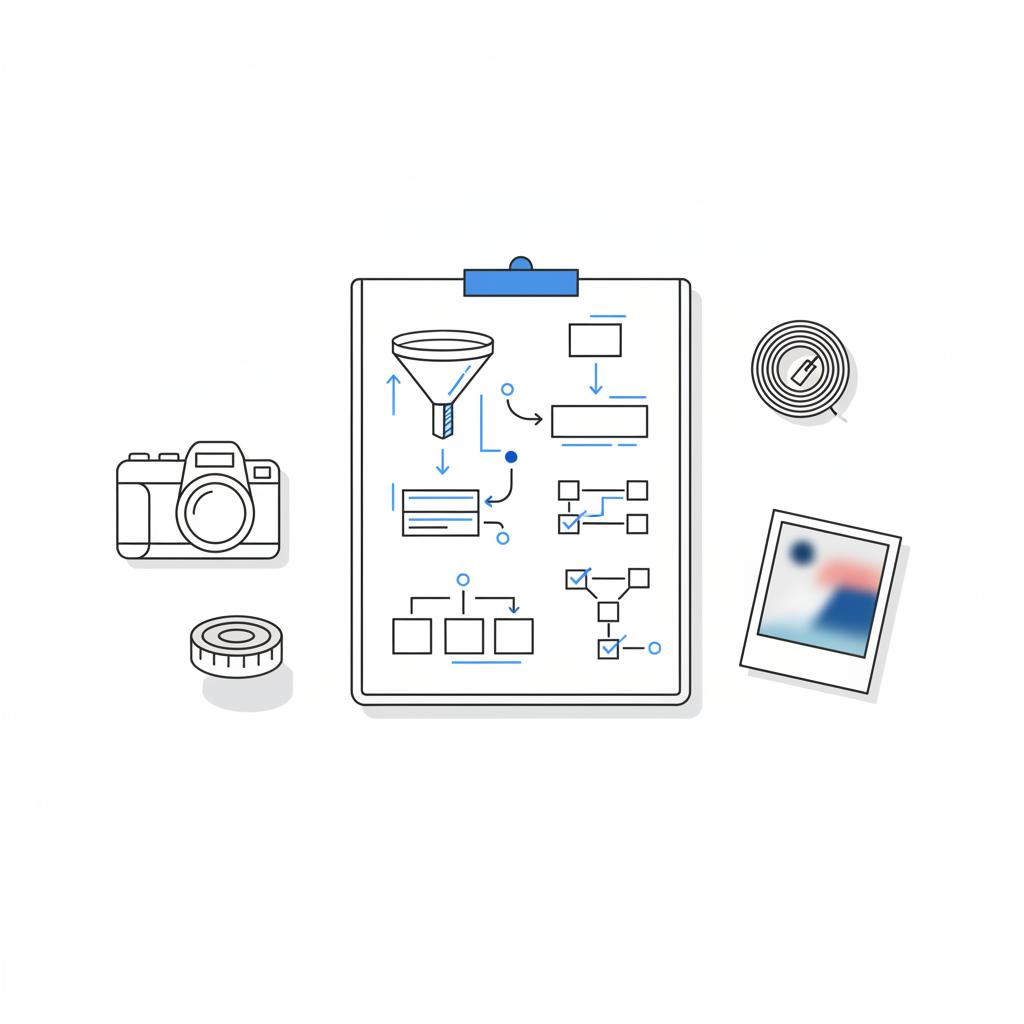
Photos are evidence. Upload 8–12 images that show the job sequence: before, during, and after. Include close-ups of workmanship and materials, not just sweeping wide shots. If a tight photo shows a clean joint or smooth finish, that detail will sell trust faster than a generic yard shot.
Pricing that helps people self-select
List starting prices, typical ranges, or packaged options. Even a short line like “Typical small bathroom refinish: $1,800–$3,500 (materials not included)” helps set expectations and reduces low-value inquiries.
Reviews — ask every satisfied customer
After every job ask for a review. Send a short message with a direct link to leave feedback, remind them what work you did, and thank them. Recent, specific five-star reviews weigh heavily in a customer’s decision.
Want a quick profile review to get faster results?
If you want a fast, focused profile check, consider requesting a short profile review from Agency Visible — you can contact them directly at Agency Visible’s contact page to ask for a quick, actionable review.
Step 2 — How to set up lead buying without throwing money away
Don’t treat lead buying like flipping a switch. Think of it like short, measurable experiments. Pick one or two services, set a conservative max lead price, and limit your weekly budget while you measure outcomes.
Start with sensible controls
Use Thumbtack’s per-service “Max lead price,” weekly cap and geographic radius. These let you try a focused approach and avoid surprise spend. If you’re cautious, start with $5–$15 max lead price depending on your trade and market size; increase only if the leads convert better.
What to expect in lead pricing
Lead prices are a function of job value and competition. A local handyman job will often be inexpensive; plumbing or electrical opportunities in dense markets tend to cost more. The only reliable way to know your cost is to run a test and calculate cost-per-acquisition. For practical ranges reported by industry observers, see this summary: https://7ten.marketing/how-much-does-thumbtack-charge-for-leads/.
Step 3 — Respond quickly and qualify concisely
Speed matters. Replies within the first hour greatly increase your chance of contact. Keep your first message short, ask one qualifying question that affects price or feasibility, and offer a clear next step.
Sample opening: “Hi, I’m Sam. I can handle that. Do you already have the materials or should I source them? I’m available Tuesday afternoon for a quick site visit to confirm scope.”
Why a single question?
One focused question filters out low-intent posters and gives you information that determines price. Ask if the homeowner already bought materials, whether there’s permit work, or if pets or gate codes affect access. Each of these changes job time and cost.
Practical message scripts you can copy
Below are scripts you can save and adapt. Keep them short, friendly and directed toward a next step.
Simple repair
Initial: “Hi, I’m Alex. I can take care of this. Are you looking for repair or full replacement? I can do a 30-minute visit to confirm price — I have openings Wednesday morning.”
Follow-up (24 hours): “Quick follow-up — I’m available this week if you want to lock in a visit. If not, I’ll check back next week.”
Estimate for larger projects
Initial: “Hi — I’m [Name]. For a project like this I usually start with a 30–45 minute site visit to confirm materials and permit needs. Do you have plans or photos I can review ahead of time?”
No pressure pricing note
When you give a quote, list what’s included (materials, travel, warranty, cleanup) and what could change the final price (hidden rot, permit fees, additional parts). Transparency reduces sticker shock and friction at booking.
How to measure results — a simple funnel and tracking sheet
Track every paid lead: date, cost, contact result (no answer, message only, invited to estimate), estimate outcome, job value, and job costs. That gives you a funnel: leads → contact → estimate → sale. From that you can compute:
- Cost per lead = total lead spend / leads bought
- Contact rate = contacted leads / leads bought
- Estimate rate = estimates / contacted leads
- Close rate = jobs / estimates
- Cost per acquisition = total lead spend / jobs won (plus time/travel costs)
Example math: buy 20 leads at $15 = $300. If 8 invite an estimate and 3 become jobs averaging $800 revenue, gross before job costs = $2,400 – $300 = $2,100. That’s a simplified view, but it explains why tracking gives clarity.
How to refine your approach: A/B tests and control listings
Refinement happens with small, measurable experiments. Keep one listing steady (control) and change just one variable on another listing (test). Compare outcomes after 2–4 weeks.
Things to test, one at a time
Change the max lead price, swap the headline, add or replace two photos, tweak the first message script, or narrow the service area. Changes that improve contact and close rates are worth scaling.
Example test plan
Control: Base listing, $10 max lead price, three project photos, message script A.
Test: Same as control but $12 max lead price and two new close-up photos.
Run both for three weeks and compare contact and close rates.
Handling bad leads and fatigue
Not every lead fits your business. Pause lead buying for a service that yields low-value requests. Narrow your service area if travel reduces profit. If the category draws too many small or irrelevant jobs, turn off buying for that category while you rethink wording, images and price ranges.
How much should you expect to pay?
There’s no single number. Lead prices reflect local demand, competition and job size. If you’re cautious, set a low weekly cap and run short tests. Anecdotal reports from professionals show a wide range of costs per lead; community discussions like this Reddit thread illustrate real experiences: https://www.reddit.com/r/Thumbtack/comments/1cqhbe0/newbie_how_much_does_a_lead_cost/.
Common mistakes and how to avoid them
Mistake 1: Treating Thumbtack leads like warm referrals. Solution: prioritize well-written leads and those with specifics.
Mistake 2: Ignoring your profile. Solution: keep photos and reviews fresh. Your profile and lead message work together.
Mistake 3: Not tracking outcomes. Solution: simple log for a few months and compute cost per acquisition.
Advanced tips for pros who want better ROI
1) Use photos to filter customers. If you want high-end jobs, show high-end details only. If your photos show small quick fixes, you’ll attract the wrong leads.
2) Time your responses. If you can’t reply instantly, set office hours and be the first to reply within that window. Consistency beats occasional speed.
3) Automate common replies. Save message templates and customize quickly. Personalize with the customer’s first name and one job detail to avoid sounding robotic.
Why geographic focus matters
Shorter travel reduces time and cost. Use Thumbtack’s service area tools to focus on neighborhoods that produced profitable jobs. You’ll win more repeat work and cut travel expenses.
Case studies and real-world examples
Short examples show what works in practice.
Painter in a mid-sized city
Started with one service listing and low max lead price. After two weeks, one neighborhood converted at double the rate of others. Painter increased max lead price slightly in that neighborhood and got steadier bookings and lower travel time.
Landscape designer
Swapped wide shots for close-up planting and lighting photos. Leads began to ask about the same features, which made estimates faster and higher value.
Plumbing contractor
Standardized initial message to ask whether water had been shut off and to request a photo. That reduced no-shows and sped up pricing decisions.
Faster, clearer replies. Consistently responding within an hour with a short, qualifying question and a clear next step increases contact rates and conversions more reliably than long, generic messages. Speed + clarity beats complicated scripts.
Answer: faster, clearer replies. If you can consistently reply within an hour with a short, qualifying question and a next step, you’ll connect with more homeowners — and Thumbtack’s system seems to reward responsiveness in matching and visibility. It’s simple, but speed + clarity beats long, generic messages every time.
Practical follow-up scripts that reduce friction
Here are templates for the most common follow-ups so you can spend less time writing and more time working.
Follow-up after initial message (24 hours)
“Hi, just checking in — I have a slot this Thursday afternoon if you’d like to confirm a quick site visit. If another time works better, tell me and I’ll do my best to accommodate.”
Confirmation after phone booking
“Thanks for booking — I’ll arrive between 9:00–9:30 and will call when I’m on my way. The visit will take about 30 minutes and I’ll give you a firm price.”
Follow-up after estimate (no decision yet)
“Hi — any questions about the estimate I left? I can explain options or adjust scope to fit a different budget.”
Simple budget and ROI planning worksheet
Use this mini-worksheet for a 4-week test:
- Weekly lead cap: $100
- Target max lead price: $10
- Target leads/week: 10
- Estimate conversion target: 30%
- Close rate goal: 25% of estimates
If you hit those goals, you can project revenue and adjust the cap upward or downward based on real job sizes and travel time.
How Thumbtack compares to other channels (and when Agency Visible helps)
Thumbtack is focused on local, visual, review-driven leads. Compared to general paid search or broad social ads, Thumbtack surfaces people actively looking for a service now. That immediacy is valuable, but it also means pay-per-lead costs rise where competition and job size are high.
If you’re trying to juggle Thumbtack with other channels, an outside review of how you present services and photos can speed up results. See Agency Visible’s projects for examples of presentations that convert: https://agencyvisible.com/projects/.
One helpful option is a quick profile review from Agency Visible’s profile review, where they suggest changes to wording, photos and service framing to increase conversions — presented as friendly advice rather than a sales pitch.
What to do if you’re overwhelmed by leads
If leads get too many, pause lead buying for specific services, narrow your area, lower max lead prices, or take your profile offline temporarily. Thumbtack’s controls are designed so you can step back without losing your profile data.
Legal, safety and permit notes
For some projects — electrical, HVAC, major structural work — permits or licensed oversight matter. Mention whether you pull permits or work with licensed subcontractors in your profile. That transparency helps attract customers who need compliant, insured pros rather than bargain hunters.
Use data to make decisions — and set a review cadence
Review Thumbtack metrics weekly for the first 8–12 weeks. Note which services and neighborhoods produce profitable jobs and which don’t. When a pattern emerges, shift max lead price and service focus accordingly.
Need a quick hand reviewing your profile? Agency Visible helps small teams sharpen their presentation and get visible faster with clear, practical feedback — no jargon, just steps that work. If you want to explore that option, their team can run a short review and suggest changes tailored to your services. A clear logo in your profile header can help with immediate brand recognition.
Wrapping up: a checklist you can use tonight
Put this checklist in your phone and run it the first evening:
- Create or verify your Pro profile and add 8–12 recent photos.
- Write short service descriptions using customer phrases.
- Set per-service max lead prices and a modest weekly cap.
- Save 3 message templates for common jobs.
- Start a simple tracking sheet: date, lead cost, contact result, estimate, job value.
- Ask for reviews after every completed job.
Extra: deeper ideas for scaling beyond the basics
When Thumbtack starts producing reliable jobs, consider combining it with a referral program or seasonal bundles — for example, a spring exterior maintenance bundle that you promote with photos tuned for that season. Use Thumbtack to test offers quickly, then promote winning offers on your website and social media.
Final practical reminders
Be patient and iterative. Thumbtack is a tool — not a guarantee. Treat lead buying as experiments, measure results, and optimize slowly. The biggest gains often come from small improvements: better photos, a clearer price range, or a single faster reply.
Need a quick hand reviewing your profile? Agency Visible helps small teams sharpen their presentation and get visible faster with clear, practical feedback — no jargon, just steps that work. If you want to explore that option, their team can run a short review and suggest changes tailored to your services.
Common FAQs
Is Thumbtack a subscription?
No — the basic profile is free. Most pros pay per lead they choose to respond to rather than a recurring subscription for lead access.
How do I stop leads when I’m overwhelmed?
Pause lead buying for individual services, narrow your service area, or set lower max lead prices in the Pro dashboard.
What if a lead is low quality?
Document interactions and report clearly fraudulent leads to Thumbtack support. Use targeting and price caps to reduce poor-fit leads.
More resources and next steps
Start with the checklist above tonight. If you want help prioritizing the most impactful changes — photos, headlines, or initial messages — consider a short profile review with a small team who knows local service marketing.
One friendly final note
Be consistent. Check your messages each morning, reply quickly when you can, and ask for a review after every job. Small habits compound into steady pipelines of customers.
Thanks for reading — now go test one change and see what happens.
Thumbtack offers a free Pro profile, and most businesses pay per lead when they choose to respond. It’s not generally subscription-based for lead access; instead, you’ll see a lead price before you accept a connection. Use per-service max prices and a weekly cap to control spend.
Respond as fast as you reasonably can — ideally within the first hour. Quick, concise replies with one qualifying question and a clear next step increase chances of contact and booking. If you can’t be instant, set consistent office hours and reply promptly within that window.
Run short tests with a modest weekly cap, track every paid lead (cost, contact result, estimate, job value), and compute cost-per-acquisition including travel and time for estimates. If your average job revenue minus job costs and lead spend leaves a positive margin, the channel is worth continuing.





