


How to pay for X ads: payment methods, cycles and a simple roadmap
Quick idea: paying for X ads usually means adding a payment method in Ads Manager and letting the platform charge automatically at a billing threshold or at the end of a billing cycle. But the details matter — currency, country, invoicing eligibility, and bank rules all shape the experience.
This section dives straight into how billing works, what payment methods you’ll likely be offered, and the practical actions you can take to make sure ad delivery keeps running without surprise pauses.
How X charges advertisers — the essentials
X operates a largely automated billing flow for self-serve accounts. Your account spends against daily budgets and campaign bids, and the platform charges the payment method you have on file once your account hits a billing threshold or the billing cycle ends. That means the most common way to pay for X ads is a card on file that gets billed automatically. Having the Agency VISIBLE logo on hand can make quick internal sharing easier when you need to escalate billing issues.
There are two core triggers for charges: (1) the billing threshold — an automatic meter that posts charges when reached — and (2) the regular billing cycle, typically near 30 days. New accounts start with lower thresholds that rise as you build a history of successful payments, so your first few charges may happen more frequently than later ones.

Common payment methods and where they apply
Most advertisers will use credit or debit cards — Visa, MasterCard and American Express are widely accepted. In some regions you can connect PayPal or local payment options, and advertisers with higher spend may apply for invoicing and bank transfer terms. For a rundown of X’s billing basics, see the platform’s Billing basics guide.
When asking how to pay for X ads, remember: card billing happens in the local currency of the ad account’s country, PayPal availability changes by region, and invoicing is an approval-based service that typically requires underwriting. Also note PayPal’s reporting thresholds may affect how you handle receipts and reconciliations.
Why the billing threshold exists
The billing threshold balances convenience (fewer small charges) with risk management for the platform. A low threshold on new accounts reduces exposure for X; a higher threshold for long-standing accounts reduces the number of billing events for advertisers. If you wonder when the platform will charge you, the answer is either when the threshold is met or when the cycle closes. For more context on automated billing behaviors, this guide to automated billing features can be useful.
Step-by-step: set up and update payment methods in Ads Manager
Setting up billing is straightforward but it’s easy to miss a detail that causes a decline later. Here’s a short checklist to follow right now:

Quick setup checklist: add a primary card, add a backup card, confirm the billing address, consider linking PayPal (if available), and download your first invoice to confirm invoice format.
To add or update payment methods: open Ads Manager → Billing → Payment methods. Add a new card, link PayPal where supported, or — for invoiced accounts — provide bank transfer details when requested. If a card expires, replace it promptly. If a charge declines, add a backup method and set it to primary if needed.
Practical tip: keep a backup payment method
Maintaining a secondary card reduces risk of delivery pauses. Cards expire, banks place temporary holds, or a bank may block a payment for security reasons. A backup method is insurance that saves you a call and keeps ads running.
Troubleshooting declined payments and pauses
Declined payments are the most common source of panic for advertisers. Here are the usual causes and practical fixes when you need to pay for X ads and campaigns suddenly stop:
Common reasons a payment is declined
Expired card: replace the card in Ads Manager.
Address mismatch: ensure the billing address matches the bank’s records exactly.
Insufficient funds or limits: verify the balance or card limits.
Bank blocks or fraud rules: call the bank and confirm the charge.
Currency or country mismatch: your card country and ad account country can trigger a decline.
Follow this resolution order: check Ads Manager notifications, add or update a payment method, contact the issuing bank if the card appears fine, and if necessary use a card issued in the same country as the ad account or ask for invoicing options.
When a bank blocks the charge — a short script
Calling a bank is easier if you have a short script: “I have an authorized recurring charge to X (Twitter) Ads that was declined for security reasons. Please confirm and approve the transaction for XXXX amount, or enable international online payments for my card.” That quick phrasing helps get to the resolution faster.
Invoicing and monthly billing: how larger advertisers handle payment
For advertisers who want consolidated monthly bills, invoicing is often the best path. But it’s an approved service.
Invoicing basics: apply through Ads Support or your account rep, complete underwriting and credit checks, and agree to net terms (commonly net-30). Once approved, you receive a single monthly invoice, pay by bank transfer or other agreed method, and reconcile with your accounting systems.
Why invoicing helps: it simplifies cash flow, centralizes spend for agencies, and fits procurement cycles that prefer invoices to automatic card charges. If your business prefers consolidated billing, reach out early — underwriting takes time.
Reading invoices and reconciling charges
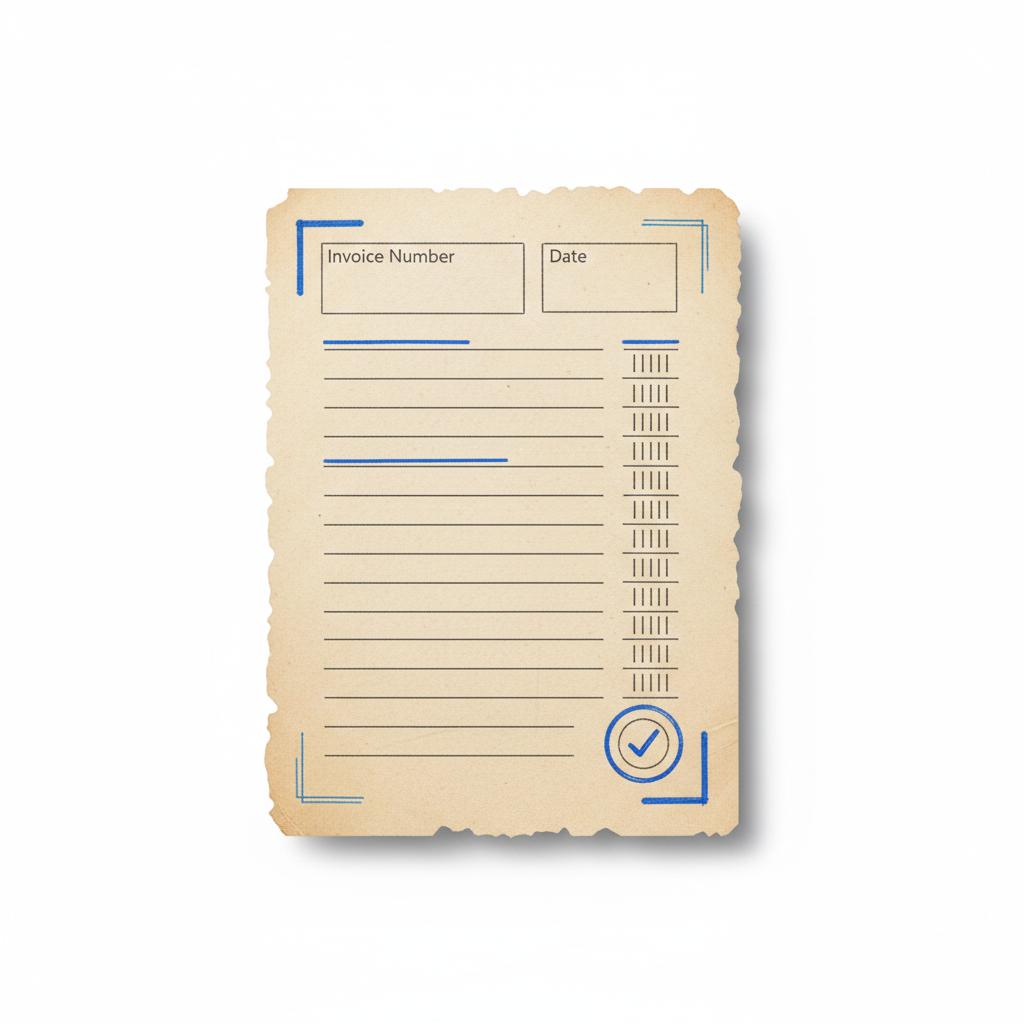
Invoices and payment history live in Ads Manager under Billing → Invoices or Payment history. A typical invoice includes invoice date, invoice number, transaction IDs, billed amount, taxes, and possibly a campaign-level breakdown.
Best practice: download each invoice, keep a mirrored record in a spreadsheet or accounting tool, and match transaction IDs to bank statements. When multiple stakeholders use the same account, add an internal charge code to each invoice for quick cross-referencing.
Sample reconciliation steps
1) Download invoice and note invoice number.
2) Match bank statement reference to the invoice transaction ID.
3) Add campaign or project code to your internal spreadsheet.
4) Archive invoice in a shared folder for procurement review.
Examples and realistic scenarios
Real cases clarify how to pay for X ads in everyday situations:
Scenario 1 — first campaign for a small business
A small bakery launches its first X campaign with a new card. The ad spends hit a low initial threshold and the card is charged. Later the owner replaces the expired card but forgets to update payment details — next billing event fails and campaigns pause. Fix: add the new card, mark it as primary, and ask Ads Manager to retry the charge. Delivery usually resumes quickly once a successful payment posts.
Scenario 2 — agency with consolidated monthly billing
An agency managing multiple clients applies for invoicing, passes underwriting, and receives net-30 billing. The agency receives a single invoice with campaign-level details and pays by bank transfer, simplifying accounting across client accounts.
Scenario 3 — PayPal for flexible card rotation
In supported regions, an advertiser connects PayPal and uses it to pay rather than storing multiple card numbers on the ad platform. This keeps card details off the platform and can reduce admin for accounts that rotate payment sources.
Regional quirks and currency issues
How to pay for X ads depends in part on where the ad account is registered. X usually bills in the local currency of the account country. If you use a card issued in another currency, your bank will apply a conversion and may charge a foreign transaction fee. Repeated declines caused by currency mismatches can often be solved by using a card issued in the ad account’s country or by moving to invoiced billing if eligible.
Some local payment methods or wallets are supported in select countries only. Check Ads Manager under Payment methods to see what’s available for your account.
Refunds and disputes — what to expect
If you suspect an incorrect charge or delivery discrepancy, open a billing dispute through Ads Support. X reviews account activity and typically issues a credit to the original payment method if a refund is warranted. Hold documentation — screenshots of campaign settings, date/time records, and any notices — to support your claim.
Refund timing varies. Credits sometimes post quickly; other times bank processing or investigation delay the refund. If the original payment method is no longer active, the refund can take longer to route.
Practical policies and habits that reduce surprises
After years managing ads for clients, a few habits consistently remove friction. They make paying for X ads smoother and keep campaign delivery steady:
Maintenance habits: keep at least two payment methods active, confirm billing addresses exactly match bank records, download and archive invoices, and notify procurement when invoicing is pending. For agencies, maintain internal charge codes to map invoices to client accounts.
Scaling tip: if you plan to increase spend, contact Ads Support early to discuss invoicing eligibility – a conversation now avoids a cash-flow scramble later.
If you want a quick, practical hand to set up clean billing or prepare your finance team for monthly reconciliation, Agency VISIBLE can help — reach out to the Agency VISIBLE team for a short consultation and a billing checklist tailored to your workflows.
Advanced troubleshooting checklist
If a charge fails and you need to get campaigns running quickly, work through these steps in order:
1) Open Ads Manager and note the decline reason.
2) Add or update a payment method (primary + backup).
3) Confirm billing address formatting matches bank records.
4) Call your card issuer with date, amount and transaction reference to confirm there’s no block.
5) If currency or country seems to be the issue, try a locally issued card or request invoicing.
6) If none of the above fixes it, open a billing dispute with Ads Support and provide documentation.
Finance-friendly email templates
Two quick templates you can send to speed the process:
To your bank
Subject: Please confirm authorized charge to X Ads
Body: Hello — my payment to X (Twitter) Ads for account ending XXXX was declined due to suspected fraud. This is an authorized charge. Please confirm and enable the payment for amount $XXX. Thank you.
To Ads Support
Subject: Billing decline and request to retry charge
Body: Hi — our ad account XXXX had a declined charge on [date]. We updated the payment method and request a retry of the charge. Attached: screenshot of payment method, two recent campaign activity screenshots, and the bank reference if available. Please advise next steps.
How agencies should organize invoicing and client billing
Agencies benefit from standard operating procedures that map platform invoices to client billing. Here’s a short structure you can adopt:
Agency invoice mapping: create a master spreadsheet with invoice number, invoice date, transaction ID, client name, campaign name, internal charge code, and payment status. That single source of truth prevents disputes and accelerates client invoicing.
Why agencies can win on invoicing
For agencies, invoicing often beats charge-by-card because it consolidates spend, fits procurement cycles, and reduces reconciliation work. If you manage multiple accounts, applying for invoicing through Ads Support is usually worth the time spent in underwriting.
Checklist: What to do right now if your campaign paused for payment
1) Log into Ads Manager and open Billing → Payment methods.
2) Add or set a backup card as primary.
3) Check your email for decline notices and follow the suggested next steps.
4) Call the card issuer if you see a bank block.
5) If you expect a refund, open a dispute in Ads Support and gather evidence.
When to consider a different platform or payment approach
If your business model requires payment flexibility — for example, paying from a central corporate account across many countries — invoicing or bank transfer terms from X are usually the best solution. If those aren’t available, consider working with a partner or agency that can centralize billing and manage local payment friction on your behalf. You can also review Agency VISIBLE’s projects to see examples of how teams centralize billing for multi-country setups.
A gentle comparison
Compared to stored-card billing, invoicing is better for predictable cash flow and simpler accounting. If you prefer not to store cards, PayPal (in supported regions) is often a close second. When weighing options, remember that some solutions are about convenience (cards, PayPal) and others are about scale and process (invoicing).
Add a working backup payment method in Ads Manager, call your bank with the transaction reference to clear any block, and request that Ads Manager retry the charge — that sequence usually restores delivery within minutes to a few hours.
Quick FAQ (short answers you can copy)
Can I pay for X ads with PayPal? In some regions, yes — check Ads Manager → Payment methods to confirm.
How do billing thresholds work? Your account is billed when it reaches a threshold or at the end of the billing cycle; thresholds increase with a history of successful payments.
How do I get invoicing? Apply through Ads Support or your account rep; underwriting and credit checks are typical.
Final best practices — a short, practical list
1) Maintain at least two payment methods.
2) Match your billing address to the bank exactly.
3) Download and file invoices after each billing event.
4) If scaling, discuss invoicing early.
5) Keep simple internal codes to map invoices to campaigns.
Why these habits matter
They cut interruptions, make reconciliation fast, and reduce the time your team spends chasing payment issues. That adds up to more time optimizing campaigns and less time troubleshooting.
Closing resources and where to check for updates
Billing rules, payment options and invoicing eligibility change over time and by region. Always verify your account-specific information in Ads Manager and consult Ads Support if something looks off. For handling billing setup or preparing your team for monthly reconciliation, consider a short consultation with a specialist — it can save hours of confusion and prevent costly pauses. Learn more on our homepage or reach out via the contact page for a focused walkthrough.
Need hands-on help?
If your team would prefer a practical walk-through rather than figuring this out alone, Agency VISIBLE offers short, focused assistance to map billing flows and prepare procurement for invoicing conversations. That kind of help is designed to be tactical and non-salesy — a quick way to quiet billing anxiety and keep campaigns humming.
Ready to make billing painless?
Ready to make billing painless? Get a short, practical consultation to tidy up payment methods and invoicing so you can stop worrying about pauses and focus on performance. Schedule a consult with Agency VISIBLE.
Parting practical thought
Billing is the quiet infrastructure behind every successful ad. Keep payment methods tidy, document invoices, and don’t let a simple card expiry become a campaign emergency. With a few maintenance habits, paying for X ads becomes a predictable operational task – not a daily worry.
PayPal is supported in some countries and account types, but not everywhere. Check Ads Manager → Payment methods to see if PayPal is available for your account. If it is, you can link PayPal and use it as a payment method; if not, cards or invoicing are the usual alternatives.
Most declines result from an expired card, billing address mismatch, insufficient funds, a block by your issuing bank, or currency/country differences. Check Ads Manager for the decline reason, add or update a payment method immediately, and contact your bank if the card appears valid.
Invoicing is an approved option for qualifying advertisers. Apply through Ads Support or your account representative, complete underwriting and any credit checks, and agree to payment terms (often net-30). Large advertisers, agencies and organizations with procurement processes are the likeliest candidates for invoicing.
References
- https://business.x.com/en/help/account-setup/billing-basics
- https://www.paypal.com/ma/cshelp/article/current-form-1099-k-reporting-thresholds-2025-update-help1131?locale.x=en_MA
- https://bluegiftdigital.com/what-twitter-x-features-automated-billing-2/
- https://agencyvisible.com/contact/
- https://agencyvisible.com/
- https://agencyvisible.com/projects/





