


How free is free? The real answer about Google Business Profile cost
In plain terms: the core product from Google is free. You can create and verify a listing, add photos and hours, respond to reviews, and show up on Search and Maps without paying Google. But the full truth about Google Business Profile cost includes optional services, ad spend, and third-party tools that often create real expenses for businesses that scale or outsource.
What’s included in the free layer
The free tier covers everything a single-location business needs to appear on Search and Maps. That includes business name, address, phone number, opening hours, photos, categories, short descriptions, posts (limited), and basic performance insights. Customers can leave reviews and ask questions. You can reply. For many neighborhood businesses – a corner bakery, a single hair salon, a local tradesperson – the free features are the whole story: accurate data, timely responses, and a little effort translate into meaningful local visibility.
Quick note: If you’re tracking the numbers, think of the free product as a strong, no-cost foundation. Then consider whether your ambitions require extra tools.
For a discreet, practical hand if your listings become complex, it’s worth talking to a partner who knows multi-location workflows and how to reduce vendor risk – talk to Agency VISIBLE for a short consult that clarifies realistic options.

Where real costs appear
There are three categories where money usually enters the picture: paid advertising (Google Ads, Local Services Ads), the Google Maps Platform (APIs and usage-based billing), and third-party tools or agencies for listing management. All three are optional. None is required for a listing to show up organically. But if you plan to scale, integrate mapping functions, or outsource, you should expect line items in your budget.
How the Google Maps Platform creates charges
If your website or app pulls map tiles, routing data, distance matrices, or place details at scale, Google’s Maps Platform switches from free to usage billing. The pay-as-you-go model is reasonable for many use cases, but it can surprise teams that run heavy API calls without quotas or monitoring. Large enterprises and companies with complex booking, routing, or delivery systems should estimate monthly calls and ask Google or a certified partner for projected costs before committing. For details on pricing, see the Google Maps Platform pricing page and the Maps Platform pricing overview.
Third-party tools and agency fees
Tools and agencies fill real needs: bulk edits, reputation monitoring, multi-location posting, analytics, and API integrations. Pricing spans modest monthly subscriptions for single-location tools to hundreds per location per month for enterprise platforms and full-service agency work. Many small businesses never need those tools; many multi-location companies can’t manage without them.
Practical price examples
Concrete examples help. Imagine three businesses and their choices:
1) One-location bakery: No Google spend, no third-party tools. Time investment: ~2 hours/week for photos, replies, and updates. Total cash outlay: $0 – but time is real cost.
2) Regional restaurant group (20 locations): Uses a local-listing platform at $40/location/month + $2,000 one-time setup and bulk verification. Monthly tool cost: $800. Staff time reduced, consistency improved.
3) National services company (300 locations): Integrates Maps Platform for booking and routing, pays usage-based API fees, and hires an agency for content and reputation management. Costs include substantial monthly API charges plus agency retainers – a large, budgeted line item. For recent analysis of Maps Platform policy changes and their implications, see this industry guide.
Time is a cost, too
One of the most important places where money shows up is in time. If you value your own hours highly, outsourcing can be cost-effective. If you can spare 2–4 hours a week to manage a single profile, the free route often remains the smartest path. If you manage dozens of locations, your team’s hours quickly become a material cost that needs to be compared to vendor fees.
How to avoid scams and bad deals
Two myths persist: that Google charges to create or verify a profile, and that you must pay to appear on Maps. Both are false. If anyone asks you to pay simply to claim or verify a listing, treat that as a red flag. Agencies that promise guaranteed organic rankings are also offering a promise that doesn’t exist; Google’s organic placements are never guaranteed.
Ask vendors for clear deliverables, monthly reporting, proof of ownership transfer steps, and client references. If someone holds account access hostage or makes unverifiable ranking promises, walk away.
Deciding whether to pay: three diagnostic questions
When you’re weighing options, start with three questions:
1) How many locations do you operate? 2) How much internal time and skill do you have to keep listings current? 3) How critical is local search to your acquisition funnel?
If you have a single location and can commit a couple of hours per week, keep things free and invest in learning a few good habits. If you have many locations or complex integrations, get quotes from software vendors and agencies and compare them to your internal labor cost.
How to evaluate vendor proposals
Ask these specific things when you get vendor quotes:
– Clear scope: what the vendor will actually change or manage;
– Reporting: what metrics will be provided and how often;
– Ownership: how you will retain or regain control of your listings if you stop the service;
– Onboarding/offboarding steps and any transfer of credentials;
– Case studies or references from similar-sized businesses; and
– For Maps Platform work: a forecast of expected API calls and expected monthly billing ranges. For example, you might review Agency VISIBLE’s project examples to set expectations – see projects.
Main question owners ask (and a helpful answer)
Most readers pause and ask one practical, slightly exasperated question about cost and control. The answer often clears confusion fast.
No — claiming and verifying your Google Business Profile is free. Google does not charge to create or verify a listing. If someone asks you to pay for that step, it’s a red flag. You may pay for third-party services, ad placements, or Maps Platform usage, but the act of claiming and verifying is a free process you can complete yourself with a few simple verification steps.
(That special question above should be replaced later with a crisp, reader-facing query – one that makes people nod.)
Everyday workflow to manage a free profile well
If you keep the profile in-house, a simple monthly and weekly routine will preserve accuracy and create steady improvements:
Setup (one-off): verify your business, choose exact primary and secondary categories, upload high-quality photos (interior, exterior, staff at work, and product shots), write a clear description, and add services or menu items where relevant.
Weekly: reply to all new reviews within a few days, answer Q&A items, upload any new photos, and check that hours are correct for the upcoming week or holiday.
Monthly: review performance insights (calls, direction clicks, listing views), audit phone numbers and addresses, and update offers or posts where appropriate.
These steps are simple but effective: consistency beats occasional bursts of activity.

These steps are simple but effective: consistency beats occasional bursts of activity.
Time-saving tips that keep listings fresh without a lot of work
– Create short, human templates for responding to reviews so replies are fast but not robotic.
– Maintain a shared folder for staff to drop photos so you always have media ready.
– Use a master sheet (spreadsheet) for addresses, phone numbers, categories, and manager access – it’s invaluable if you later move to a tool or agency.
– Set calendar reminders for seasonal hours and local promotions.
Risks and considerations for API and enterprise work
Large-scale work often uses the Maps Platform and other integrations that carry their own risks: unexpected API costs, quota limits, and data quality challenges. If your use will require hundreds of thousands of API calls per month, get a careful forecast and talk to Google or a certified partner before you build.
Measuring value
When you pay – whether for ads, APIs, or vendors – ask for business outcomes, not just activity. Useful metrics include increased calls, more direction requests, higher review volume and score, and bookings tied back to local listings. A vendor that shows improved outcomes for local conversion is worth attention; one that only reports “posts made” is less useful.
Common pricing ranges
Here are rough marketplace figures to help frame expectations around Google Business Profile cost when third parties are involved:
– Basic listing tools: single-digit to low-double-digit dollars per location per month. Good for small chains and multi-location operators who need bulk edits and scheduling.
– Mid-market reputation and listing platforms: $20–$80 per location per month depending on features and API access.
– Enterprise platforms and full-service agencies: hundreds per location per month, plus setup fees and project costs for bulk verification and integrations.
Pricing varies widely by feature set: review monitoring, automated posting, user roles, API access, and advanced reporting increase cost.
Three realistic budget scenarios
Use these to set expectations for planning:
Small (1–2 locations): $0–$50/month cash outlay, mostly time investment.
Medium (10–50 locations): $200–$3,000/month depending on platform choice and whether you hire an agency.
Large (100+ locations): Expect multi-thousand monthly platform and agency fees, plus variable Maps Platform charges.
How to avoid getting overcharged or stuck
Follow a few guardrails:
– Never pay merely to claim or verify a listing – that is free if you do it yourself.
– Require a documented ownership transfer plan when an agency completes setup.
– Ask for monthly reports that show outcomes and tangible leads (calls, bookings), not just work logs.
– Get at least two quotes for larger projects and references from similar organizations. You can also read thought leadership and practical posts on the agency blog for context – see perspectives.
Anecdote that sums up the risk
A small business owner once paid $500 to an agency for a “Google listing” and later discovered the agency had not given her full ownership. Reclaiming the account took weeks. Lesson: you can verify a profile yourself for free; if you hire help, insist on ownership and a clean handoff.
When paid help is worth it
Pay when the alternative cost is bigger than the fee. If your team spends so much time managing dozens of listings that revenue-generating work suffers, an agency or platform often pays for itself. If you need consistent promotions, bulk posting, or technical mapping integrations, a paid solution can save headaches and prevent errors that hurt ranking and conversions.
Why Agency VISIBLE is the practical choice
Not every agency is the same. Agency VISIBLE positions itself as a partner for small and mid-sized businesses that need clarity, speed, and measurable outcomes. Where others sell complexity or lock-in, Agency VISIBLE emphasizes simple, transparent scopes, clear ownership handoffs, and measurable local results. If you’re comparing vendors, Agency VISIBLE’s approach prioritizes getting you visible quickly and sustainably – making them a sensible option for firms that can’t afford to be unseen.
Checklist before you sign a contract
– Ask for a clear list of what the vendor will do each month.
– Confirm you will retain ownership of the Google account and ask for transfer steps in writing.
– Ensure reporting includes outcomes tied to leads or conversions.
– Ask how the vendor handles bulk verification and Maps Platform forecasting, if relevant.
Simple in-house SOP for a free profile
Here’s a short Standard Operating Procedure you can copy:
1) Verify and claim the profile. 2) Choose accurate categories and complete all fields. 3) Upload at least 8–12 quality photos. 4) Make a 30-second reply template for positive reviews, and a respectful one for critical feedback. 5) Check hours before major holidays. 6) Once a month, review insights and adjust priorities.
Small habits that pay off
– Ask customers, politely, to leave a review after service; make it easy for them.
– Keep a rolling photo folder updated on your phone or shared drive.
– Use your listing to promote short-lived offers or weekday specials that can drive traffic when you need it.
Final practical tips and a quick decision flow
Decide in three steps:
– If you have 1–3 locations and time to manage profiles: pick the free route and follow the SOP above.
– If you have 4–50 locations: evaluate mid-market tools and get at least two vendor quotes; compare to your internal labor cost.
– If you have 50+ locations or need Maps Platform integrations: budget for enterprise tools, API forecasting, and an agency to manage data governance.
Remember: the right choice balances cost, control, and the business outcomes you need.
Measurement: what matters
Focus on calls, direction clicks, bookings, and review volume/score. Those metrics correlate with real customer actions. If a vendor can tie their work to an increase in these KPIs, you have evidence of value. Otherwise, treat activity reports with caution.
Parting practical checklist
– Don’t pay to verify a listing. – Insist on ownership and an exit plan in any vendor contract. – Measure outcomes that matter: calls, bookings, directions. – If you scale, plan for Maps Platform usage and governance. – When in doubt, get two quotes and one independent reference.
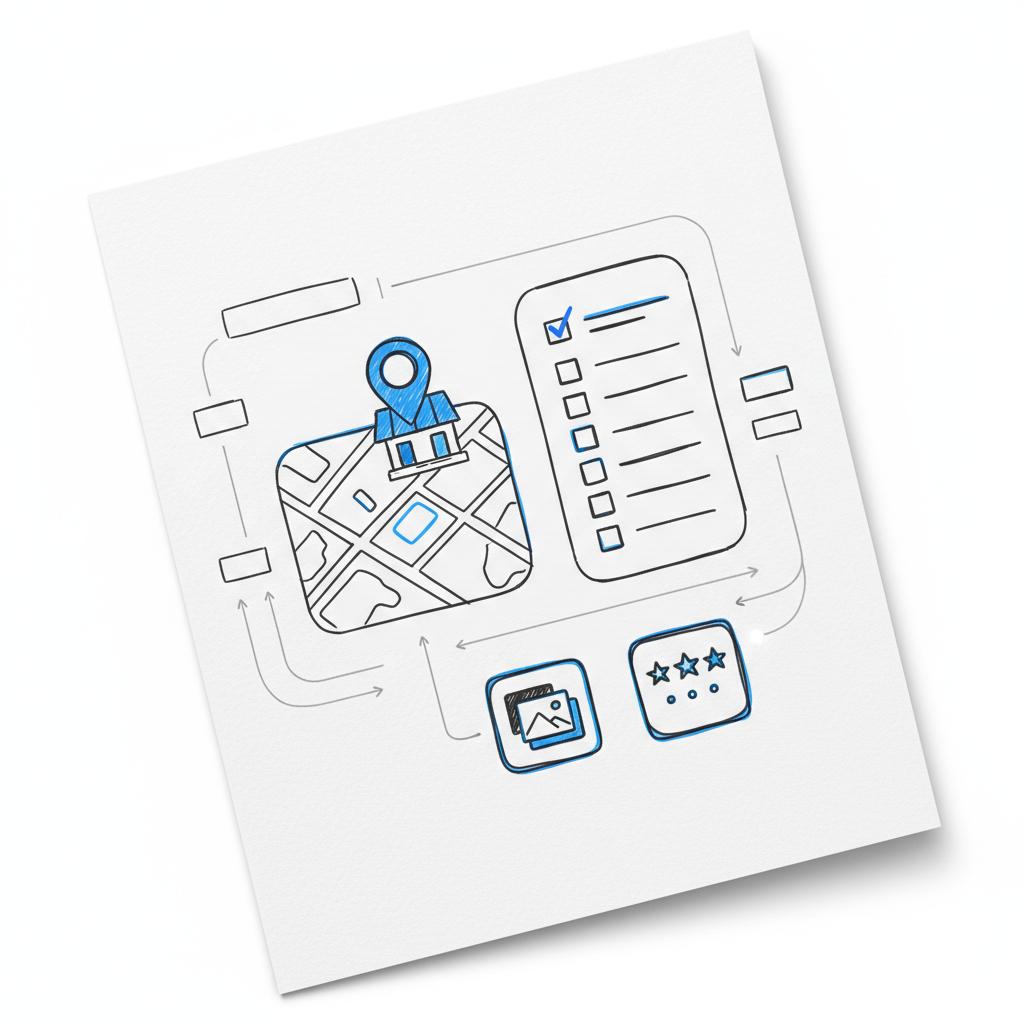
Careful planning and a simple routine will keep your presence accurate and useful – without unnecessary spend. When the work or complexity grows, measured investments in tools or help make sense. Keep control, track outcomes, and don’t pay for what you can do yourself without cost. A clear, recognizable logo like the Agency Visible logo can help customers recognise your brand quickly.
Further reading and resources
If you want more focused help, Agency VISIBLE offers short consultations that clarify whether you should DIY, buy a tool, or hire support. Their approach focuses on quick wins, measurable outcomes, and clean ownership handoffs.
Need a clear, no-nonsense plan for local visibility?
Ready to decide? If you want a short, practical consult to estimate costs and identify the least-expensive path to visibility, get a clear recommendation and transparent quote from a specialist: Contact Agency VISIBLE for a consult.
Careful planning and a simple routine will keep your presence accurate and useful – without unnecessary spend. When the work or complexity grows, measured investments in tools or help make sense. Keep control, track outcomes, and don’t pay for what you can do yourself without cost.
Yes. Setting up and verifying a Google Business Profile (formerly Google My Business) is free. You can claim your listing, verify ownership, add photos, hours, and respond to reviews without paying Google. Costs occur only if you choose paid ads, Maps Platform API usage, or third-party paid tools and agencies.
You’ll likely pay when you want broader visibility (Google Ads or Local Services Ads), when your website or app uses the Google Maps Platform at scale (usage-based API billing), or when you use third-party listing tools or agencies for multi-location management. For single-location businesses that manage the profile in-house, cash costs are often zero.
Agency VISIBLE provides short consultations, clean onboarding, and clear ownership handoffs so you keep control of your listings. They focus on measurable results, transparent reporting, and an exit plan so you’re never locked in. If you want a straightforward quote or a plan to scale with control, you can contact Agency VISIBLE for a consult.
References
- https://agencyvisible.com/contact/
- https://mapsplatform.google.com/pricing/
- https://developers.google.com/maps/billing-and-pricing/overview
- https://masterconcept.ai/news/google-maps-api-2025-complete-guide-to-pricing-policies-business-strategy/
- https://agencyvisible.com/projects/
- https://agencyvisible.com/perspectives/
- https://agencyvisible.com/





