


If you run a cleaning company, one simple fact is unavoidable: people looking for cleaners reach for Google first. They type on a phone, open Google Maps, or search from a laptop when they need someone fast. A well-managed Google Business Profile is the single most powerful free tool you can use to be seen there. It’s a public front door that can turn a quick search into a phone call, a booked job, or a long-term client.
Claim, verify and own your profile – the first steps
The first practical move is to claim or create your Google Business Profile. If Google already has a listing for your business, claiming it is usually faster than starting from scratch. When you claim a profile you get control to edit the business name, services, photos, hours, and contact options. When you create a new profile you enter the same information and then complete verification.
Choose the right primary category. For most cleaning companies the primary category will be “Cleaning service,” or a close variant like “Carpet cleaning service” or “House cleaning service.” The primary category tells Google what you do and helps match your profile to the right queries. If you offer many services, pick the most central category first and then add others in the services area.
Verify your profile. Verification confirms the business is real and that you have the right to manage the listing. Google commonly uses a postcard with a code sent to a business address, but phone, email, and video verification are sometimes available. Service-area businesses—where you go to customers—must be careful not to set a public storefront address if you don’t actually welcome customers there. Instead, tell Google the area you serve and follow the verification steps it offers. For official guidance on verification options see Google’s verify your business page: https://support.google.com/business/answer/7107242?hl=en, and for details on video verification methods see this walkthrough: https://www.housecallpro.com/resources/how-to-verify-google-business-profile/.

Service-area business setup: common pitfalls and fixes
Many cleaning teams are service-area businesses. That means you travel to clients rather than customers visiting a shop. Google lets you hide your physical address and define a service area instead – use that feature. Enter the cities, postal codes, or a radius you cover. Do not place a public business address unless you truly have a public shop or office that clients visit. A visible address when none exists can confuse customers and trigger penalties.
Resist the temptation to use a home address because it’s convenient; a home address can reduce trust and mess up local search results. If you work from home and don’t receive customers there, hide the address and define the area you visit.
If you’d rather have the technical setup handled for you, a friendly option is contact Agency VISIBLE — they work quietly with local service businesses to claim and optimize profiles without unnecessary fuss.
Google commonly uses postcards with codes to verify listings, but depending on region and business type, phone, email or video verification may be available. Check the verification options within your Google Business Profile — sometimes faster methods are offered. If verification fails, gather documents like a business license or utility bill and retry or follow Google’s appeal steps.
Is a postcard the only way to verify a listing, or can I get fancy and use video? The short answer: Google uses multiple verification methods and in some regions video or phone verification is available. If postcard verification feels slow for your business model, check the verification options inside your profile; sometimes new, faster methods are rolled out and you may qualify.
Make the basics accurate and consistent: NAP is not optional
NAP stands for name, address, phone. These three simple items are the backbone of local visibility. Make sure the business name on your profile matches the name you use on invoices, your website, and directory listings. Use a local phone number if you have one, and avoid long campaign tracking numbers that confuse customers. If you do use tracking for ads, map those numbers back to the main number in your records.
Consistency across the web matters. Citations—mentions of your business name, address, and phone on other websites—help Google understand and trust your company. If a directory shows an old phone number or a misspelled name, fix it. The goal is not vanity; it’s creating clear, matching signals that say the same business appears everywhere.
Practical tips for NAP consistency
1) Keep a single source of truth: a short document listing your exact business name, the phone number you want public, and your service area. Use that same text when you fill directory forms.
2) If you change numbers or move, update the major directories first (Google, Facebook, key local sites), then work down the list. Some directories feed others, so fixing the big ones can cascade.
3) Avoid adding keywords to your legal business name. Use the profile’s service fields and description to explain what you do.
Tell people exactly what you do: services, prices and a plain description
Use the services and pricing fields on your Google Business Profile. For cleaners, common service entries include “recurring home cleaning,” “deep clean,” “move-out cleaning,” “office cleaning,” and “carpet shampoo.” Add short explanations so a potential client knows what to expect.
The business description is small but powerful. Write it like you would speak to a neighbor who asked what makes your company different. Say how long you’ve been in business, the types of cleaning you specialize in, and what your team promises. Use natural phrases people search for—like “house cleaning in [City]”—but don’t stuff keywords awkwardly.
Sample business description you can adapt
We’ve cleaned hundreds of homes and offices across [City]. Our team provides weekly and bi-weekly home cleaning, deep cleans, move-out services, and commercial janitorial work. All staff are background-checked and trained to use eco-friendly products when requested. We offer transparent pricing and same-week availability for emergency cleans. Call us or book online to get a free estimate.
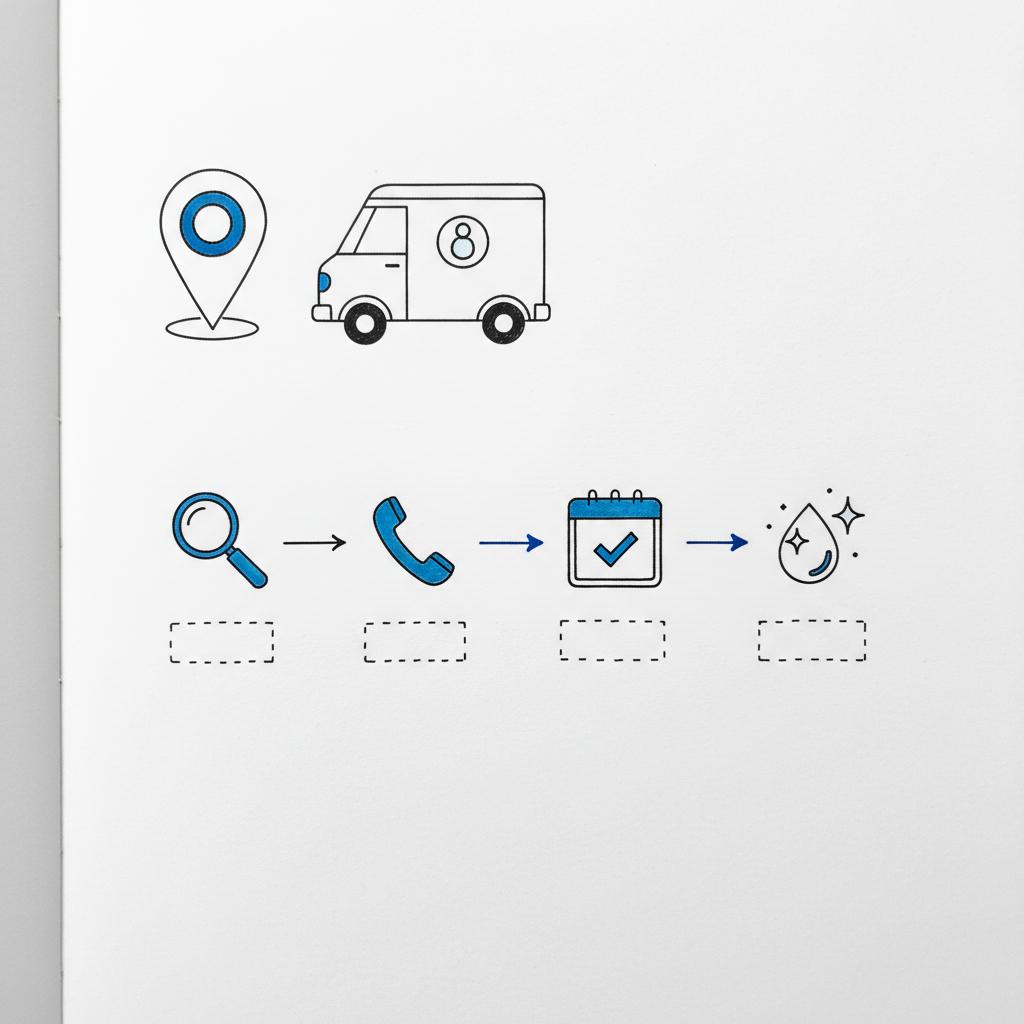
High-quality photos build trust. Show clean, well-lit images of your team at work, before-and-after shots, equipment, and a tidy vehicle with your logo. Short videos (20–60 seconds) feel immediate and human—a quick before-and-after clip or a short walkthrough of a deep clean helps people imagine your work in their home.
Captions help. Add a sentence or two that explains the image. Avoid staged stock photos—authentic images of real work win trust.
Photography checklist
– Use natural light where possible. Avoid harsh, direct flash.
– Take both wide shots (room overview) and detail shots (stains removed, sparkling fixtures).
– Show branded elements: uniforms, a clean van, a neat toolkit.
– Refresh photos seasonally or when a service offering changes.
Reviews: how to build a steady stream without being pushy
Reviews are one of the strongest signals Google uses for local ranking and are crucial for trust. The best approach: do great work, then ask for feedback. After a job, ask if the customer would leave a review and make it easy by sending a direct review link.
Here are short, ready-to-use templates you can adapt:
SMS review request
Hi [Name], thanks for letting us clean your home today. If you have a minute, would you mind leaving a quick Google review? Here’s a direct link: [insert review link]. Thanks so much — we really appreciate your feedback!
Email review request
Subject: Thanks for choosing [Business name] — quick favor?
Hi [Name], thanks again for booking with us. If you were happy with the job, would you mind leaving a short review on Google? It helps small businesses like ours a lot. Here’s the link: [insert review link]. Thank you!
Responding to reviews is as important as getting them. A timely and polite reply to a positive review reinforces loyalty. A calm, solution-focused reply to a negative review demonstrates professionalism. Don’t argue in public — acknowledge the concern, offer a solution, and invite the conversation offline.
Posts, booking links and turning visibility into action
Google Business Profile allows short posts and a booking link. Posts are a place to highlight promotions, seasonal offers or last-minute availability. Keep posts short and update them regularly so your profile looks active.
Get expert help claiming and optimizing your profile
Ready to stop waiting for customers to find you? If you want someone to handle claiming, verification and optimization for you, reach out to Agency VISIBLE and they’ll help link your profile to the right pages and tracking — no jargon, just results.
Measure what happens and use the data
Google’s Insights show how customers find and interact with your profile: how many people called, requested directions, clicked through or messaged you. Combine those reports with tagged links on your website so you can see what happens after a visit.
UTM tagging example for a deep-clean link:
https://yourcleaningcompany.com/deep-clean?utm_source=google&utm_medium=organic&utm_campaign=gbp_deepclean
Track click-through rates from the profile, calls, direction requests, and conversions such as booked appointments. Over time you’ll see patterns: some services may attract more calls but fewer online bookings; certain neighborhoods may deliver higher-value jobs. Use those insights to adjust offer times, pricing, and service focus.
Simple analytics checklist
– Add UTMs to GBP links so sessions show in your analytics.
– Monitor call volume in Insight reports and cross-check with any call-tracking logs.
– Compare which service pages convert best from GBP traffic.
– Test one change at a time: a new photo, a different service price, a fresh post — and measure the effect.
Pair the profile with your website and local citations
A Google Business Profile is not a substitute for a good local website. Google looks at both profile signals and website signals. For local ranking there are three main forces: relevance (you describe your services clearly), proximity (searcher location), and prominence (your web reputation – reviews, links, citations).
Your website should have clear service pages, local content, and LocalBusiness structured data. Structured data (schema) helps search engines understand details like your service area, hours and services. If you’re not technical, a developer or a common platform plugin can add it quickly.
Local citations tips
Maintain consistent listings across directories, chamber sites and local lists. If you move or change phone numbers, update the major aggregators first (Google, Facebook, main directories), then smaller sites. Aim for clarity and consistency — mismatched citations confuse both customers and Google.
What changed recently and why active management matters
In recent years Google moved more tools into Search and Maps and added more attributes – like contactless payment or eco-friendly cleaning – so filling those options can help your profile answer specific searches. Feature availability varies by region, so manage your profile actively. Profiles left unattended can slowly lose accuracy as hours change, services shift, and verification methods update.
A real-world example that shows the process
Maria, who runs a small cleaning company in a mid-sized town, claimed and refined her Google Business Profile. She spent an afternoon adding service descriptions, three high-quality photos, a short video showing a before-and-after kitchen clean, and a priced move-out cleaning option. She set the service area to the four nearby neighborhoods she served and attached a booking link from her scheduling software.
Within six weeks calls from new customers rose significantly and most calls came through the listing’s call button. Her tracked bookings showed move-out cleaning converted especially well. Repeat clients mentioned the before-and-after photos in reviews. Maria turned a free profile into a steady lead channel simply by being clear, consistent and active.
Common problems and how to avoid them
Sloppy NAP information is a frequent trap. A mistyped phone number can break tracking and confuse customers. Another mistake is failing verification or showing a home address when you don’t welcome customers there. That can limit visibility or lead to suspension. Overloading the business name with keywords is a mistake — use the real business name and put extra detail into the services and description fields.
Poor photos are surprisingly damaging. Cleaners sometimes assume customers don’t care, but images matter. Poorly lit or staged photos send the wrong message. Real photos taken with good light and care pay back in trust and bookings.
Troubleshooting quick tips
– If a listing is suspended, follow Google’s appeal process and gather documentation. For guidance on verification and appeals see this resource: https://get.nicejob.com/resources/how-to-verify-a-google-business-profile-and-appeal-a-suspension-in-2025.
– If verification fails, try the alternative method offered (phone, email or video) and ensure your service-area is correctly set.
– If duplicate listings exist, claim and merge or request removal to avoid confusion.
How to ask for reviews without sounding pushy
Ask in person when the client is happy, and follow up with a short message that thanks them and includes a review link. If you send invoices by email, add a gentle review request in the footer. Make leaving a review quick and sincere: say you value honest feedback because it helps you improve.
Handling negative reviews: answer publicly with warmth, offer a practical resolution and follow up privately. Sometimes resolving the issue leads to an updated review – and that outcome looks great to future customers.
Templates and scripts you can use today
Below are short scripts you can copy and adapt for SMS, email, and review responses. Keep them concise and human.
SMS follow-up after a job
Hi [Name] — thanks for having us today. If you were happy with the clean, could you leave a quick Google review here: [link]? It helps our small team a lot. — [Business name]
Positive review reply
Hi [Reviewer name], thank you so much for the kind words — we really appreciate it. We’re glad you liked the clean and look forward to helping again soon!
Negative review reply (public)
Hi [Reviewer name], we’re sorry to hear about this. We take concerns seriously — please call us at [phone] or email [email] so we can make this right. We’ll follow up directly and work on a solution.
Extra optimization tactics that actually work
– Use attributes thoughtfully: if you offer contactless payment, eco-friendly cleaning, or background-checked staff, mark those attributes.
– Add service-specific photos so searchers see examples of the work you promote.
– Keep at least one fresh post every two weeks to show activity.
– If you run promotions, use posts with clear dates and a simple booking link.
Regional quirks and verification notes
Verification and features vary by country and by business type. Video verification or phone verification might be available where postcards are not. Some attributes appear regionally. If you can’t find a feature, check Google’s support pages for your country and watch your profile area in Search or Maps for prompts.
When to call in outside help
Many cleaning companies handle the profile themselves with success. If you run multiple locations, have a suspended listing, or want help tying the profile to a site migration or local campaign, a specialist can save time. Agency VISIBLE, for example, helps small service businesses keep profiles accurate and connect listings to the right website pages and tracking so you know what works. See examples of their work at https://agencyvisible.com/projects/ if you want to review case studies before reaching out.
A gentle, step-by-step checklist you can follow this week
1) Claim or create your profile and start verification.
2) Choose the correct primary category and add secondary services.
3) Set your service area — don’t show a public address unless you have one.
4) Confirm NAP matches your website and main directories.
5) Add clear service descriptions and at least one price example.
6) Upload 3–6 high-quality photos and one short video.
7) Ask a recent happy client for a review and send the direct link.
8) Add booking or phone links and tag profile links with UTM parameters.
9) Check Insights after two weeks and note which actions drive calls or clicks.
10) Repeat small updates monthly — new photos, a fresh post, or a short promotion.
UTM examples and what to track
If you add links from your profile to specific service pages, tag them:
Example for deep clean:
https://yourcleaningcompany.com/deep-clean?utm_source=google&utm_medium=organic&utm_campaign=gbp_deepclean
Track these items: click-throughs, calls (and call duration if possible), direction requests, and completed bookings. Over time you’ll see which services and neighborhoods produce the best returns.
Final practical notes
There is no magic formula for being first on Maps. But there is a clear set of practical steps that add up: claim and verify, be accurate, show what you do, collect reviews, and measure results. Small, steady actions build a profile that consistently delivers calls and bookings.
Quick recap
If you take three focused actions this week — claim/verify your listing, add three photos, and post a short description — you’ll already be ahead of many competitors. Over time, keep the profile active: respond to reviews, update prices when needed, and track which pages win customers. That steady care turns small tasks into steady growth.
Good luck — and remember: being visible on Google and Maps is a process, not a one-off. Keep your profile honest, useful, and easy to act on, and people will find you when they need a cleaner.
Verification usually starts with Google sending a postcard with a code to your listed address, but phone, email, or video verification may be available in some regions. If you’re a service-area business, hide your home address and follow the service-area verification steps Google provides. If a verification method fails, check Google’s prompts, gather supporting documents (like utility bills or business registration), and retry or request alternative verification.
Add high-quality, authentic photos: wide room shots, close-ups of before-and-after cleaning, a tidy branded vehicle or equipment, and a polished team shot if appropriate. Short 20–60 second videos showing a quick before-and-after or a walk-through of a job can be very effective. Use natural light where possible, write short captions for context, and avoid staged stock photos.
Yes — Agency VISIBLE offers services to claim, verify and optimize profiles for small service businesses. They also help link profiles to the right website pages and set up tracking so you can see what’s producing calls and bookings. If you prefer hands-off help, reach out via their contact page and ask for clear reporting on calls, clicks and conversions.
References
- https://support.google.com/business/answer/7107242?hl=en
- https://www.housecallpro.com/resources/how-to-verify-google-business-profile/
- https://get.nicejob.com/resources/how-to-verify-a-google-business-profile-and-appeal-a-suspension-in-2025
- https://agencyvisible.com/contact/
- https://agencyvisible.com/
- https://agencyvisible.com/projects/





