


What are GBP products and why they matter
Think of GBP product listings as the digital shelves of your local storefront. When someone finds your business on Google Maps or in the Knowledge Panel, clean product entries give that same instant clarity a customer gets walking into a shop: a photo, a price, a short description and a clear next step. That instant matters – because a clear listing reduces friction and increases the chance a browser becomes a buyer. Throughout this article you’ll find practical steps, examples and templates to add, optimize and measure GBP product listings for better local performance.
If you’ve ever asked “what are GBP products?”, the short answer is: sellable items shown directly on your Google Business Profile, designed to be browsed and clicked. They differ from Services and Posts because they represent discrete, purchasable or reservable items – like a boxed pastry, a wool sweater, or a branded travel mug – rather than an ongoing appointment or a short-lived announcement.
Tip: If you’d like an expert pair of eyes on a few live entries, ask Agency VISIBLE for a quick GBP product review. A short audit often finds fast wins – better photos, clearer pricing, or a stronger call-to-action that drives results.
How GBP product listings appear to customers
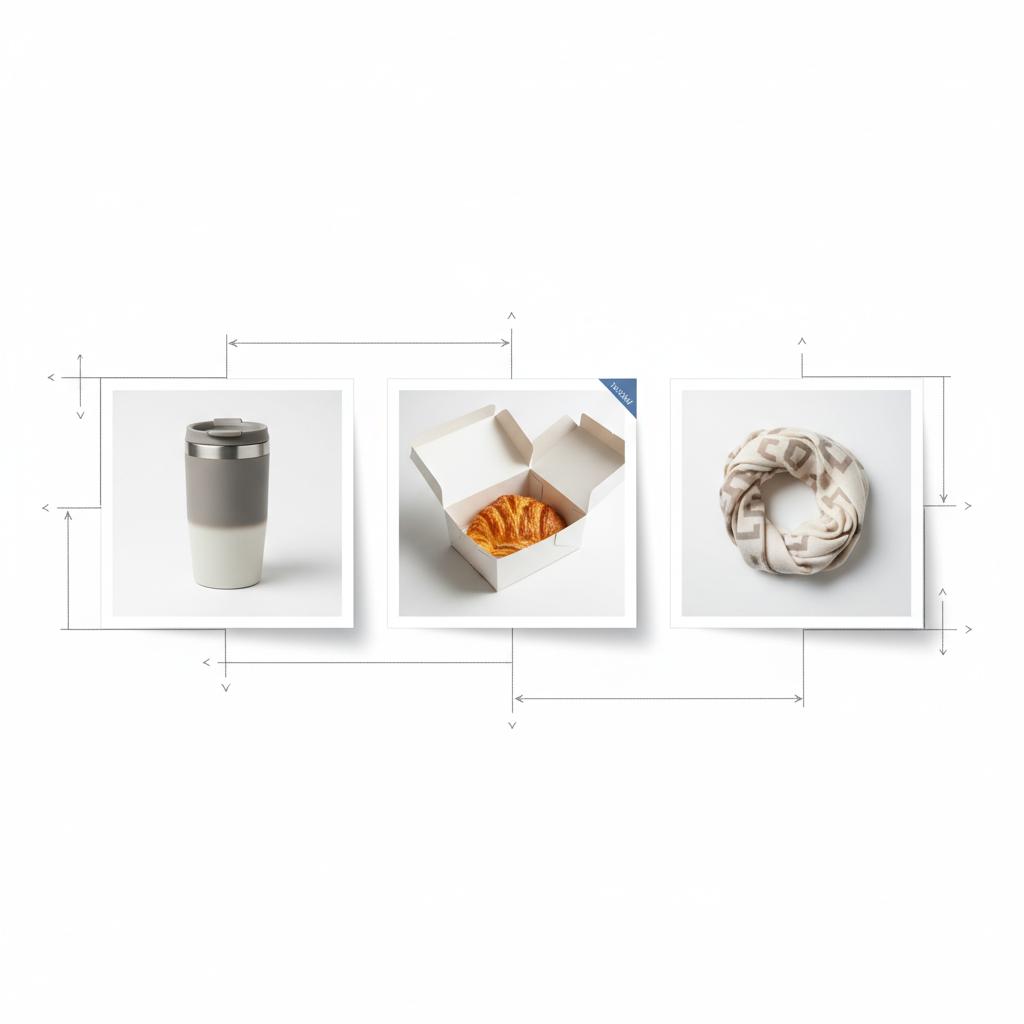
On Maps and in the Knowledge Panel, GBP product listings appear as cards or tiles that users can scroll through. Each entry can include a title, image, price (or price range), short description, collection/category and a CTA link. When set up correctly, these cards can prompt a click to a product page, a website visit, or an in-store visit – all from the local profile. A clear agency logo improves instant recognition.
Because they live on the profile, GBP product listings are uniquely positioned to capture local intent – people searching for “near me” or “open now” who are ready to visit or buy. That immediacy is why small retailers, cafés and hospitality operators treat these entries as direct routes to footfall or purchase.

Step-by-step: How to add products to Google Business Profile
Adding products is simple, but details matter. Follow this practical walkthrough to avoid the common mistakes that cost visibility.
1) Open your profile editor
On desktop or mobile, open the Google Business Profile editor and choose Edit profile. The product area is listed as Products. From there, you can create collections and add individual entries.
2) Create a collection
Collections are browsable groups like New Arrivals, Breakfast Specials or Gifts under $50. Collections help customers scan offerings quickly – use collections to mirror how your customers think about buying.
3) Add product details
For each product, add these core elements:
- Title: concise and descriptive (include a key attribute: color, flavor or size)
- Photo: square, clean background, 720–1024 px or larger
- Price or price range: be transparent to improve CTR
- Description: one or two lines answering the buyer’s top questions
- CTA link: destination page with UTM tracking so you can measure clicks
After saving, Google may review entries, so allow time for publication.
GBP products vs services: where to list what
The difference often comes down to whether the offering is a discrete item or an ongoing engagement. Use this rule of thumb:
- Products = single, purchasable items (bundles, merchandise, seasonal menu items)
- Services = time-based or appointment-driven offerings (classes, consultations, installations)
For instance, a bakery should list boxes of pastries as products, and wedding cake consultations as services. Correct placement reduces confusion and helps searchers find exactly what they need faster, which improves satisfaction and conversions from your profile.
Image and presentation best practices for GBP product listings
The photo is often the deciding factor in whether someone clicks or scrolls past. Follow these guidelines so your GBP product listings stand out:
- Upload a square image (720–1024 px or larger). Clean and crisp wins over highly styled images.
- Use a neutral background for single items; use lifestyle shots for bundles or context.
- Avoid promotional overlays, heavy text or clutter. Google may disapprove images with text overlays.
- Keep the subject centered and clearly visible at thumbnail size; tiny details don’t read on mobile.
Remember that file names and metadata matter more for Merchant Center and your site than for the GBP editor, but consistent naming and clean images keep your workflows tidy.
Writing titles and descriptions people actually read
Titles and descriptions should answer the buyer’s main question in a single glance. Here’s a simple formula you can copy:
Title: Product name – key attribute (e.g., color/size) – primary benefit
Description: One or two short sentences answering what it is, who it’s for, and any immediate logistics (pickup, shipping, allergens).
Examples you can reuse:
- Insulated Stainless Travel Mug – 16 oz – Keeps drinks hot for 6 hours
- Saturday Market Bouquet – Seasonal stems – Ready for pickup same day
- Leather Travel Wallet – Chestnut – Fits passports & cards
Keep tone human, imagine explaining the item to a neighbor over coffee, and avoid packing the title with keywords. Short, clear, honest works best and builds trust with customers and Google’s review systems.
Links, tracking and measuring GBP product clicks
A CTA link is only useful when you can see what happens after the click. Use UTM tags to isolate GBP-originated traffic in Google Analytics or your measurement tool. A straightforward UTM pattern is:
?utm_source=google&utm_medium=local&utm_campaign=gbp_products&utm_term=product-id
Replace product-id with a memorable slug like summer-mug-16oz. That way, when you look at referral traffic you can segment exactly which product entries drive visits and conversions.
Pair UTM-based website data with Google Business Profile Insights to get a fuller picture: GBP Insights will show clicks from the profile, calls and direction requests, while your analytics reveal on-site behavior and conversions. For practical guidance on tracking GBP performance, see this guide: Google Business Profile Optimization Guide for 2025.
Example UTM templates to copy
Use these examples as a starting point:
- Product page (purchase): https://yoursite.com/product/summer-mug?utm_source=google&utm_medium=local&utm_campaign=gbp_products&utm_term=summer-mug-16oz
- Pickup page: https://yoursite.com/pickup-info?utm_source=google&utm_medium=local&utm_campaign=gbp_products&utm_term=pickup
- Allergy/ingredient info: https://yoursite.com/pastry-info?utm_source=google&utm_medium=local&utm_campaign=gbp_products&utm_term=pastry-info
When to link Merchant Center and what changes
Linking Merchant Center doesn’t replace manual entries, but it unlocks broader distribution. When linked and approved, your products can appear across Google surfaces, enable local inventory ads, and sync inventory data automatically. For businesses that want cross-Google visibility, Merchant Center is worth the setup work.
Small shops with a handful of products may prefer manual GBP product listings for control and simplicity. Larger inventories or businesses that want Local Inventory Ads will benefit from Merchant Center feeds – but those feeds require ongoing maintenance, correct tax/shipping setup and adherence to Google policies.
Troubleshooting common GBP product listing issues
Problems with visibility or disapprovals are usually fixable with a methodical check:
- Allow time for review – new or changed items may take hours or a few days to appear.
- Check image policy – no text overlays, misleading visuals or prohibited content. For official guidance, see: Tips to improve your local ranking on Google.
- Confirm price consistency – mismatched prices between GBP and your site or POS can trigger flags.
- Verify Merchant Center link – if you expect cross-Google distribution, confirm the feed is approved and syncing.
- Resubmit – sometimes removing and re-adding the product prompts a faster review.
If you’re stuck, Google support and community forums can help, but response times vary. A community checklist with quick wins is available here: GBP Optimization & Local SEO Quick Wins Checklist.
What to expect from GBP interaction and performance data
GBP Insights show high-level signals – views, searches, clicks and direction requests. Merchant Center adds feed metrics, though how granular the data is depends on your account and enabled features. The most reliable view of conversions comes from combining UTM-tracked on-site behavior with GBP Insights and point-of-sale data.
Benchmarks are variable and not centrally published, so testing is the practical path: change an image, tweak the title, update the CTA, and compare weeks-to-weeks to see what moves the needle.
Practical examples and small-business playbook
Below are three realistic scenarios that show how GBP product listings turn searches into action. See similar work in our projects page for examples of local optimization.
Bookstore
A local bookstore highlights three new releases with close-up cover images, author names in the title, price and a CTA linking to the product page for in-store pickup. Shoppers on Maps reserve or reserve a copy; clear product data reduced calls and increased pick-ups.
Coffee shop
A coffee shop lists a seasonal pastry with a clean image, an allergy link, a price and a CTA to a pickup info page. This single listing clarified pickup windows and cut counter questions during the morning rush.
Boutique clothing store
Collections like Summer Dresses and Gifts under $50 let browsers scan and then click through to specific product pages. Showing the price and a simple photo increased click-throughs and reservations for hold-for-pickup.
Templates and writing examples you can copy
Use these quick templates to create fast, effective product entries for your GBP product listings:
- Title template: [Product name] – [Key attribute] – [Primary benefit]
- Description template: What it is, who it’s for, and one logistics note (pickup/shipping/size).
Sample entry:
Title: Ceramic Espresso Cup – 6 oz – Dishwasher safe
Description: Hand-glazed espresso cup, perfect for crema lovers. Available for same-day pickup; ships nationwide.
Legal & policy notes
Google reviews product listings and merchant feeds for compliance. Avoid unsubstantiated claims, restricted content, and make sure pricing aligns with your site or POS where required. Age-restricted or regulated items may need extra verification. If a listing is suspended, follow Google’s remediation steps carefully.
Emerging trends and what to watch in 2024-2025
Google continues to surface local product-level detail and integrate local inventories more deeply into discovery experiences and ads. Expect:
- More product-level visibility in Maps and Search
- Tighter integrations between Merchant Center and GBP for local discovery
- Gradually improving product-level analytics for local profiles
For now, maintain clean manual entries and consider Merchant Center where scale or ad formats justify the effort.
Checklist: Review before you publish
Run this quick checklist before uploading a batch of items:
- Image quality and size (square, 720–1024+ px)
- Concise, truthful titles
- Price matches web/POS
- CTA links include UTM parameters
- Products assigned to sensible collections
- Merchant Center feed approved (if used)
How to test and improve your GBP product listings
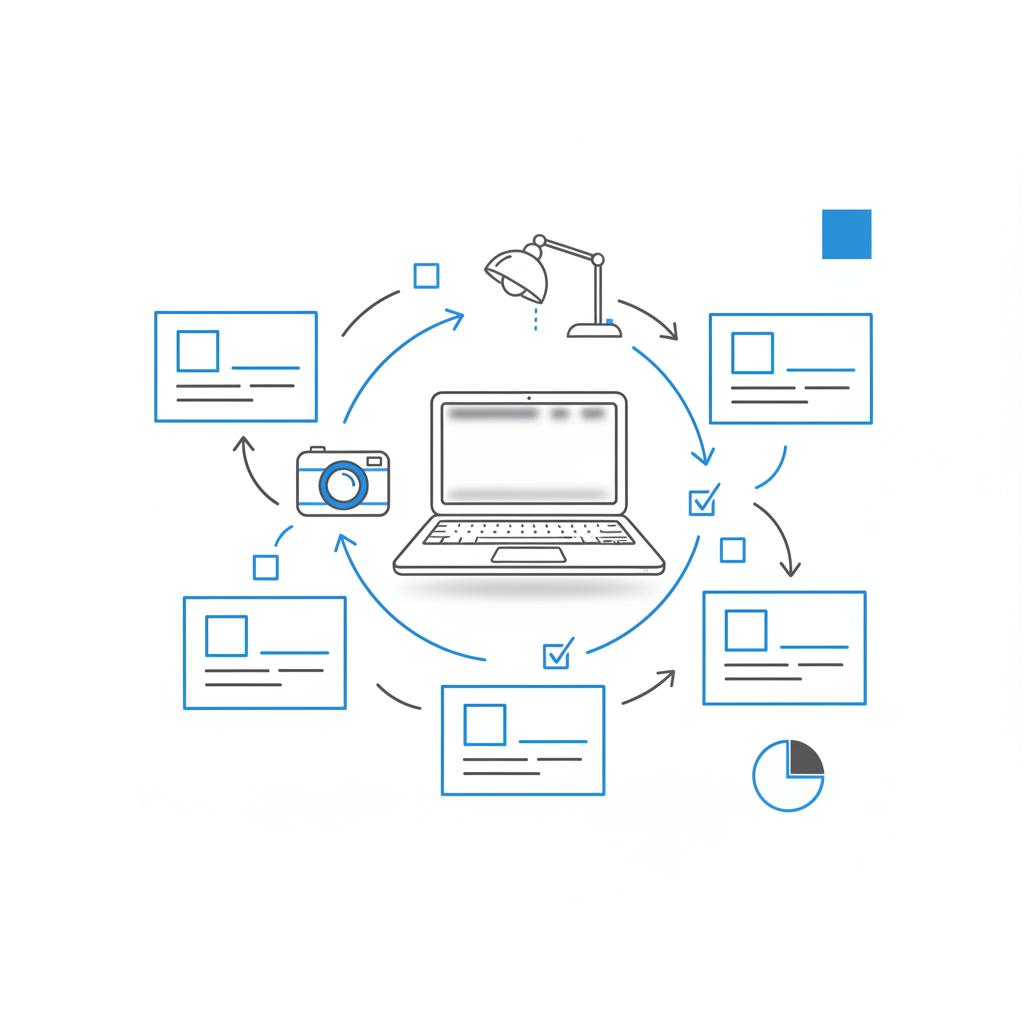
Testing helps you learn quickly. Try a simple A/B approach over two weeks:
- Control group: Keep current image and title for three products.
- Test group A: Swap to cleaner square images with same title.
- Test group B: Keep images but shorten titles and add a clear price in the title.
Compare clicks, on-site behavior (via UTM) and in-store conversions. Small, consistent changes often beat large, noisy ones.
Common questions businesses ask about GBP product listings
Here are concise answers to the questions we hear most often:
Are GBP product listings free?
Yes – adding products to your Google Business Profile is free. Some cross-Google features or ads that surface products more widely may require Merchant Center or paid formats.
Will GBP products replace my online store?
No. GBP product listings help locals find key items quickly and encourage visits or clicks. They complement an ecommerce store rather than replace it.
How long do product entries stay visible?
Manual product entries remain until you remove them. Feed-driven products in Merchant Center change as your feed or Google’s reviews run.
Swapping a low-quality or cluttered image for a clean, square, well-lit photo and ensuring a visible price on the product card. That combination reduces doubt, improves clarity at thumbnail size and prompts more clicks.
The single most frequent win is swapping a cluttered or low-resolution image for a clean, square, well-lit photo and adding a visible price. That combination reduces doubt and encourages the click.
Case study: a small shop that doubled clicks
A corner retailer updated three best-selling product entries: swapped to crisp square images, added visible prices, and added UTM-tagged CTA links to the product pages. Within a month, clicks from the profile doubled. The change was low effort – better photos and clearer prices – but the results were meaningful. This simple example is the same outcome we’ve replicated for other small clients when they focus on the basics.
Advanced tips for multi-location businesses
Multi-location brands should coordinate product titles and CTAs, but keep inventory and pickup/shipping details localized. If inventory varies by store, consider using Merchant Center feed attributes to sync local stock and avoid disappointing customers.
Measurement and attribution – making the data tell the truth
Combine UTM-tracked on-site metrics (sessions, add-to-carts, conversions) with GBP Insights (clicks, calls, directions). Where possible, stitch in point-of-sale data to quantify in-store conversions driven by profile clicks. Attribution will never be perfect, but layered measurement gives actionable signals.
Quick troubleshooting checklist
If a product is missing or disapproved, check these items in order:
- Policy notice in GBP dashboard or Merchant Center
- Image overlays or disallowed content
- Price mismatch between GBP and website/POS
- Merchant Center feed issues if linked
- Resave or re-add the product to prompt a new review
Final practical tips
Keep product entries focused, truthful and useful. Use clear photos, concise titles, visible pricing and UTM-tagged CTAs. Make small changes, measure the effect, and iterate. Over time these efforts compound: cleaner listings mean more clicks, clearer expectations, and happier customers.
Get a quick GBP product review and low-effort wins
Want help auditing your GBP product listings? Get a quick, practical review and a short list of low-effort wins that can increase clicks and visits – no hard sell, just clear advice. Contact Agency VISIBLE to request a short GBP product review.
One-page quick checklist you can copy
Before publishing, run this final list:
- Square images, good lighting
- Short, honest titles
- Visible price or price range
- One-line description with pickup/shipping note when relevant
- UTM-tagged CTA links
- Products grouped into intuitive collections
GBP product listings are a quiet but powerful way to make local search more useful. The investment is small, but the payoff can be immediate if you focus on clear images, honest pricing and measurable links.
Resources & next steps
Start by auditing three best-selling items. Update their photos, add visible prices, and add UTM-tagged CTA links. Monitor clicks and conversions for three weeks, then iterate. Small experiments lead to reliable gains.
Thanks for taking the time to make your local profile more helpful – clear product information makes search work for real people and real businesses.
No. You can add <b>GBP product listings</b> manually through the Google Business Profile editor without Merchant Center. Merchant Center becomes necessary when you want product-level discovery across multiple Google surfaces, Local Inventory Ads, or automated feed syncing. For small inventories, manual GBP entries are often simpler and effective; for larger inventories or ad-driven strategies, Merchant Center helps scale visibility.
Add UTM parameters to the CTA link in each product entry so your website analytics can isolate GBP traffic. A practical UTM pattern is: ?utm_source=google&utm_medium=local&utm_campaign=gbp_products&utm_term=product-id. Combine those analytics with Google Business Profile Insights (clicks, calls, directions) and point-of-sale data to assess real conversions from GBP product listings.
Yes—Agency VISIBLE offers practical reviews and simple edits for GBP product listings. A short audit typically finds low-effort wins like cleaner images, clearer pricing and UTM-tagged links that boost clicks. If you’d like a review, Agency VISIBLE can provide recommendations tailored to your profile and inventory.
References
- https://agencyvisible.com/contact/
- https://goodoil.marketing/blog/google-business-profile-optimization-guide-for-2025/
- https://support.google.com/business/answer/7091?hl=en
- https://www.reddit.com/r/localseo/comments/1h76q1s/gbp_optimization_local_seo_quick_wins_checklist/
- https://agencyvisible.com/projects/
- https://www.haleymarketing.com/2025/05/27/ultimate-guide-google-business-profile-optimization/





