


Can I run Google Ads on my own?
Many small business owners ask the same practical question: Can I run Google Ads on my own? The short, honest answer is: yes – but only if you’re willing to learn a few technical habits and treat advertising like a measurement system, not magic. This guide will walk you through what to expect, the skills that matter, a realistic timeline, budget guidance, common mistakes to avoid, and clear checkpoints so you can decide whether DIY Google Ads is the right path for your business.
Right away, here’s the essential idea: Google Ads is not just writing clever ads. It’s about pairing the right search terms with the right landing experience, tracking real outcomes, and iterating on what converts. If you can commit time and steady testing, managing your own campaigns is realistic. If you prefer to focus on customers and product, hiring help makes sense sooner – see this design approach for an example of aligning landing pages and ads effectively.
If you want a painless, measured way to get help without a full-time agency takeover, consider a quick technical audit or a setup consultation — for example, you can talk to Agency VISIBLE to clarify tracking, account structure, and early scaling steps. That kind of targeted help often keeps the owner in control while solving the most expensive problems fast.

Throughout this article I’ll use plain language and share the tested practices that separate campaigns that waste ad dollars from those that deliver steady leads. You can follow the checklist at the end and begin right away. A small agency logo often helps readers recognise the source.

Why this question matters
Running your own Google Ads is attractive. It promises lower costs, direct control of messaging, and fast changes. But it also carries risk: small errors in tracking, poor account structure, or sending traffic to the wrong page can turn a modest budget into a money pit. This guide helps you avoid those early, expensive mistakes by focusing on the few skills that matter most.
What success looks like when you take the DIY approach
Success looks different for every business. For some it’s “three qualified phone calls per week,” for others it’s “five demo requests per month.” The important part is that you can measure the outcome. When you can say with confidence that a click leads to a contact or sale, you can scale with less fear.
Many small advertisers who do DIY Google Ads well see clear signals in one to three months. Those signals are not vanity metrics like clicks; they are conversions you can count – phone calls, completed forms, purchases. If you don’t have conversion tracking, you’re flying blind. Fix that first.
Core skills you’ll need (and why they matter)
There are four skill areas that make the biggest difference when you decide to DIY Google Ads. Master these and you’ll save both time and budget.
1. Keyword research
Keyword research isn’t guesswork. It’s about matching the words searchers type with their intent. Use tools like Keyword Planner early, but treat the tool’s volume numbers as directional rather than gospel. The trick is to separate high-intent keywords (someone searching “emergency plumber near me” or “buy fencing installer” ) from casual queries (“landscaping ideas”). Focus most budget on high-intent queries first.
2. Bidding and budget management
Google’s auction determines cost per click. Learn how to set sensible bids and how automated bidding options work. Automated bidding can save time, but it needs enough conversion data to function well. When you have just a few conversions per week, conservative manual bidding or simple bid strategies can protect your budget while you collect data.
3. Tracking and analytics
This is the most important skill. Use Google Analytics 4 combined with Google Tag Manager and ensure your conversion events are firing correctly. Track form submissions, phone clicks, and purchase completions. Without reliable tracking, you cannot tell which keywords or ads actually produce customers. For a concise set of recommendations, see Google Tag Manager best practices and guidance on how to link GTM to Google Ads conversion tracking. For step-by-step conversion setup, this Google Ads conversion tracking guide is useful.
4. Conversion rate and landing page improvement
Your ad’s job is to bring a click. The landing page’s job is to convert that click into an action. If your landing page doesn’t match the ad intent or makes it hard to act, every click becomes more expensive. A few focused landing pages tailored to different services or audiences convert far better than one-size-fits-all homepages.
How long will it take to set up and maintain your campaigns?
Plan on 5 to 20+ hours for the initial setup, depending on how many services or products you advertise and whether tracking and landing pages already exist. After setup, expect to spend 2 to 8 hours per week on maintenance and testing. Smaller campaigns can require less time but also provide fewer signals for decision-making.
Initial setup tasks include:
- Clarify business goals and what counts as a conversion.
- Keyword research and sensible account structure.
- Conversion tracking set up with Tag Manager and Google Analytics 4.
- Draft ad copy and at least one focused landing page per core service.
Maintenance tasks you’ll repeat weekly
Weekly work is routine but important: review search terms and add negatives, pause poorly performing keywords, test new ad headlines, adjust bids, and check that conversions are still firing. This steady discipline is how DIY Google Ads becomes sustainable.
Practical budget guidance
There is no single correct budget. For meaningful learning, most small advertisers start at several hundred to a few thousand US dollars per month. The key is to buy enough clicks to see which keywords and ads actually produce customers.
Examples to illustrate:
- Local landscaper: $500–$1,500 over the first two months to gather clear signals on searches by intent and seasonality.
- B2B SaaS targeting enterprises: $5,000+ in the early phase to reach decision-makers and test messaging, because clicks and conversions are costlier.
Set a test budget that fits your risk tolerance but allows you to learn. If you test too small, you’ll never collect enough data to make confident decisions.
Common beginner mistakes and how to avoid them
These errors are frequent and expensive. Avoid them early.
1. Misusing match types and ignoring negative keywords
Treating broad match like exact intent is a common trap. Broad match can be useful, but pair it with smart negatives and close monitoring to avoid irrelevant clicks.
2. No or faulty conversion tracking
If you can’t measure conversions, you can’t optimize. Test your tracking rigorously. Submit forms yourself, click phone links, and use Tag Assistant or the real-time reports to confirm events fire.
3. Weak account structure
Your account should reflect business goals. Group keywords and ads by product or service so you can manage bids and messaging cleanly.
4. Sending traffic to a homepage
It’s easy to point ads at the homepage, but that usually reduces conversion rates. Create short, focused landing pages that match the search intent of the ad.
5. Skipping testing
Treat changes as experiments. Test one variable at a time and give it enough time to produce data. Small, repeated experiments beat big, random changes.
Technical essentials: tracking, tools, and account setup
You don’t need expensive software to begin. Start with Google Ads, Keyword Planner, Google Analytics 4, and Google Tag Manager. Add a reliable landing-page builder and a call-tracking solution if many leads come by phone.
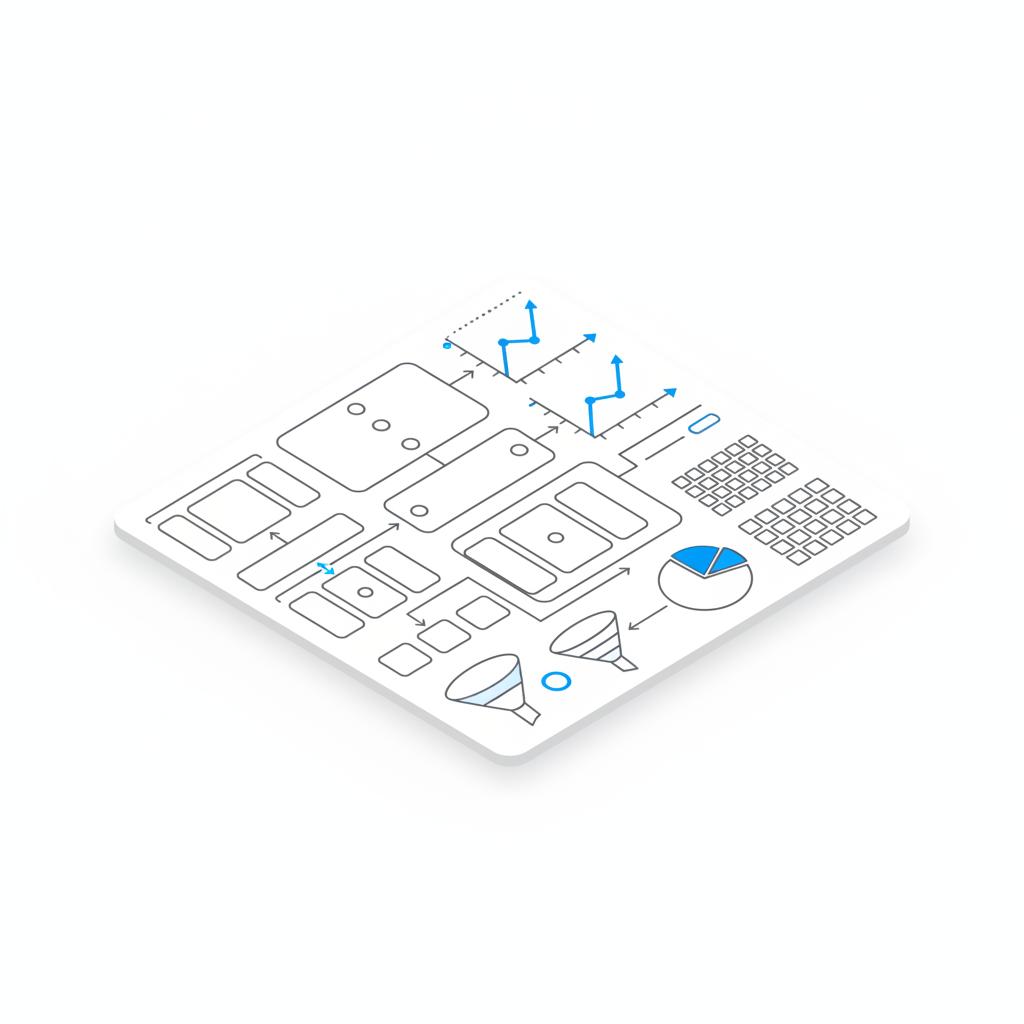
Tag and event checklist:
- Track form completions via a thank-you page or a form-submission event.
- Track phone clicks and consider a call-tracking number if offline calls are common.
- Map your conversion actions in Google Ads to the business outcomes you care about.
Account structure checklist:
- Campaigns reflecting products, services, or geographic targets.
- Ad groups with tightly themed keyword sets.
- Ads aligned with a single landing page focused on the same offer.
A realistic three-month timeline with specific tasks
Here’s a practical month-by-month plan so you know what to expect.
First two weeks (Day 1–14)
Set clear goals. Install tracking and validate events. Create initial campaigns and ads with a modest daily budget focused on high-intent keywords. Resist the urge to scale until you see reliable event data.
Weeks three to eight (Day 15–60)
Watch search terms and add negatives. Begin A/B tests on headlines and two landing-page variants. Iterate on bids. Expect low conversion volume at first – the goal is clean, useful data, not large scale.
Months two to three (Day 61–90)
Patterns should start to emerge. Estimate a realistic cost per lead and decide whether that CPA is acceptable. If it is, scale gradually – expand keywords and possibly geography. If not, run targeted experiments on landing pages or ad messages.
Beyond month three
If you see positive ROI and steady demand, scale carefully. If results are mixed, consider hiring a specialist to accelerate testing and fix technical issues you can’t resolve alone.
How to judge whether to keep doing it yourself or hire help
Three practical decision rules will guide you.
- If ROI is positive and you can maintain the time commitment, continue DIY Google Ads.
- If you need faster scale, broader integration across channels, or better creative and landing pages, hire help.
- If you lack reliable tracking and technical ability to fix it, hire a specialist – bad data leads to bad decisions.
Working with a specialist doesn’t mean giving up control. Many businesses retain in-house control of strategy while contracting technical work like Tag Manager setup or landing-page improvements. That hybrid approach keeps the owner involved while removing technical blockers.
Yes, running Google Ads yourself can be worth it if you can commit regular time to learn tracking, bidding, and landing-page optimization. If you need faster results or lack technical skills for accurate tracking, a short engagement with a specialist can fix the core issues and keep you in control.
Practical examples and case stories
Examples help make the abstract concrete. Below are short stories from real scenarios (details anonymized) to show how outcomes vary. You can also review agency case studies for similar work here.
Dental practice — small city
Monthly test budget: $700. Time commitment: weekends and 5 hours a week after setup. Actions: set up call tracking, created two landing pages for new patients and cosmetic procedures, refined keywords for high-intent phrases. Result: reliable cost per new patient in 8 weeks, and the owner increased ad spend with confidence.
B2B consultant — tracking fix
Problem: many clicks, few traceable leads. Solution: technical specialist fixed Tag Manager and CRM integration, mapped lead events to Google Ads. Result: clearer data and a 20% improvement in campaign decisions within a month; the consultant kept running day-to-day campaigns while using specialist support for technical fixes.
Local landscaper — seasonal testing
Budget: $1,200 over two months. Actions: seasonal keyword focus, local geo-targeting, and two landing pages – residential and commercial. Result: steady lead flow and clear peak windows for ad spend during spring and early summer.
Practical checklist you can use today
Use this checklist as your immediate to-do list:
- Define success: e.g., “three qualified leads per week.”
- Set up conversion tracking: Tag Manager + GA4 + Google Ads conversions.
- Structure your account: campaigns that mirror products or services.
- Choose a test budget: enough clicks to learn – not so small you get no data.
- Check search terms weekly: add negative keywords and pause irrelevant terms.
- Build focused landing pages: match the ad’s promise and reduce friction.
- Test deliberately: change one variable at a time and let tests gather data.
How to troubleshoot the most common problems
If you’re not seeing leads, run a short diagnostic:
- Are conversions firing? Test events, submit forms, and place phone calls yourself.
- Are keywords driving traffic but not conversions? Look at landing pages and message match.
- Are you seeing irrelevant clicks? Add negative keywords and tighten match types.
- Is CPC too high? Reduce bids, narrow targeting, or pause expensive broad keywords while you refine copy and landing pages.
These troubleshooting steps are small and actionable. Most fixes are not glamorous, but they make the difference between throwing money at a campaign and making steady, measurable improvements.
Tools that help (and the ones you don’t need right away)
Start with Google’s free tools: Keyword Planner, Google Ads interface, Google Analytics 4, and Google Tag Manager. For landing pages, use a builder you already trust. Paid tools – sophisticated keyword suites, heatmaps, or A/B testing platforms – help scale faster, but many small advertisers succeed for months using only free tools plus disciplined testing.
Sample ad copy and landing page tips
Good ad copy is simple and specific. Try multiple variations that emphasize intent and an immediate benefit. Examples for a local service business:
- Ad headline: “Emergency Plumber — Same-Day Service Near You”
- Description: “Call now for fast, reliable repairs. Free estimate for homeowners.”
Landing page essentials:
- Clear headline that matches the ad.
- One primary call-to-action: call now or fill a short form.
- Trust signals: reviews, certifications, or short case examples.
- Easy contact options with phone number visible on mobile.
How to scale once you find what works
Scaling is not pushing the pedal to the floor. It’s careful: increase budgets on campaigns that show consistent conversion rates, expand keyword reach with similar intent, and test geographic or demographic targeting incrementally. Monitor average cost per lead as you scale; if CPA drifts up, step back and diagnose landing pages, creative, or audience fit.
Red flags that mean you should hire help
Consider bringing in a specialist if any of these apply:
- You cannot get reliable conversion data despite trying.
- You need to integrate Google Ads with CRM and multi-channel reporting.
- You want to scale quickly and lack the internal time or skills to test fast enough.
In those cases, a short-term engagement with a team that prioritizes measurement can shorten your path to profitable scale.
Measuring success: the metrics that matter
Focus on business metrics, not vanity ones. Prioritize cost per lead, conversion rate, and the lifetime value of customers coming from ads. Clicks and impressions matter only to the extent they lead to valuable outcomes.
Summary of the learnings and next steps
Running your own Google Ads is possible and often sensible for business owners who can invest time in learning tracking, structure, and iterative testing. Start small, instrument everything, and treat every change as an experiment that produces data. If you prefer not to handle technical tasks, a specialist can fix the hardest parts quickly and leave you running the strategy and growth decisions.
Need a fast technical fix or audit?
Ready to get unstuck or want a technical audit? Talk to a team that focuses on technical setup, clear reporting, and measurable growth — they can set you up to run Google Ads more confidently or manage the heavy lifting for you. Contact Agency VISIBLE to discuss a brief audit or setup plan.
Final practical pointers and a short checklist before you go live
Before you press start, check these boxes:
- Goals defined and conversion types mapped.
- Tracking validated for all conversion actions.
- At least one focused landing page per campaign.
- A modest test budget that gives you useful data.
- A weekly routine for search-term review and negative keywords.
FAQs
How long before I see results?
Many advertisers see viable signals in one to three months if budgets and tracking are adequate. Immediate clicks are common; profitable conversion volumes often take weeks of steady testing.
How much should I spend to test?
A reasonable testing budget is commonly several hundred to a few thousand US dollars per month depending on industry. Your goal is to buy enough clicks to learn which keywords and messages convert.
Do I need Google Analytics 4 and Tag Manager?
Yes. Accurate conversion data from Google Analytics 4 and well-deployed tags in Google Tag Manager are essential for reliable measurement and decision-making.
Closing notes
DIY Google Ads is an achievable choice for many small and mid-sized business owners. It requires patience, curiosity, and a focus on the technical basics. Start with clear goals, a modest budget, and a plan to measure what matters. If the technical parts become a blocker, a short engagement with a specialist can be a smart, cost-effective next step.
Many advertisers see viable signals in one to three months if budgets and tracking are adequate. Immediate clicks are common, but profitable conversion volumes often require weeks of steady testing and iterative changes to ads and landing pages.
A practical testing budget is commonly several hundred to a few thousand US dollars per month depending on industry competitiveness. The priority is buying enough clicks to learn which keywords and ad messages reliably produce leads.
Yes. Google Analytics 4 and Google Tag Manager provide the conversion data and flexible event tracking you need to measure what matters. Without them, you risk making decisions on incomplete or incorrect data.
References
- https://agencyvisible.com/design-that-converts-our-approach/
- https://agencyvisible.com/contact/
- https://www.analyticsmania.com/post/google-tag-manager-best-practices/
- https://roardigitalmarketing.co.uk/blog/link-gtm-to-google-ads-conversion-tracking/
- https://stape.io/blog/google-ads-conversion-tracking
- https://agencyvisible.com/projects/
- https://agencyvisible.com/





