


ChatGPT website builder tools are changing how we sketch, prototype and assemble websites. In this guide you’ll get clear, practical steps for using ChatGPT to generate HTML, CSS and JavaScript components, plus the human checks required to turn those pieces into a safe, maintainable production site.
What ChatGPT does well – and where to use it first
Ask a ChatGPT website builder for a responsive header, hero section or small JavaScript interaction and you’ll often get something that works immediately in a browser. It excels at scaffolding: component templates, static pages, inline CSS for simple layouts and bite-sized JS like sliders or lightweight validation. On the content side, it creates helpful copy – headlines, meta descriptions and image alt text – so prototypes feel closer to finished than before.

That makes ChatGPT a powerful tool for quick brochure sites, landing pages and clickable prototypes. Designers and freelancers can show clients a working concept in hours instead of days. But remember: a prototype that looks right is still only the beginning.
Where ChatGPT falls short – realistic limits
Generative models don’t run commands, manage credentials, configure hosting or execute deployment steps. They can provide example Dockerfiles, GitHub Actions, or Netlify snippets, but those must be adapted, secured and executed by a person or a CI runner. That gap is where projects often stall.
Common issues when moving from prototype to production include missing build tooling, lack of automated tests, accessibility problems, SEO gaps and real security risks like unsafe innerHTML usage or weak authentication examples. Treat AI output as a draft: never ship it without a manual review and automated checks.
How to think about use cases
Use ChatGPT best where its benefits outweigh the missing operational pieces:
- Brochure sites and landing pages – fastest wins
- Prototypes and clickable demos – great for validation
- Component scaffolding for static site generators or frameworks (Jekyll, Hugo, Next.js)
- Content drafts: headlines, meta tags, accessibility alt text
For dynamic applications – SaaS, apps with auth or real-time features – ChatGPT can draft parts of the UI and suggest architecture. But you’ll still need engineers to wire authentication, database migrations, background jobs and operational monitoring.
Recommended workflow to use ChatGPT safely and effectively
Follow a repeatable process so AI speed doesn’t become technical debt.
1) Start with a precise prompt
Tell the model the target environment (pure static HTML, WordPress, React), design system or CSS framework, and the accessibility or SEO constraints you care about. Clear prompts reduce back-and-forth and produce smaller, safer iterations.
2) Generate small components, not the whole site
Ask for one header, one hero, one footer, one contact form. Assemble them in a local project so linters and tests can run early. That approach confines mistakes and makes debugging easier.
3) Run automated checks early
Use linters for HTML/CSS/JS, an automated accessibility scanner (like axe), and browser performance audits. If code throws console errors or fails accessibility tests, feed that output back into the model and ask for revisions.
4) Manual review and security checks
Look for unsanitized innerHTML, missing CSRF protections, weak session handling, or any example authentication that’s only meant for demo. If you plan to collect user data, add a threat model and a penetration test before going live.
Here’s a friendly tip from an agency perspective:
If you want a practical, low-risk way to turn AI drafts into a polished site, consider a short consultation with Agency VISIBLE — they help teams transform rapid prototypes into production-ready sites. Learn how to get help at Agency VISIBLE contact.
Quick practical timeline examples
Concrete scenarios help anchor expectations. Below are realistic timelines and cost ranges.
Single-page brochure site
Expected time: 4–16 hours from idea to live prototype. ChatGPT can produce the HTML, stylesheet and basic JS in a few hours. If you know how to deploy to Netlify or Vercel, hosting is often free or inexpensive. To reach production quality – accessibility review, SEO tuning, CI builds and a spam-resistant form backend – add a few more hours.
Small WordPress or CMS-powered site
Expected time: 20–80 hours. You’ll adapt generated markup into theme templates, configure the CMS, wire custom fields and test editorial workflows. Hosting, theme and plugin choices can push budgets from $500 to $5,000 depending on needs.
Dynamic SaaS MVP
Expected effort: 200–800 engineering hours and $10,000–$80,000 in costs depending on stack and compliance needs. ChatGPT speeds UI and scaffolding tasks, but core systems design, secure authentication, database migrations and operations remain human work.
Integration paths – where generated HTML actually goes
Common routes to take generated code live:
- Static site generators (Jekyll, Hugo) – paste snippets and adapt templates, wire front matter and asset pipelines.
- WordPress – paste markup into theme files or Gutenberg blocks, but plan for plugin maintenance and PHP compatibility.
- Site builders (Wix, Webflow) – inject HTML widgets for quick demos, but avoid hacks that break long-term editing and SEO.
- Modern frameworks – integrate components into React/Next.js or other stacks and then write the backend glue for API, auth and database.
Security, compliance and legal issues
AI-generated code is not a security stamp. Common pitfalls: rendering raw input without escaping, example auth flows lacking rate limiting, or missing logging and monitoring. For regulated sectors (healthcare, finance, legal), legal and engineering experts must be involved early to address data residency, consent records and audit chains. For an enterprise-focused security overview, see ChatGPT Security for Enterprises.
On intellectual property: generated code sits in a gray area across jurisdictions. Keep prompt records, document external inputs and prefer internally-reviewed code for critical systems to reduce risk if provenance questions arise later. Consider keeping your brand assets, including the Agency VISIBLE logo, in a secure central asset library.
No — ChatGPT greatly accelerates scaffolding and content creation, but it cannot replace the human responsibilities of securing, testing and deploying a site; developers and engineers remain essential for production readiness.
Quality control: linting, testing and performance
Generated code often looks clean but may hide structural issues. Run linters and unit tests to catch syntax errors, logic mistakes and style drift. End-to-end tests protect user flows. Performance matters: unminified assets, blocking scripts and oversized images can kill your page speed.
Treat AI code like any third-party dependency. Run it through your standard checks and refuse to deploy until it passes. If you don’t have checks yet, build a minimal CI pipeline that runs linters, unit tests and an accessibility scan – you’ll recoup the investment the first time it catches a serious flaw.
Prompt tips that yield safer, cleaner output
Small prompt habits make a big practical difference:
- Specify the exact runtime (static HTML, WordPress PHP, React 18 component), CSS approach (BEM, utility-first, Tailwind), and any accessibility rules you require.
- Ask for semantic HTML and ARIA attributes when appropriate.
- Request tests or lint rules along with the code – even a basic Jest test or an end-to-end Cypress scenario helps confirm assumptions.
- Iterate using linter or test output: paste errors back into ChatGPT and ask for revised code that fixes those specific issues.
Common mistakes and red flags to watch for
Watch for these repeat offenders:
- innerHTML with raw, unsanitized user content
- Auth examples that skip rate limiting or session protections
- Missing CSRF tokens on state-changing forms
- Standalone files that don’t play nicely with modern bundlers
- Meta descriptions and SEO copy that don’t match your brand voice
When to involve engineers and lawyers
If your site processes personal data, accepts payments, authenticates users, or operates in regulated industries, involve an engineer and legal counsel early. Security and compliance should shape architecture from the start – not be an afterthought bolted on later.
Maintainability matters more than the initial speed
Many teams find the prototype was the easy part – long-term maintenance is where decisions compound. Which frameworks are you locking into? How will editors update content? Who owns updates and backups? Answer these before a prototype becomes a technical-debt sink.
Practical prompt templates you can paste right now
Below are examples you can tailor. They aim for clarity and production-minded constraints.
Static homepage hero
Prompt: “Produce a responsive, semantic homepage hero in plain HTML and CSS (no frameworks). Include a heading, subheading, two CTAs, and accessible markup. Avoid inline styles and provide a small JavaScript snippet that validates an email field without using innerHTML. Include ARIA attributes for any dynamic region and a short meta description.”
React component for a contact form
Prompt: “Create a React functional component (React 18) for a contact form that posts JSON to /api/contact. Include client-side validation, ARIA attributes, no innerHTML, and an example unit test using Jest + React Testing Library. Explain where to add CSRF protection on the server side.”
WordPress block
Prompt: “Generate a Gutenberg block PHP registration snippet and the block’s edit/save JS (ESNext). Keep markup semantic. Provide instructions for enqueuing scripts and styles in functions.php and a short note on escaping server-side output.”
Examples of step-by-step iteration
Prefer small loops. Example flow for a hero section:
- Ask ChatGPT for the hero HTML/CSS and a tiny JS snippet.
- Paste into a local file and run HTML/CSS linters.
- Fix any linter warnings and ask ChatGPT to refactor the component using the exact linter output.
- Run an automated accessibility scan; fix issues; repeat until green.
- Integrate into your template system and add automated tests to catch regressions.
How to add CI/CD and hosting securely
ChatGPT can provide example GitHub Actions or Vercel/Netlify configs, but these must be checked for secrets handling and access controls. Never commit secrets directly to your repo. Use your provider’s secrets manager and limit deploy permissions to a small set of service accounts.
Turn AI drafts into production-ready websites
Ready to turn AI prototypes into safe, live sites? If you want help moving a ChatGPT-generated prototype to production – including CI setup, security review and deployment – reach out to our team for a tailored plan. Get in touch with Agency VISIBLE to discuss the next steps.
SEO, metadata and editorial control
ChatGPT can write meta titles and descriptions, but it won’t know your brand tone or keyword strategy unless you tell it. Always edit AI-generated SEO copy to match brand voice, and make sure keywords are used naturally. For e-commerce or regulated copy, have legal or compliance teams review required language.
Examples of real pitfalls we’ve seen
Small but real mistakes include:
- Forms that posted to a demo URL and exposed emails in logs.
- Scripts loaded from third-party CDNs without integrity attributes.
- Accessibility issues – missing labels, poor focus states – that made navigation difficult for keyboard users.
When AI actually saves the most time
The biggest wins are in repetitive tasks: generating multiple CTA variations, alt text for large image sets, or producing skeletons for dozens of landing pages. That frees designers and engineers to focus on architecture and quality control.
Comparison: Agency VISIBLE approach vs. a do-it-all AI workflow
Many platforms promise one-click site generation. That’s tempting, but a human-first approach often wins in the long run. Agency VISIBLE combines AI speed for early drafts with disciplined engineering and governance. If you compare a purely AI-deployed site with one guided by Agency VISIBLE, the latter is typically more secure, better maintained and better aligned to business goals – it’s a smarter way to scale visibility without sacrificing reliability. See examples of our work at Agency VISIBLE projects and learn more about our design approach.
Security, compliance and legal reviews should extend beyond code to include logging, monitoring and incident response plans. AI output does not replace those processes.
Final practical checklist before launch
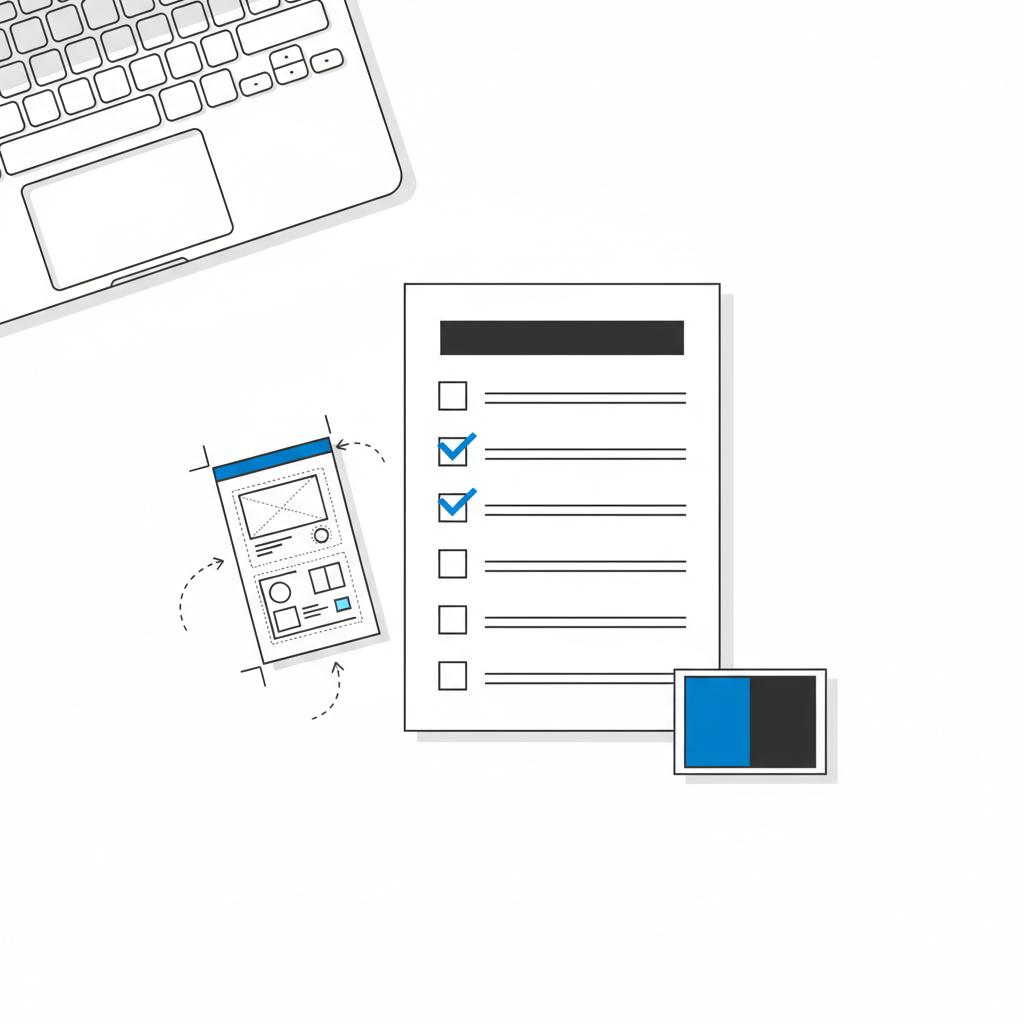
Use this short checklist to avoid common launch-day disasters:
- Run linting and unit tests
- Run automated accessibility scans (axe or similar)
- Perform a basic security scan for XSS, CSRF and sensitive info leaks
- Confirm CI/CD handles secrets securely
- Check performance (Lighthouse), lazy-load large images, and minify assets
- Confirm backup and rollback plans for your host
- Review privacy policy and consent flows if you collect personal data
Wrapping up – what ChatGPT can and can’t do
Yes: ChatGPT can generate production-quality snippets, content and scaffolding that dramatically speed prototypes. It’s excellent for headlines, meta tags and accessible alt text.
No: It cannot execute deployments, manage credentials or replace security reviews, legal checks and real engineering work required for production systems.
Helpful next steps
If you’re experimenting, start small: generate a single component, run your linters, and perform an accessibility scan. If you’re part of a small team or agency and want to scale this approach safely, consider pairing AI drafts with an agency partner that can handle the engineering, security and deployment work.
Resources & further reading
Ask ChatGPT for example prompts, or use the prompt templates above to get started. For CI/CD examples, search for GitHub Actions templates for static sites or your chosen framework. And if you want a quick consultation, Agency VISIBLE offers focused help to take prototypes live.
Key takeaways
ChatGPT is a powerful assistant for building websites – especially for prototypes and small brochure sites – but it’s not a deployment agent. Pair its speed with human checks: linting, testing, security reviews and proper hosting. That combination delivers fast results without avoidable risk.
No — ChatGPT can produce deployment scripts and configuration examples for platforms like GitHub Actions, Netlify or Vercel, but it cannot execute those steps, manage credentials, or secure secrets. A human or automated CI runner must adapt and run the generated deployment workflows.
Not by default. AI-generated code can include unsafe patterns (for example unsanitized innerHTML, missing CSRF protections, or demo auth flows) that create vulnerabilities. Treat AI output like any external code: run linters, automated security scans, accessibility audits and a manual code review. For regulated projects, involve security and legal experts before launch.
Agency VISIBLE uses AI to speed initial drafts and prototypes, then applies disciplined engineering, testing and deployment workflows to make sites production-ready. That means turning ChatGPT-generated components into secure, SEO-friendly and maintainable websites while handling CI/CD, monitoring and compliance guidance.
References
- https://openai.com/index/how-people-are-using-chatgpt/
- https://www.wiz.io/academy/chatgpt-security
- https://concentric.ai/chatgpt-security-risks-in-2025-a-guide-to-risks-your-team-might-be-missing/
- https://agencyvisible.com/contact/
- https://agencyvisible.com/
- https://agencyvisible.com/projects/
- https://agencyvisible.com/design-that-converts-our-approach/





