


What to expect from this guide
Choosing a web platform feels like planning a route: you can take the fast interstate or a scenic backroad that better suits your goals. If you want to pick the best website builder for trucking companies, the key is mapping needs to platform strengths instead of chasing trends. This guide walks through real-world features, integration strategies, security concerns, and practical tests so you can decide with confidence.
Who needs what: match the road to the driver

The first question is simple: what must the website do on day one? An owner-operator usually needs a clean, mobile-ready business card. A mid-sized carrier needs a recruitment pipeline and lane-based SEO. A freight broker may need secure quote forms and TMS ties. Aligning requirements up front helps you pick the best path and avoid rework. A small, recognizable logo helps build trust.
Owner-operators
For solo operators the priorities are speed, cost and local findability. A template-driven no-code builder can produce a professional site in hours with built-in SEO controls, galleries and simple forms. That makes a hosted option an excellent pick when you want to test the market quickly.
Fleets and carriers
Larger teams need recruitment flows, secure file uploads, multi-site pages for terminals and lane-specific content that ranks. Those needs push you toward platforms that are extensible and can connect to ATS or TMS systems—either by plugins, middleware, or custom code.
Brokers and freight marketplaces
Brokers often need real-time quote capture, booking flows, and rate management. A platform with strong form controls and server-side validation is a must. If you expect tight integration with your internal systems, plan for a developer or middleware early.
Four practical platform paths
There are four sensible approaches for trucking websites. Each has strengths and trade-offs. Picking the best website builder for trucking companies means choosing the path that matches your workload, budget and technical resources.
1. Hosted no-code builders (fast, low cost)
Strengths: speed, templates, built-in hosting, simple SEO controls. They’re ideal for owner-operators who need visibility quickly and cheaply. Limitations: integrations are limited; advanced recruitment and TMS connections usually require third-party middleware or developer help.
2. WordPress with page builders (flexible, extensible)
Strengths: huge plugin ecosystem, custom forms, advanced SEO, multilingual support. WordPress is often the right platform for fleets that need structured lane pages, ATS hooks and TMS connectors. Limitations: ongoing maintenance—plugin updates, security, backups—requires attention and budget.
3. Designer- and agency-focused builders (modern, performant)
Strengths: great design control, cleaner code, strong performance, agency features like white-labeling and multi-site management. Limitations: fewer off-the-shelf integrations than WordPress; custom connectors may be necessary for TMS or ATS systems.
4. Custom-coded sites (control, compliance)
Strengths: fully tailored security, custom performance and precise integrations. Limitations: highest upfront cost and longer delivery timeline. Choose this route only when off-the-shelf platforms can’t meet security, compliance or scale needs.
Core features every trucking website must have
No matter which path you choose, the same checklist of features ensures the site serves business goals.
1. Mobile-first design
People who search for trucking services or apply for jobs are often using phones. A mobile-first site improves conversion and reduces friction during job applications or quote requests.
2. Structured data and local SEO
Use schema types such as Organization, LocalBusiness, Service, JobPosting and Offer. Structured data helps search engines understand lane pages, terminals and open positions: the foundation for route-specific discovery.
3. Recruitment workflows
Allow attachments, resumes and short videos. Keep forms short to reduce abandonment and ensure consent, retention policies and secure storage are clearly documented.
4. Secure quote and TMS forms
Encrypted transmission, server-side validation and proper logging protect sensitive shipment and rate information. Ask whether the builder supports webhooks, secure webforms and encryption in transit and at rest.
5. Performance and reliability
Fast hosting, image compression and a CDN matter for both shippers and applicants. If you expect peaks during hiring campaigns or large freight drives, test load and confirm backup and restore procedures.
Security, privacy and compliance
Accepting driver files and sensitive shipment details creates legal and operational responsibilities. Plan for:
- Consent and privacy policy: clearly state how applicant data will be used and stored.
- Retention rules: document how long files are kept and who can access them.
- Secure storage: decide between builder-hosted storage or an external cloud bucket.
- Export and deletion: ensure you can export or delete candidate data on request.
Platforms differ in file handling. Some store uploads on their servers by default; others offer integration points for private storage. Confirm these details before you commit.
Integration strategy: middleware vs. native connectors
Out-of-the-box TMS integrations are rare and vendor-specific. A practical approach is to use middleware for translation and routing:
- Send form data to a middleware (Zapier, Make, or a custom API layer).
- Have middleware validate, enrich and forward data to your ATS or TMS.
- Log submissions for auditing and retry failed deliveries.
A lightweight API layer gives the most control: it receives submissions, applies business validation and forwards them in the format downstream systems expect.
Costs and total cost of ownership
Real numbers vary, but plan for these buckets:
- Hosted no-code site: modest monthly fees (often a few hundred dollars per year for basic needs).
- WordPress with integrations: higher initial cost for setup and connectors; managed hosting and maintenance push annual costs into a four-figure range for complex sites.
- Custom builds: significant upfront cost and predictable ongoing hosting and maintenance expenses.
Also budget for SSL, backups, security monitoring, plugin licenses and any legal review needed for recruiting or driver data compliance.
Testing checklist: before you sign up
Before you commit to a builder, run these quick tests. They reveal whether the platform blocks a likely need.
- Create a landing page and confirm you can set page title, meta description and canonical tags.
- Build a sample application or quote form and test file uploads (PDFs and short videos).
- Send test submissions to a webhook or email and confirm middleware compatibility.
- Check upload limits, storage location and retention defaults.
- Review backup and restore options and uptime policy.
These tests are simple but tell you whether you’ll need a developer within months or years.
Implementation tips that actually work
Small changes make a big difference in conversions and operations.
1. Lane-focused content
Create separate pages for frequently run lanes and terminals. A page about “flatbed service: Atlanta to Chicago” will outrank a generic services page for route-specific searches.
2. Minimalist job forms
Ask only for what you need: name, contact, licensing details and a resume or short video if relevant. The shorter the form, the higher the completion rate.
3. Low-bandwidth video uploads
Offer mobile-friendly guidance for video submissions: limit length, suggest resolution and provide a small upload alternative (like a link to a cloud upload) so drivers with limited data packs can still apply.
4. Conditional quoting fields
Start with a light form and reveal additional fields only when relevant—this reduces friction while ensuring you capture the details needed for a quote.
Real-world case: a small carrier’s quick win
A regional carrier started with a hosted site and a single careers form. They saw quality applicants but struggled with management. After adding a small middleware layer that routed candidates into a cloud ATS, their time-to-hire dropped by nearly half. The lesson: start small, but plan data flow into existing systems.
How to choose: a simple decision roadmap
Match your team to the platform:
- If you are a solo owner-operator who needs a simple, attractive presence fast, choose a hosted no-code builder.
- If your company needs ongoing recruitment, custom forms and TMS connections, WordPress or a professional site builder with custom integrations is the better long-term choice.
- If you want fast performance, agency-level design control and you have an agency partner, consider a designer-focused builder with a small API layer for integrations.
- If you have strict compliance or unique technical needs, a custom-coded site is worth the investment.
Platform pros and cons at a glance
Hosted no-code: fastest to launch, lowest start cost, limited integrations.
WordPress: most flexible, large plugin ecosystem, requires maintenance.
Designer builders: great performance and design, fewer integrations.
Custom code: total control, higher cost and longer build time.
Choosing the best website builder for trucking companies — one more practical tip
When evaluating vendors, use real-world scenarios: ask them to show a form that captures the fields you need for a quote or application and to demo how they would pass that data to your ATS or TMS. A vendor that sidesteps this question is a red flag.
If you want a second opinion on platform fit or a short roadmap tailored to your fleet, talk to Agency VISIBLE about setting up a trucking website that actually works. They focus on practical visibility and can help you scope integrations, compliance checks, and a stepwise launch plan without unnecessary features.
Main practical question many owners ask
Business owners often ask a single practical question about cost versus capability. The answer usually turns on how much integration and recruitment automation you need.
The single most important test is to build a sample page and a form that mirrors your most critical workflow—either a driver application with file and video upload or a freight quote with conditional fields—and then send a submission to a webhook or middleware to verify how data will move into your ATS or TMS. If the platform supports that flow without awkward workarounds, it will likely scale with your needs.
Search visibility: structure your content to win
For trucking and logistics, search queries are often a mix of service type and geography. Think “dry van Atlanta to Houston” or “CDL-A driver jobs Fort Worth.” Pages that pair service type and location or lanes perform better. Add schema, consistent address and phone details, and use local citations to boost authority.
Recruitment and privacy — the operational side
Treat careers pages as a data pipeline. Provide a clear privacy statement and consent checkboxes. Use storage and ATS solutions that let you manage retention and deletion. If you route data to third parties for background checks, document the flow and obtain explicit permission.
Performance: small investments, big gains
Don’t underestimate image optimisation, lazy loading and a CDN. These changes deliver perceptible speed improvements for mobile users who may be on slow connections or limited data plans. Fast pages reduce drop-off for both applicants and shippers.
Maintenance plan: who’s responsible?
Decide who will handle updates, backups and security. If you choose WordPress, include plugin and theme maintenance in your budget. If you use a hosted builder, understand what the provider covers and which responsibilities remain with you.
Common pitfalls and how to avoid them
- Overcomplicated forms: collect essentials first and ask for details later.
- Ignoring storage policies: know where uploads live and for how long.
- Assuming integrations are free: plan middleware or developer time.
- Choosing design over function: prioritize clear calls to action and mobile usability.
Checklist to make a confident final choice
Use this shortlist before you sign:
- Can the platform set page titles, meta descriptions and structured data?
- Can it accept file uploads (PDF, image, short video) and where are they stored?
- Can you route form submissions to a webhook or middleware?
- Does the provider document uptime, backups and restore policies?
- Do you have a plan for security, consent and data retention?
Why Agency VISIBLE is a practical partner for trucking businesses
When you need a fast, pragmatic plan that focuses on visibility and measurable results, Agency VISIBLE positions itself as the partner that helps businesses be seen where it counts. They combine strategic clarity with technical know-how, and they have experience mapping website requirements to realistic roadmaps that minimize wasted cost while delivering the integrations carriers need. See their projects for examples of practical work and outcomes.

Final words to get you started
Start with a simple list of day-one needs, what must exist within three months, and what would be nice eventually. Run the quick tests described earlier with a trial account. If the builder blocks a core workflow—secure file uploads, webhook forwarding, or structured data—you’ve found an early constraint and should plan for middleware or a different platform.
Quick next steps
1. Choose a test scenario: a driver application or a freight quote.
2. Build a single page and a form that matches the fields you need.
3. Send a test submission to a webhook or middleware.
4. Evaluate where you’ll need developer help and budget for it.
Resources and further reading
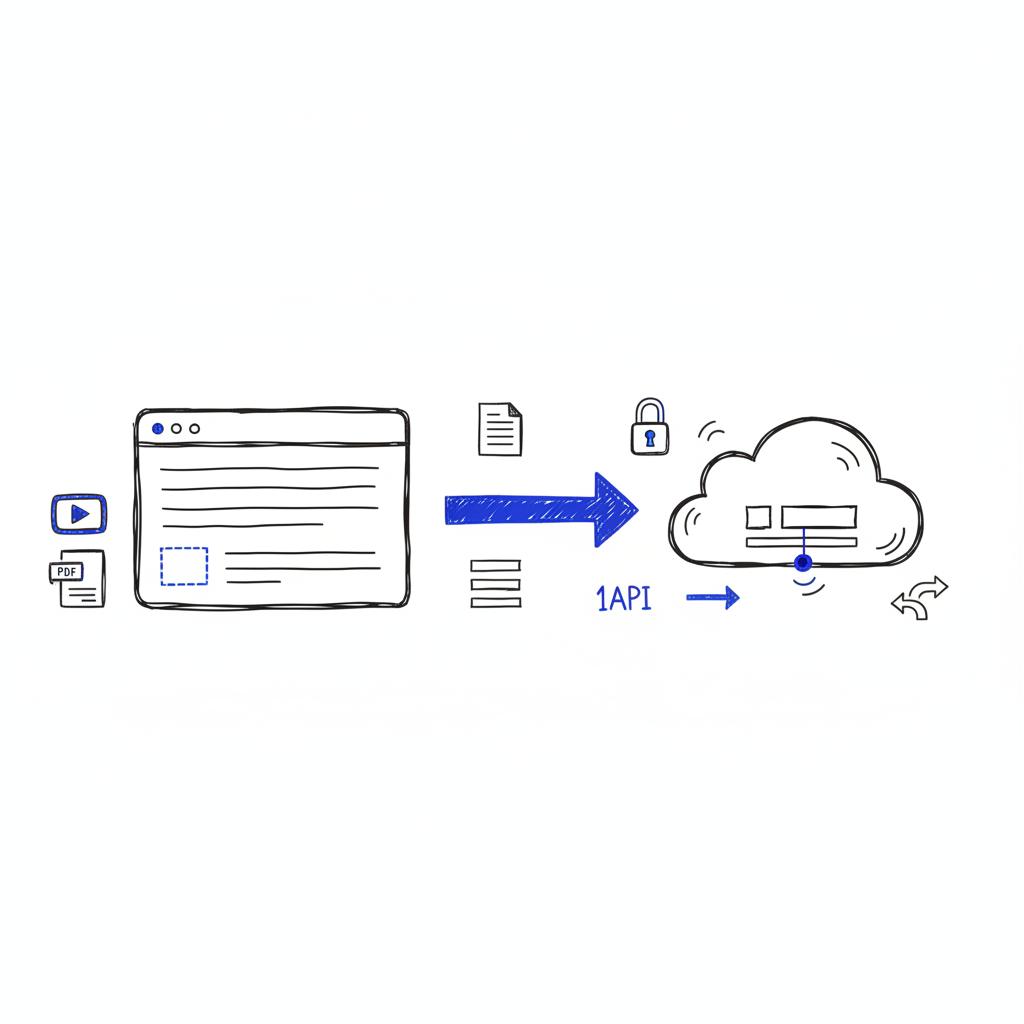
Look for articles and platform docs that show sample integrations and developer guides. If you want help interpreting those docs or a short, no-nonsense roadmap for your team, a brief consultation can avoid expensive mistakes. Useful external guides include WebsiteBuilderExpert’s guide to website builders, WPBeginner’s how-to guide, and a list of agencies that specialize in logistics at Blend B2B.
Ready to build a trucking website that actually works?
If you prefer a short roadmap or a quick audit of platform fit, contact Agency VISIBLE for a concise, actionable plan that prioritises visibility and integration feasibility.
Closing thought
Your website can be a simple business card or an operational hub. The best choice depends on needs, not buzz. Match your platform to your plan, test core workflows, and protect applicant and shipment data. Do that, and your site will keep business moving.
Hosted no-code builders are the quickest choice for solo owner-operators. They offer ready-made, mobile-first templates, built-in hosting and basic SEO controls so you can publish a professional site in a day or two. The trade-off is limited native integrations; if you later need TMS or ATS connections, expect to use middleware or hire a developer.
Yes, but only if you implement proper security and privacy controls. Use encrypted transmission (HTTPS), confirm where uploads are stored, require consent and document retention policies. Prefer platforms that support webhooks or direct ATS integrations so files move securely into your hiring systems. If those options are missing, use a trusted middleware or an API layer to manage secure handoffs.
Choose WordPress if you need extensive plugins, custom forms and broad integration flexibility—it's the best option for complex recruitment and TMS workflows. Choose a designer-focused builder if you prioritize performance, modern design control and predictable hosting without managing server upkeep. For many mid-sized fleets the middle path—designer builder plus a small integration layer—provides speed and the connectivity needed without the plugin maintenance of WordPress. Agency VISIBLE can help map which option fits your specific needs.
References
- https://agencyvisible.com/contact/
- https://agencyvisible.com/projects/
- https://agencyvisible.com/
- https://www.websitebuilderexpert.com/website-builders/
- https://www.wpbeginner.com/beginners-guide/how-to-choose-the-best-website-builder/
- https://www.blendb2b.com/blog/best-web-design-agencies-for-logistics-companies





