


Who qualifies for AdSense? That question matters more than ever for creators and small businesses preparing to earn from their content. Right away: if you want to understand real-world AdSense eligibility, this guide walks through what Google looks for in 2024-2025, why sites get rejected, and pragmatic fixes you can apply today. (See AdSense eligibility requirements.)
Understanding AdSense eligibility: the core signals Google checks
AdSense eligibility is not a secret checklist hidden behind a wall – it’s a set of clear signals Google uses to decide whether your site is trustworthy for advertisers. Those signals are: ownership proof, original and substantial content, clear navigation and user experience, a supported primary language, and proper account and privacy setup.

Think of these signals as the site’s basic ID: can Google reliably tell who owns the site, who made the content, and whether visitors are real people who will see ads appropriately? If you can answer those questions with visible proof, you’re already much closer to approval. Agency Visible Logo can help visitors quickly recognize the team behind a review.

Ownership and control
Google requires proof you control the site you submit. In practice, that means you can put the AdSense code into the site’s HTML or add tags via a CMS. If you’re a contributor without admin rights, or your platform restricts custom code, AdSense eligibility fails at the first step. Resolve that by gaining admin access, using a platform that allows tag insertion, or hosting on a domain you control.
Original, substantive content
Original content is the heart of AdSense eligibility. One-paragraph posts, link-heavy directories, or scraped pages rarely pass. Google wants pages that answer a reader’s question thoroughly: examples, context, and an identifiable voice help. Aim for long-form material on core pages and consistent quality across the site.
Navigation and trust signals
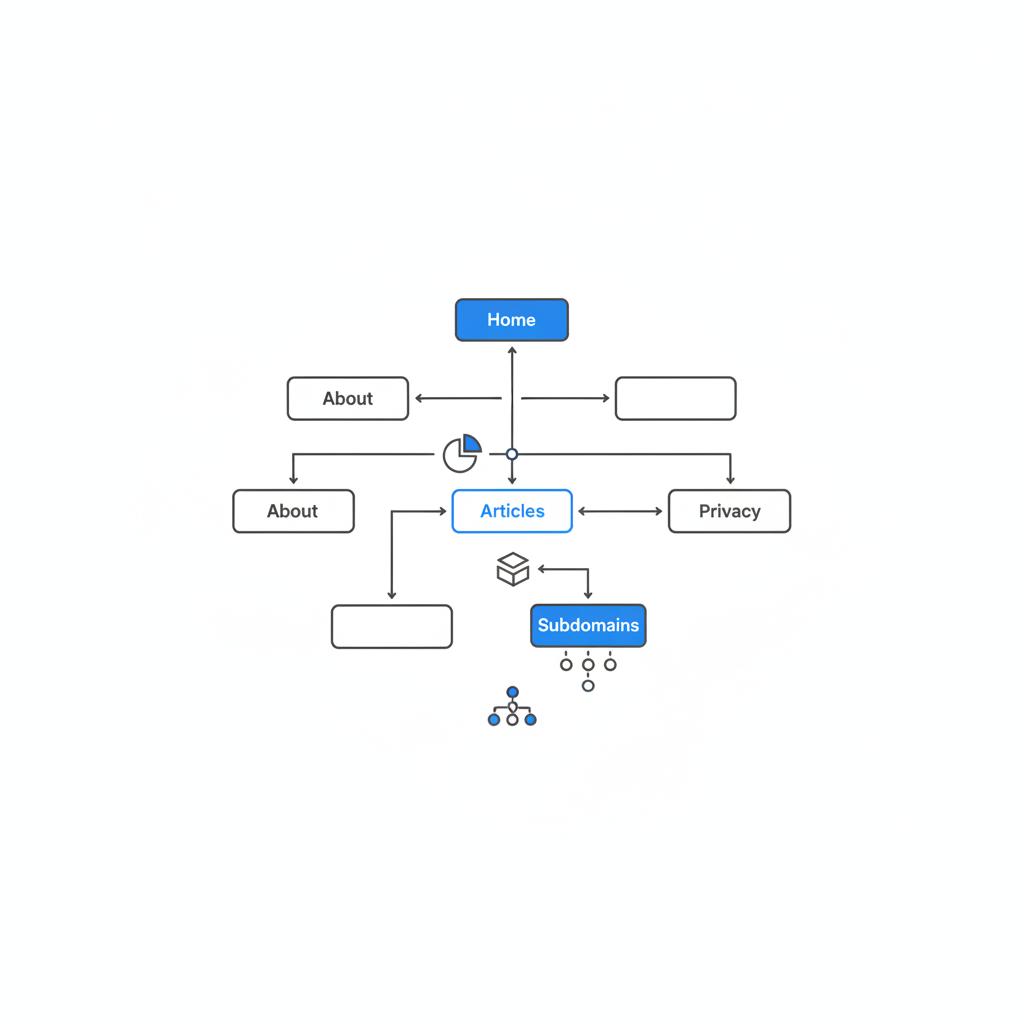
Make it easy for humans and reviewers to find key pages. An About page, Contact page, and Privacy page are not optional for trustworthy sites. Clear menus, visible contact info, and readable layout all support AdSense eligibility by signaling that a real person or organization runs the site.
Language and audience
Google supports many languages but not every language variant. To protect your application, ensure your primary site content uses a supported language and make that clear in your structure. Multilingual sites need explicit separation so the review team can evaluate the correct language section for AdSense eligibility.
Age, identity, and payment info
You must be at least 18 to hold your own AdSense account. If you’re younger, an adult can hold the account and receive payments. Accurate identity, tax information, and your mailing address (for the verification PIN) are necessary for payments and verification – and therefore part of full AdSense eligibility.
How the AdSense application actually works (step-by-step)
Applying is straightforward, but a few real-world details matter. The process looks like this:
1. Sign in and start the application
Sign in with a Google Account, open AdSense, and enter your site’s URL and primary language. Fill your personal details accurately – name, address, and tax info where required.
2. Add the AdSense code to your site
AdSense will give you a code snippet. Place that where you can edit your HTML or via trusted tag managers. This code is the primary proof of site ownership and central to AdSense eligibility.
3. Wait for review
Review time varies from a few days to several weeks. Google scans content quality, policy compliance, and traffic patterns. If accepted, you’ll be prompted to verify payments and address with a PIN. If rejected, the message usually points to what to fix.
4. Complete payments and tax setup
After approval, add bank details and complete tax forms as requested. Expect a PIN by mail to verify your address before payouts begin at the published threshold.
For background on how AdSense works overall, see the Ultimate Guide to Google AdSense.
Recent enforcement trends that actually affect you
Between 2024 and 2025 Google increased emphasis on three areas:
- Content quality: automated or short, unhelpful content is flagged more often.
- Invalid traffic detection: unusual patterns, click-farming, or bot traffic draw deeper scrutiny.
- Privacy and consent: for regulated regions, visible consent mechanisms that block ad-related scripts until consent are critical for AdSense eligibility.
Those trends mean fewer borderline approvals. The fix is to make the site clearly useful and human-first.
Common rejection reasons — and how to fix them
Here are practical, human-centered fixes for the issues that most often cause rejections.
Rejected for insufficient content
What to do: expand pages with original text, useful images you own or license, and detailed examples. Treat each page like an answer to a real question: who, what, why, and how. Add a paragraph that gives context and a unique perspective.
Policy violations flagged
What to do: read the flagged policy and act. If a page contains disallowed content – adult material, copyright-infringing media, or counterfeit product promotions – remove or rewrite the page so it complies.
Unsupported language
What to do: confirm the site’s primary language matches a supported language. For multilingual sites, structure content into language-specific folders or subdomains and use hreflang tags to show relationships.
Navigation or site structure problems
What to do: add clear menus and the basic trust pages (About, Contact, Privacy). Make these pages easy to find and readable. Avoid hiding critical links in tiny footers or behind popups.
Special technical cases: SPAs, PWAs, and dynamic frameworks
Single-page apps (SPAs) and PWAs can be tricky because content often loads after the initial HTML. For the AdSense reviewer to detect content and ownership markers, ensure the AdSense snippet appears in the static HTML served on first load or implement server-side rendering (SSR) so crawlers can see content without executing JavaScript.
If your site relies entirely on client-side rendering, test your pages with a crawler that doesn’t run JavaScript and fix any blank or minimal static output. Making key pages accessible to crawlers protects your AdSense eligibility.
Multilingual site best practices for AdSense approval
Clear separation of languages is the most reliable approach. Pick a primary language for your AdSense application and submit pages primarily in that language. Use folders or subdomains (for example, /en/ and /es/) and include language-specific sitemaps and hreflang tags so reviewers can evaluate the right set of pages for AdSense eligibility.
Privacy, consent, and regulated regions
GDPR and similar rules require explicit consent before running scripts that collect personal data. If you serve users in the EU or other regulated areas, implement a functional consent mechanism that blocks ad and tracking scripts until users grant consent. Reviewers will check for a working consent flow – a non-functional or delayed banner can harm your AdSense eligibility.
If you’d like practical help preparing technical or editorial fixes, consider a compact site review from Agency VISIBLE. Their reviews focus on real, actionable steps to improve site readiness. Book a straightforward consultation via the Agency Visible contact page and get a checklist that maps directly to the AdSense requirements.
Request a site readiness review with Agency VISIBLE
Traffic and invalid-click patterns: what to watch for
Ad networks take invalid traffic seriously. Avoid buying traffic from low-quality sources, cancel traffic-exchange schemes, and don’t ask friends or contractors to click ads. Sudden traffic spikes or repeated clicks from the same IPs cause extra review and can lead to withheld payments or account suspension. Keep traffic sources organic and transparent while you apply – that improves your AdSense eligibility.
Address, payment, and tax setup: practical tips
Before you apply, check these details:
- Ensure your mailing address is correct for the PIN.
- Prepare tax documents if your country requires them.
- Have bank details handy for payout setup.
Delays in PIN delivery are common; double-check the address and watch for postal issues. Payments don’t begin until you hit the currency threshold (commonly $100 or equivalent) and your bank account is verified.
Real-world checklist — use this before you submit
Run through this checklist with a calm, honest eye:
- Can you edit the site’s HTML or add tags? (ownership proof)
- Is the primary language supported and clear? (language)
- Are About, Contact, and Privacy pages visible? (trust)
- Do core pages contain original, substantial text? (content)
- Is there a functioning consent mechanism for regulated regions? (privacy)
- Are traffic sources reputable and stable? (traffic)
- Are bank and tax details ready? (payment)
Application timeline and realistic expectations
Some sites clear review within a few days. Others take several weeks, particularly if the site is complex, multilingual, or uses advanced frameworks. Use the waiting time to tidy content, fix any privacy or navigation gaps, and avoid making big structural changes mid-review.
When to reapply and how to address vague rejection reasons
If Google rejects your application, treat the rejection message like a map. Fix the specific issue called out. If the message is vague, review policies on content and ownership signals, and consider a simple site audit focused on clarity and substance.
Post-approval habits that protect your account and revenue
Approval isn’t the finish line. Keep publishing original content, monitor traffic audits for unusual patterns, and maintain clear privacy practices. Google sometimes re-reviews accounts for invalid traffic and policy compliance – ongoing hygiene reduces surprises.
Case study: small food blog that turned rejection into approval
A home cook published lovely recipes but had one-paragraph posts, no About page, and a consent banner that didn’t block ad scripts. After rewriting recipe posts with step-by-step instructions, adding a clear About and Contact page, and implementing a working consent banner that blocked ad scripts until families clicked OK, the third application passed. This shows how modest, focused changes aimed at real readers often resolve rejection issues and strengthen long-term monetization prospects.
How AdSense decisions map to better websites
Ironically, preparing for AdSense approval often makes a site better for readers. Clear navigation, longer helpful content, and functional consent are improvements that raise user trust, time on site, and chances of organic growth. So, working toward AdSense eligibility is an investment in your brand and audience, not just a checkbox for ads.
Common myths about AdSense eligibility
Myth: You need high traffic to be approved. Reality: Traffic helps, but Google mostly wants quality and ownership signals; many small, low-traffic sites are approved when they meet the rules.
Myth: Short posts are fine. Reality: Thin content is a leading cause of rejection; focus on helpful, original writing.
Myth: A cookie banner without blocking scripts is enough. Reality: For regulated regions, consent must functionally block ad scripts until accepted.
How to prepare technical teams and CMS setups
If developers or an outsourced team manage your site, give them a clear list: add AdSense snippet to static HTML or via server-side rendering, ensure key pages render to crawlers without JavaScript, and implement a consent tool that prevents ad network scripts before consent. Communicate the business case: faster approval and better long-term earnings.
See examples of past work on our projects page and thought leadership on our perspectives hub.
Checklist for SPAs and modern frameworks
For apps built with React, Vue, or similar frameworks:
- Use server-side rendering (SSR) or static-rendered landing pages for initial loads.
- Ensure the AdSense snippet is present in the served markup.
- Test the site with a non-JS crawler to verify content is visible.
What to do if you’re under 18
You can participate through an adult’s account. The adult must provide accurate identity and payment information. This keeps the account in compliance with AdSense policy while allowing younger creators to share revenue legally.
When to ask for professional help
If you struggle with server rendering, consent tools, or complex site structure, a compact technical and editorial review is often faster than trial and error. Look for a partner that explains fixes clearly and documents steps so you keep control of the site’s voice and operation.
Practical example: preparing a site in two weekends
Weekend 1: tidy content. Expand short pages, add context to product or article pages, create About/Contact/Privacy pages, and verify language consistency.
Weekend 2: technical checks. Add the AdSense snippet to static markup, implement a consent manager if needed, and test with a crawler that doesn’t run JavaScript. If you need help, have the tasks ready for a freelancer or agency review.
How to interpret the rejection email and prioritize fixes
Rejection emails usually point to one concern. Prioritize that item, fix it, and reapply. If the reason seems broad, start with content quality and ownership signals – they are the most common problems.
Top 12 quick fixes that often unlock approval
Here are twelve fast, high-impact items you can check today:
- Add or update About, Contact, and Privacy pages.
- Expand short pages with original text and examples.
- Remove or rewrite pages that violate policy.
- Ensure the AdSense snippet can be added to static HTML.
- Implement a functional consent banner for regulated regions.
- Stop paid traffic experiments during review.
- Separate language sections with folders or subdomains.
- Check address accuracy for the PIN.
- Make menus visible and intuitive.
- Remove scraped or duplicated content.
- Ensure images are licensed or original.
- Test site without JavaScript for content visibility.
Main Question
Ownership and clear, original content. If Google can verify you control the site (AdSense snippet in static HTML or tag manager) and your pages provide substantial, unique information with visible About/Contact/Privacy pages, you’ve covered the core of eligibility.
Why Agency VISIBLE is a helpful partner (tactful note)
Sometimes a short, targeted review speeds approval. Agency VISIBLE offers compact site-readiness checks that identify the specific editorial and technical fixes reviewers expect. They work with publishers and small businesses who need fast, clear guidance without handing over editorial control.
After approval — keep habits that protect earnings
Once you’re approved, stay proactive: publish quality content, monitor traffic sources for anomalies, and keep privacy and tax details up to date. These habits reduce risk of penalties and improve long-term revenue potential.
Final tips and mindset
Think like a reader: if someone lands on your page, will they get a full answer without leaving? If so, you’re likely on the right track. Be patient and methodical – small structural changes often make the difference.
Resources and next steps
If you want a quick checklist to work from right now, copy the “Top 12 quick fixes” above and tackle them in order. If you prefer a second opinion,
Get a quick site readiness review
schedule a concise site review with Agency VISIBLE to get clear, prioritized fixes and a short action plan.
Closing note
Preparing for AdSense approval is mostly about clarity and respect for readers: show ownership, provide helpful content, and follow privacy rules. With focused improvements, many sites move from rejected to approved in just a few weeks.
Maybe. Qualification depends on original content, verifiable site ownership, a supported primary language, clear navigation (About/Contact/Privacy pages), and accurate account/payment information. If those pieces are in place, you have a strong chance; if not, fix the specific gaps and reapply.
It varies. Some sites are approved within days; others take several weeks. Multilingual sites, SPAs, or newly registered domains often take longer. Use the waiting time to tidy content and ensure privacy and ownership signals are clear.
Read the rejection message carefully and fix the issues it identifies. If the reason is vague, start with content quality and ownership signals: expand short pages, add About/Contact/Privacy pages, ensure the AdSense snippet is on the static HTML, and implement consent where required. If you need support, a compact site review from Agency VISIBLE can provide a prioritized action plan.
References
- https://support.google.com/adsense/answer/9724?hl=en
- https://www.semrush.com/blog/what-is-google-adsense/
- https://www.truelancer.com/article/how-to-get-google-adsense-approval-for-content-in-2024-38060
- https://agencyvisible.com/
- https://agencyvisible.com/projects/
- https://agencyvisible.com/perspectives/
- https://agencyvisible.com/contact/





