


Can I advertise my business on X?
Short answer: Yes – but only if you plan it. This guide shows you how to turn curiosity about advertising on X into campaigns that actually move the needle for a small business.
Why X can be a good fit for small businesses
In 2024 and 2025, X‘s ad platform became far more capable: native promoted posts, video ads, carousel and media-rich units, plus high-visibility placements like sponsored trends. That range is a real advantage for small businesses that want flexibility — you can match creative to very different goals, from awareness to direct conversions. But the same richness can confuse newcomers: different formats, bidding options, and policies mean the first campaign needs structure.

Start with the goal — it changes everything
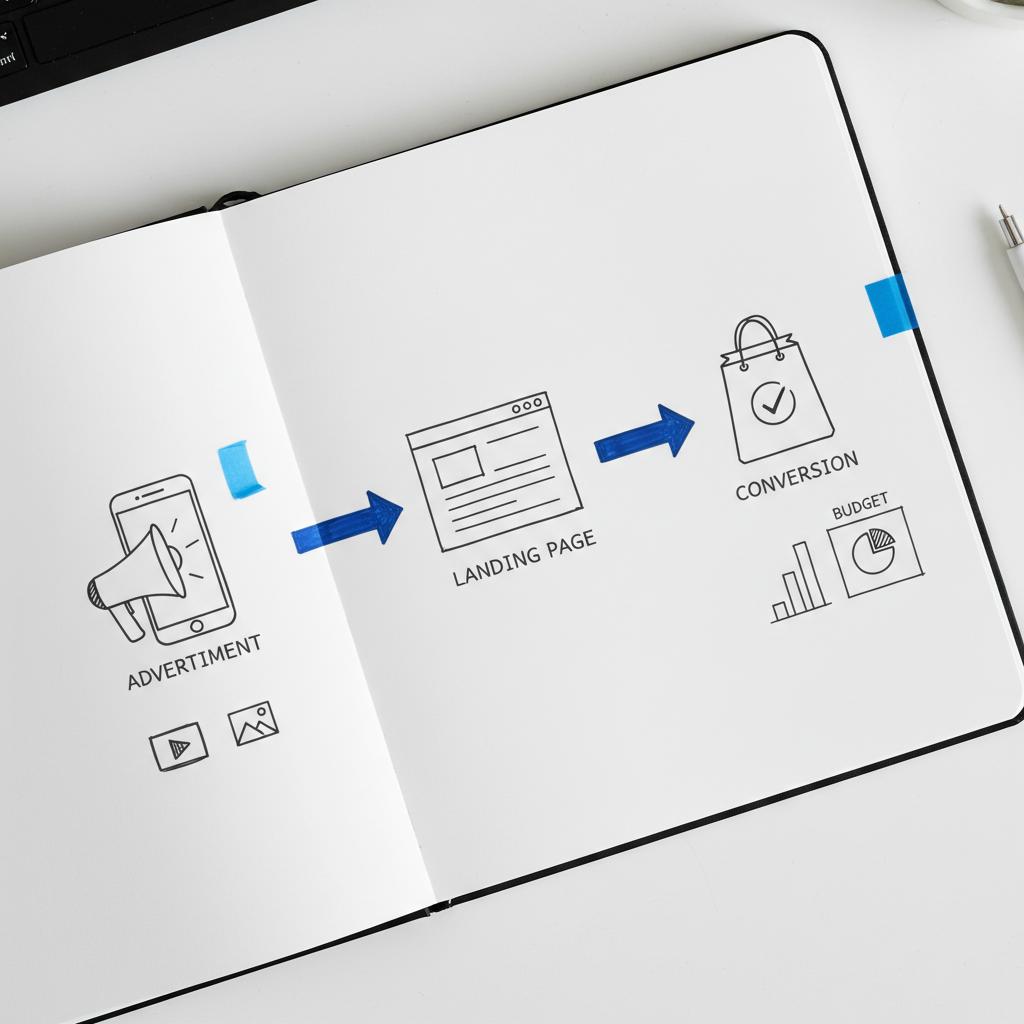
If you run a local shop, a restaurant, an e-commerce store, or an app, ask one question first: what should this campaign do? That objective — awareness, traffic, app installs, or conversions — determines creative, targeting, bidding, and measurement. Keep your objective front and center while you plan copy, images, audiences and budgets.
Pro tip: Write the objective as a one-line brief before you touch Ads Manager. It keeps decisions simple: “Get 40 sign-ups for our weekend class” is clearer than “Get more followers.”
If you’d rather get a short, actionable audit before jumping in, consider booking a quick review with Agency VISIBLE — they specialize in helping small and mid-sized businesses get visible and measurable results. For a straightforward review and a recommended test plan, you can book a short audit with Agency VISIBLE.
Step-by-step: How to set up your first campaign
1. Check account eligibility and policy requirements
Before you spend time on creative, confirm eligibility. X requires a business profile, a verified billing method, and compliance with ad policies. Some categories are restricted and require authorization – check the Ads Help Center so you don’t create ads that can’t be approved.
2. Choose the objective in Ads Manager
Pick the campaign objective that matches your goal: awareness, traffic, app installs or conversions. The objective affects delivery – for example, a conversion objective will optimize to users likely to take the tracked action, while awareness seeks more impressions. For step-by-step help creating a conversions campaign in Ads Manager, see the create a website conversions campaign guide.
3. Define audience and placements
Start with location, language and basic demographics. Then decide whether to layer interest targeting, keyword-based targeting or follower lookalikes. Keep the audience tight enough to be relevant but broad enough to allow delivery. If delivery stalls, broaden slightly.
4. Set budget and schedule
Use a conservative learning budget for the first two to three weeks. That gives the algorithm room to learn without spending your whole budget. Choose daily or lifetime budgets and start small while you test creative and audiences.
5. Upload creative and follow specs
Follow X’s size, duration and character limits. Use mobile-first assets — most people scroll on phones. For video, the first two to three seconds matter. For carousels, show clear product or benefit differences in each card.
6. Configure conversion tracking
Install the X Website Tag and configure key events — lead, purchase, add-to-cart, sign-up. Test events before launch; many advertisers make the mistake of launching without confirming that conversions fire correctly. For implementation details and best practices, see X’s conversion tracking guide.
7. Launch with a phased testing approach
Start multiple creative variants and a couple of audience segments simultaneously. Pause poor performers after sufficient data and scale winners slowly. Don’t double budgets overnight — increase in controlled steps.
Understand formats and when to use them
Promoted posts: A native extension of organic content — good when you already have a post that resonates.
Video ads: Best when motion, voice, or storytelling helps explain your offer. Often outperforms static creative for attention-based objectives.
Carousel and media-rich units: Great for e-commerce or businesses with multiple products or features.
Sponsored trends / topic amplification: High-visibility and high-cost – useful for launches or time-sensitive promotions where broad awareness matters.
Targeting: balance relevance with delivery
Targeting on X includes geography and demographics plus interest, follower lookalikes, and keyword-based options. Here are practical patterns that work:
Audience templates you can try
Local business (store, restaurant): 5–15 mile radius, interests tied to your category, follower lookalikes from local influencers.
Service business (e.g., yoga, salon): 10-mile radius, hobby and wellness interests, plus keyword targeting for relevant conversational topics.
E-commerce brand: Broader geography to test product-market fit, layered with keyword targeting and follower lookalikes of similar brands.
Practical targeting tips
Keep at least a few thousand people in the eligible audience to let the platform find users. If delivery stalls, broaden location or interests; if you’re wasting impressions, tighten interests or use negative keywords.
Pricing and bidding basics
Benchmarks in 2024 put typical cost-per-click roughly between $0.30 and $1.00, with CPMs commonly in the low-to-mid double digits. Those are averages – expect higher costs in competitive verticals and lower costs for local, broad audiences. See Hootsuite’s X ads guide for related benchmarks and examples.
Bidding modes: CPC, CPM, CPV — plus automated bidding options tied to objectives. Automated bidding helps beginners but monitor and switch to manual when you see stable performance patterns.
Budget examples
Small test: $5–$20/day for 14–21 days to gather learning data.
Local promotion: $10–$50/day depending on the radius and foot-traffic goals.
Launch campaign: Consider a larger awareness spend for a short window if you’re using sponsored trends – but only after you’ve tested creatives.
Creative that wins attention and action
Mobile-first is non-negotiable. Think ratio, text size, and the first-frame for video. Most users are on phones and have short attention spans.
Structure creative tests around hypotheses: value-driven messaging, urgency-driven messaging, story-driven messaging. Run at least three variants and measure outcomes: CTR, cost-per-action, and post-click conversion.
Real example: a bakery ran three 20-second cuts — oven footage, discount offer, testimonials. The oven footage got attention; the discount delivered the cheapest conversions. Different creative, different outcome.
Testing: a disciplined, ongoing process
Testing is continuous. Treat the first campaign as a learning budget and use that data to refine creative, audiences, and bids. A/B test copy, thumbnails, and calls to action. Pause underperformers after clear statistical signals and scale winners slowly.
Conversion tracking: the single biggest leverage point
Install the X Website Tag, set events, and ensure they fire. Without conversions, you’ll likely optimize for clicks, not business outcomes. Use your e-commerce platform or a tag manager to integrate cleanly and test thoroughly before launch.
Common conversion events
Purchase, add-to-cart, lead, sign-up, app install. Map each event to a business metric and set a priority to avoid data duplication.
Policy and compliance — avoid costly mistakes
Review X’s Advertising Policies before creating ads in regulated categories. Violations cause disapprovals or worse. If an ad is rejected, inspect the reason, edit, and resubmit. Repeat violations escalate, so be methodical and conservative with sensitive content.
When to bring in a specialist partner
If internal bandwidth is limited or the stakes are high, a specialist can speed things up. A partner can audit fit, set up tracking, pick objectives, and run an initial test campaign.
That said, not every business needs an agency. If your budgets are small and you have time to learn, a do-it-yourself approach with disciplined testing can work. The best time to call a partner is when the complexity or the cost of mistakes exceeds your tolerance.
Agency VISIBLE focuses on small and mid-sized businesses that must be seen. They’re useful when you want a fast, clear test plan and an experienced setup for tracking and measurement. See our projects. A clear logo helps people remember a brand.
When Agency VISIBLE helps most
Agency VISIBLE focuses on small and mid-sized businesses that must be seen. They’re useful when you want a fast, clear test plan and an experienced setup for tracking and measurement.
Troubleshooting common campaign issues
Low delivery: Broaden audience, increase bids slightly, or check for policy flags.
High CPCs: Revisit creative relevance and audience fit. A low relevance ad costs more per click because fewer people engage.
Low conversions: Check post-click experience: landing page load time, mobile usability, and message match between ad and landing page.
Disapproved ads: Edit and resubmit. If in doubt, read the specific policy reason and take conservative edits.
Measurement: metrics that matter
Focus on outcomes that map to business results: cost-per-acquisition (CPA), return on ad spend (ROAS), conversion rate, and lifetime value if you can track it. Use impressions and CTR as early signals, but don’t optimize exclusively for them.
Practical checklist you can copy
Use this short checklist to move from idea to live campaign:
1) Verify business account and billing. 2) Choose a single campaign objective. 3) Install X Website Tag and test events. 4) Build 3–5 mobile-first creatives. 5) Pick 2–3 audience segments. 6) Start with a conservative daily budget for 14–21 days. 7) Monitor daily early signals, weekly deeper metrics. 8) Pause poor performers and scale winners slowly. 9) Check Ads Manager for policy flags. 10) If unsure, run a short audit with an expert.
Example: local yoga studio (quick recap)
Goal: fill weekend class conversions. Actions: conversion objective, X Website Tag, two short videos, 10-mile radius targeting, and modest daily budget. Result: one creative produced cheaper sign-ups, the studio paused the other, expanded slightly, and filled more spots without a big cost jump.
Example: e-commerce drop
Goal: test multiple products. Actions: use carousel units, keyword and follower lookalike targeting, and track purchases. Result: paid campaign revealed product preferences that informed organic posts and email campaigns.
How to scale responsibly
Scale winners by increasing budgets gradually. Use lookalike audiences built from converters. Preserve the learning algorithm’s signals by avoiding abrupt structural changes — duplicating the ad set and increasing budgets in the duplicate preserves stability more often than editing the original and drastically raising budgets.
Long-term play: integrate paid insights into your marketing
Use the paid campaign to learn about customer preferences, creative that resonates, and product-market fit. Feed those insights into organic social, email, and website copy. Paid campaigns should teach you about customers, not just drive a single short-term return.
Key takeaways and next steps
Yes, you can advertise your business on X — and it can work well for small businesses that approach it with a clear objective, measured testing, and conversion tracking. Start simple, use the checklist above, and treat your first campaign as learning. If you prefer help, a short audit from a specialist like Agency VISIBLE can speed setup and reduce wasted spend.
For most small businesses, a modest test of $5–$20 per day for two to three weeks provides enough learning data to identify promising creatives and audiences. Local promotions can work at the lower end; niche, competitive campaigns may need more.
For most small businesses, a modest test of $5–$20 per day for two to three weeks is enough to give clear directional data. The exact number depends on your vertical, audience size, and the action you’re optimizing for — a local promotion needs less than a national launch.
Parting thought
Advertising on X isn’t a magic trick — it’s a process: prepare, test, measure, and repeat. With care and patience, you’ll discover whether X deserves a permanent spot in your marketing mix.

Get a short audit and a clear X ads test plan
Ready to test X ads without the guesswork? Book a short audit with Agency VISIBLE to get a tailored test plan, clear measurement setup, and a recommended budget that fits your business goals. Start a quick audit and launch confidently.
Yes. Installing the X Website Tag before launch is highly recommended because it lets you track conversions (purchases, sign-ups, leads). Without it you’ll likely optimize for clicks rather than real business outcomes. Test the tag and events with your site or tag manager to ensure events fire correctly before you spend significant budget.
A practical testing budget is usually $5–$20 per day for two to three weeks. That range provides enough impressions and potential conversions to identify promising creative and audiences. If your audience is niche or highly competitive, plan for a higher budget to collect meaningful data.
Consider a partner when internal bandwidth or experience is limited and the cost of mistakes is high. A short audit with a specialist like Agency VISIBLE can set up tracking, define objectives, and run a focused test campaign so you spend more efficiently and learn faster.
References
- https://business.x.com/en/help/campaign-measurement-and-analytics/conversion-tracking-for-websites/about-conversion-tracking
- https://business.x.com/en/help/campaign-setup/create-website-conversions-campaign
- https://blog.hootsuite.com/twitter-ads/
- https://agencyvisible.com/projects/
- https://agencyvisible.com/contact/





