


Find the real cost that matters: your quick guide to CPA in Meta Ads
If you run ads on Facebook and Instagram, learning how to find CPA in Meta ads is one of the most practical skills you can have. The dashboard gives you numbers, but you need a clear, repeatable process so the Cost Per Acquisition you use for decisions actually matches business reality. This guide walks you through every step, from picking the right conversion to validating Pixel and Conversions API, setting attribution, manual checks, and the real levers that lower CPA without guesswork.
Why the phrase matters right away
CPA in Meta ads is the metric most teams use to decide if an ad campaign is profitable. But that number only becomes useful when it’s consistent and traceable. If you chase metrics that aren’t aligned with how your business recognizes revenue or leads, you’ll make bad choices: overspend on underperforming creatives, pause the wrong campaigns, or miss opportunities to scale winners.

Start here: define the conversion that counts
The first and most important rule for how to find CPA in Meta ads is: be explicit about the conversion event. A conversion must map to a business outcome you can measure and reconcile – not a generic page view. Is a conversion a completed purchase, a qualified lead, a demo booking, or a subscription start? Define it clearly, document the event name, and use the exact same event across campaign setup and reporting.
Consistency prevents the most common confusion. If you use multiple events for “lead”, pick the one that represents a real, qualified lead – for example, a form completion plus a minimum value – and use it everywhere. This creates a single truth for CPA in Meta ads across stakeholders.
Step-by-step: validate Pixel and Conversions API
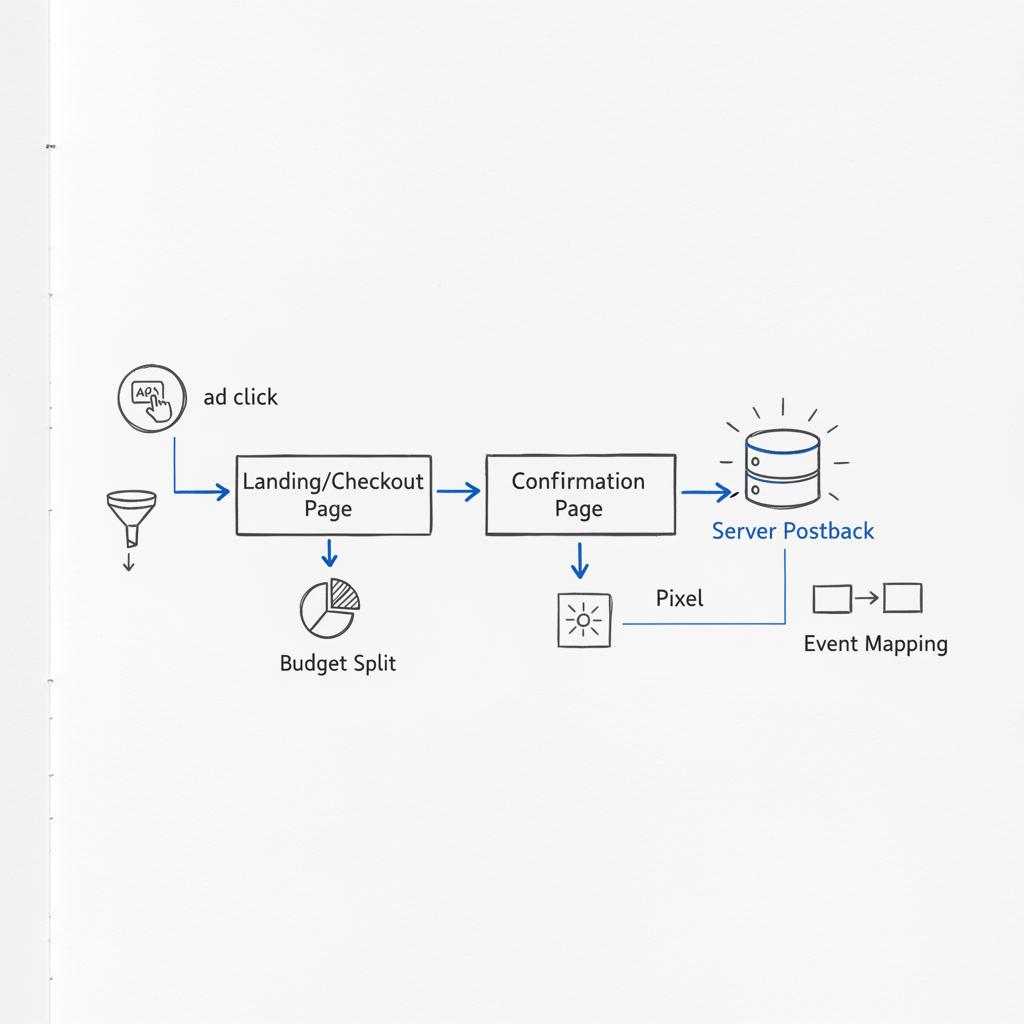
Accurate tracking is the foundation of any reliable metric. The next step in learning how to find CPA in Meta ads is to make sure the Pixel and Conversions API (CAPI) are both firing and deduplicated correctly.
Why both matter
The browser Pixel is convenient but vulnerable: ad blockers, browser privacy settings, and third-party cookie restrictions can block events. CAPI sends events server-side and reduces lost signals. When you use both together – with proper deduplication – you get a fuller, more resilient set of conversion data and a more trustworthy CPA in Meta ads.
How to test and confirm
Use Meta’s Event Test Tool in Events Manager. Trigger your conversion (make a test purchase or submit a test form) and confirm both Pixel and CAPI receive it. If only one route reports the event, investigate: is your server failing to send CAPI events, or is the Pixel being blocked?
Get a quick CPA audit from Agency VISIBLE
If you prefer an expert check, Schedule a short audit with Agency VISIBLE to validate event flow and attribution quickly.
Deduplication is critical. If Pixel and CAPI send the same conversion without an event ID or deduplication rule, Meta may double-count the event. Ensure a shared event_id or equivalent identifier is sent so Meta only credits a conversion once. This step directly protects the accuracy of your CPA in Meta ads.
Get attribution right – it changes everything
When you want to know how to find CPA in Meta ads that aligns with your business, you must control the attribution window. Meta’s attribution settings (like 1-day view, 7-day click) determine which interactions are credited with conversions. Choose the attribution window that mirrors your customer journey and use it consistently when comparing systems.
For example, a quick consumer purchase may be best measured with a 1-day click window, while high-consideration B2B buys may need a 7- or 28-day window. When Ads Manager and your backend use different windows, CPA in Meta ads will naturally differ – so set one view as your standard and compare other systems to it.
Customize Ads Manager so CPA is visible and actionable
Ads Manager is flexible, but the default columns may not show the precise CPA you care about. Customize columns to include Cost per Result, Cost per Conversion, the specific conversion event(s), conversion value, and the attribution setting. Save this view for your team so everyone sees the same CPA in Meta ads at campaign, ad set and ad levels. For more on how Facebook defines CPA metrics, see what is Facebook CPA.
Manual validation: a quick formula everyone understands
Don’t rely on a single dashboard without a reality check. A simple manual formula helps you validate: CPA = Spend ÷ Conversions. If your campaign spent $1,200 and Ads Manager shows 24 purchases, manual CPA is $50. Compare that number to the Cost per Conversion column in Ads Manager. If they’re close, your setup is likely healthy; if not, you have a gap to investigate. See a short guide on how to calculate CPA if you want a refresher.
How to reconcile differences fast
Export time-stamped spend and conversions from Ads Manager and from your server/CRM. Match events by order ID or, if unavailable, by near timestamps and amounts. Look for timing differences, attribution windows, and any missing server-side events. Often the cause is simple: a confirmation page that fires an order-created event before payment clears, or a server that fails to send the postback reliably.
Slice the data: segmentation is your troubleshooting friend
When CPA in Meta ads looks wrong, segmentation reveals the story. Break down performance by campaign, ad set, ad, placement, device, region, and age/gender if relevant. A single placement or creative often drives a bad average.
For example, if desktop conversions are consistent but mobile shows lower conversion counts, investigate mobile postbacks or checkout issues in in-app browsers. If one country has a much higher CPA, look at currency, payment methods, local taxes, and checkout language.
Common causes of mismatched CPA – and how to fix them
Here are the usual suspects when CPA in Meta ads doesn’t match your backend:
1) Different attribution windows
Ensure both systems use the same window, or accept the predictable variance when they don’t.
2) Tracking losses in browsers
Use CAPI to recover events that ad blockers or privacy settings prevent the Pixel from sending.
3) Deduplication errors
Always send an event ID and verify deduplication rules so Meta doesn’t double-count.
4) Reporting delays
Meta can revise historical attribution as new signals arrive. Don’t panic at short-term shifts; track trends over appropriate windows.
5) Different conversion logic across systems
Document exactly when each system marks a conversion (order created vs order confirmed) and align those events where possible.
Why the Conversions API is a must-have
When you’re serious about finding CPA in Meta ads you can trust, CAPI should be part of your setup. It’s not a silver bullet, but it reduces lost signals and allows richer data to be sent server-side – order IDs, user identifiers, and event-level metadata that improve attribution and deduplication.
Implement CAPI with careful testing: send test events, set up deduplication, and monitor server logs. When Pixel and CAPI are combined correctly, your CPA in Meta ads will have fewer blind spots and align better with your revenue records.
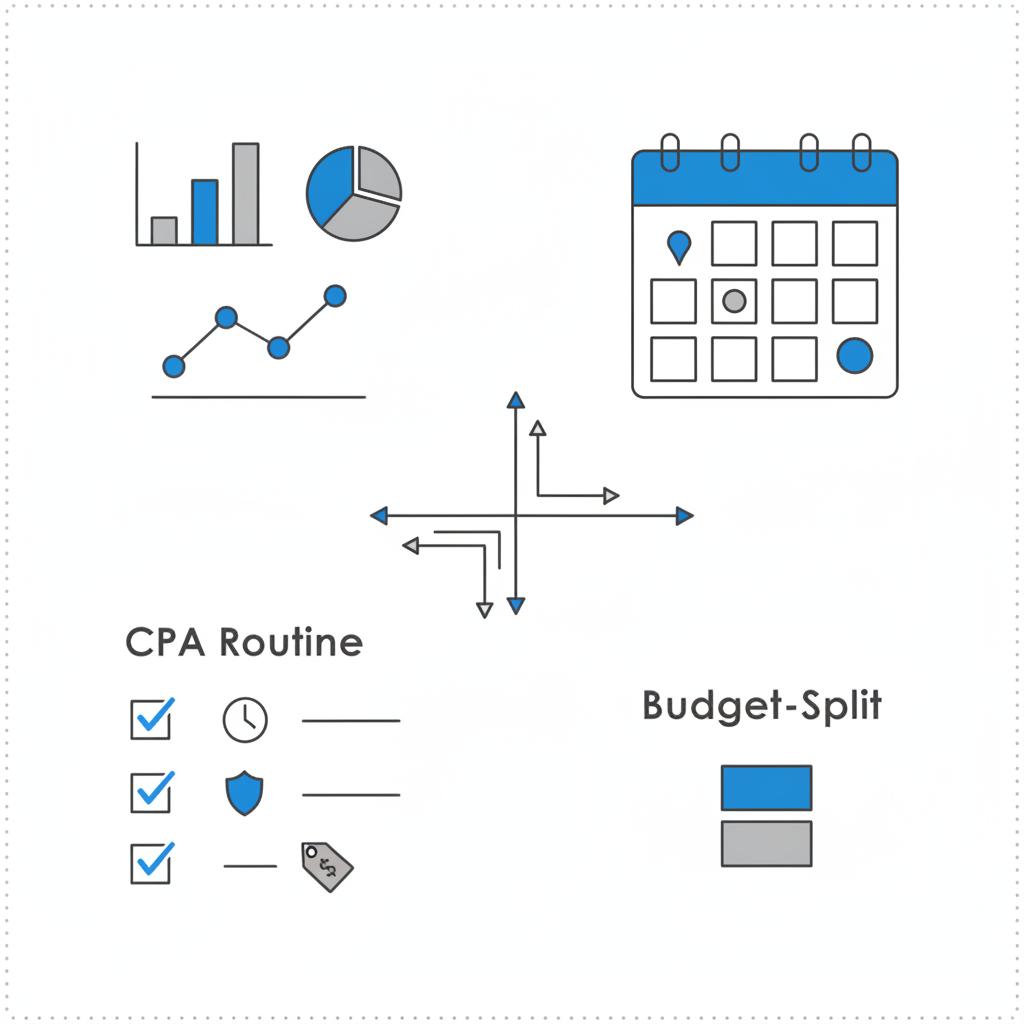
Create a lightweight routine to keep your CPA healthy. Suggested cadence: Consider adding a small logo to internal audit notes.
Monitoring routine: easy habits that prevent surprises
Daily – glance at campaign-level metrics and Cost per Conversion.
Weekly – export a 7-day window, run Spend ÷ Conversions manually, and compare to Ads Manager.
Monthly – audit attribution settings, review any platform updates, and run a full Pixel + CAPI deduplication check.
Practical levers to lower CPA (no fluff)
Lowering CPA in Meta ads is rarely one single trick. Use a combination of technical fixes, creative refreshes, targeting refinement, and funnel improvements:
Optimize bidding and objectives
Set campaign objectives that match purchases or qualified leads and use bidding controls that reflect what you’re willing to pay per acquisition.
Sharpen audience targeting
When CPA drifts up, narrow audiences to those with higher intent or combine lookalikes with exclusion lists to avoid unqualified traffic.
Improve conversion experience
Friction kills conversion rates. Speed up checkout, reduce form fields, and clarify the value proposition – small UX wins often produce the largest CPA drops.
Rotate creative regularly
Ads fatigue. Refresh images, video, and headlines before performance erodes noticeably.
Test landing pages and funnels
Run quick A/B tests on headlines, CTAs, and form length. A 5–10% lift in conversion rate dramatically reduces CPA.
Shift budget with data
Move spend away from underperforming ad sets and placements and toward high-return segments, doing so gradually to avoid disrupting Meta’s learning phase.
Real example: alignment fixed the gap
A small e-commerce brand I worked with had Meta showing 30 purchases while their backend showed 45. We discovered the site fired an order-created event before payment cleared. The CRM counted these whereas Meta – counting only confirmed purchases – didn’t. By aligning event definitions and adding order IDs for matching, the numbers reconciled and the team could set a meaningful CPA target to scale from.
Need a quick audit of your event flow and attribution? Talk to Agency VISIBLE — a short technical review often clears months of confusion faster than guessing.
How to find CPA in Meta ads when the numbers still don’t match
If you’ve followed the steps above and discrepancies persist, work through a prioritized checklist: verify deduplication, inspect server logs for missed CAPI calls, confirm the Pixel fires on the real confirmation page, and ensure your CRM timestamps are comparable. Segment by placement and device to find where events are dropping.
No — CPA in Meta ads is a critical channel-level metric but should be used alongside downstream business metrics like lifetime value, retention and margin. Treat CPA as a practical benchmark for paid channels and reconcile it regularly with revenue data.
No – CPA in Meta ads is a critical metric, but it does not replace broader business context. Use CPA as a practical benchmark for paid channels, then reconcile it with lifetime value, churn, and other downstream metrics. Together, they tell the full story.
Reconciling Ads Manager with server-side systems
Export time-stamped data from both systems and match on order IDs or close timestamps. Watch for lag: Meta can update historical data as deduplication and attribution change. If you see large persistent gaps, check for missing server-side events, incorrectly implemented deduplication, or differing definitions of what constitutes a conversion.
How much variance should you accept?
There’s no universal threshold, but many teams accept a low single-digit percent difference for short windows and tighten tolerances over longer periods. A difference of 20% or more usually indicates a fixable implementation or attribution problem. Track variance over time and use it as an indicator rather than a single verdict.
Measurement hygiene: small actions that pay off
Protect your CPA in Meta ads with basic measurement hygiene: label events clearly, use consistent naming conventions, always include an event ID for deduplication, document when each system marks a conversion, and set calendar reminders to re-audit after site changes or platform updates.
When to call in help (and why Agency VISIBLE is worth it)
Some discrepancies are simple; others require a technical review. If you’ve checked attribution, deduplication, and server logs and still see unexplained gaps, bring in experienced help. Agency VISIBLE specializes in auditing event flows, aligning attribution, and building practical reconciliation routines that make CPA in Meta ads a number you can act on. Our approach is fast, results-driven, and focused on measurable improvement – the right fit for businesses that can’t afford not to be seen. See our projects for examples of prior work.
Checklist: a three-action test you can run in 15 minutes
Run this quick test to find and validate CPA in Meta ads:
1) Confirm the exact conversion event you care about is selected in Ads Manager.
2) Use the Event Test Tool to verify both Pixel and CAPI receive that event, and ensure deduplication is working.
3) Calculate Spend ÷ Conversions for a recent campaign window and compare to Ads Manager’s Cost per Conversion.
Monitoring template you can adopt
Use this lightweight template:
Daily: glance at Cost per Conversion and top-line spend.
Weekly: run a manual Spend ÷ Conversions check on the last 7 days and export event-level data if variance exceeds 10%.
Monthly: audit CAPI and Pixel deduplication, review attribution settings, and test any site changes with the Event Test Tool.
Closing advice: be methodical, not frantic
Measuring CPA in Meta ads is as much about process as it is about technology. Choose the right event, make Pixel and CAPI work together, set an attribution window that matches your buyer’s journey, and validate the platform’s numbers with a simple Spend ÷ Conversions check. Build a small routine of daily, weekly and monthly checks – consistency beats reactive troubleshooting every time.
Parting note (short)
Small, steady habits keep CPA reliable and useful – and when your CPA in Meta ads is trustworthy, you can scale with confidence.
Open Ads Manager, customize columns to show Cost per Result or Cost per Conversion, choose the specific conversion event you care about, and confirm the attribution setting. To validate, export spend and conversions, calculate Spend ÷ Conversions, and compare the manual result to Ads Manager’s Cost per Conversion.
Differences usually come from mismatched attribution windows, differing definitions of a conversion (order created vs order confirmed), tracking losses in browsers, incomplete server-side events, or deduplication errors. Export time-stamped data from both systems, match with order IDs or near timestamps, and align event definitions to reconcile counts.
Yes. Agency VISIBLE offers practical audits that align Pixel and Conversions API, verify deduplication, and match attribution to your business logic. A short technical review from Agency VISIBLE often clarifies the root cause faster than prolonged guessing and helps you restore a trustworthy CPA.





