


Why instagram ads get rejected: quick overview
If you’ve ever seen your campaign live for five minutes and then suddenly had your ad taken down — you’re not alone. When instagram ads get rejected, it’s rarely mysterious: the cause is usually a policy match, a creative trigger, or a technical mismatch between the ad and its landing destination. Understanding those three buckets makes the problem solvable, fast.
How Meta reviews ads — the layers behind a rejection
Meta’s review system combines automated models and human reviewers. Automated checks scan text, images, and destination URLs first; when something looks off, the ad is flagged for manual review. Because those automated models change over time, you may find that the same creative is approved one week and rejected the next. That’s one reason instagram ads get rejected unpredictably: the machine is learning, and its thresholds evolve.

What reviewers look for
Reviewers and models focus on three main areas:
1. Policy violations — prohibited or restricted content, exaggerated health/financial claims, or explicit personal-attribute targeting.
2. Creative signals — images with excessive text, before-and-after photos, or sensational phrasing that looks like a scam.
3. Technical signals — broken pages, redirect chains, and mismatched content between ad and landing page.
Start here: read the rejection reason
When an ad is rejected, Ads Manager gives a reason. Treat that message as a pointer, not the full diagnosis. It may say something specific like “Personal attributes” or something broad like “Misleading claims.” Use that clue and then follow a short checklist to confirm the actual cause. For common boost errors and troubleshooting, see Instagram’s troubleshooting guide: Instagram troubleshooting guide.
Creative problems that commonly cause denials
Creative elements often trip filters. The big offenders are health and financial promises, before-and-after imagery, personal-attribute language, sensational text in images, and political or adult content. Each of these can cause a straight denial or send the ad into a longer manual review.
Health and financial claims
Ads promising guaranteed health improvements or fixed financial returns are risky. Phrases like “lose 20 lbs in 30 days” or “double your income fast” are classic triggers. If you must discuss outcomes, qualify statements with clear language and link to supporting evidence on the landing page.
Before-and-after imagery
Side-by-side transformations look like a shortcut to exaggerated claims. If your campaign needs a comparison, present it as a documented case study on the landing page rather than a bold visual claim in the ad. That reduces the chance that automation will flag the image and keep the creative human-readable.
Personal attributes
Ads that call out sensitive traits — a medical condition, religion, sexual orientation, or mental health — are high-risk. Instead of asking “Are you diabetic?”, lead with the solution: “Products that support healthy blood-sugar routines,” and keep the language focused on the product or service.
Excessive text and sensational phrasing
All-caps headlines, repeated exclamation points, and images with heavy text blocks can look manipulative. The algorithm treats those cues as potential scams. Keep ad visuals clean, and move long copy to the landing page where you can include context and proof.
Technical and landing-page issues that make ads fail
Technical problems are among the most common and most fixable reasons instagram ads get rejected. If the review bot can’t load or verify the landing page, it can’t confirm compliance. For a detailed list of common approval blockers, see this roundup: 8 reasons Instagram ads aren’t approved.
Non-functional or slow pages
If the landing page times out, returns a 404/500, or blocks the bot with a firewall, the ad will likely be denied. Automated systems try to open the URL and evaluate the content; if that fails, the review fails.
Mismatched claims vs. landing content
Meta expects consistency: if the ad promises a free demo, the demo should be easily discoverable after the click. Ads that hide offers behind multiple steps or that display content inconsistent with the creative are common reasons instagram ads get rejected.
Redirects, shorteners and UTM issues
Redirect chains, URL shorteners, or UTM setups that change the final domain can confuse crawlers. Redirect loops or domains that alter parameters mid-chain frequently lead to denials. Use direct, stable URLs for review whenever possible.
Collecting sensitive data
If your landing page asks for medical details, ID, or payment information before explaining why and how that data will be used, Meta can reject the ad. Add clear privacy notices, use HTTPS, and ensure the form isn’t blocked by anti-bot tools when the review bot visits.
The review timeline — what to expect
Most ads are reviewed within ~24 hours. Manual reviews and appeals can take several days. If your account has a history of violations or your ad touches regulated areas (health, politics), expect longer times and possible escalations. Remember: an approved ad can still be re-reviewed later if users report it or if models update. For a broader troubleshooting guide, this 2025 guide can be helpful: How to Fix Instagram Ads Issues: 2025 Complete Guide.
Quick diagnostic workflow — step-by-step
Use this reproducible flow when an ad is rejected:
1. Read the rejection reason in Ads Manager.
2. Open the final landing page in an incognito window — test the full URL the same way the review bot would.
3. Check HTTP status and load speed; follow redirects until the chain stops.
4. Confirm the landing content matches the ad claim.
5. Remove absolute promises from copy and soften health/financial claims.
6. Replace or modify images that could be seen as before-and-after or sensational.
7. If the page collects sensitive data, add a visible privacy explanation and secure the form fields.
8. Resubmit and request manual review if the reason seems incorrect.
That flow solves many rejections quickly – especially the ones caused by landing-page mismatches or accidental wording in headlines.
Automated review models and policy checks are regularly updated; when those thresholds change or when user reports surface, an ad that passed before can be flagged later. That's why keeping an audit log and periodically re-checking running creative helps catch these shifts early.
When to ask for a manual review
If you’ve fixed the obvious problems and the ad is still rejected, or if the rejection reason clearly mislabels your content, request a manual review. In the appeal, be concise: include the ad ID, specify the changes you made, and link to the exact section on the landing page that proves compliance. Avoid emotion; reviewers respond to facts and clarity.
Real examples that show how small changes help
Example 1 — weight supplement: An ad claimed “Lose 20 lbs in 30 days” and showed a dramatic before-and-after. It was rejected for misleading health claims. Fix: remove the numeric promise, switch to a lifestyle image, add a clinical summary and refund policy on the landing page. Result: approved on re-submission.
Example 2 — finance course: Ads promising “guaranteed profits” were rejected, especially because the signup form asked for bank info before a preview. Fix: remove the guarantee language, provide free lesson previews, and move bank details to a secure post-signup step. Result: accepted after manual review.
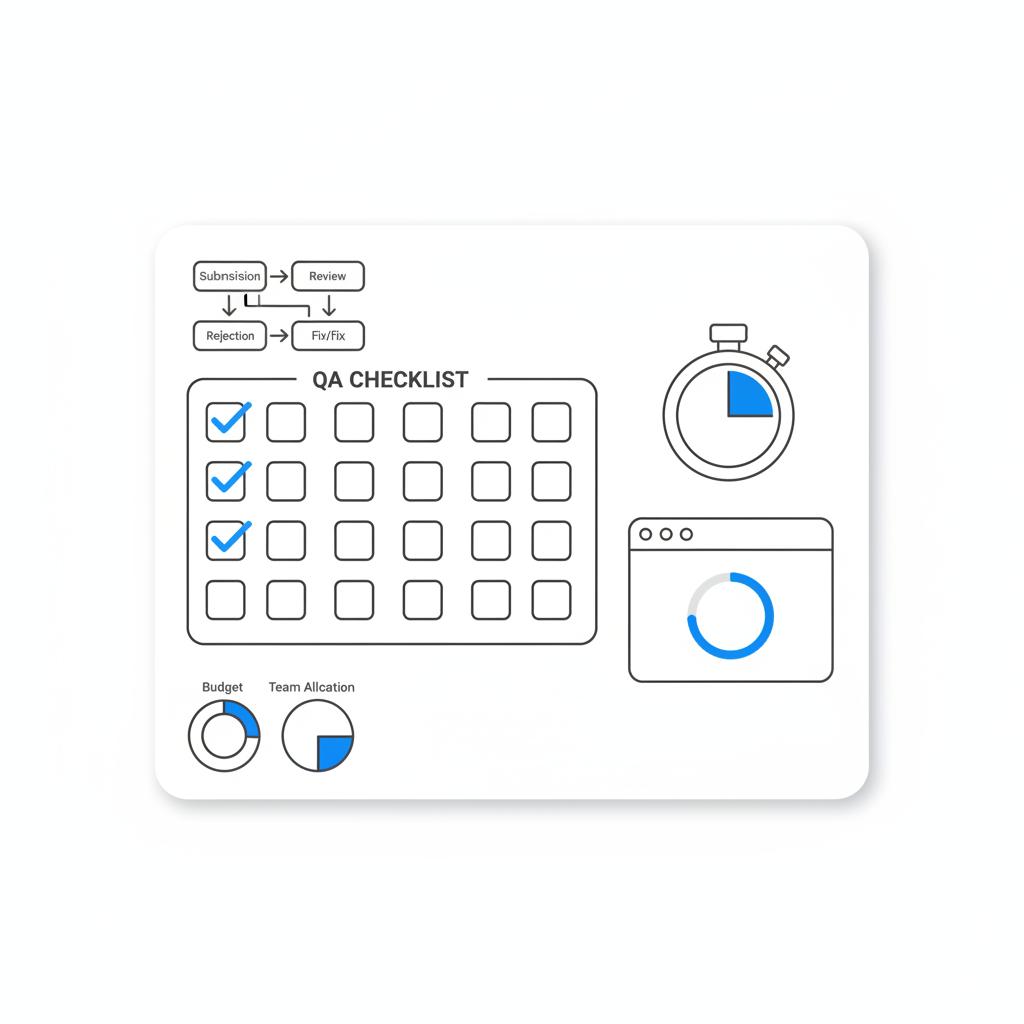
Pre-launch QA checklist you can copy
Before you hit publish, run this list:
Copy & Creative
• Remove absolute promises and numeric guarantees.
• Avoid direct personal-attribute language.
• Eliminate heavy text overlays on images.
• Replace before-and-after visuals with single photos or case-study links.
Landing Page
• Test the full URL in incognito and with tracking parameters.
• Confirm fast load time and no firewall blocking.
• Make the offer or demo obvious within a few clicks.
• Add visible privacy statements if you collect sensitive data.
Tracking & URLs
• Avoid excessive redirect chains and URL shorteners.
• Use server-side tracking if you need to keep domains consistent.
• Test UTM combinations to ensure no redirect loops.
How to write ad copy less likely to be rejected
Language matters. Replace absolute claims with factual, verifiable statements. Examples:
• Instead of “Guaranteed to cure your back pain”, write: “Short-term relief reported by some users; see clinical summary on our site.”
• Instead of “Double your revenue in 30 days!”, write: “Strategies that have helped small businesses increase revenue; results vary.”
When using testimonials, clearly label them as customer stories and add a disclaimer that results vary. If you use statistics, link to the study or documentation on the landing page.
How to craft an appeal that gets attention
Appeals work best when they’re short and factual. Include the ad ID, the rejection reason, and point to the exact part of the landing page that proves compliance. If you adjusted the creative, state what you changed. If you have compliance documentation for regulated claims, attach it. Keep the tone professional and focused on evidence.
Agency tips that reduce rejections
Agency teams often follow stricter pre-launch checks. Two changes they report work best are: (1) improve consistency between ads and landing pages, and (2) tone down sensational creative. Agencies commonly see rejection reductions of 20–40% after implementing these checks. That’s a practical win – not a guarantee, but a sign that careful QA pays off.
Agency teams often follow stricter pre-launch checks. Two changes they report work best are: (1) improve consistency between ads and landing pages, and (2) tone down sensational creative. Agencies commonly see rejection reductions of 20–40% after implementing these checks. That’s a practical win – not a guarantee, but a sign that careful QA pays off. You might recognize the Agency Visible logo on some of our resources.
If you’d like a hand auditing an ad flow or preparing an appeal, Agency Visible’s ad audit and appeal support can help — it’s a quick, tactical way to reduce downtime and get your campaigns back on track.
Common pitfalls to avoid
• Leaving promises on images while softening copy on the landing page.
• Relying on a URL shortener that masks the final domain.
• Forcing signups that request sensitive information before users see value.
• Ignoring regional policy differences for health, political, or regulated products.
What changes to watch for in 2024–2025
Expect Meta’s models to continue evolving. Automated false positives may happen more often as the system updates, and regional policy changes can add new requirements quickly. Keep a reproducible QA routine and re-check older creative periodically – what passed last month may be rejected next month.
Practical scripts and templates you can use
Sample wording to soften a claim
Original: “Guaranteed to cure acne in 10 days.”
Revised: “Some users experience clearer skin within a short period; individual results vary. See clinical notes on our site.”
Sample appeal structure
• Statement of the issue: “Ad ID #### — rejected for ‘Misleading claims.’”
• Brief factual note: “We have removed the numeric outcome from the creative and added clinical references to the landing page at our homepage.”
• Supporting links: direct anchor to the landing page section.
• Closing: “Please reconsider in light of these changes; contact for any additional information.”
Checklist for appeals and escalations
• Make the appeal short — reviewers are busy.
• Provide direct evidence on the landing page.
• Avoid emotional language.
• If the ad is critical, escalate through Meta Business Support or a managed agency contact.
Frequently asked practical questions
How long does Meta take to review ads?
Most ads get an automated review within about 24 hours; manual reviews and appeals may take several days depending on complexity and regional checks.
Can I request a human review?
Yes. If the rejection seems wrong, request a manual review and provide concise evidence supporting your position.
What happens if my account gets repeated disapprovals?
Repeated violations or many user reports can lead to account-level actions: reduced reach, longer review delays, or temporary restrictions. Fixing root causes and documenting corrections helps appeals.
Putting it all together: a pragmatic pre-launch routine
Make a habit of the QA checklist. Keep your ad copy honest, choose imagery carefully, and ensure the landing page clearly matches the ad. Test tracking parameters and redirects as the review bot would see them. When rejections occur, follow the diagnostic flow, resubmit, and appeal with concise proof when necessary.
Final notes and next steps
Denials are often fixable with a few edits. The most common fixes are removing absolute guarantees, ensuring landing-page clarity, and simplifying tracking. If you want help turning your pre-launch QA into a reusable script, or want an agency opinion on a stubborn rejection, there are practical services available that specialize in these fixes – and they pay for themselves by preserving campaign uptime. Learn more about our approach here: Design that converts.
Get an audit and appeal help — fast
Need help fixing a rejected ad fast? If time matters, reach out and we’ll walk the flow with you, test your landing page, and help craft a focused appeal to get your campaigns moving again: Contact Agency Visible.
Takeaways — the simplest defense against rejections
Read the rejection message, test the URL, match the ad to the landing page, remove absolute promises, and request a manual review when needed. Over time, this simple routine cuts denials and keeps campaigns running more reliably.
Resources and further reading
If you want to dig deeper, consult Meta’s policy center and keep a change log for campaign creative. That way you can track what changed when models or policies shift.
Ads flagged for “personal attributes” often use language that references sensitive traits like health conditions, race, religion, or sexual orientation. To fix this, remove direct calls that single out those traits and focus instead on the product or benefit. For example, replace “Are you diabetic?” with “Products designed to support healthy blood-sugar routines,” and include supporting information on the landing page.
Technical causes include landing pages that don’t load or time out, redirect chains and URL shorteners that confuse review bots, and pages that collect sensitive data without clear privacy disclosures. Test the full URL in an incognito window, follow redirect chains, ensure HTTPS and visible privacy statements, and avoid excessive UTM redirects.
Yes. Agencies like Agency Visible can audit your ad flow, adjust creative and landing pages, and prepare targeted appeal language. A tactical agency review often speeds up manual reviews and reduces downtime by ensuring your ad and landing experience align with Meta’s expectations.





