


Running facebook ads for small business can feel like stepping into a casino – but it doesn’t have to be that way. With clear setup, sensible measurement and repeatable creative, Facebook can become a predictable channel for traffic, leads and sales. This guide walks you through practical steps you can take this month and next to turn ad spend into real business outcomes.
If you want a trusted partner to review your setup or map events to revenue, consider a short consult with Agency VISIBLE — they specialize in helping small teams get visible quickly and make ad spend measurable without confusing reports.
Below you’ll find account setup best practices, a plain-language explanation of tracking (Pixel + Conversions API), how to build audience strategies that start with your customers, what creative works today, budget rules that respect the learning phase and a realistic 30-day plan that a small business owner can follow. Along the way I’ll flag common mistakes and include practical checklists you can act on immediately.
Track conversions reliably by implementing both the Pixel and Conversions API, then run mobile-first short-form video that shows the product or service in use — together these two moves often deliver the largest and quickest gains.
Why facebook ads for small business still deserve your attention
Despite shifts in privacy and rising costs, Facebook remains one of the largest places people spend time online. For many small businesses the platform is useful because you can start small, measure an outcome – a purchase, booked appointment or newsletter signup – and then decide whether to scale. The platform’s targeting rewards first-party data and measured experiments more than wild guesses.
What makes them work (and what breaks them)
The core ingredients for success are simple: reliable tracking, creative that connects, and audiences built from your own customers. If any of those three are missing, results will be noisy. Tracking gaps hide conversions, poor creative wastes clicks and thin audiences make the machine unable to learn.
Set up your accounts the right way
Start in Meta Business Suite / Ads Manager. Use a company email address, claim your domain, and add an admin who is a responsible team member – not a personal account. This prevents access and billing problems later and lets you scale ownership cleanly if you hire help.
Account checklist
Do this first: set up Business Manager, claim your domain, set billing, add teammates, and create a shared document (simple spreadsheet) that stores account IDs, Pixel ID and billing contact. Keep that sheet backed up and share it with whoever manages your ads.
The Pixel and Conversions API: why you need both
Browser-based Pixel events alone increasingly miss conversions because of ad blockers, browser privacy controls and tracking prevention. The Pixel captures client-side signals (page views, clicks, add-to-carts), while the Conversions API (CAPI) sends server-side events to fill the gaps. Think of them as two halves of a reliable tracking system. See Meta’s Conversions API best practices for implementation guidance.
How to install both — practical steps
1. Create a Pixel in Business Manager and copy the ID. 2. Add Pixel code to your site (directly or via Google Tag Manager). 3. Enable CAPI using your e-commerce platform’s built-in integration (if available) or work with a developer to send server events. 4. Verify events in Events Manager and mark important actions as conversions.
Testing is crucial: watch Events Manager, compare server events to Pixel events and confirm that purchases or bookings show up in ad reporting. For a concise CAPI checklist see Facebook’s guide on Conversions API. If you use an agency or developer, insist on verification and a short handoff note that explains which events were mapped (purchase, lead, initiate checkout, booking-confirmation).
Define KPIs that map to real business outcomes
Don’t chase clicks; pick what pays the bills. For e-commerce, that’s revenue or return on ad spend (ROAS). For service businesses, it’s cost per booked appointment or qualified lead. If lifetime value (LTV) matters, fold that into your early decisions and be ready to spend more to acquire higher-value customers.
Example KPI setups
– Local service: cost per booked job and number of booked jobs per month.
– E-commerce: revenue, purchases and ROAS.
– Subscription: signups and 30-day retention.
Targeting: start with first‑party data
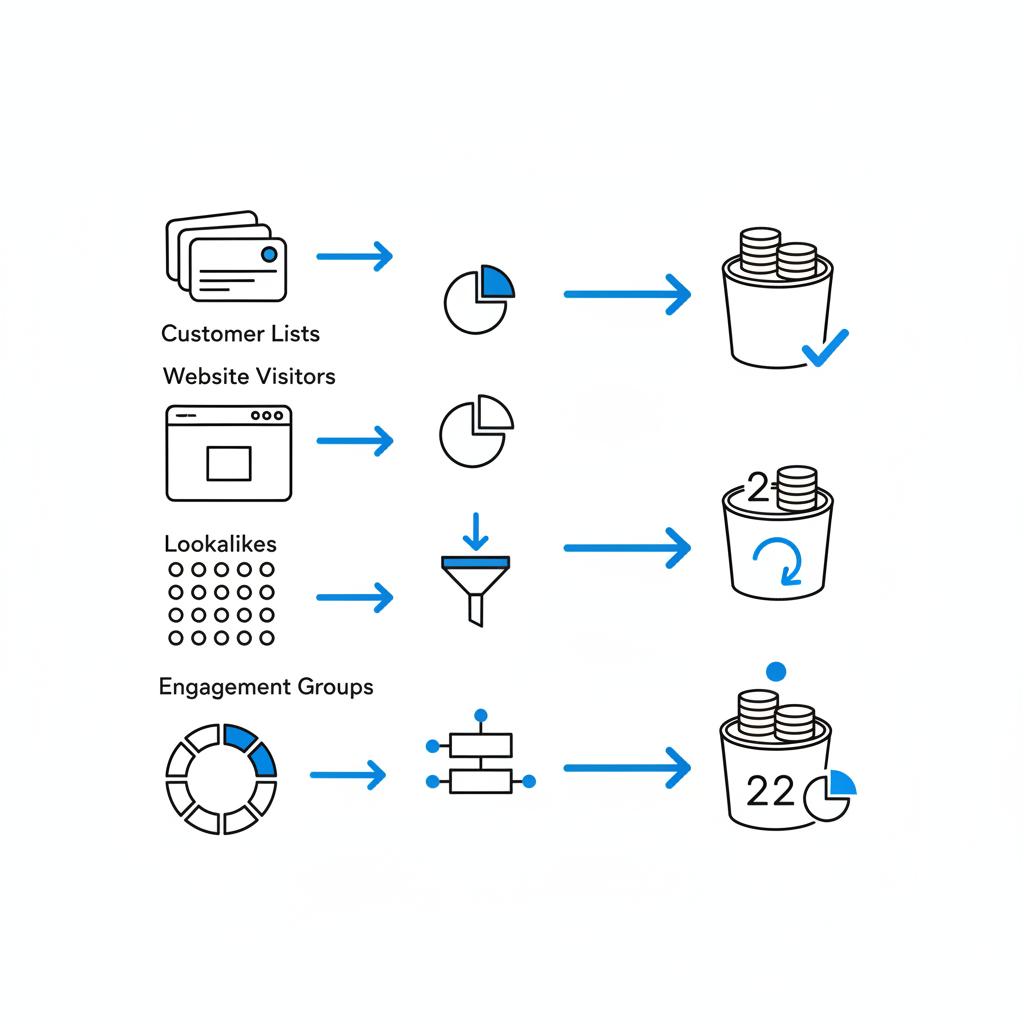
Your best audience is the one you already have. Upload customer lists, create custom audiences from website visitors and people who engaged with your socials. Then build lookalikes from those lists to scale. Detailed interest boxes still have a place but use them sparingly and always seed them with customer data.
Audience hierarchy to follow
1. Customer lists and purchasers.
2. Website visitors in the last 30–180 days (segmented by high-intent pages).
3. Engagers: people who watched video or interacted with your posts.
4. Lookalikes built from 1–2.
5. Interest/demographic targeting combined with a seed audience (if needed).
Creative winners today: short-form video and authentic formats
Short-form video and UGC-style creative outperform static images for both awareness and conversion-focused campaigns. Video lets you show a product in use, tell a quick story and build trust. UGC-style clips often convert better because they feel human and relatable. For additional strategy tips see this 2025 guide.
Creative checklist
– Hook in the first 1–2 seconds.
– Show the product or service quickly.
– Use captions (many people watch without sound).
– Keep mobile-first framing (vertical or square).
– Include a clear, single CTA: buy, book, sign up.
Budget guidance that respects the learning phase
Facebook’s delivery system needs events to learn. If you put a tiny budget behind a strict CPA, the algorithm can’t find conversions. A practical rule for small advertisers is: budget roughly three to five times your target CPA per ad set, or at least $10–20 per ad set per day until you discover a stable CPA. This gives the system room to collect several conversions per week.
How to scale budgets without breaking performance
When an ad set performs consistently, increase the budget slowly – for example, 10–30% every 48–72 hours. Sudden doubling often forces another learning cycle and can push costs up. If performance worsens, pause and diagnose: ad fatigue, exhausted reach, or competitive CPM changes are common causes.
Testing with intention — make each test answer a question
Testing is useful only if it answers a clear question. Change only one variable per test: creative format, audience seed, landing page headline or offer. Keep budget and audience constant. Use conversions as the primary success metric and run tests long enough to collect meaningful numbers.
A simple test plan
– Hypothesis: a UGC-style video converts 20% better than a static image for product X.
– Variable: creative only.
– Audience: custom visitors + 1% lookalike.
– Run time: at least 7–14 days or until you have a weekly conversion minimum.
A realistic 30‑day plan for small businesses
Follow this step-by-step plan to turn setup into measurable campaigns within a month. Each stage is small, practical and focused on capturing reliable data.
Days 1–7: foundations
– Create or audit Business Manager and Ads Manager.
– Claim your domain and set up billing.
– Install Pixel and set up Conversions API.
– Define one or two KPIs tied to revenue or booked actions.
– Build initial audiences: recent website visitors, email list audience, and a lookalike from best customers.
– Prepare landing pages and ensure primary conversion events are tracked.
Days 8–15: launch
– Launch 2–3 creatives with the same audience and budget: a short-form video, a UGC-style testimonial, and one static image.
– Use a broad or seed audience composed of your custom lists and a lookalike.
– Start budgets that allow several conversions per week (use the $10–20 per ad set/day rule as a floor).
Days 16–24: read and refine
– Identify and pause poor performers.
– Scale winners slowly (10–30% every 48–72 hours).
– If a creative dominates conversions, keep testing minor variants against it (different hook or CTA).
Days 25–30: focused A/B test and planning
– Run a single A/B test that tweaks one element of the winning creative.
– Use results to design month-two budget and creative roadmap.
– Document everything in a simple spreadsheet: spend, conversions, cost per conversion and landing page notes.
Combine paid and organic channels
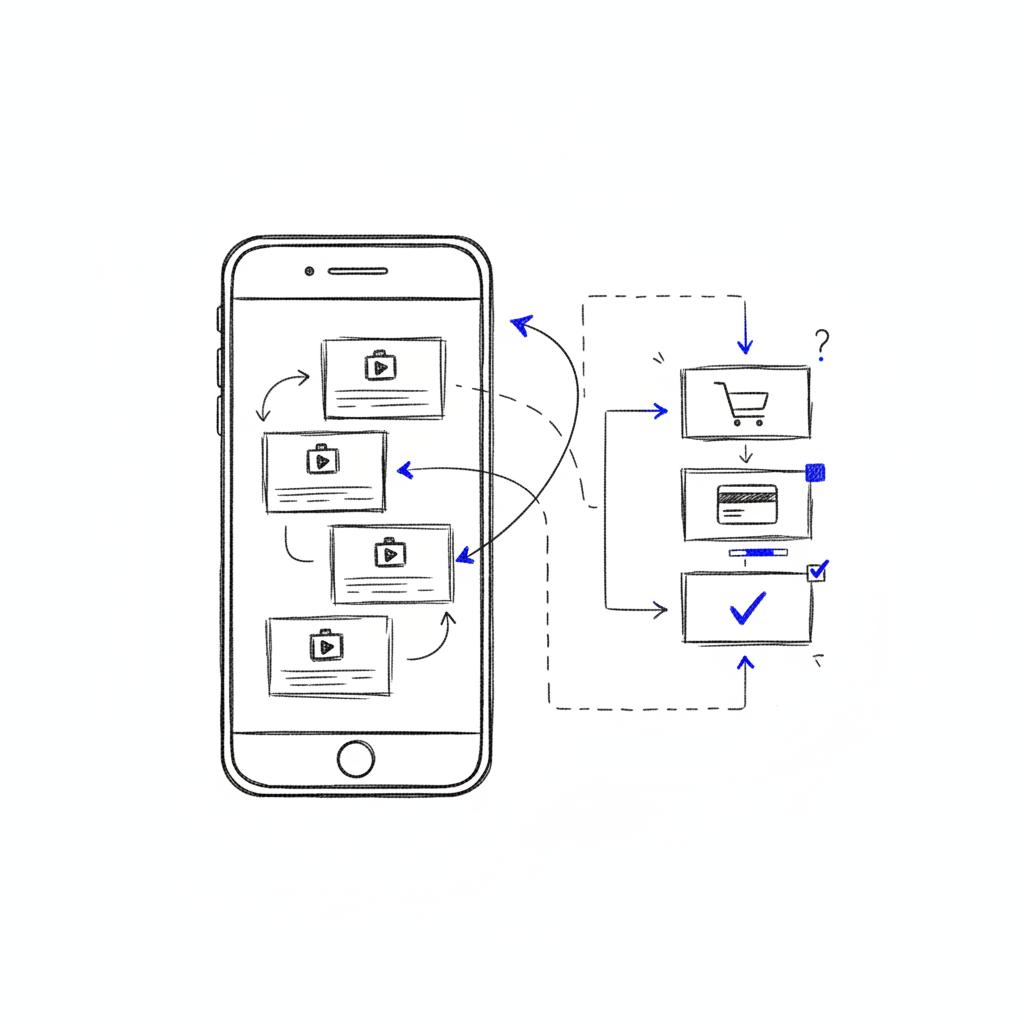
Ads work better when people already recognise your brand. Use email, organic social posts, community groups and word-of-mouth to warm audiences. Amplify your best organic content with paid ads and use ads to fuel email capture so you own the customer relationship. A clear logo can help cross-channel messaging feel cohesive and consistent.
Manage privacy-driven signal loss and rising costs
Privacy changes have reduced visibility into some conversions. The practical response is to invest in first-party data (email lists, phone numbers, account creation) and accept some experimentation cost as part of learning. Tighten creative, refresh creatives often, and improve landing pages – these are fast levers when CPMs rise.
When to bring in outside help
Hire help when you need speed, coverage or expertise you don’t have in house. If you do, ask for concrete deliverables: Pixel + CAPI installed and verified, event mapping, mobile-ready creative files and a simple measurement plan that ties ad results to your KPIs. Insist on plain-language summaries and specific next steps, not pages of jargon. If you want examples of past work, check the agency’s projects for case studies and outcomes.
Real examples and common mistakes
A small plumbing business we worked with started with $15/day interest-targeted ads and got clicks but no booked jobs. We switched to a custom audience of past visitors plus a lookalike and rolled short video showing a before-and-after repair with a clear CTA to book. With Pixel + CAPI in place, conversions were captured and cost per booked job dropped within weeks. The lesson: seed targeting with your own visitors and show the work in a short clip.
Another retailer spent on single-image ads and saw high purchase costs. We introduced UGC-style video, improved the product page clarity and added an email capture at checkout. Follow-up emails increased repeat purchases and made scaling profitable. Common mistakes include relying on one channel, poor tracking and not matching landing pages to ad promises.
Measuring success beyond platform numbers
Platform-reported conversions are necessary but not sufficient. Reconcile ad-reported events with backend systems: payment processors, CRMs and booking apps. Track spend against true conversions in a simple spreadsheet so you can compute real cost per acquisition and ROI. Fix mismatches by checking Pixel and CAPI event mapping, attribution windows and any filters that might exclude traffic.
Troubleshooting tips
– If conversions disappear: check Events Manager for dropped Pixel events, verify CAPI and confirm your domain is claimed.
– If CPA drifts up: refresh creative, test landing page elements, or narrow audience to a higher-intent segment.
– If reach stalls: broaden lookalike percentage or create new lookalikes from more recent buyers.
Time- and budget-saving tips
– Refresh winning creative before costs spike; a fresh hook or cut often restores performance.
– Use landing pages that match the ad’s promise – mismatched expectation wastes money.
– Be patient with tests: many need one to two weeks to stabilize, and conversion volume matters more than impressions when revenue is the goal.
Checklist you can use today
– Business Manager set up with domain claimed.
– Pixel installed + CAPI enabled and verified.
– One or two KPIs tied to real outcomes.
– Custom audiences (email list, past visitors) and a lookalike.
– Three creative assets: short video, UGC clip, static image.
– Landing page matched to ad with clear CTA.
– Simple tracking spreadsheet to reconcile spend and revenue.
Get a short action plan to improve your Facebook ads
Ready to get measurable results? If you want a quick technical review or a short action plan, talk to Agency VISIBLE — they’ll help prioritise fixes that move the needle without confusing reports.
How much to spend: realistic budget examples
There’s no magic number, but here are sensible starting ranges based on business type and goals.
– Local service businesses: $300–600 per month to start (spread across a few campaigns).
– Small e‑commerce: $500–2,000 per month depending on margins.
– Fast-growth startups: budgets vary widely; plan on higher spend early to collect signal.
Use these as starting points and treat them as experiments. If your LTV is high, you can afford a higher CPA – and therefore a higher starting budget to find those customers.
Hiring an agency or freelancer: a short checklist
Ask for a clear scope: install and verify Pixel/CAPI, event mapping, creative files sized for mobile and a short measurement plan. Set deliverables with dates and request plain-language summaries. Avoid long technical reports; ask for two to three prioritized next steps you can act on.
Final practical tips and parting advice
Advertising well is less about shortcuts and more about steady improvement. Track carefully, test one thing at a time, and treat creative as ongoing work. Expect some experimentation costs and see them as investments in learning. Over time, these habits convert Facebook ads from a gamble into a dependable source of customers.

Want the one-sheet checklist? Copy the earlier checklist into a single page and put it on someone’s desk – use it as your week-one to-do list and don’t let ‘paralysis by options’ slow you down.
Good luck – steady steps beat wild leaps. Watch the data, listen to the signals and make small moves that respect both budget and learning.
There’s no one-size-fits-all answer. A conservative starter budget could be $300–600 per month for local service businesses, while e-commerce stores often begin at $500–2,000 per month depending on margins. The right number depends on your target CPA, customer lifetime value and how quickly you want usable data — treat these ranges as starting points and scale slowly once you see consistent conversions.
Aim to give an ad set enough budget to reach several conversions per week. If you don’t yet know your CPA, a practical minimum is $10–20 per ad set per day. Very small daily budgets often prevent the platform from learning and delivering reliable results.
Yes — the Pixel alone will miss conversions because of ad blockers and browser privacy controls. The Conversions API (CAPI) sends server-side events and fills gaps, making overall attribution more reliable. Implementing both Pixel and CAPI gives a fuller view of conversions and helps the ad system optimize better.
References
- https://agencyvisible.com/contact/
- https://developers.facebook.com/docs/marketing-api/conversions-api/best-practices/
- https://www.facebook.com/business/help/308855623839366
- https://leadsavvy.pro/post/facebook-advertising-best-practices/
- https://agencyvisible.com/
- https://agencyvisible.com/projects/
- https://agencyvisible.com/design-that-converts-our-approach/





