


Claiming and caring for your Yelp business listing: a practical guide for small businesses
If you run a local business—whether a café, a dental practice, a plumbing company, or a boutique shop—your Yelp business listing can be one of the first places potential customers look. A tidy listing means fewer missed calls, fewer wrong turns, and more people walking through your door. This guide walks you step-by-step through claiming a Yelp business listing, completing verification, optimizing the most important fields, handling reviews, and deciding whether Yelp’s paid features are worth testing.

Why claim your Yelp business listing right now?
An unclaimed Yelp business listing is like a window display left in the rain: information gets smudged, photos go out of date, and anyone can leave an impression without an owner’s reply. Claiming the page gives you control. You can update the business name, hours, phone number, add photos, and respond to reviews. Those small actions reduce friction for customers and make your business look cared-for and professional.
Claiming is free and fast in most cases. Once claimed, you’ll get access to Yelp’s free tools and analytics, letting you see how people find and interact with your Yelp business listing. That knowledge helps you prioritize changes that bring real customers.
Additional resources you may find useful: Optimizing Your Yelp Listing, How To Claim Your Yelp Listing, and the Yelp page checklist.
How to claim a Yelp business listing: step-by-step
Follow these steps to claim or create your Yelp business listing:
1. Start at the Yelp business portal
Go to biz.yelp.com and search for your business. If a listing exists, you’ll find it in the results and can begin claiming. If it doesn’t exist, Yelp will let you create a new Yelp business listing and then claim it. The portal walks you through entering your NAP (name, address, phone) and basic details.
2. Verify ownership
Yelp asks you to verify that you represent the business. Common methods include phone, email, or a postcard with a verification code. In complex cases—shared suites, new builds, or frequent moves—Yelp’s support team may perform a manual review. Verification is a gatekeeper: have access to the listed phone and email and basic documents (utility bill, registration) handy if asked.
3. Fix the essentials first
Start with the core fields on your Yelp business listing: exact business name as customers know it, correct address, and a working phone number. These three items (NAP) prevent confusion and let customers contact or visit you without friction.
4. Choose the right categories
Yelp’s categories determine where your Yelp business listing appears. Select a specific main category and add accurate secondary categories for services you offer. Being precise helps searchers find you for the exact service they need.
5. Set hours and exceptions
Add full opening hours, including holiday closures or special events. Customers dislike guessing whether you’re open—clear hours reduce wasted trips and negative impressions.
6. Add a concise description
Write a 1–3 sentence description that tells visitors what you do, what makes you different, and what they can expect. Avoid buzzwords—use specifics: “same-day appliance repairs” or “handmade pastries with local flour.”
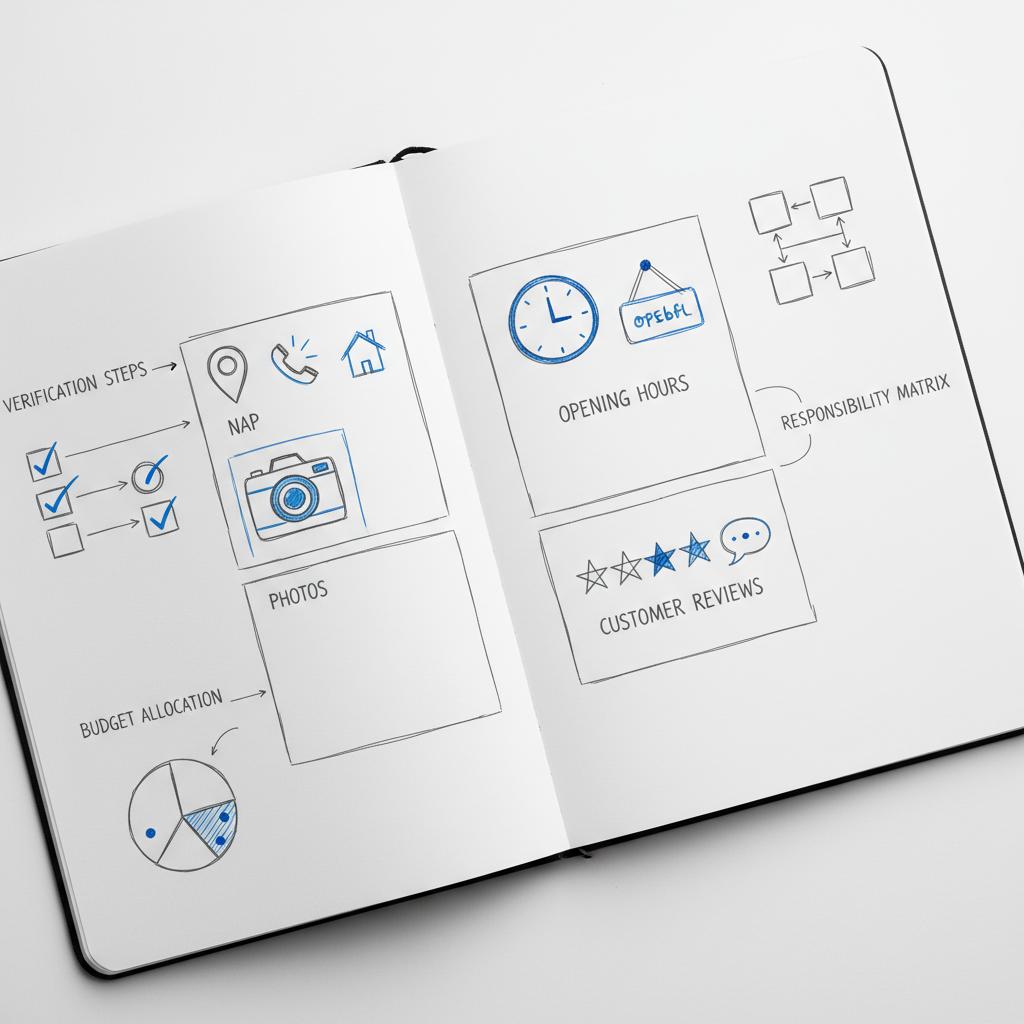
Photos give people a sensory preview. Use well-lit images of your storefront, interior, signature products, and team. Listings with clear images get more engagement than those without. Including a clear logo among your images helps local recognition.
8. Monitor and respond to reviews
Once your Yelp business listing is active, check reviews regularly and respond promptly. Thank reviewers for praise and handle complaints with calm, constructive replies.
What verification looks like in practice
Many owners experience a one-step phone or email verification: Yelp sends a code, you enter it, and control transfers within minutes. Some businesses receive a postcard with a code, similar to other directory services. In ambiguous cases, Yelp might ask for proof or perform a manual check.
Treat verification as an administrative task, but plan for delays in certain regions or business types. Keep documentation ready and respond to Yelp support requests quickly to speed up the process.
Yes—service-area and home-based businesses can claim and verify a Yelp business listing. Yelp allows hiding the exact address for privacy while still listing a service area. Verification may require extra documentation, but a well-maintained listing still drives calls and bookings.
Yes. Service-area businesses and home-based businesses can claim and verify a Yelp business listing. Yelp allows hiding your physical address from the public for such businesses while still listing the general service area. Verification may need additional paperwork or direct contact with Yelp, but a well-maintained listing still attracts customers via searches, calls, and messages.
What to prioritize on your Yelp business listing
Not all fields are equally important. If time is limited, focus on these high-impact items first:
NAP (Name, Address, Phone)
Accuracy here is critical. Inconsistent NAP information creates customer frustration and can hurt search visibility across platforms.
Categories and services
Correct categories ensure your Yelp business listing appears for relevant searches. Choose one primary category and several specific secondary categories to cover your key services.
Hours and special closures
Complete, honest hours reduce surprise visits and negative experiences. Add holiday hours well in advance.
Images and visuals
Good photography matters. A few sharp, well-lit images—storefront, interior, a hero product, and staff—can dramatically improve engagement on your Yelp business listing.
Short, useful description
Think of your description as a friendly front-door greeting. Tell customers what you do and what sets you apart in plain language.
Reviews: why they matter and how to handle them
Reviews are the heart of Yelp. People read them to understand whether a business delivers on its promise. Stars are quick to scan, but the tone and content of reviews—and your replies—shape trust.
Be prompt. A brief, personal response to positive feedback reinforces loyalty. For criticism, respond calmly: acknowledge the issue, apologize where appropriate, and offer to take the conversation offline to resolve it. That approach shows prospective customers you listen and act.
Remember Yelp’s filtering. Yelp uses algorithms to highlight some reviews and filter others. Because the system is opaque, focus on collecting genuine feedback from a broad range of customers and reply to visible reviews in good faith.
Avoid review pitfalls
Do not offer incentives for reviews or pressure customers for five-star feedback—Yelp’s policies prohibit manipulative behavior. Instead, invite honest feedback by adding a short note on receipts, follow-up emails, or a gentle sign at the register asking for an honest review. A realistic mix of reviews looks more trustworthy than a perfect, obviously curated set.
Free Yelp features vs paid options
Claimed businesses get several free features: editing the page, responding to reviews, direct messaging, and basic analytics. These tools provide considerable value for most small operations.
Yelp’s paid options include promoted placements, Connect (a promotional feed), special offers, and third-party integrations for reservations or bookings. Paid features can help short campaigns or boost visibility, but they are not a guaranteed path to revenue.
If you test a paid product, track outcomes that matter—bookings, calls, purchases—not just impressions. Set a small test budget, measure results, and decide whether to scale.
Common listing problems and solutions
Duplicate listings
Duplicates dilute presence and confuse customers. Claim any duplicate Yelp business listing and request a merge or removal through Yelp support. Keep a consistent business name and address to prevent future duplicates.
Outdated hours or photos
Regularly update photos and hours. A seasonal or new-menu photo is an easy improvement that signals care.
Ignoring reviews
Don’t. Silence is worse than a thoughtful reply. Respond professionally and try to move resolution offline when possible.
Over-spending on ads
Test paid features with clear conversion goals. More impressions without measurable conversions often means wasted budget.
Short case study: how a neighborhood bakery used their Yelp business listing
A bakery near a college campus found its Yelp page with the wrong address, old hours, and blurry images. The owner claimed the listing, verified by email, corrected the address and hours, added fresh photos of the pastry case and interior, and updated categories to include both bakery and coffee shop.
Within six weeks the bakery saw more calls and messages from students, better review quality (the owner started replying and apologizing when necessary), and a modest, measurable bump from a small paid promotion for a new muffin flavor. The owner concluded that daily care—accurate info, photos, and review replies—produced the most consistent growth, while paid features worked best for short promotions.
Practical templates and scripts you can use
Here are short, friendly templates to use on your Yelp business listing when responding and inviting reviews.
Reply to a positive review
Template: “Thanks so much for the kind words, [Name]! We’re thrilled you enjoyed [specific item/service]. Hope to see you again soon.”
Reply to a negative review
Template: “I’m sorry to hear about your experience, [Name]. We appreciate the feedback and would like to make it right—please contact us at [phone/email] so we can fix this.”
Simple review request (in person or receipt)
Template: “Thanks for your visit—if you have a moment, we’d love your honest feedback on our Yelp page: [short URL].”
Checklist: first 30 days after claiming your Yelp business listing
Use this checklist to organize the first month of updates:
Week 1: Claim and verify the Yelp business listing. Update NAP and business categories. Add hours and a short description.
Week 2: Upload 6–8 high-quality photos (storefront, interior, hero product, team). Post one short update or offer if relevant.
Week 3: Respond to every visible review. Invite satisfied customers to leave honest feedback. Check for duplicates and request merges if needed.
Week 4: If considering paid Yelp features, run a small test campaign with clear tracking to measure calls, messages, or bookings directly attributable to Yelp clicks.
Measuring success on your Yelp business listing
Track metrics that tie to revenue: phone calls, messages, bookings, and in-store visits. Yelp’s basic analytics show views and searches, but pair that with your business systems: ask new customers how they heard about you, use tracking numbers for Yelp ads, or attach a simple coupon code to promotions for measurement.
When to get professional help
Refreshing a Yelp business listing is something many owners do themselves. But if you’re short on time or prefer a strategic approach—testing paid features, improving imagery, or running a focused review-generation plan—partnering with a specialist can save hours and produce clearer results. See some of our work on the Agency VISIBLE projects page or visit the Agency VISIBLE homepage to learn more.
If you want hands-on support, consider Agency VISIBLE’s listing optimization service—they specialize in helping small businesses claim, clean up, and optimize listings so you can focus on customers while the experts handle visibility and tracking.
Do’s and don’ts for maintaining your Yelp business listing
Do
• Keep NAP consistent across platforms.
• Respond to reviews politely and promptly.
• Add updated photos seasonally.
• Use paid features only after a measurable test.
Don’t
• Don’t pay for fake reviews or offer incentives.
• Don’t ignore duplicate listings.
• Don’t leave hours or services blank.
Advanced tips for steady improvement
1) Use a short tracking number for Yelp ads so you know when callers came from Yelp. 2) Ask staff to flag interesting customer feedback for follow-up replies. 3) Keep a running photo folder with high-resolution images you can rotate in. 4) Make review replies part of a weekly routine so responses stay timely.
Three small experiments to run this quarter
Experiment 1: Run a two-week promoted placement for a seasonal item with a unique coupon code and track redemptions.
Experiment 2: Post a short Yelp update announcing a limited-time offer and measure calls/messages.
Experiment 3: Improve 8 photos and monitor changes in listing views and message volume.
Frequently asked questions
How long does it take to claim a business on Yelp?
Claiming can take minutes if verification is instant, or several days if Yelp mails a postcard or requires manual review. Timelines vary by market and business type.
What verification methods does Yelp use?
Common methods include phone and email verification. Some listings receive a postcard or manual review. Keep documentation ready if requested.
Do photos really matter?
Yes—high-quality photos increase engagement and give potential customers a reliable preview of your business.
Should I respond to negative reviews?
Always. Calm, professional replies that offer a resolution show you care and often improve future customers’ perception.
Are Yelp’s paid features worth it?
Sometimes. Test paid products with clear conversion goals and a small budget. Measure bookings, calls, or purchases rather than just impressions.
Final practical advice
Claiming and maintaining a Yelp business listing is a low-cost, high-value activity for most local businesses. Prioritize accurate contact details, clear categories, full hours, a sharp description, and good photos. Treat reviews as a conversation—respond with curiosity and care. For paid features, measure results and keep experiments small and trackable.
Closing thought
Start small and stay consistent: a little attention to your Yelp business listing, repeated over weeks and months, turns an overlooked page into a reliable source of customers. If you’d like help writing your description or planning a two-week update schedule, a short consultation with an expert can save you time and sharpen results.
Ready to make your business more visible?
Ready to make your business more visible? Book a quick consult to tidy your listing, improve photos, and test a targeted Yelp campaign—so you get real customers, not just impressions. Contact Agency VISIBLE to get started.
Claiming typically takes minutes when verification is instant by phone or email. If Yelp sends a postcard or requires manual review, it can take several days or longer—timelines vary by region and business type. Keep proof of ownership ready (utility bill or registration) to speed up any manual checks.
Yes—high-quality photos and a concise, specific description significantly improve engagement on your Yelp business listing. Listings with clear images and helpful descriptions get more clicks, messages, and visits. Swap in seasonal photos and keep the description focused on what sets you apart.
Yes—Agency VISIBLE offers listing optimization and hands-on support to claim, clean up, and test Yelp features. They help busy owners update NAP, add effective photos, craft a compelling description, and run small, measurable ad tests. For a consult, visit Agency VISIBLE’s contact page.
References
- https://www.brightlocal.com/learn/optimizing-yelp-listing/
- https://www.localfalcon.com/blog/how-to-claim-your-yelp-listing-and-why-you-should-for-local-seo
- https://business.yelp.com/resources/articles/yelp-page-checklist/?domain=local-business
- https://agencyvisible.com/contact/
- https://agencyvisible.com/
- https://agencyvisible.com/projects/
- https://biz.yelp.com/





