


How do you qualify for Google Local Services Ads? A practical, no‑nonsense walkthrough
How do you qualify for Google Local Services Ads is the question most local business owners ask when they want predictable, pay‑per‑lead customer flow. If you’re reading this, you want clear steps, realistic timelines, and a short list of the real things that trip people up. This guide walks you through eligibility, the multi‑step verification process, lead billing, ranking signals, and practical fixes you can implement today.
Why LSAs are worth understanding
Local Services Ads (LSAs) are different from normal Google ads because they’re pay‑per‑lead, not pay‑per‑click. That matters: you don’t pay for page views, you pay for contact attempts that Google counts as leads. That raises the stakes for verification and trust – Google wants to make sure people who answer its ads are safe, licensed, and ready to do the work. Learn more on Google’s Local Service Ads page.

The three pillars of LSA eligibility
Think of LSA qualification as a tripod. If any one leg is weak, the whole effort can wobble:
1. Category and market availability. Google does not support every trade in every city. Plumbing, electricians, locksmiths, HVAC, and many home services are commonly supported, but availability varies by state, county, and zip code.
2. Screening & verification. Identity checks, business profile validation, license and insurance uploads, and background checks for owners and technicians are mandatory in many categories.
3. Operational fit. Do you have licensed staff in the service area? Does your insurance cover the advertised work? Are your Business Profile settings accurate?
Step‑by‑step: the verification process
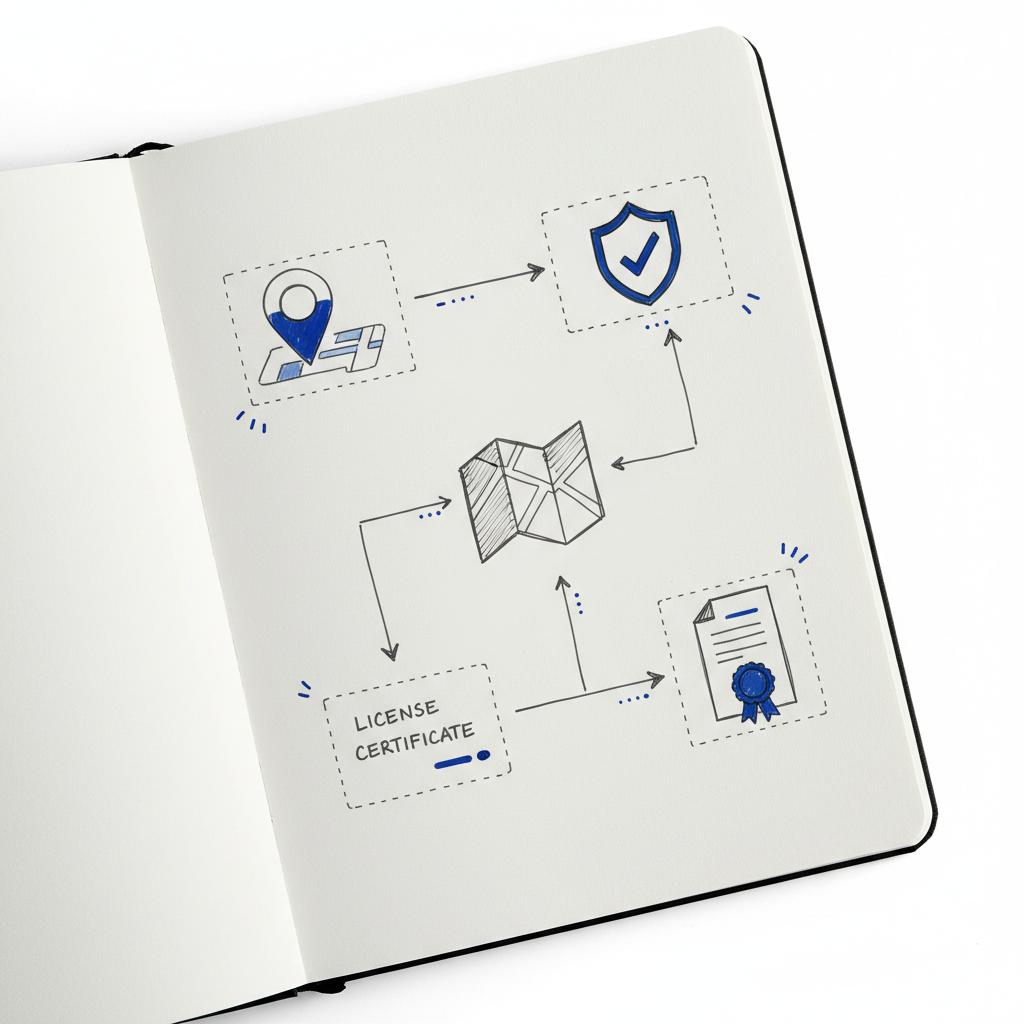
The LSA verification journey is a predictable sequence. Here’s a practical checklist of the typical stages:
1. Start your LSA account — begin the sign‑up and link or create a verified Google Business Profile.
2. Confirm identity and business details — legal name, address, and phone number must match official records.
3. Upload licenses and insurance documents — state licenses, city permits, and current insurance certificates that match the work you advertise.
4. Submit owner and employee information for background checks — Google often checks owners and technicians who will serve homeowners.
5. Wait for Google’s final decision — if all checks pass, Google grants a Google Guaranteed or Google Screened badge.
If you’d like a discreet review of your paperwork or help aligning your Google Business Profile before you apply, Agency VISIBLE’s contact page is a simple place to start — a short consult can save weeks of delays.
Identity and business verification — the first hill
Google compares the legal details you submit to existing records. That’s why the Google Business Profile (GBP) is critical: unverified, duplicate, or inconsistent profiles are a frequent cause of delay. Make sure your GBP matches your official business registration, phone number, and address format.

Licenses, permits, and insurance — what to upload
Documentation requirements differ by trade and location. Expect to provide scanned copies of:
- State license certificates (with license numbers)
- Local permits or county registrations, when required
- Proof of current insurance, including policy numbers and coverage descriptions
If an insured activity in your policy excludes certain categories (for example, structural or electrical work), Google may flag the mismatch and pause your application until it’s resolved.
Background checks — prepare your people
Background checks are often the longest part of the process. Google usually runs checks on business owners and on the technicians listed to perform services. Depending on your location and category, checks can be a basic identity audit, a records search, or fingerprint‑based screening.
Pro tip: gather personal IDs and permission from your staff ahead of time. The faster they respond, the faster the whole account moves through verification.
What the Google Guaranteed or Google Screened badge actually means
Passing verification leads to either the Google Guaranteed or Google Screened badge. Google Screened typically applies to professional services (some law or finance categories), while Google Guaranteed is common in home services. Both mean Google completed required checks and will show a trust badge next to your listing.
Yes — a single disqualifying background result for any listed owner or technician can block the whole account until the issue is resolved. If you suspect an error, gather court records that show dismissals or expungements and provide them during appeals; consider legal counsel for complex matters and plan for extra time to clear disputes.
How LSA matching and billing actually work
Unlike keyword bidding on standard Google Ads, LSAs match primarily by location and service category. Proximity matters — being closer to a searcher helps — but Google also weighs relevance, reviews, responsiveness and account health.
Billing is per qualified lead. A lead typically means a phone call or message that meets Google’s criteria. Prices vary widely by category and market; plumbing or HVAC in a big city may cost much more than the same lead in a smaller town. For a practical overview of how LSA ads work see WordStream’s guide, and for typical cost ranges see this cost overview.
Not every incoming call is chargeable. Google allows disputes for spam or out‑of‑area calls. Keep call logs, timestamps, and notes to support disputes.
How long does verification take?
Timelines are variable. If your paperwork is in order and background checks are quick, many businesses finish within a few days to two weeks. When fingerprinting or third‑party confirmations are involved, the process can stretch to several weeks. For a safe launch, start 3–6 weeks before your target go‑live date.
Common failure points — real examples and how to avoid them
Here are the failures we see most often — and the practical fixes you can apply now.
1. Mismatched Business Profile information
Problem: Your GBP shows an old phone number, or you have duplicate listings. Fix: Clean up duplicates, confirm the primary listing is verified, and make sure address formatting matches public records.
2. License or permit gaps
Problem: You upload a state license but overlook a county permit required for one service area. Fix: Check county and city registration requirements before you apply, and only advertise services you’re licensed for in each jurisdiction.
3. Insurance mismatches
Problem: Your policy excludes the types of work you advertise (for example, structural work). Fix: Either reduce your advertised scope to match coverage, or talk with your insurer to expand coverage before applying.
4. Background check surprises
Problem: A staff member or owner has a record that triggers a fail. Fix: Verify records proactively. If a record exists, collect court documents showing the current status (expunged, dismissed) and be ready to provide them during appeals.
5. Contractors and subcontractors not listed
Problem: You advertise work done by subcontractors but don’t list them; Google pauses the account. Fix: List anyone who will be dispatched to homes for background checks, or formalize contractor agreements so Google can screen them.
Practical pre‑launch checklist (printable and ready)
Use this before you press submit:
- Confirm your category and service area are supported by LSA.
- Verify and clean up your Google Business Profile.
- Scan and organize state licenses, local permits and insurance certificates.
- List owners and technicians for background checks; get signed permission and IDs.
- Decide which services you’ll advertise and ensure licenses/insurance cover them.
- Prepare call‑logging and dispute procedures (recordings, timestamps, job notes).
- Set a conservative lead cap to start and track conversion rates closely.
How to model lead price and return on ad spend
Because lead prices vary, build a simple funnel model:
Estimated lead → conversion rate to booked job → average job value = expected revenue per lead. Invert that to get your acceptable cost‑per‑lead.
Example: If 1 in 4 qualified leads becomes a booked job, and the average job is $400, then expected revenue per lead is $100. If your profit margin allows, you might cap your bid at $60 per lead to leave room for overhead and ad management. Adjust as you collect real conversion data.
Managing disputes and reducing wasted spend
Do not treat disputed leads lightly: document every customer interaction. Keep call recordings (where legal), note timestamps, and keep job location records. Submit disputes promptly. The more evidence you provide, the better your chance of getting refunded for invalid leads.
What helps ranking inside LSA (what we know)
Google doesn’t publish the LSA ranking algorithm, but industry evidence suggests these signals matter most:
- Proximity — being close to the searcher helps.
- Relevance — clean category match and advertised services.
- Reviews — both average rating and recency matter.
- Responsiveness — how quickly you answer leads and convert.
- Account health — disputes, complaints, and performance history.
Because the ranking formula is opaque, strengthen every signal you can: collect recent reviews, be fast to answer inbound calls, and keep your account in good standing.
Review strategy that actually moves the needle
Ask for reviews within 48 hours of a finished job—timing matters. Use short, polite scripts and make it easy for customers to leave feedback. Track review velocity: a steady stream of small reviews looks better than a long gap followed by many at once. Read more on our perspectives page for practical scripts and timing tips.
Pricing variability and budget tactics
Lead price is a moving target. High‑demand trades in big metro areas cost more. To budget wisely:
- Start with a low lead cap and track conversion.
- Gradually increase cap when your conversion rate and profitability are clear.
- Model different seasons—prices can spike during peak demand.
Sample monthly budget model
Estimate weekly leads → multiply by 4 → apply your conversion model → forecast revenue. If you expect volatility, keep a buffer in your marketing budget for peak weeks.
Case studies — short examples from the field
One‑person locksmith in a mid‑sized city: finished verification in two weeks because single owner = single background check. Started with a low lead cap, tracked conversions, then raised spending when ROI was proven.
Medium HVAC company: listed each technician for background checks and upgraded insurance. Approval took longer but created predictable lead flow across multiple crews.
Cleaning company with contractors: initially paused for missing contractor checks. Restructured agreements and completed screening; account resumed receiving leads.
Troubleshooting: fast fixes for common problems
Problem: My account is paused for expired insurance
Fix: Upload the renewed certificate immediately and notify Google support with policy number and effective date. Keep a rolling insurance tracker so policies never lapse unnoticed.
Problem: A staff background check flagged a record
Fix: Collect court documents that show final dispositions (dismissals, expungements) and supply them to Google. Consider legal counsel if the issue is complex.
Problem: Too many low‑quality leads
Fix: Refine your service area and advertised services to reduce irrelevant inquiries. Use call scripts to pre‑qualify calls and send automated texts to capture details that help you dispute invalid charges.
Measurement: KPIs to track for LSA success
- Qualified leads per week
- Lead→booked job conversion rate
- Average revenue per booked job
- Cost per lead and cost per acquisition
- Average response time to inbound leads
- Review velocity and average rating
Use a simple dashboard
Track these KPIs in a single sheet or dashboard. Weekly reviews let you spot trends and adjust lead caps quickly.
When to call in professional help
If you’re short on time, have complicated licensing across counties, or suspect background check issues, a short consult can be a high‑ROI move. A focused review of your Google Business Profile and your document set can often shave weeks off verification.
Need a fast document and profile check before applying for LSA?
Want help preparing your LSA application? Book a quick review with Agency VISIBLE for a practical document check and profile review — it’s a fast way to reduce verification delays and get visible where it matters most. Contact Agency VISIBLE to get started.
Final checklist before you submit
- All licenses uploaded and current
- Insurance certificate matches advertised services
- All owners and listed technicians have completed background check steps
- Google Business Profile verified and duplicates removed
- Call logging enabled and dispute documentation ready
- Lead cap set conservatively and monitoring plan in place
Parting advice — realistic expectations
Qualifying for Local Services Ads is largely administrative work: documents, accurate profiles, and a reliable team. Treat verification as a short, focused project and you’ll likely turn it into a one‑time hurdle that opens a steady source of qualified leads.
If you have a specific scenario—county licensing questions, a mix of employees and contractors, or concerns about a past record—ask here and we’ll walk through the next steps together.
Google’s background checks are thorough. They typically screen business owners and technicians listed on your account; checks can range from identity verification to criminal-record searches and—in some jurisdictions—fingerprint checks. Records that indicate a recent or relevant risk to customer safety can block approval. If a check raises an issue, provide court documents that show the final disposition (dismissal or expungement) and consider legal counsel for complex cases.
Not always. Google’s focus is whether you can legally perform work in the claimed area and whether you have personnel who are licensed to work there. Many businesses operate from a central office or home base while servicing a broader area. Make sure your Google Business Profile accurately reflects your service area and that staff listed for background checks can legally and practically respond in the counties you advertise.
Yes — Agency VISIBLE offers practical, compliance‑focused support like document reviews and Google Business Profile audits. A short consult can identify mismatches, fix profile problems, and organize licenses and insurance so your verification goes more smoothly. To get help, visit Agency VISIBLE’s contact page for a discreet review.
References
- https://business.google.com/us/ad-solutions/local-service-ads/
- https://www.wordstream.com/blog/google-local-services-ads
- https://buzzz.co/blog/google-local-service-ads-cost/
- https://agencyvisible.com/contact/
- https://agencyvisible.com/
- https://agencyvisible.com/projects/
- https://agencyvisible.com/perspectives/





