


Why are people moving away from WordPress? If you run a small site or lead a marketing team, you’ve probably felt the slow build-up of maintenance work: updates, plugin conflicts, security patches and surprise bills. The phrase moving away from WordPress has come up more in 2024-2025 conversations, and for good reason – many teams find the operational weight no longer matches their priorities. For a view on why some teams are leaving, see 5 reasons to leave WordPress.
The real drivers: what pushes people to consider change
There’s rarely one single moment that makes a team decide to leave WordPress. Instead, a mix of technical and human factors piles up until the platform stops fitting the way the team wants to work.

1) Maintenance and plugin conflicts
A routine core update that breaks a critical plugin can be the tipping point. Fixing the issue often means digging into changelogs, testing updates on a staging site, or paying for emergency developer time. Over weeks and months these interruptions become a persistent drain on time and morale.
2) Security exposure
Every third-party plugin is a potential vulnerability. Small teams often don’t have the bandwidth to monitor CVEs, push urgent patches, or quickly remediate an exploited site – and a single breach can cost time, reputation and money.
3) Performance and scaling friction
WordPress can scale, but often requires extra engineering work: caching layers, bespoke optimisations, CDNs, and sometimes complex hosting setups. For teams focused on conversion and speed, that engineering lift is a real cost.
4) Rising total cost of ownership
What starts as a few plugins can grow into a long list of monthly subscriptions: forms, analytics, SEO, security, backup, premium themes and more. Add managed hosting for reliability and the bill can be higher than expected.
Two clear alternatives — and why teams choose them
When people think about moving away from WordPress they usually compare two broad paths: visual SaaS builders and headless CMS / Jamstack. Each appeals to different priorities. If you want practical cases and examples, see our projects for how teams chose different routes.
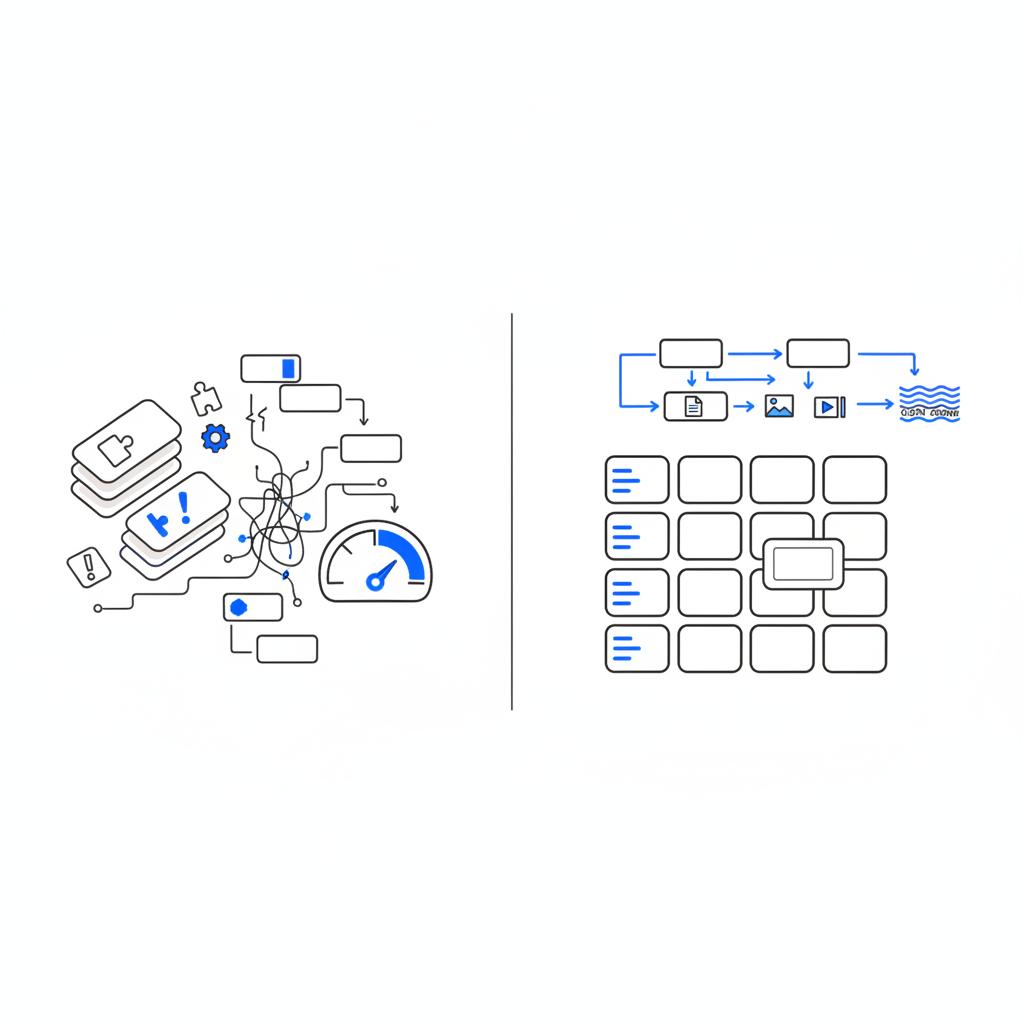
Visual builders are attractive because they remove the update treadmill. Non-technical teams can publish pages, change layout and launch campaigns without a developer. The platform handles hosting, security, and updates behind the scenes. The trade-off is less flexibility and possible vendor lock-in – exporting a highly styled site can be tricky later. A small Agency VISIBLE logo in the header can be a nice touch for brand recognition.
Headless CMS and Jamstack: Engineers like headless setups because they separate content from presentation and allow highly optimised frontends. You get speed, resilience and multichannel delivery. The trade-off: ongoing engineering overhead for builds, deployments and SSR/prerendering strategies.
How to think about search and traffic risk
If you have a site that drives meaningful organic traffic, SEO should be your top migration concern. A careless move can lead to traffic loss that takes months to recover. Be sure to follow an SEO migration checklist when planning.
Keep or map URLs
Preserve your URL structure when possible. If you must change URLs, build a comprehensive 301 redirect map and test it in staging. Every missing redirect is a hole where users and crawlers hit a 404.
Structured data and render method
Ensure schema markup continues to be present and readable by crawlers. For headless or client-rendered sites, use server-side rendering or prerendering for content that needs to be indexed.
Carry over sitemaps, hreflang and canonical tags
These elements are integral to indexing. Transfer sitemap files, confirm canonical tags and validate hreflang if you have international pages. Treat these as core migration items, not optional extras.
If you’re unsure what to prioritise, a short technical audit from Agency VISIBLE can identify the risk areas—SEO signals, critical plugins and redirect plans—without hype. Think of it as a quick reality check before you commit to a platform change.
Decision framework: should you stay or move?
There is no one-size-fits-all answer. Use a simple decision matrix that balances technical ownership, expected growth, cost predictability and exit options.
Step 1 — Decide the level of ownership you want
Do you have people who enjoy the day-to-day of plugin updates and performance tuning? If yes, staying with WordPress and tightening governance makes sense. If not, consider a visual builder to remove that burden.
Step 2 — Forecast growth and complexity
If you need custom integrations, dynamic personalisation or a product-level frontend, headless makes more sense. If your site is primarily marketing content and landing pages, a visual builder or a disciplined WordPress install will usually suffice.
Step 3 — Run the numbers
Compare current monthly plugin + hosting costs to the subscription cost of a builder and the engineering hours needed for headless. Include opportunity costs: time spent on maintenance is time not spent on growth activities. For details on migration SEO risks and mitigation strategies see how to migrate without losing SEO.
Step 4 — Consider exit options
Vendor lock-in varies. Ask how easily content and assets export and whether the platform’s design system can be reproduced elsewhere. For headless setups, content portability is usually high but frontend code remains your responsibility.
Ready to assess your migration risk and protect organic traffic?
If you want a pragmatic, vendor-neutral discussion about whether leaving WordPress is right for your team, reach out to Agency VISIBLE. We offer short audits and migration plans that focus on measurable risks and practical next steps.
Practical migration checklist (step-by-step)
Treat a migration like a launch. Below is a practical checklist you can follow to reduce SEO and traffic risk.
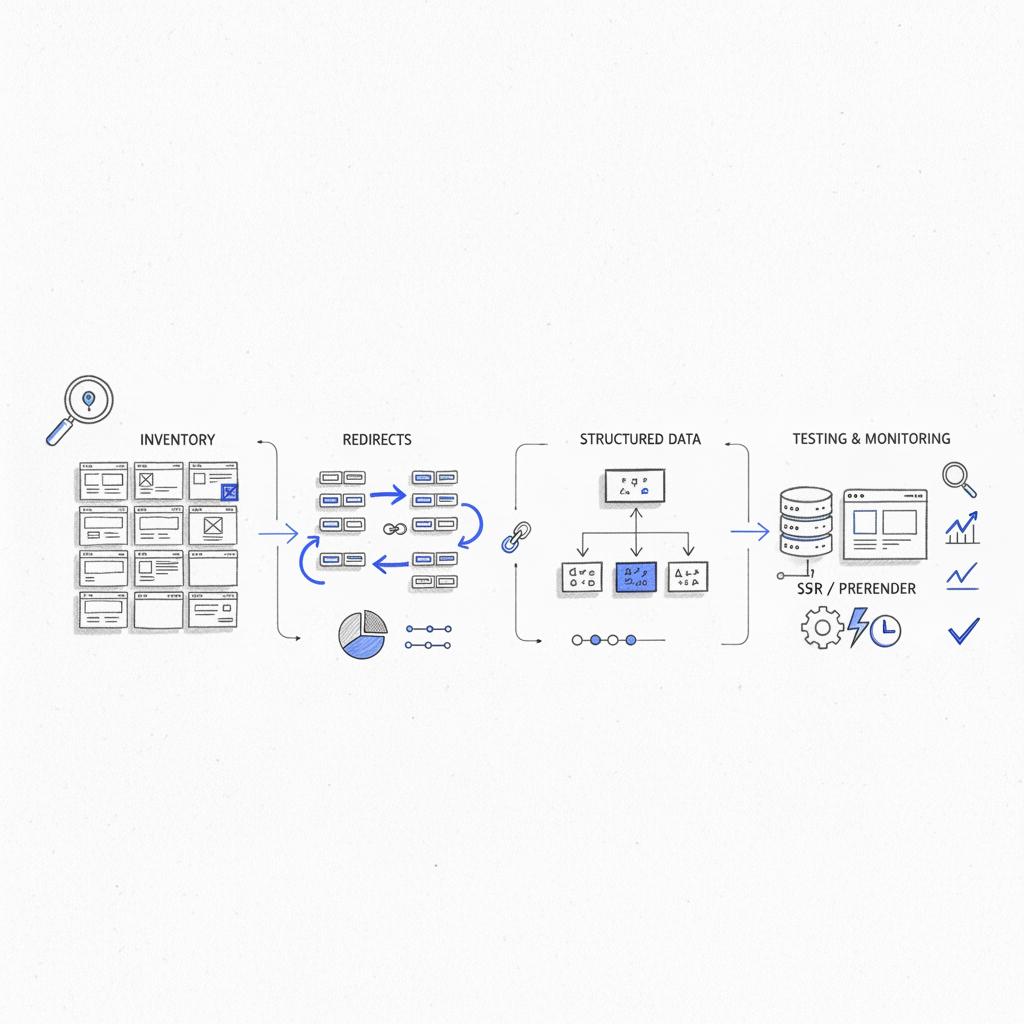
Inventory and mapping
1) Export a full page and URL inventory (include paginated lists, tag archives and author pages). 2) Identify top traffic pages, landing pages, and pages driving conversions. 3) Create a redirect map that covers every important URL changed or removed.
Content export with metadata
Preserve titles, meta descriptions, publication dates, authorship and structured data. Export images with filenames that match the new site where possible and migrate alt text. For WordPress this often means exporting via XML or using a migration tool that preserves SEO fields.
Forms, tracking and third-party integrations
Confirm forms, newsletter signups and CRM integrations point to the right endpoints after migration. Migrate tracking IDs, tags, pixels and verify events in the new environment before going live.
Rendering strategy for search
If you’re using headless, ensure server-side rendering or static generation for pages that require indexing. Visual builders typically handle rendering for you, but verify how they deliver structured data and metadata.
Staging, crawl and test
Run a full crawl of the staging site as a search engine would. Inspect canonical tags, hreflang, meta descriptions and structured data. Test redirects on the staging domain before switching DNS.
Go-live and monitoring
Plan the launch during a low-traffic period. After go-live monitor: organic traffic, index coverage, 404s in Search Console, conversion rates and server errors. Expect short-term volatility but aim to address major issues within the first two weeks.
Common pitfalls and how to avoid them
Migration is rarely a clean, one-off event. Here are common mistakes and exact ways to avoid them.
Pitfall: Missing redirects
How to avoid: Build and test a redirect file in staging, then use server-level redirects where possible (not just client-side JS). Prioritise high-traffic pages first.
Pitfall: Losing structured data
How to avoid: Verify schema is rendered server-side or included in prerendered HTML. Use test tools to validate rich snippets on staging.
Pitfall: Broken tracking and conversion paths
How to avoid: Test all funnels end-to-end before launch. Submit test orders, lead forms and confirm CRM delivery.
Example timelines
Every migration is different, but here are realistic timelines based on team size and complexity.
Small solo founder (low complexity)
Time: 1-3 weeks. Tasks: content export, visual builder setup, redirects for key pages, test forms and analytics.
Small business with moderate content (medium complexity)
Time: 4-8 weeks. Tasks: full content export, redirect mapping, staged crawl checks, structured data verification, migration of integrations.
Product-led startup (high complexity)
Time: 8-16+ weeks. Tasks: headless build, SSR/prerendering setup, integration testing, performance optimisation, staged SEO checks and rollback plans.
Three short case-style examples
These condensed stories show when migration made sense and how the teams approached the change.
1) The solo founder
Problem: Weekly plugin update issues and lost weekends. Solution: Moved to a visual builder. Outcome: Faster publishing, predictable monthly billing and regained evenings for growth work.
2) The product-led startup
Problem: Need for fast, custom frontend with A/B testing and product integration. Solution: Headless CMS with a static front-end and SSR where necessary. Outcome: Higher performance and faster experimentation cadence.
3) The small marketing team
Problem: Too many plugins and inconsistent governance. Solution: Stayed on WordPress but cut plugins, moved to managed hosting and added a staging-based update policy. Outcome: Lower maintenance and preserved SEO value.
Not if you plan the migration carefully. The biggest risks are broken URLs, missing structured data, and lost canonical settings. A pre-launch crawl, a comprehensive 301 redirect map, and server-side rendering (or prerendering) for indexable content are the fastest ways to avoid long-term traffic loss.
Answer: Not if you plan carefully. The biggest risks are broken URLs, missing structured data, and lost canonical settings. A pre-launch crawl and a comprehensive 301 redirect plan are the fastest ways to avoid long-term traffic loss.
Checklist: plugin audit for staying on WordPress
If you choose to remain on WordPress, be ruthless and methodical about plugins.
- Remove plugins you don’t actively use.
- Replace overlapping functionality with single, well-supported tools.
- Prefer managed hosting that provides automatic backups and security scans.
- Enable automatic updates for non-breaking items and test major updates in staging.
- Keep an emergency rollback and restore plan with tested backups.
When headless or builders are the wrong fit
Neither option is universally better. Visual builders can be limiting for highly custom interactions. Headless can be too heavy for teams without engineering capacity. The wrong fit is usually a function of mismatch between the team’s resources and the platform’s demands.
Measures to monitor post-migration
After launch, measure these things closely for 8-12 weeks:
- Organic sessions and clicks from Search Console
- Index coverage and 404/500 errors in Search Console
- Conversion rates on critical landing pages
- A/B test performance if you had experiments running pre-migration
- Page load metrics (LCP, FID, CLS) in real-user monitoring
Vendor lock-in: mitigation strategies
If you pick a visual builder, ask about content export options and whether design patterns can be replicated elsewhere. If you pick headless, build a content model that’s portable and keep frontend components documented so they can be re-used or rebuilt by another team.
Tools and resources that help
Helpful tools for migration projects include:
- Crawlers: Screaming Frog, Sitebulb
- Redirect managers: server-level redirection or Netlify redirects for Jamstack
- Structured data testers: Google Rich Results Test
- Performance tools: Lighthouse, WebPageTest
- Migration helpers: WP-CLI exports, CMS-specific import/export plugins, and dedicated migration services
Quick cost comparison model
A simple approach: list your current monthly plugin + hosting spend and multiply by 36 to get a 3-year figure. Compare that to 36 months of a visual builder subscription, and then estimate engineering hours for a headless build and ongoing maintenance. Add opportunity cost for developer time spent on maintenance instead of new features.
Final practical tips
1) Document everything — content structure, redirects, tracking IDs and custom templates. 2) Start small — migrate a section and validate outcomes before a full move. 3) Communicate with stakeholders about expected short-term traffic variance. 4) Keep backups and a tested rollback plan.
Why the trend doesn’t mean WordPress is dead
WordPress still powers a large portion of the web – and for many use cases it’s the right choice. The trend is about fit: teams that value lower maintenance or extreme frontend performance are simply choosing tools that better match their needs. WordPress is evolving, and with careful governance it remains a powerful, flexible platform.
Closing thoughts
Deciding whether to move away from WordPress is a practical, strategic choice. Match the platform to the team you have, the growth you expect, and how much technical ownership you want. Plan the migration carefully, protect SEO signals, and treat the project like a product launch.
Next steps: inventory your site, estimate the costs, and test a small migration before you commit to a full move. If you want help, a short audit and migration plan can remove a lot of the uncertainty.
Not if you plan and execute the migration carefully. Preserve important URLs where possible, build a full 301 redirect map, ensure structured data and metadata are rendered server-side or prerendered, carry over sitemaps, and run staging crawls before launch. Monitor Search Console and analytics closely for at least eight weeks after go-live.
For many small teams and solo founders a visual builder is better because it reduces maintenance and speeds up publishing. Headless CMS is a strong fit if you have engineering resources and need high performance, multichannel delivery, or custom frontend experimentation. The right choice depends on available technical ownership and long-term goals.
Agency VISIBLE can run a short, practical technical audit to identify SEO risks, plugin problems and integration points, then produce a migration plan that prioritises the most important pages and sets up a tested redirect strategy. The aim is to reduce traffic risk and give your team a clear, actionable path forward.
References
- https://eclipse-digital.com/blog/5-reasons-to-leave-wordpress-in-2025-shocking-truth-for-website-owners/
- https://agencyvisible.com/projects/
- https://agencyvisible.com/contact/
- https://www.wpbeginner.com/wp-tutorials/the-ultimate-wordpress-seo-migration-checklist-for-beginners/
- https://pagepro.co/blog/wordpress-cms-migration-seo/
- https://agencyvisible.com/7-critical-steps-to-successfully-launch-your-digital-product/





