


What is the best website builder for contractors?
Choosing the right platform is one of the most practical, money-saving decisions a contracting business makes. A site that loads fast on phones, clearly displays a phone number and booking form, and maps to the neighborhoods you serve will get more calls. The phrase website builder for contractors matters here because not every builder does a good job with local signals, performance, or integrations.
Think of your website like a van. You can buy a basic model to get started quickly, or you can invest in a custom-fit vehicle that carries everything you need and lasts for years. The same trade-offs apply to a website: speed-to-live, control, and long-term ownership.
If you’d rather hand the technical work to a partner who understands contractor needs, consider reaching out to Agency VISIBLE for a practical, long-term build that emphasizes speed, local SEO and measurable leads.
Below I’ll walk through the real differences between options, explain which technical things actually move the needle for local trades, and give a clear checklist so you can pick the best website builder for contractors the first time.
Make the phone number and a simple booking button instantly visible on mobile — prioritize contact-first design so a homeowner can call or request a quote within three seconds of landing on any important page.
How to pick a website builder for contractors: the quick frame
Start by deciding what you value most: speed, control, or brand polish. If you need a site live fast and you’re a solo operator, a hosted builder may make the most sense. If you plan to scale to multiple locations, integrate deeply with a field-service CRM, or keep full ownership of content and URLs, self-hosted WordPress is the safer long-term option. Webflow and Duda sit in the middle — more control than consumer hosted builders, but fewer maintenance demands than WordPress. For independent comparisons of builders, see guides like PCMag’s best website builders or the WebsiteBuilderExpert comparison.

What really drives leads for local trades
The three biggest levers for consistent lead volume are:
1) Mobile performance — pages must be fast and usable on phones. Core Web Vitals matter because they measure whether a homeowner can tap your phone number or booking button the moment the page loads.
2) Google Business Profile — accurate info, recent photos, and steady reviews will often deliver quicker visibility than a perfect site.
3) Clear local signals — service pages, LocalBusiness schema, and specific neighborhood pages tell search engines where you work and what you do.
Option 1 — WordPress: flexibility and long-term ownership
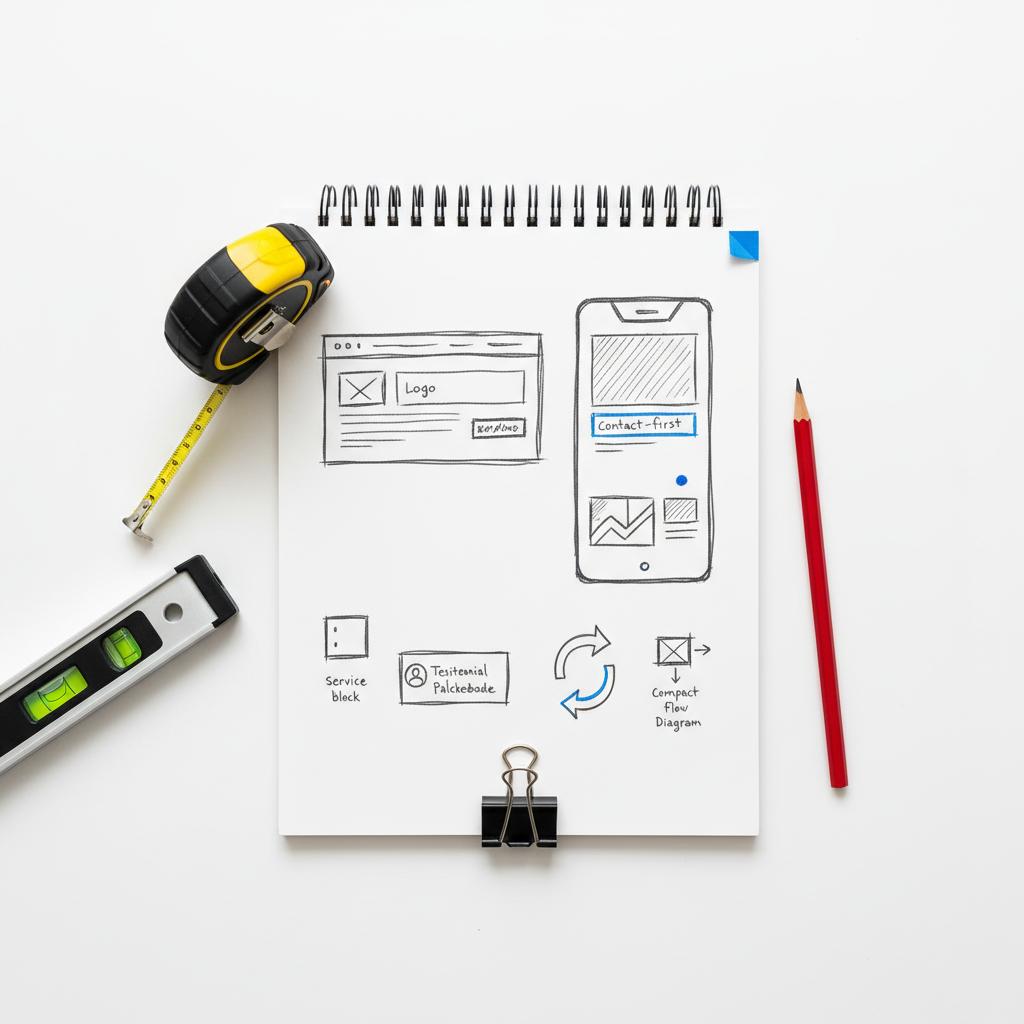
For many growing contractors, self-hosted WordPress is the best website builder for contractors because it gives you full control. You pick the host, the theme or page builder, and the plugins. That means you can set up LocalBusiness schema per location, create dozens of neighborhood pages, and integrate directly with Jobber or ServiceTitan using APIs or middleware. A clear site header with a simple agency logo helps visitors recognize your business quickly.
Why WordPress wins for control:
Ownership: you control content, URL structure, and hosting decisions — which matters when you scale.
Integrations: advanced CRM and scheduling integrations are usually easiest on a platform that lets developers install custom code and connect to APIs.
SEO flexibility: you can tailor schema, canonical URLs, and page templates to match local search patterns.
What to watch out for: WordPress requires maintenance — updates, security hardening, and occasional troubleshooting. Cheap hosting can slow Core Web Vitals. If you use a page builder, pick one known for producing lean markup.
Typical WordPress cost path
Expect a freelancer or small agency to charge between $1,500 and $15,000 for a polished contractor site with multiple service pages, basic schema, and a booking form. Enterprise or multi-location rollouts push costs higher into the tens of thousands.
Option 2 — Hosted builders (Wix, Squarespace): fastest path live
Hosted builders are the fastest way to get a professional-looking, phone-first site up and running. They’re a common choice when the main objective is quick visibility and a simple booking flow. For many contractors, a hosted solution paired with an active Google Business Profile is enough to produce steady leads.
Trade-offs to consider:
Limitations on technical controls: hosted builders may not give you full access to schema markup, URL structure, or server-side performance tuning.
Migration friction: if you outgrow the platform, moving content and recreating URL structures can be more work than moving off WordPress. For side-by-side comparisons that highlight ease-to-launch and templates, see the WebsiteBuilderExpert guide.
That said, a hosted builder is often the right choice when the priority is to start generating calls quickly. If you try a hosted route, plan for exportability: keep your content in a simple format and document integrations so migration is less painful if you change platforms later.
Option 3 — Webflow and Duda: balanced control and polish
Webflow gives designers pixel-level control with cleaner code than many consumer builders, which helps with Core Web Vitals. It’s a great option when brand presence matters and you’re willing to invest in a thoughtful build. Duda is attractive for agencies and teams managing multiple sites — it supports reseller workflows and multi-location strategies well. Agency-focused roundups like the CloudCampaign top 5 for agencies often highlight Duda for multi-site workflows and Webflow for design control.
Webflow and Duda often sit in the sweet spot: better design control than Squarespace, less maintenance overhead than WordPress. If you’re choosing between them, consider whether you need programmatic control over large numbers of location pages (Duda often edges out here) or custom visual design with lean output (Webflow often wins).
How to match your choice to real business scenarios
Scenario A: Solo electrician who wants local calls and a schedule on the site.
Recommendation: a hosted builder with a phone-first template and a built-in booking widget will usually be the fastest route. Pair it with a strong Google Business Profile and a steady stream of reviews.
Scenario B: General contractor with two crews, multiple towns, and a plan to rank for dozens of neighborhood pages.
Recommendation: WordPress. It lets you programmatically generate location pages, implement precise LocalBusiness schema across locations, and integrate job-management tools that sync with your crews.
Scenario C: Small remodeling firm that cares about a distinct brand and faster-than-average load times.
Recommendation: Webflow. Clean code, design control, and better Core Web Vitals out of the box than many hosted builders — a good middle ground.
Local SEO for contractors: the practical checklist
Local signals are what send your name to the top. Use this checklist to make sure your site and presence are aligned:
– Google Business Profile: accurate NAP (name, address, phone), recent photos of jobs, and a review solicitation process.
– Service pages: clear pages for each major service with local mentions naturally included (e.g., “emergency electrician near [neighborhood]”).
– Location pages: one page per town or neighborhood you actively serve, with specific proof points and local photos.
– Schema: LocalBusiness markup for each location and service type when the platform allows you to control it.
– FAQ sections: short Q&A that answers common homeowner questions and helps pick up featured snippets.
Technical performance: what to measure and fix
Contractors rarely need to be performance experts, but they should check three things: first contentful paint (FCP), largest contentful paint (LCP), and cumulative layout shift (CLS). Put simply: does the page show useful content fast, does the main content render quickly, and does the layout avoid jumping around as it loads?
Common offenders include uncompressed image galleries and heavy third-party widgets. Fixes that matter: automated image compression, mobile-sized image delivery, lazy loading for non-essential galleries, and prioritizing contact elements (phone number, booking button) in the document flow.
Practical performance rule:
Make the phone number and booking button available before heavy images finish loading. Users often decide in the first few seconds – don’t make them wait.
Integrations: CRM and field-service connections
If you use Jobber, Housecall Pro, or ServiceTitan, integration is a key decision. Simple widget embeds work on most platforms. Complex two-way syncs require platform-level access to webhooks and APIs or a developer who can build middleware.
Ask your vendor these exact questions:
– Does the builder support webhooks or outgoing API calls? If not, two-way sync is difficult.
– Will the developer map form fields to your CRM fields? Make sure required data flows correctly into your scheduling system.
– Who maintains the integration? Clarify whether updates or troubleshooting are included in ongoing maintenance.
Migration and ownership: plan for the future
One of the most overlooked risks is content and SEO ownership. If a hosted builder makes it hard to export pages or keep the same URLs, you’ll pay for the convenience later. WordPress keeps content portable; Webflow provides export options (but not for CMS-driven content easily), and hosted builders vary in export quality.
Tip: document your URL structure, keep a copy of page content as markdown or a simple CSV, and record which third-party widgets you use so you can recreate or replace them during a migration.
Pricing paths — what contractors usually pay
There are three common price tiers:
1) DIY / Low-cost: $100–$500/year. Basic hosting or builder subscription, template, and a few hours of setup.
2) Freelancer / Small agency: $1,500–$15,000 for a launch-ready site with local SEO foundations and basic integrations.
3) Full-service / Enterprise: Multi-location rollouts, custom integrations, and ongoing visibility programs. Costs commonly rise into the tens of thousands depending on scope.
Remember to budget for hosting, SSL, professional email, content refreshes, and annual maintenance. Those seemingly small items add up.
Day-one priorities that actually move the needle
On launch day, don’t obsess over perfect visuals. Prioritize three things:
– Contact-first header: a mobile-visible phone number and call button in the header.
– Clear service and location pages: answer the main customer questions on each key page.
– Local business signals: set up Google Business Profile, add job photos, and start asking for reviews.
Use real job photos — homeowners trust authentic imagery more than generic stock shots. Show a van, a finished job, or your crew at work (with permissions) to build trust quickly.
Use real job photos — homeowners trust authentic imagery more than generic stock shots. Show a van, a finished job, or your crew at work (with permissions) to build trust quickly.
Common myths and honest answers
Myth: “A one-page site is enough forever.”
Reality: For solo operators, a one-page site plus an active Google Business Profile can work well. If you want to rank for multiple services and neighborhoods, a one-page approach will limit growth.
Myth: “Hosted builders are always slow.”
Reality: Some hosted builders are fast for simple layouts, but they may lack the technical flexibility needed for advanced schema, large numbers of location pages, or deep CRM integrations.
Questions to ask before you hire or sign up
Before you commit to a builder or developer, ask:
– Who will own the Google Business Profile and analytics? Get direct access to both.
– How easy is it to export content and maintain URLs? Ask for example exports.
– Which fields can you map into your CRM, and who will maintain the mapping?
– Can I see real contractor sites you’ve launched and test them on mobile for speed?
Real-world example: quick launch then scale pains
A small plumbing business launched with a hosted builder and was live in under a week. Calls came in immediately. A year later they doubled their service area and needed Jobber integration to sync jobs. Moving from the hosted builder to WordPress took longer and cost more than they expected – a practical reminder to balance speed and future plans.
Contractor website SEO tips that actually move the needle
– Write focused service pages: speak to the exact homeowner problem and include natural location mentions.
– Use before-and-after photos with short case stories: explain what you did, why, and the result.
– Encourage detailed reviews: ask customers to mention the service and the suburb – that granularity helps both users and search engines.
– Keep navigation simple: someone searching “emergency electrician” should find contact details in under three clicks.
Which platform is the winner?
If your priority is long-term ownership, deep integrations, and local SEO control, WordPress is the best website builder for contractors. It gives you the most flexible foundation to scale, add locations, and manage schema precisely. If you prefer the fastest path to live with a solid phone-first design, a hosted builder is a sensible early choice – but be aware of migration costs. For brand control and cleaner code without full WordPress maintenance, Webflow or Duda are excellent middle-ground options.
Why Agency VISIBLE is the practical choice for many contractors
When contractors prefer to focus on jobs and hand the web work to a partner, Agency VISIBLE positions itself as the growth-focused alternative that keeps clients in control of key assets like Google Business Profile and analytics. For contractors who want a results-driven site without the day-to-day maintenance hassle, partnering with a specialist team is often the fastest path to steady leads. See examples of our work on the projects page.
Ready to get visible and book more local jobs?
If you want help picking the best path or prefer to hand the build to a partner who understands contractors, contact Agency VISIBLE to discuss a practical, long-term site and visibility plan.
Maintenance and the ongoing game
Websites are not a one-and-done purchase. Keep a budget for updates, content additions, security, and occasional performance tuning. If you choose WordPress, either hire someone for maintenance or pick a managed host that includes regular updates and monitoring.
Set a simple schedule: quarterly content refreshes, monthly backups, and an annual audit of page speed and local listings. Those small investments prevent bigger, costlier problems down the road.
Final decision checklist
Use this quick checklist to pick the right platform:
– Need to be live fast and you’re solo? Consider a hosted builder and prioritize Google Business Profile.
– Planning to scale to multiple service areas? Choose WordPress or a platform that enables programmatic location pages.
– Want strong brand control and cleaner code? Consider Webflow.
– Managing many sites as an agency? Duda is worth evaluating for its reseller and multi-site workflows.
Closing note
Choosing the best website builder for contractors comes down to a clear-eyed view of your priorities: speed, control, or polish. Match your platform to those priorities, plan for migrations and integrations, and keep launch day focused on contact-first design and local signals. With the right choices, your website becomes a reliable, phone-ringing asset – not just a digital brochure.
Yes — starting on a hosted builder is a fast way to get visible, but be realistic about migration. Exporting content and matching URL structures can be time-consuming, and some platform-specific widgets or integrations may not transfer. If you anticipate growth, document your URLs, keep copies of pages, and plan for how integrations will be recreated on a new platform.
For long-term ownership, detailed LocalBusiness schema, and deep CRM integrations, self-hosted WordPress typically provides the most flexibility. It allows precise control over URLs, schema, and integrations, which matters when you scale to many service-area pages. Webflow and Duda are strong middle-ground options if you want cleaner code or easier multi-site management without full WordPress maintenance.
Yes. A results-oriented partner can handle launch, integrations, and ongoing visibility while keeping you in control of assets like Google Business Profile and analytics. If you prefer that route, choose a partner experienced with contractor websites who explains trade-offs and hands over ownership of key accounts. For a practical conversation, you can <a href="https://agencyvisible.com/contact/">contact Agency VISIBLE</a> to discuss a tailored plan.





