


Why choosing the right platform matters for your business
Choosing the best website builder for handyman services feels a lot like picking the right tool from a crowded toolbox. The platform you pick decides how quickly you can start taking bookings, how well you show up in local searches, and how smoothly you can scale when work grows. For handymen and tradespeople, the priorities are simple: be findable, be trusted, and make it easy for customers to book or contact you.
Think of your website as the tidy shop front on a busy street. It needs to introduce who you are, list the services you offer, show proof of real work, and create a fast path to hire you. The best website builder for handyman services is the one that helps you do that with the least friction given your timeline, budget, and technical comfort.
Focus on consistent local signals: a claimed and optimized Google Business Profile, short service-area pages for each town you serve, and steady, managed customer reviews—these three together often move you into the local pack more reliably than complex technical SEO.
Three practical paths: Managed builders, WordPress, Webflow
There are three practical choices most tradespeople consider: managed builders, self-hosted WordPress, and designer-first platforms like Webflow. Each answers the primary questions—speed to launch, local SEO readiness, and scalability—differently.

Managed builders (fastest to launch)
Managed builders are the quickest path to a professional site. They include hosting, templates tailored to service businesses, and often built-in booking calendars. If you want to be visible and taking bookings in a weekend, a managed builder can deliver that. For many small trades businesses, the best website builder for handyman services is a managed platform because it removes technical headaches and gets you in front of customers quickly.
Self-hosted WordPress (most flexible and SEO-friendly)
WordPress gives the deepest control over content and local search. With mature SEO plugins and robust booking add-ons, it scales well if you plan to grow your site into a lead engine. But you pay for that flexibility with setup time and ongoing maintenance: hosting, backups, and updates are tasks you must manage or pay someone to manage.
Webflow (performance and pixel-perfect design)
Webflow sits between these two. It produces clean code and excellent performance, giving you control over visuals and speed. If visual design and site performance are central to your strategy—and you’re comfortable integrating external booking tools or hiring a developer—Webflow can be the best website builder for handyman services for higher-end leads and standout presentation. See some real examples in our projects.
Match your platform to three practical priorities
Choose a platform by answering three simple questions:
1) How fast do you need to launch? If you need bookings now, pick a managed builder.
2) How important is local SEO? If you plan to invest time in local content, WordPress offers the most control.
3) Will you scale or need custom integrations later? For heavy customization and top-tier performance, Webflow can be ideal.
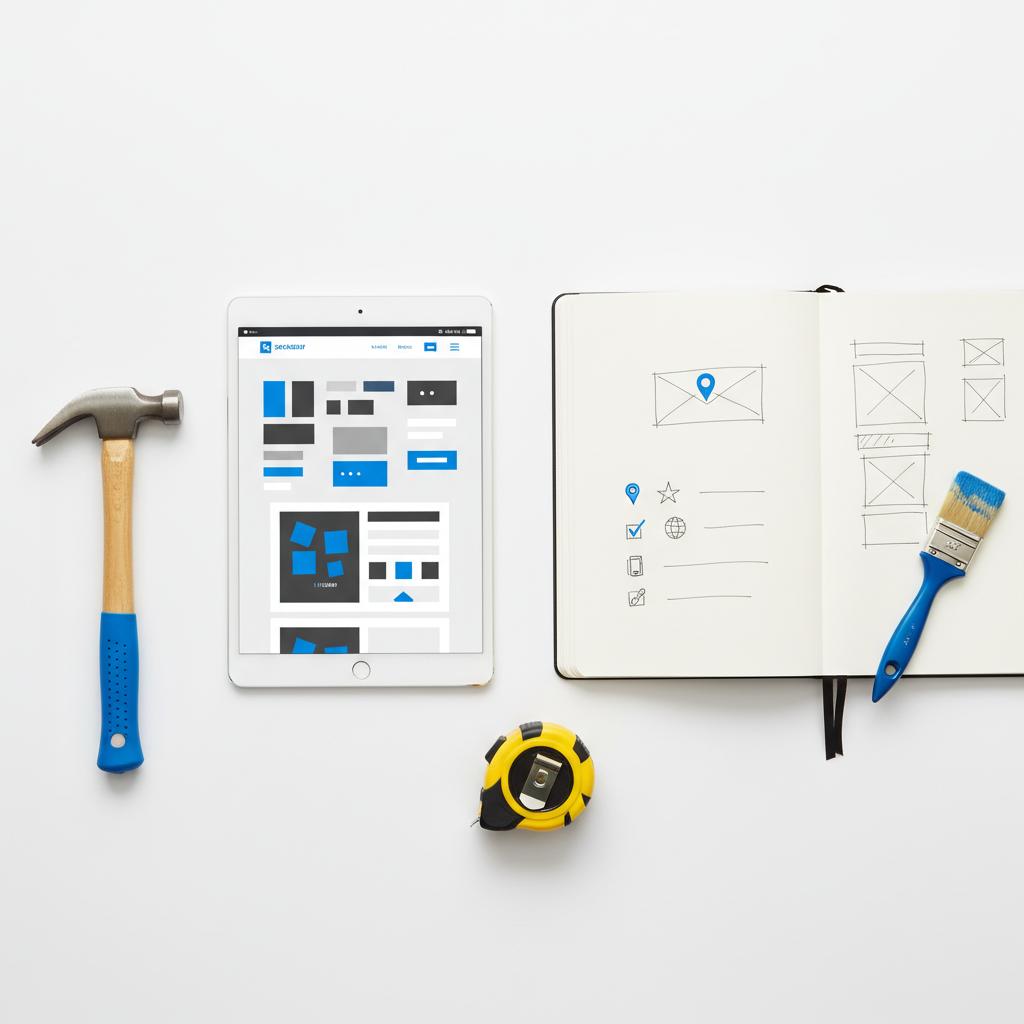
A clean website is only step one. For trades searches, local SEO signals are what get you visible on maps and local results. These actions are platform-agnostic but differ in how easy they are to implement. A clear logo helps build trust with local customers.
The local SEO checklist that actually moves the needle
These actions are platform-agnostic but differ in how easy they are to implement. For practical tips you can apply quickly, see Top 7 Local SEO Tips for Handyman Businesses.
Start with your Google Business Profile. Fill every field, use real photos of your work, add services, and keep hours and phone numbers accurate. Your GBP listing is often the first impression in map searches.

Consistent NAP citations
Ensure your business name, address, and phone number (NAP) are consistent everywhere. Search engines and customers get confused by different formats or multiple numbers. Consistency helps rankings.
Create service-area pages
Write short pages for each town or neighborhood you serve. Explain the specific services you offer in each place and mention real local details. Service-area pages are a key part of ranking for local searches like “handyman near me” or “deck repair in [Town].”
Add structured data
Use schema for LocalBusiness to make important facts machine-readable. Plugins on WordPress can handle this, many managed builders add schema automatically, and Webflow requires manual schema insertion or a developer if you want custom markup.
Actively manage reviews
Ask customers for reviews and make it easy for them to leave one by sending direct links. Respond to reviews—thanking praise and addressing issues openly. Reviews influence click-through rates and local rankings more than many on-site tweaks.
Booking and payments: converting visitors into jobs
One of the clearest ways a website drives revenue is by handling bookings and payments. A smooth booking flow reduces phone tag and turns interest into a scheduled job.
What managed builders offer
Many managed builders include built-in calendars, deposits, and confirmations. For a solo handyman, these tools often cover everything needed to accept bookings and keep schedules organized.
WordPress booking options
WordPress has mature booking plugins—Amelia, Bookly, and similar tools—that handle single-user calendars, multi-staff scheduling, deposits, and payment integration with Stripe or PayPal. If you need dispatch integration, WordPress offers plugins and API-friendly systems to connect the dots. For a deeper local SEO approach, the 2025 local SEO guide for contractors is a useful reference.
Webflow and external scheduling tools
Webflow generally needs a connected scheduling service or custom build for bookings. That requires more setup but gives you full control over the booking experience and branding.
Ask yourself: do you need deposits? Do you want dispatch or CRM sync? How will customers pay? The answers determine which builder fits best and what third-party tools you’ll need.
Performance and mobile-first indexing
Search engines prioritize mobile versions of sites, so a fast, mobile-friendly site matters. Page speed influences whether customers stay long enough to call. Managed builders provide responsive templates but can limit speed tuning. WordPress can be fast with the right host and caching, and Webflow produces clean, performant code by default.
Costs you should plan for
Many small businesses underestimate ongoing costs. Think in two parts: platform fees and time cost. Managed platforms bundle security and updates into a monthly fee. WordPress separates hosting, plugin licenses, and potential developer support. As sites grow, expect higher costs for premium features, better hosting, or agency support.
Three real scenarios and recommended routes
1. Fast start, solo handyman
If you want a tidy site and a booking system without fuss, choose a managed builder. It gets you visible fast and keeps the admin light so you can focus on jobs.
2. Grow into a local lead machine
If you plan to publish regular how-to content, optimize for local search, and eventually hire crews, WordPress offers the best long-term flexibility and SEO tools. It’s the platform professionals use when they want to scale traffic and leads over months and years.
3. Design-led, high-ticket leads
If you’re targeting higher-value customers who care about brand and presentation, and you have technical help, Webflow gives beautiful results and fast load times. It often becomes the best website builder for handyman services when presentation and speed are the differentiator.
If you’d like a guided, no-pressure review of your needs and which platform best fits your goals, consider talking with Agency VISIBLE—they work with trades businesses to match tools and integrations to real workflows.
Checklist for launch: what to do before you go live
Before you publish, check these items:
- Clear headline: homepage explains who you are in the first few seconds.
- Contact info: phone and email visible and matching your Google Business Profile.
- Service pages: short pages for each job and town you serve.
- Booking flow: test booking on mobile, payment, and confirmation emails.
- Analytics: connect Google Analytics and Google Business Profile insights.
- Schema: add LocalBusiness structured data via plugin or builder settings.
- Real photos: use project photos rather than stock images when possible.
Content and review strategy that works
Content for tradespeople doesn’t need to be long. Short project pages with before-and-after photos and 2–3 sentences of context perform well. Write locally focused pages—”handyman services in [Town]”—and collect reviews by sending direct links after jobs. Respond to reviews to build trust publicly.
Integration checklist
Decide early on these integrations:
- Payment processor: Stripe, PayPal, or manual payment handling?
- Booking to dispatch: do you need calendar sync with a dispatch app?
- Automated reminders: SMS or email reminders to reduce no-shows?
- CRM and accounting: will bookings export to QuickBooks or your CRM?
Who maintains the site?
You can maintain a simple site yourself or hire help. Many tradespeople use a small monthly retainer with an agency or freelancer to handle updates, backups, and small content edits. This buys time to do paid work while keeping your site healthy. Learn more from Agency VISIBLE if you want agency-managed options.
Common questions and quick answers
Which platform ranks best for local searches? The platform is less important than how you use it; consistent listings, service pages, and reviews matter most. But if you want maximum control for long-term SEO, WordPress usually wins.
Can I accept deposits online? Yes—managed builders and WordPress plugins support deposits and payment processing. Webflow requires connecting an external payment flow.
Pricing examples to set expectations
Here are realistic starting budgets:
- Managed builder with booking for a solo handyman: low double-digits per month.
- Self-hosted WordPress with basic hosting and a paid booking plugin: similar starting cost but more setup time.
- As you scale: premium themes, plugins, and better hosting can raise monthly costs significantly.
How to choose — a simple decision flow
Answer these in order: Do you need bookings now? Is local SEO a long-term priority? Do you want custom performance or design? If you answered “yes” only to the first, pick a managed builder. If you answered “yes” to the first two, pick WordPress. If design and performance are the top priority and you have a developer or budget, consider Webflow as the best website builder for handyman services for your niche.
Real-life example: Sam the handyman
Sam started with a managed builder. He launched over a weekend, added project photos, linked his Google Business Profile, and began turning searches into calls. After six months he hired an assistant and needed a booking system that synced with dispatch. That’s when he moved parts of his workflow to a more advanced system. Many tradespeople follow Sam’s path: quick start, then scale.
What to measure after launch
Track these metrics to know what’s working:
- Number of calls and bookings from the website
- Search impressions and clicks from Google
- Conversions from service pages
- Local pack visibility for your target towns
Top mistakes to avoid
Don’t make these common errors:
- Using stock photos instead of real project images
- Listing inconsistent contact details across platforms
- Not testing the booking flow on mobile
- Leaving Google Business Profile incomplete
Quick tips for better local content
Write simple, local-first content:
- Short project posts with images and a sentence or two of details
- Service pages per town
- Customer-focused copy that answers the question: “Can you fix my problem quickly and affordably?”
Decision summary — which builder wins?
There isn’t a single winner for every handyman. But when you match needs to platforms, clear patterns emerge:
- Fast launch and low maintenance: managed builders often win for new solo tradespeople.
- Long-term SEO control and scalability: WordPress is best for growing businesses.
- Design-forward and performance-first builds: Webflow wins if branding and speed are the differentiator.
Final practical checklist before you invest
Before you commit, ensure you’ve:
- Tested booking and payment flows
- Verified NAP consistency
- Connected Google Business Profile and analytics
- Planned for basic content (service pages, project photos)
Short FAQ block
How fast should my site load? Aim for under three seconds on mobile – faster keeps visitors and improves SEO.
What content should I publish first? Start with succinct service pages and project photos, then add short helpful posts.
Will platform choice lock me in? Some builders make migration harder. WordPress and Webflow offer more portability; managed builders can be quicker but may limit advanced exports.
Need a quick consult?
Not sure which builder is right for your handyman business?
Get a free, no-pressure review of what platform fits your business best. If you want help picking the right builder and mapping the integrations you need, contact Agency VISIBLE for a short conversation.
Takeaway
Start with what you need today and choose a platform that leaves room to grow. For most solo handymen, a managed builder is the practical fastest path to bookings. For businesses planning to invest in local content and scale, WordPress provides the most control. For designers and performance-focused firms, Webflow can be the right long-term choice. Make your choice based on speed to launch, local SEO needs, and future growth plans, and you’ll end up with a website that genuinely helps bring in jobs.
The platform itself matters less than how you use it. Consistent Google Business Profile listings, service-area pages, and regular reviews are often the biggest factors in local rankings. If you want the most control for long-term local SEO, WordPress gives the deepest toolset, but managed builders can deliver quick local results with less setup.
Yes. Managed website builders often include payment and deposit options. WordPress supports deposits through plugins like Amelia or Bookly, and Webflow can accept payments if you connect to an external processor or booking tool.
Agency VISIBLE offers a short, no-pressure consultation to match your needs to the right platform. They help trades businesses map required integrations, plan local SEO, and set up booking flows so you get visible faster without overpaying for features you don't need.
References
- https://agencyvisible.com/
- https://agencyvisible.com/projects/
- https://agencyvisible.com/contact/
- https://globalrankweb.com/blog/top-7-local-seo-tips-for-handyman-businesses-2025/
- https://www.handoff.ai/blog/the-2025-local-seo-guide-for-general-contractors
- https://cubecreative.design/blog/small-business-marketing/fix-home-service-business-google-visibility





