


Can I build my own website for free? A practical, friendly how-to
Can I build my own website for free? That’s one of the first questions every small business owner asks when they’re starting out, testing an idea, or trying to keep costs low. The short answer is: yes — you can build a functioning website at no monetary cost, but there are trade-offs. This guide walks through those trade-offs and shows when a free route makes sense, what to watch for, and how to be visible online without getting lost in marketing jargon.
People find local businesses in predictable ways: search engines, maps, directories, social posts, and word-of-mouth. A free website can cover many bases if you make the right choices. But being found is not only about having a site — it’s about showing up where customers look, answering simple questions clearly, and making the next step obvious.

Why this question matters for small businesses
Think about the last time you typed “coffee near me” into a phone. A map appeared, a few profiles showed up, and a decision was made in seconds. That’s now the starting point for many customers. If your business isn’t visible there, you miss a lot of chances. A free website is often a useful first step — but the real work begins when you make sure that site and your other listings answer customer questions quickly and consistently.
If you’d prefer a gentle, human hand to sort these details, consider talking with Agency VISIBLE — they work with small teams to clarify what matters most without confusing jargon.
A free website often requires no money up front, but it does require careful setup and maintenance. If core details (hours, address, phone) are wrong, the hidden cost is lost customers. Investing time to make listings accurate and using simple templates prevents those losses and makes a free site truly useful.
How to decide whether to use a free website
Before you choose a free tool, ask what you want the website to do. A simple checklist helps:
Purpose: Is the site just a digital storefront (hours, contact, map), or do you need online ordering, bookings, or product sales?
Control: Do you want control over the domain name, the design, and search-friendliness?
Time: Do you have time to maintain the site and listings, or prefer a low-maintenance option?
Free platforms can be excellent for simple needs: listing hours, a short menu, or a booking link. If you need complex features (advanced e-commerce, memberships, custom integrations), a paid plan or professional help is often the better long-term choice.
Where free websites work best
Free sites work well when your goals are modest and focused. Examples:
• Local visibility: You want to show hours, address, and a few photos so search and map listings can pick up the facts.
• Simple brochure: A one-page site that explains services, displays prices, and links to a phone number or booking form.
• Trial or test: You want to validate an idea quickly without financial commitment.
When you start small, focus less on fancy design and more on clarity. Real photos, clear contact details, and visible calls-to-action (CTA) make a bigger difference than a complex layout. A clear, simple logo helps customers recognise your business quickly.
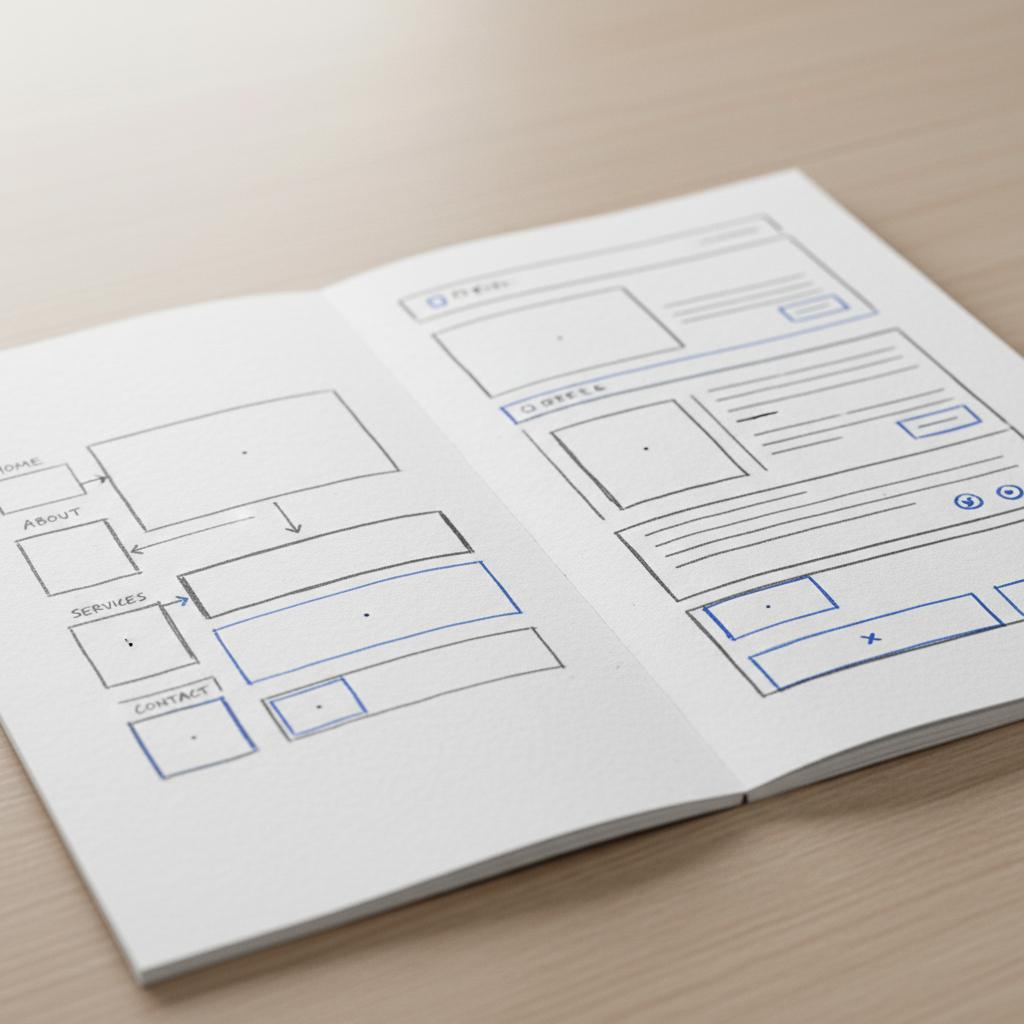
When you start small, focus less on fancy design and more on clarity. Real photos, clear contact details, and visible calls-to-action (CTA) make a bigger difference than a complex layout. A clear, simple logo helps customers recognise your business quickly.
Popular free website options and what they mean
There are several common ways people build free websites. Each has pros, cons, and typical use cases. For an in-depth local SEO guide aimed at small businesses, see The Ultimate Local SEO Guide for Small Businesses.
1. Website builders with free plans (Wix, Weebly, Jimdo, etc.)
These services give you templates, drag-and-drop editing, and a free subdomain like yourname.wixsite.com. Pros: easy, fast, no coding. Cons: limited SEO settings, branding of the platform on your site, and sometimes intrusive ads unless you upgrade.
2. WordPress.com free plan
WordPress.com offers a free hosted option with a wordpress.com subdomain. It’s flexible for content and good for blogging. Cons include limited plugins and customization on the free tier; a custom domain costs money.
3. Google Business Profile and single-page sites
Google Business Profile (formerly Google My Business) lets you create a simple free site from your listing. It’s fast and focused — perfect if you want a quick presence tied directly to Google Maps. It’s not a substitute for a full site if you want more pages or features.
4. Social-platform landing pages (Instagram shops, Facebook pages)
Some businesses use a social profile as their primary online presence. That works if your customers already find you there and you post regularly. But these platforms are limited for search visibility outside the social ecosystem and give you less control.
5. Free hosting + static site generators (Netlify free tier, GitHub Pages)
For people comfortable with a little tech, static sites with free hosting let you control content and performance while avoiding monthly fees. They require more setup and ongoing maintenance, but are fast and SEO-friendly.
Trade-offs to understand
Choosing a free option means balancing cost with: hosting control, branding, SEO capability, and future growth. Typical trade-offs:
Subdomain vs. custom domain: Free plans usually force a platform subdomain (yoursite.platform.com). A custom domain looks more professional and helps SEO – it typically costs $10–$20/year.
Ads and branding: Free plans sometimes add platform ads or branding that compete with your message.
Feature limits: Checkout, bookings, or custom integrations often require a paid plan.
Data access and migration: Moving off a free platform later can be harder – export abilities vary.
What matters most for being found
Money aside, being found online rests on a few practical elements. You can control these even on many free sites:
Consistent NAP: Name, Address, Phone should be identical across your website, maps listings, and social profiles.
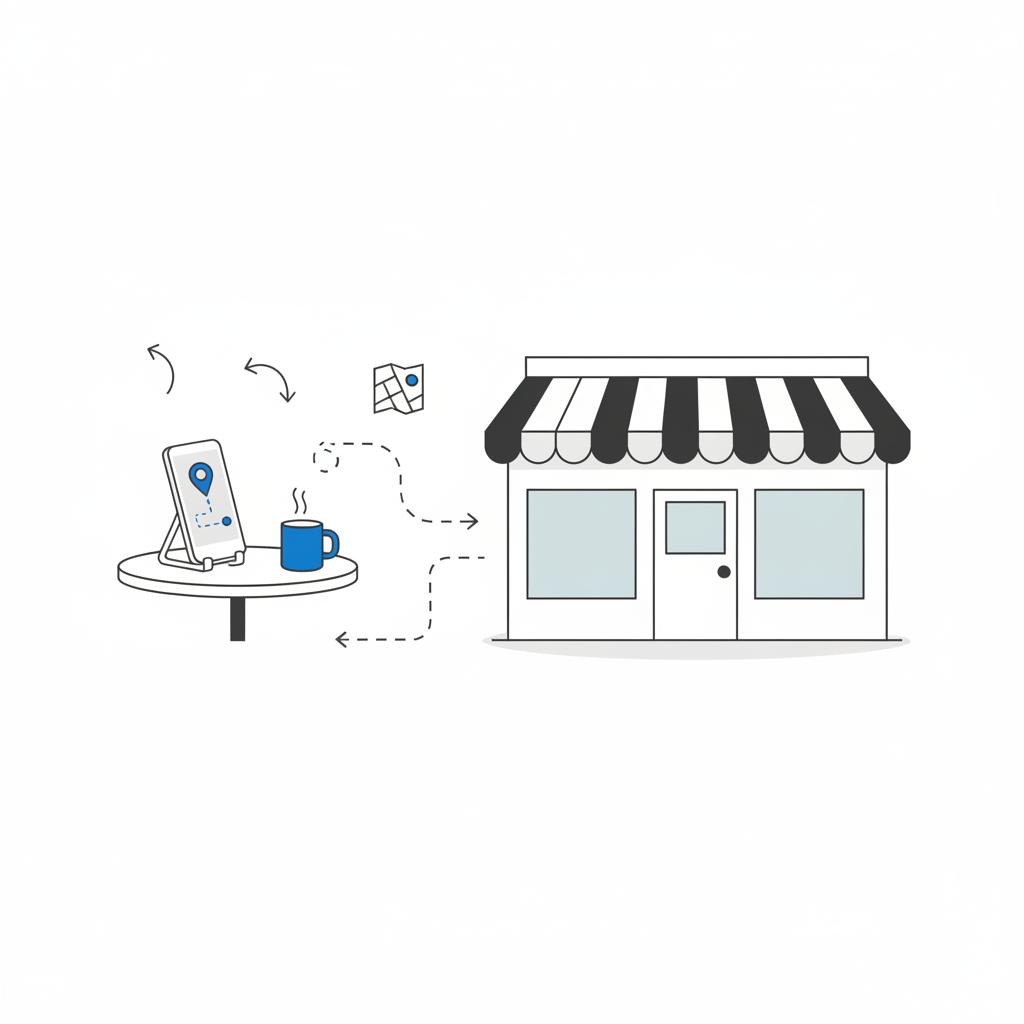
Clear answers: Include hours, pricing or price ranges, booking instructions, and directions from nearby landmarks.
Real photos: Use honest, well-lit images of your place, people at work, or products – not generic stock images.
Fast mobile pages: Most local searches start on phones. If your free site is slow, people leave before they read anything.
For tools that help track local visibility, see The 9 Best Local SEO Tools in 2024.
Step-by-step: Build a useful free website in a day (practical checklist)
Use this checklist to create a simple, effective site and supporting listings in a single focused session.
Hour 1 — set the facts
1. Pick a platform (suggested: a builder you find easy, or Google Business Profile for a single quick page).
2. Decide on your public business name and a consistent address format (street, city, postal code).
3. Choose a phone number to display — use one number everywhere.
4. Write a short 25–40 word description that answers: who you are, what you do, and where you are.
Hour 2 — create pages and content
1. Home / Welcome page: immediate answers to “what, where, when, how.”
2. Services or Menu page: short items with prices or a clear call to request a quote.
3. Contact page: phone, map, hours, and an easy contact form or link to book.
4. Photos: add 6–12 honest photos (interior, exterior, team, product close-ups).
Hour 3 — set search basics
1. Page titles and headings: make them descriptive, e.g. “Plumber in [Town Name] – Emergency & Repairs.”
2. Meta descriptions (if available): short summary for search results that includes your main service and location.
3. Claim and update your Google Business Profile and other important directories. See Google’s tips for local ranking.
Hour 4 — finish and test
1. Check mobile view and speed, remove large unneeded images.
2. Test phone links and map directions.
3. Ask a friend to find your business on their phone and follow notes they give.
Sample homepage paragraph you can copy
Many business owners get stuck on wording. Here’s a short paragraph you can paste and adapt for your home page:
“[Business Name] is a small [type of business] in [Neighborhood/Town]. We offer [main services or product], open [days/hours]. Call [phone] to book, or use our online booking link for same-day appointments. Honest pricing, friendly service, and quick answers.”
How to write a map listing that actually converts
Map listings show up in seconds. Use this formula:
Who you are + what you do + neighborhood + a short prompt to act.
Example: “Bright Bean Café — specialty coffee and fresh pastries in West Market. Open 7am–3pm. Call to order or walk in — we serve breakfast all morning.”
Review handling: templates that keep it simple
Reviews are social proof. Use these short, human templates:
Positive review reply: “Thanks so much, [Name]! We’re glad you enjoyed [item/service]. Please come back soon.”
Neutral or constructive review reply: “Thanks for the feedback, [Name]. We’re sorry to hear that [concern]. We’d like to learn more and make it right — please call [phone] or email [email].”
Clear false review response: “Hi [Name], we can’t find a record of this visit. If you could contact us at [phone] we’d like to check and help. If it’s a mistake, we’ll follow up with the platform.”
SEO basics you can do on a free site
SEO starts with clarity. On any site, free or paid, do these things:
• Use clear headings: H1 for the page title, H2 for sections like services, and H3 for subdetails.
• Simple URLs: short and readable (e.g., /services, /contact).
• Descriptive images: file names that describe the photo (bakery-counter.jpg) and compressed for speed.
• Internal links: link pages together so visitors can find related info easily. If you want to see how a small agency frames practical upgrades, Agency VISIBLE focuses on tidy facts and clear explanations.
When to move from free to paid
Consider upgrading when any of the following are true:
• You need a professional domain name and brand control.
• You want a fully functional online store, payment processing, or bookings integrated.
• Your free plan limits your SEO or removes ads only on paid tiers.
Moving to paid plans is often the right time to bring in a partner who can optimize for speed and search. If you choose that path, pick a partner who explains trade-offs clearly — Agency VISIBLE, for example, specializes in practical upgrades that keep small budgets in mind.
Measuring success: simple metrics that matter
Pick two metrics that match the outcomes you want. Examples:
• Phone calls per week: easy and closely tied to customer contacts.
• Bookings or completed purchases: directly tied to revenue.
• Map clicks or direction requests: shows interest and intent to visit.
Track those numbers for four weeks, make a single small change, and compare. If calls rise, you’re improving reach. If nothing changes, iterate with another small fix.
Common pitfalls and how to avoid them
1. Inconsistent hours: A top cause of bad reviews. Use the same hours everywhere and update for holidays.
2. Stock photos that confuse: Use authentic images — customers trust real scenes more than polished stock photos.
3. Hidden CTAs: If the phone number is buried, visitors won’t call. Visible CTAs win.
4. Over-promising on a free site: Don’t pretend to offer features you don’t support. Be honest about what you provide.
Practical content ideas that don’t take much time
Regular content builds trust. Try these low-effort ideas:
• One tip post: Answer a common customer question in 150–250 words.
• Photo of the week: A simple, well-lit photo with a short caption.
• Behind-the-scenes note: Share a short story about how a product is made or a day at the shop.
Examples: What a useful free site looks like
Good free sites share common traits: clear top-of-page info, fast mobile view, honest photos, and a single clear goal (book, call, or visit). They don’t try to be everything; they answer what customers most often need.
Advanced free options for those comfortable with tech
If you’re willing to learn a few technical skills, options like GitHub Pages, Netlify, and static site generators (Hugo, Jekyll) can host fast, search-friendly sites for free. This path requires more time to set up but gives strong performance and control.
How to keep the site fresh without daily effort
Schedule two small tasks weekly:
• Update one photo or a short sentence.
• Reply to any new reviews or customer messages.
These tiny habits prevent listings from going stale and show customers you’re active and responsive.
When hiring help makes sense
You might hire help if:
• You don’t have time to keep details current.
• Technical issues cause customers to drop off.
• You want a measurable growth plan tied to revenue.
A short project to tidy details, speed up a site, or create a simple content plan can pay back quickly. If you want friendly, plain-language help, Agency VISIBLE is set up to work with small teams and explain things clearly.
Get a simple visibility plan from a friendly team
Need a quick audit or a friendly to-do list you can act on? Contact Agency VISIBLE for a short, practical plan that fits your time and budget: Get a simple visibility plan.
Checklist for the first 30 days
Week 1: Claim listings, set facts, add photos, post a short welcome paragraph.
Week 2: Add a services page, test mobile speed, and ask three customers for reviews.
Week 3: Monitor calls, tweak wording on the highest-traffic page, and answer reviews.
Week 4: Measure two metrics, repeat the most effective changes, and plan the next month.
Real examples of small wins
A bakery fixed hours across listings, updated photos, and answered recent reviews — the result was a steady increase in weekday foot traffic. A local plumber added clear pricing ranges and a “book 24/7” link; callers doubled within a month. These are small, repeatable wins, not marketing miracles.
Costs you might encounter later
Even if you start free, some small costs can be worth it:
• Custom domain: $10–$20/year (worth it for credibility).
• Paid plan for bookings or payments: costs vary but often pay for themselves.
• A short professional audit: a few hundred dollars can fix issues you won’t spot yourself.
How Agency VISIBLE helps small teams (brief, human explanation)
Agency VISIBLE focuses on fast, clear, measurable improvements. They aim to identify the few changes that move the needle — tidy facts, speed fixes, and simple content plans — and explain them plainly to owners who don’t have time for marketing jargon.
Longer-term visibility strategies
Visibility grows from steady habits: consistent facts, timely replies to customers, and a small library of helpful content. Over months, these add up to stronger search signals and more trust among customers.
Final practical tips and reminders
• Keep things honest: Real photos and accurate hours beat slick but misleading pages.
• Be where customers look: Claim map and directory listings before obsessing over design.
• Prioritize clarity over cleverness: People decide in seconds — make the next step obvious.
Useful quick templates
Map listing short description: “Bright Place — quick, friendly service for [main product/service] in [town]. Open [hours]. Call to book or drop by.”
Review follow-up email: “Thanks for visiting! If you enjoyed the experience, a short review really helps us. Here’s the link: [direct link]. Thanks!”
Three small experiments to try this month
Experiment 1 — Hours accuracy: Change hours on your site and map listing to match reality; track calls for 2 weeks.
Experiment 2 — Photo refresh: Add new exterior and interior photos; measure map clicks and direction requests.
Experiment 3 — Short helpful post: Publish a 200-word answer to a common question; watch page visits and shares.
Wrapping up: what to do next
Start small and be consistent. Fix your facts, add real photos, and pick two metrics to measure. If setup time or technical issues get in the way, a short consultation with a straightforward partner can speed things up without overselling complexity.
Can I build my own website for free? Yes — and if you combine a free site with accurate map listings, clear content, and simple habits, you’ll be found more often. If you want help that’s practical and plain-spoken, Agency VISIBLE is set up for small teams and real results.
Thanks for reading — you’re closer to being found than you might think. Small, honest steps beat big promises every time.
Yes. A free website tied to accurate map listings and clear contact details can be enough for local discovery. The key is consistency — same name, address, phone and hours across listings — plus honest photos and visible calls-to-action. Free sites have limits (subdomains, branding, feature caps), but for many local businesses they’re an effective first step.
No. Frequency matters less than usefulness and consistency. Post when you have something to say — a short update, a photo, or an answer to a common question. A few well-managed profiles with accurate information are more effective than many neglected ones. Schedule small weekly tasks to keep profiles fresh without daily effort.
Consider hiring help when technical issues block customers (slow pages, broken forms), when you lack time to keep details current, or when you want measurable growth tied to revenue. Agency VISIBLE focuses on simple, fast improvements — correcting facts, speed fixes, and a small content plan — and explains steps in plain language so small teams can act with confidence.





