


Quick read: The 7 Cs of a website give you a clear checklist to spot friction, measure impact, and make targeted improvements that lift engagement and conversions.
The 7 Cs of a website — a simple framework that actually works
The phrase 7 Cs of a website is more than a neat list: it’s a practical, hands-on framework you can use to audit your site, prioritize fixes, and measure results. Start with context and move through content, community, customization, communication, connection, and commerce – each C highlights a set of issues and the KPIs that reveal them. When you run an audit focused on the 7 Cs of a website, you go from guessing what to change to knowing which fixes matter most.
The 7 Cs of a website belong in the toolkit of any small or mid-sized business that wants real returns from limited time and budget. This guide walks through the seven areas, lays out practical measurement approaches, shows examples that deliver lifts, and gives clear prioritization advice for teams with one developer or none at all.

If you want a fast, external look at how the 7 Cs of a website apply to your site, consider reaching out to Agency VISIBLE for a pragmatic assessment — they focus on quick wins and measurable visibility improvements tailored for small businesses.
Why the 7 Cs are useful
Think of the 7 Cs of a website like a checklist you keep on your desk. Each item points to a practical class of changes: make navigation clearer (Context), tighten your headlines (Content), show real reviews (Community), remember a customer’s language (Customization), clarify a form field (Communication), fix slow scripts (Connection), and smooth checkout friction (Commerce). Taken together, those fixes do more than tidy a site – they reduce doubt, speed decisions, and help visitors turn into customers.
Yes. For sites with low traffic, the 7 Cs framework helps prioritize micro-metrics and low-cost fixes — track longer windows (60–90 days), focus on micro-conversions like FAQ clicks and add-to-wishlist, and run small experiments that don’t require large engineering investments.
1. Context — the map that guides visitors
Context is the place where a visitor decides, within seconds, whether your site matches their intent. That means clear page titles, predictable navigation, and a design that fits the device a person holds. Context includes entry points: search results, emails, and social links. If a landing page promises one thing and delivers another, visitors bounce.
How to measure context: look at bounce rate on landing pages, entry/exit flow reports, and search exit behavior. If users land on product pages but expected category-level information, they’ll likely back out quickly. Fixing context often begins with aligning page titles and meta descriptions to the content users actually find.
2. Content — the message that convinces
Content is everything a visitor reads, sees, or interacts with — text, images, headlines, and calls to action. Good content is scannable, helpful, and findable. In modern sites, content also means dynamic search answers and AI-assisted snippets that put the right information in front of users quickly.
Measure content with time on page, scroll depth, engagement with interactive elements, and assisted conversions. If content is long but ignored, break it into smaller chunks, use bold subheads, and surface the next action with a clear CTA.
Quick content checklist
Make headlines scannable, use short summaries, keep product descriptions clear, and include one obvious next step per page. These moves often outperform flashy design changes when your goal is conversions.
3. Community — trust and social proof
Community shows that your site is used and valued. Reviews, user photos, comments, and social referral traffic are all part of this C. Community gives new visitors confidence: if others liked it, the visitor is more likely to try it.
Measure community with review counts, average ratings, social referrals, and retention. If a site lacks reviews, a simple post-purchase review prompt or a visible customer gallery can make pages feel lived-in quickly.
4. Customization — personal, private, and practical
Customization means remembering preferences, offering relevant suggestions, and tailoring search. In 2024–2025 this must be done with privacy in mind: first-party data, hashed identifiers, and server-side signals let you personalize without invasive tracking.
Measure personalization with segment lift, conversion rates for targeted groups, and opt-in rates for preference centers. Start small: remember someone’s language, show recently viewed items, or offer category-based recommendations rather than fully behavioral profiles.
5. Communication — clear microcopy and CTAs
Communication is how you use tiny bits of language to guide visitors: button labels, error messages, form field hints, and banners. Often, clearer microcopy reduces friction more than a visual redesign.
Measure communication with form abandonment, CTA click-through rates, and support contact volume. One well-written CTA can convert more users than dozens of decorative elements.
6. Connection — the technical plumbing
Connection is about performance and reliability. Core Web Vitals like LCP (Largest Contentful Paint), INP (Interaction to Next Paint) and CLS (Cumulative Layout Shift) live here along with script impact, API reliability, and hosting quality. If the site feels slow or jumpy, visitors get frustrated and leave.
Measure connection with CWV metrics, time to first byte, and script timing. Simple technical wins — responsive images, deferred non-essential scripts, and compressed assets — often produce rapid improvements in perceived speed and engagement.
7. Commerce — the checkout and trust details
Commerce is where visitors become customers: product pages, carts, checkout flows, shipping details, and trust signals like return policies and secure payment badges. Small changes here can have big revenue impact, but they also require care because they touch money and trust.
Track cart abandonment, checkout completion rates, average order value, and time to purchase. Tests that reduce friction — guest checkout, earlier shipping costs, or clarifying return policies — frequently cut abandonment and improve revenue.
How the 7 Cs map to KPIs and testing
Every C ties to measurable indicators. Context maps to bounce rates and landing page performance. Content shows up in scroll depth and assisted conversions. Community is review counts and social referrals. Customization appears in segment lift and opt-in behavior. Communication shows in form completion and CTA CTRs. Connection is measured by Core Web Vitals. Commerce is measured by cart and checkout metrics.
Good audits pair qualitative heuristics with quantitative KPIs. A UX review might spot unclear navigation, and analytics will tell you how many visitors hit that wall and drop off. This combination helps to prioritize tests that are high-impact and low-cost.
Practical test plan example
Pick one high-traffic landing page. Run a 30–60 day baseline for metrics. Then implement two or three priority fixes mapped to the relevant Cs — for instance, improve LCP, tighten the primary CTA, and add a guest checkout option. Measure before and after across technical and business KPIs, segmenting by device and traffic source.
Trends shaping the 7 Cs in 2024–2025
Three trends are reshaping how teams apply the 7 Cs of a website today: mobile-first performance, privacy-first personalization, and practical AI for content and search. These trends change tactics across multiple Cs, especially Content, Customization and Connection.
Mobile-first performance means Connection work — compress images, serve responsive images with srcset, defer non-essential scripts, and prioritize critical content. Privacy-first personalization replaces client-side cookies with first-party strategies, hashed emails, and server-side signals. AI adds semantic search and generative snippets that make content more discoverable, but also requires guardrails for hallucination and stale or unverified answers.
How to run a fast, focused 7 Cs audit
Start with a short discovery sprint: identify business goals, primary user journeys and top traffic sources. Then conduct a heuristic review as three people: a new visitor, a returning visitor, and a mobile user. Note issues in each C and pair them with KPIs from the last 90 days. For a detailed step-by-step checklist, see WordStream’s guide.
Suggested audit checklist:
Context — check landing page alignment and navigation clarity.
Content — test scannability, headlines, and CTAs.
Community — count reviews and social mentions.
Customization — verify remembered preferences and simple session-based features.
Communication — read all microcopy and error messages.
Connection — run Core Web Vitals and third-party script timing.
Commerce — complete a test purchase and review checkout clarity.
Prioritization: pick the low-hanging fruit first
With limited resources, aim for high impact and low engineering cost. Typical quick wins include speeding up the LCP on landing and product pages, clarifying the primary CTA on high-traffic pages, simplifying the checkout flow and deferring non-essential third-party scripts. These changes align with the 7 Cs of a website because they remove common friction points visitors hit.
Real-world examples and the kind of lifts you can expect
Case studies from small and mid-sized businesses consistently show gains in three areas: performance, communication clarity, and checkout simplification. For examples and project showcases, see our projects page. For compliance considerations during audits, Auditzo’s compliance guide is a useful reference.
For example, reducing LCP from 3.8s to 1.9s produced about a 12% conversion lift in one regional retailer’s quarter. Simplifying a lead form — fewer fields and clearer privacy notes — dropped abandonment by 20% and increased qualified leads.
Smaller changes also matter: a local bakery that added clear pickup scheduling and removed a redundant popup saw online orders increase within weeks. Another small shop that enabled guest checkout and surfaced shipping costs earlier cut cart abandonment by roughly 15%.
Balancing trade-offs and limitations
The 7 Cs of a website are a heuristic, not a formal law. They came from practice, not a single academic paper, so context matters: what drives gains for a large ecommerce store may not move the needle for a niche B2B site. Also expect trade-offs: personalization can boost conversion but may require data that raises privacy concerns; speed gains can mean shelving beloved but heavy third-party features.
When traffic is low, expect noisy metrics. Use longer windows or micro-metrics like click-throughs on FAQ or add-to-wishlist to triangulate signal. And when you use AI in content or search, add checks for hallucination and source traceability. Another practical audit walkthrough is available from Lollypop Design.
A short, practical audit walkthrough for a small ecommerce shop
Imagine a small shop selling handmade home goods. Traffic is mostly organic and from local social posts. The owner wants quick wins before the holiday season. Walkthrough:
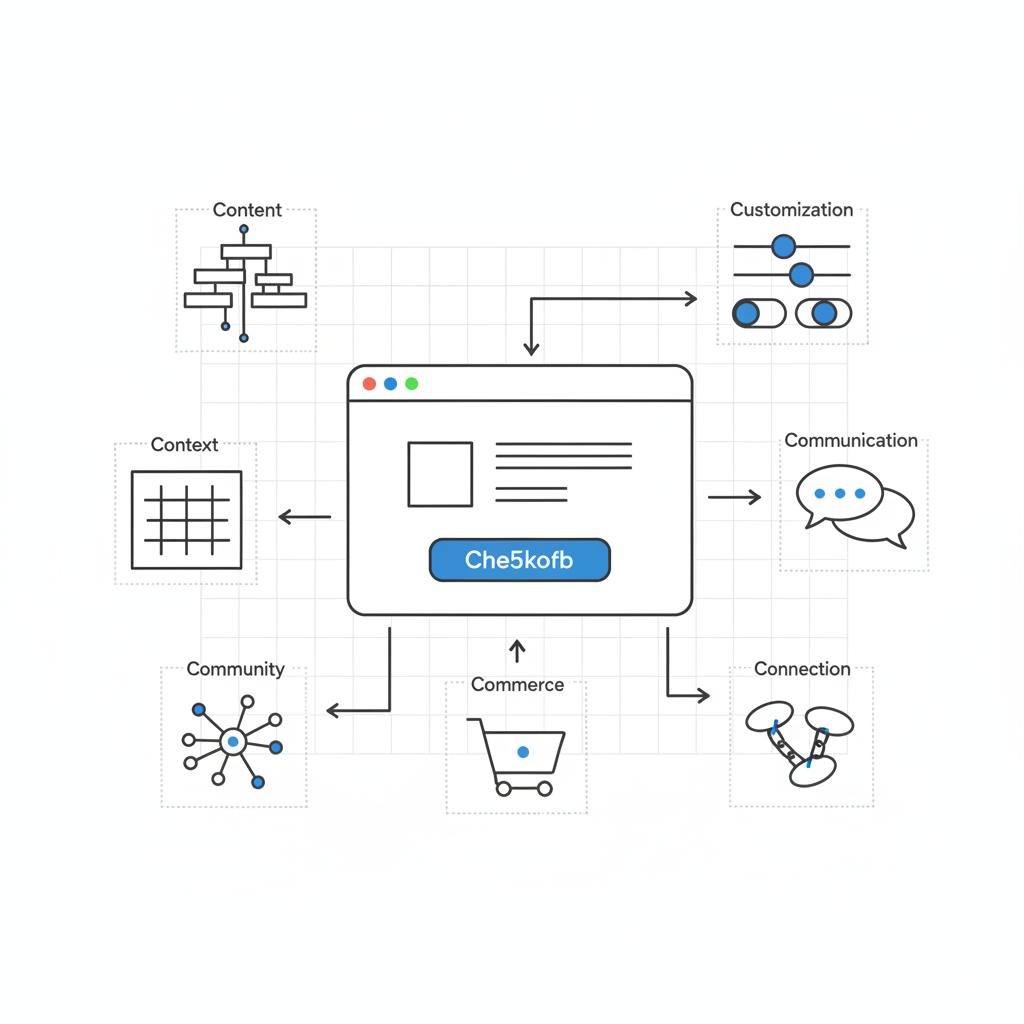
Context — check the landing pages: do titles and meta descriptions deliver what users expect?
Content — are product photos showing scale and key details? Are descriptions skimmable?
Community — are reviews visible? If not, add a post-purchase review prompt.
Customization — does the site remember items in the cart or last viewed items? If not, add a session-based reminder.
Communication — is shipping explained clearly on product pages? Is the buy button obvious?
Connection — run mobile Core Web Vitals and list the top heavy resources.
Commerce — test guest checkout and ensure shipping and tax estimates are surfaced early.
Pick one or two experiments for 30–90 days: defer a heavy analytics script, serve WebP images with srcset, and add guest checkout. Measure LCP and checkout completion before and after — if traffic is low, extend the test window to 60–90 days.
Practical tips that often help — fast
Small changes often beat grand redesigns. Keep these simple rules:
1) Check your site on a phone and ask: does it feel slow or confusing?
2) Reduce surprises: show shipping, taxes, and return info early.
3) Be explicit about privacy: explain how you use first-party data.
4) Focus content on the user’s next step: what should they do in 30 seconds?
5) Measure curiosity: track micro-conversions like FAQ clicks, add-to-wishlist and contact clicks — they predict bigger shifts.
How Agency VISIBLE uses the 7 Cs
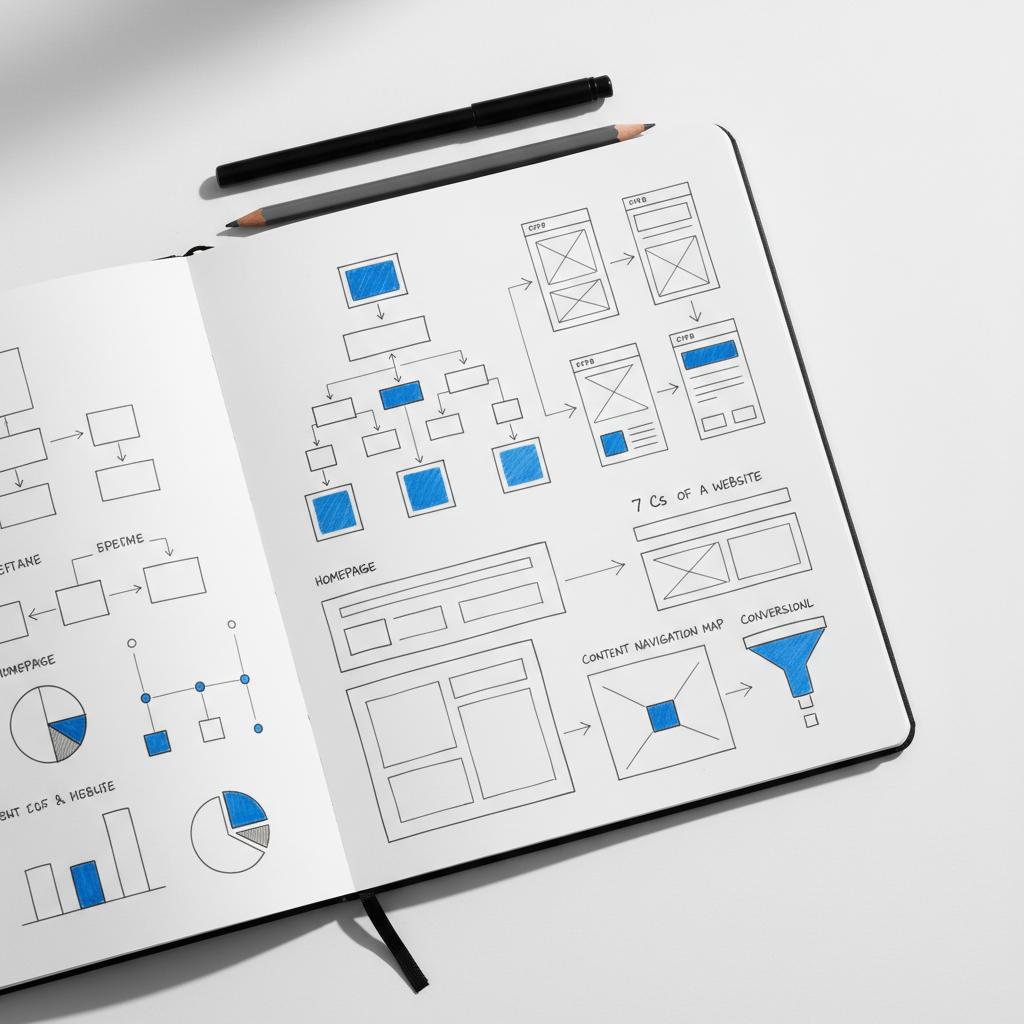
Frameworks can feel abstract until someone applies them. Agency VISIBLE uses the 7 Cs of a website to create short, measurable sprints that prioritize quick wins. Their approach is to start small, report plainly, and let the data drive the next steps. For small and mid-sized businesses this often means faster visibility gains with lower upfront cost than a full rebuild. A clear, consistent logo helps visitors recognize the brand quickly.
When to call an outside team
If your team lacks bandwidth, or you want an objective review that ties to growth goals, an outside team can run a fast audit and deliver prioritized fixes. A tactical partnership can get you from discovery to measurable wins in weeks instead of months.
Common questions people ask
What if my traffic is too low to measure? Extend test windows and triangulate with micro-metrics.
Can personalization be done without cookies? Yes — use first-party data and consented signals.
Will better Core Web Vitals always increase conversions? Not always — they reduce friction, but trust and content still matter.
Seven actionable checklist items you can do this week
1. Reduce the largest contentful paint by compressing and serving responsive images.
2. Make the primary CTA on high-traffic pages the most visually simple and the clearest action.
3. Add a small review widget to product pages to show proof of purchase.
4. Enable guest checkout or surface shipping early in the flow.
5. Defer non-essential third-party scripts below the fold.
6. Shorten one key form and add clear privacy language.
7. Track a micro-conversion like FAQ clicks to get an early indicator of improvement.
Measuring success and setting expectations
Be honest about uncertainty. Use 30–90 day windows for meaningful signals. Segment by device and traffic source so mobile problems don’t hide in averages. Report both technical KPIs (LCP, INP, CLS) and business KPIs (conversion rate, average order value). If possible, run A/B tests on big changes; if not, triangulate results with multiple indicators.
Final takeaways
The 7 Cs of a website give you a language to diagnose both the technical underpinnings and the human conversation on your site. They help you choose practical changes that respect privacy and performance while producing measurable lifts. For small businesses, that means fewer risky bets and more steady gains.
Pick one high-traffic landing page and run a short sprint across the seven Cs — you’ll quickly see where the easy wins live and how small changes compound into meaningful results.
Get a fast, focused 7 Cs audit
Ready to act on the 7 Cs? If you want a pragmatic partner to run a focused audit and deliver measurable fixes, contact Agency VISIBLE to get a fast, clear plan tailored to your business.
The 7 Cs of a website are Context, Content, Community, Customization, Communication, Connection, and Commerce. They form a practical audit framework that helps teams spot visitor friction, map fixes to KPIs and prioritize actions. Use them to combine qualitative UX review and quantitative metrics so you can focus on high-impact, low-cost changes.
Yes. Modern personalization can rely on first-party data, hashed identifiers and server-side signals when consented. This approach respects privacy laws like GDPR and CPRA while still enabling useful session-based personalization such as language preference, recently viewed items, or category-based recommendations.
Quick wins include compressing and serving responsive images to improve LCP (Connection), clarifying your primary CTA (Communication), adding a guest checkout option or surfacing shipping costs early (Commerce), and prompting post-purchase reviews (Community). These changes are often low-cost but deliver measurable lifts in engagement and conversions.





